Building Your Own AI Research OS Workshop
This is the repo for the talk at the AI Engineer World's Fair conference,
presented by Louis-François Bouchard (X ·
LinkedIn) and Paul Iusztin
(X ·
LinkedIn).
I'm always losing my research.
5,000+ notes in Obsidian, 5,000+ highlights in Readwise, plus Notion and Google Drive — growing ~250 files a month. And every research session still starts from zero: paste the same links into Codex, watch it rebuild context on the fly, then lose all of it when the chat ends.
Access to information was never the bottleneck. Reusing it was.
AI Research OS turns your Second Brain into a living research memory your agents maintain —
research that compounds over weeks, months, and years instead of dying in a conversation.

Codex or Claude gives you an answer. This gives your harness a reusable research memory:
raw/- copied or fetched source materialwiki/sources/- per-source summarieswiki/concepts/,wiki/entities/,wiki/comparisons/- reusable synthesis pageswiki/overview.mdandwiki/synthesis.md- the current thesisindex.yamlandindex.md- the catalog future agents read firstlog.mdandwiki/open-questions.md- what happened and what to research next
The point is not to replace Codex. The point is to stop re-researching the same topic every week.
What this is
AI Research OS is a set of local AI skills for building and querying a persistent research wiki from your own sources:
- Obsidian notes
- Readwise highlights
- NotebookLM notebooks
- GitHub repos
- YouTube videos with public transcripts
- web links
- PDFs and local files
Via deep research on top of your personal Second Brain
Obsidian is optional. It is just a visual IDE for browsing the generated markdown wiki. The system can run purely through Codex or Claude Code from a normal working directory.
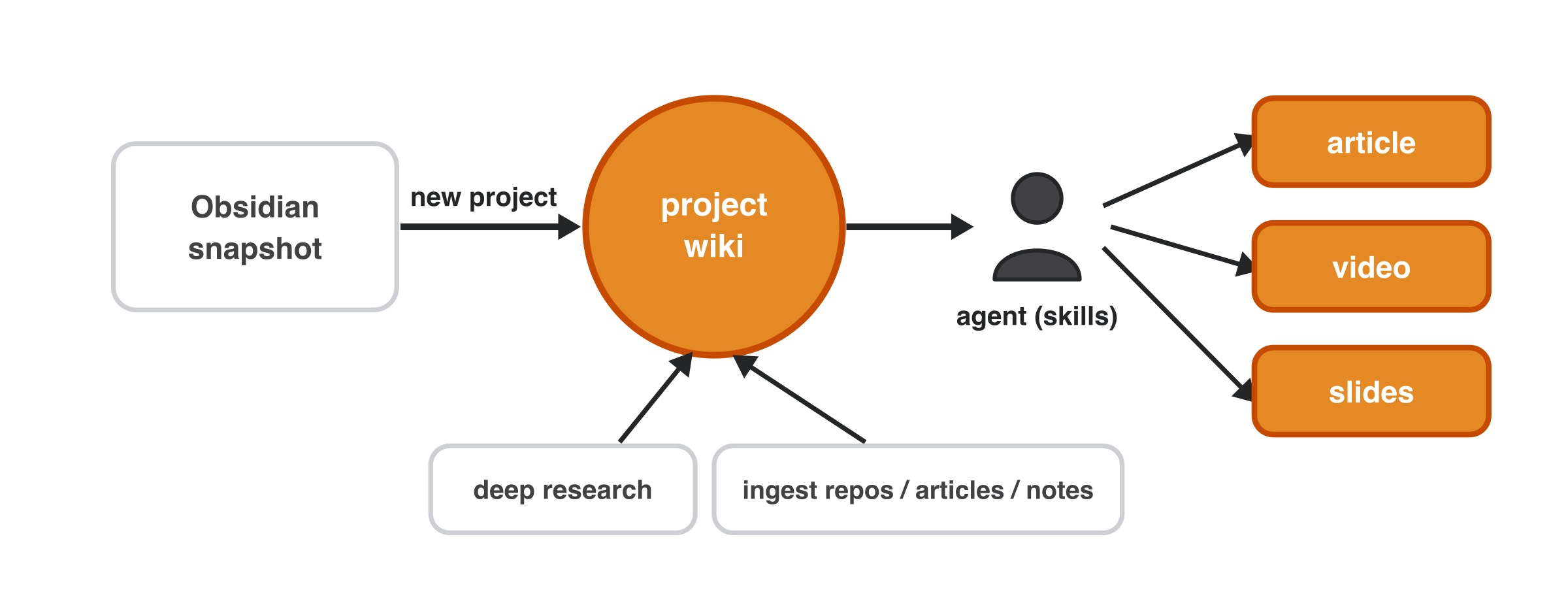
Slides
Video
Whenever You're Ready, Here's How to Go Deeper
Our AI Research OS runs locally via skills.
Our Agent AI Engineering course, built with Towards AI, shows how to ship it to production as a multi-agent system: MCP servers with LangGraph, an evaluator-optimizer loop, observability, evals, and GCP deployment.
35 lessons. 3 end-to-end portfolio projects. A certificate. And a Discord community with direct access to industry experts and me.
Built for software engineers, data engineers, or scientists transitioning into AI engineering.
Rated 5/5 by 300+ students. The first 7 lessons are free:
Architecture
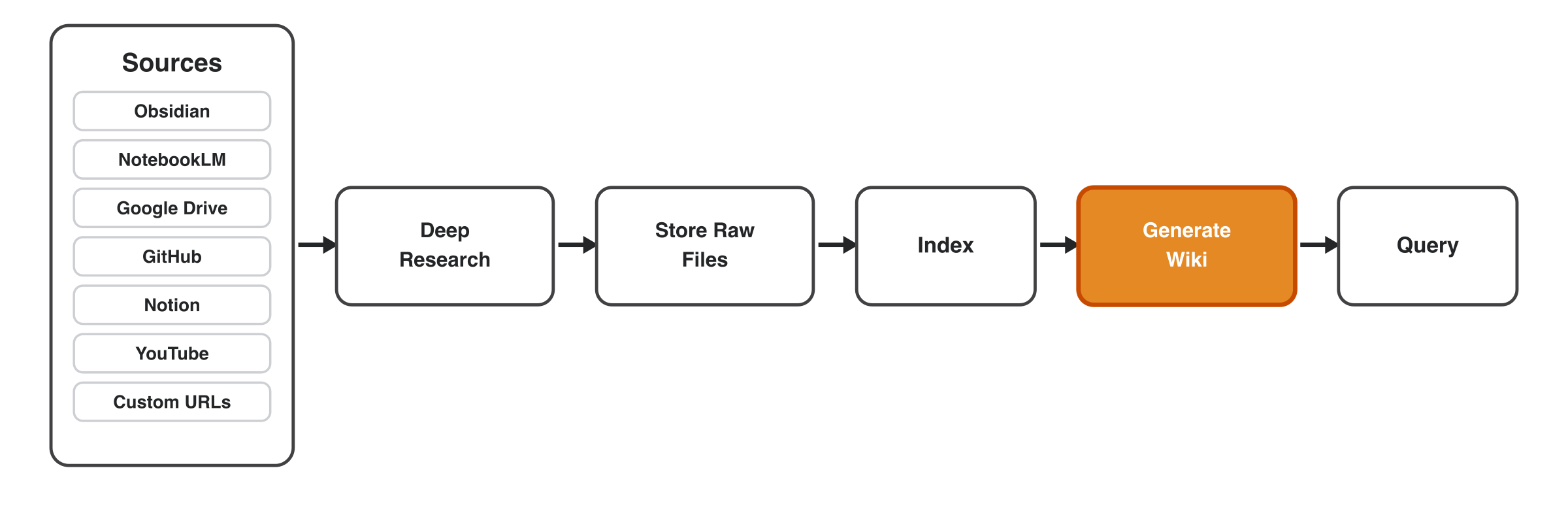
Sources flow through deep research, get stored as raw files, indexed, synthesized into a wiki, and then queried:
user question / sources
        |
        v
  /research router
        |
        +--> query existing wiki
        +--> append known sources
        +--> run deep discovery
        |
        v
 raw sources -> source pages -> concepts/entities/comparisons
        |
        v
 index.yaml + overview.md + synthesis.md + open-questions.md
Examples
Three end-to-end runs, each browsable in examples/. Open the linked prompt
in Claude Code / Codex with /research to reproduce it; each screenshot shows the resulting
wiki browsed in Obsidian.
1. Deep research from an outline + web resources
Discover sources, summarize, and synthesize them into a topic wiki.
How to use it: /research example_1_deep_research/prompt.md
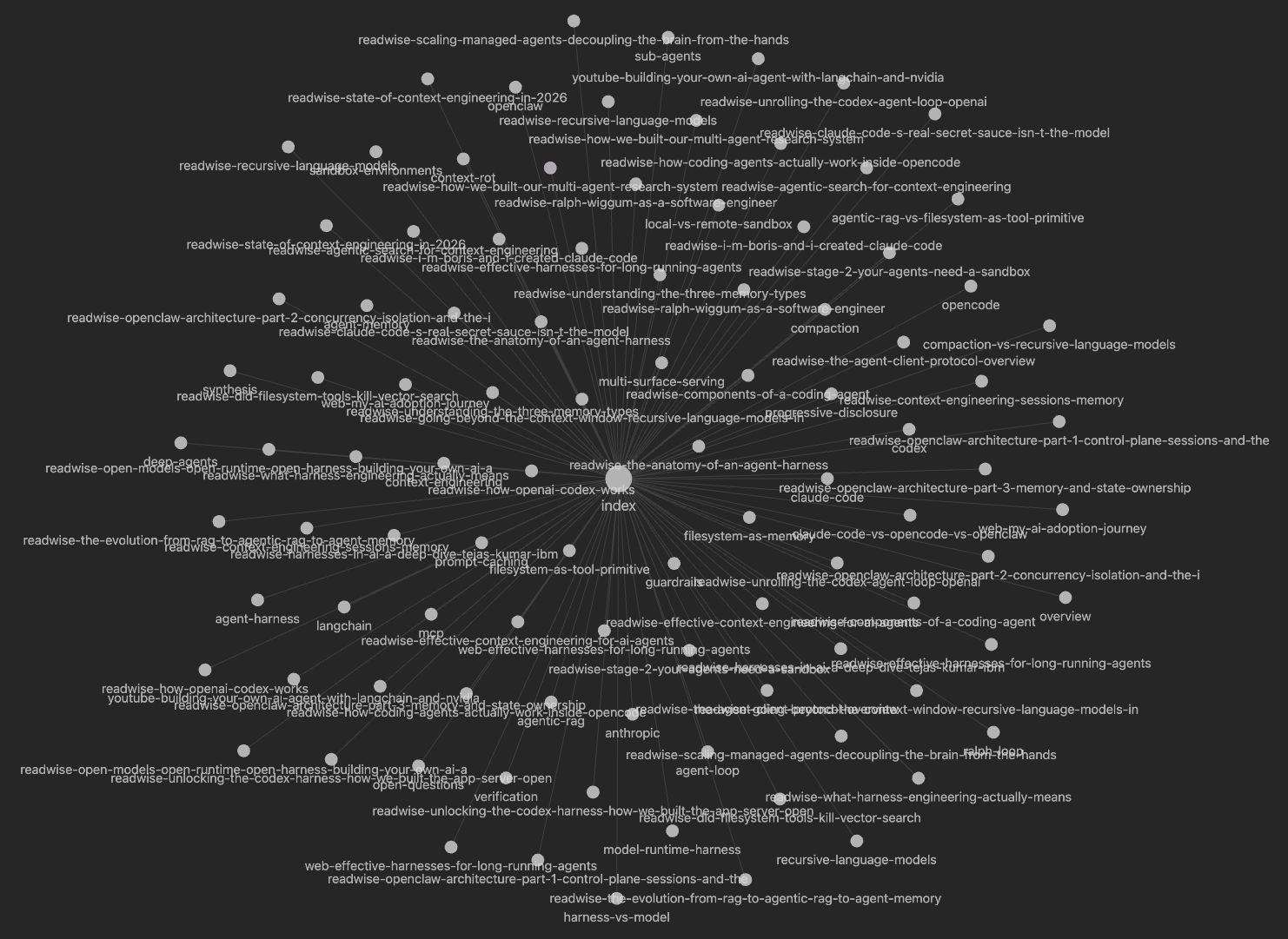
A full research wiki on agentic harnesses, built from a content outline and reference links.
2. Ingest GitHub repos
Compute per-repo notes (architecture, agents, memory, permissions) and cross-repo comparisons, skipping deep discovery.
How to use it: /research example_2_github/prompt.md
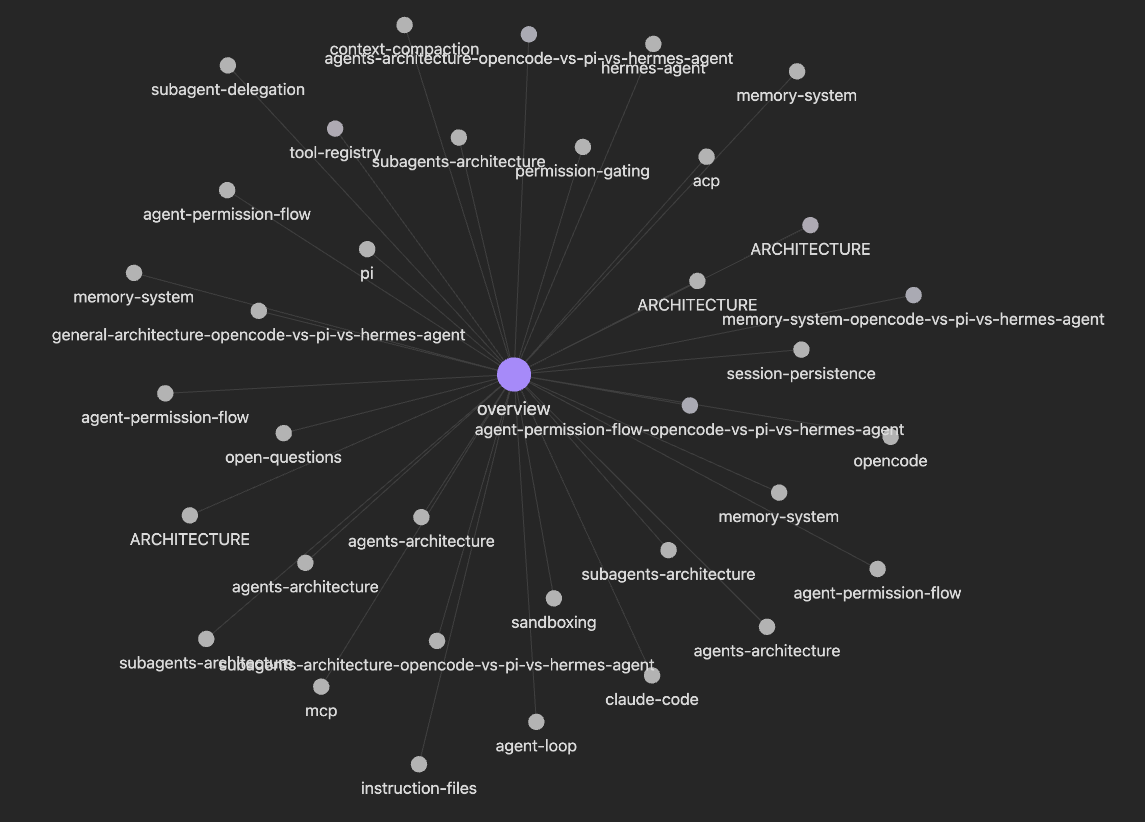
Side-by-side comparison pages across three coding-agent repositories.
3. Ingest web links
Pull a handful of specific articles into the wiki without running deep research.
How to use it: /research example_3_ingest_links/prompt.md
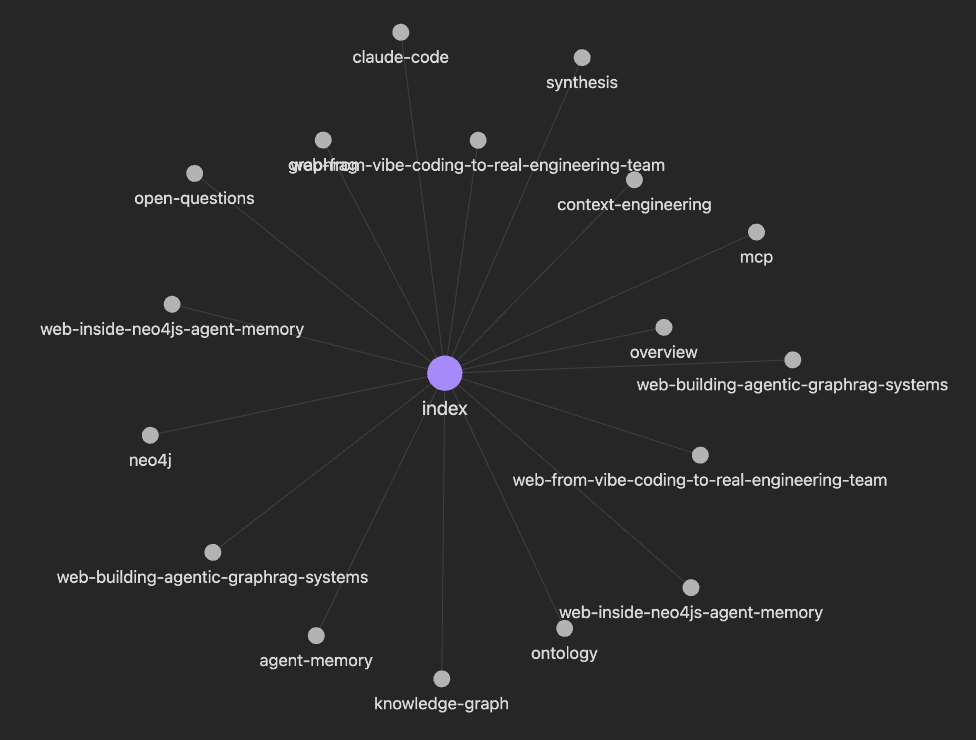
Source pages and synthesis built from three custom URLs.
How to use it
- Start with a question and a few sources.
- Run
/research. - Show the generated
working-dir/research-<topic>/directory. - Ask a follow-up question that answers from the existing wiki instead of re-ingesting.
- Add a YouTube video or GitHub repo and show the wiki update.
When to use it
Use this when:
- you are researching a topic over multiple sessions
- you want sources, summaries, claims, and open questions preserved
- you want to compare several repos, papers, videos, or notes
- you want future Codex / Claude runs to reuse prior research
- you want a local markdown wiki you can inspect, edit, and version
- you want deep research to write durable artifacts, not just a chat answer
Do not use this when:
- you have one simple question
- you only need a quick answer from one link
- you do not care about saving the result
- you need a fully managed hosted knowledge base
- you want semantic search infrastructure only, without an agent workflow
Compared to alternatives
| Tool | Best for | Limitation | Where AI Research OS fits |
|---|---|---|---|
| Codex one-shot | Fast answers, coding help, repo Q&A | The answer is not automatically turned into a durable research workspace | Use Codex directly for simple questions; use this when the research should be reused and extended |
| NotebookLM | Chatting with a fixed set of uploaded sources | Less programmable, less agent-native, not designed around repo parsing, wiki updates, or repeated source ingestion loops | Creates local files, source pages, indexes, and synthesis that agents can keep editing |
| Deep research agents | Broad discovery and synthesis | Often produce a one-time report | Stores the report as a living wiki with raw sources, open questions, and append workflows |
| RAG / vector databases | Retrieval over large corpora | Infrastructure-heavy; retrieval alone does not create source pages, comparisons, or a thesis | Keeps the workflow lightweight and artifact-first; indexing is human/agent-readable |
AI Research OS | Research that compounds across notes, repos, videos, links, and follow-up questions | More setup than a one-shot prompt | Gives Codex / Claude Code a reusable research workspace |
Skills
| Skill | What it does |
|---|---|
/research | Init, append, or query a per-topic research directory. |
/research-distill | Distill a research directory into a compact research.md for a specific piece of content. |
/research-lint | Health-check a research directory for orphan sources, broken links, stale claims, contradictions, and missing hubs. |
/research-render | Render wiki pages into slides, charts, canvases, or content briefs. |
The shared data contract lives in
plugins/ai-research-os/skills/research/CONVENTIONS.md.
Research modes
/research routes requests before doing expensive work:
| Mode | Use when | Behavior |
|---|---|---|
query | Ask from an existing research directory | Reads index.yaml and wiki/; no ingest or discovery. |
append | Add the sources you provide | Ingests the provided sources only; no discovery rounds. |
deep | Explicitly request deep research | Runs source discovery rounds (at a fast/light/deep depth preset), dedup, and wiki updates. |
init | Start a new research directory | Creates working-dir/research-<topic>/. |
Deep discovery is opt-in and runs at one of three depth presets — fast (1 round, 3 queries),
light (2 rounds, 3 + 2 queries), or deep (3 rounds, 3 queries each). Long runs show a plan
first: selected mode, sources to ingest, expected runtime, and files to write.
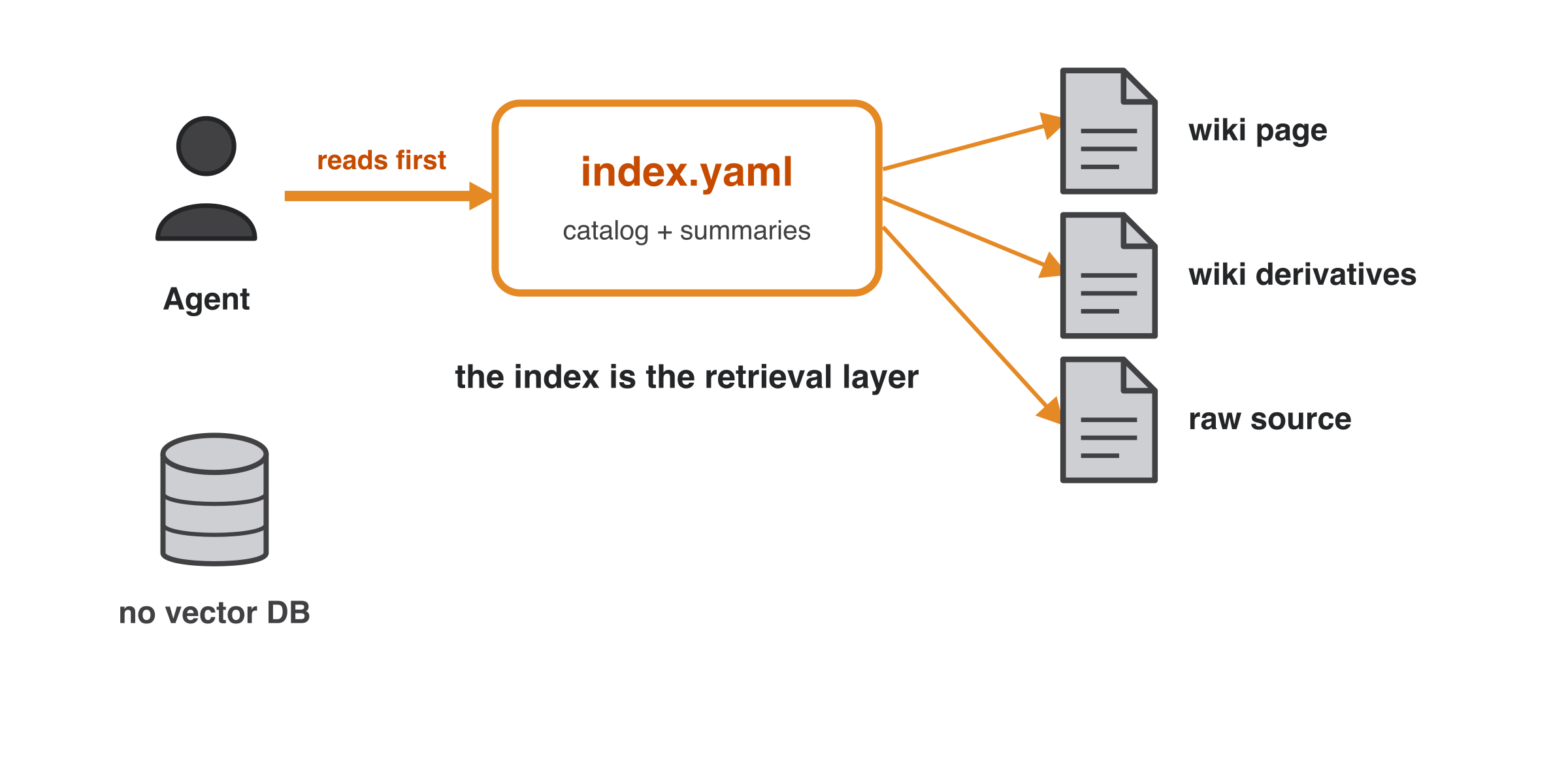
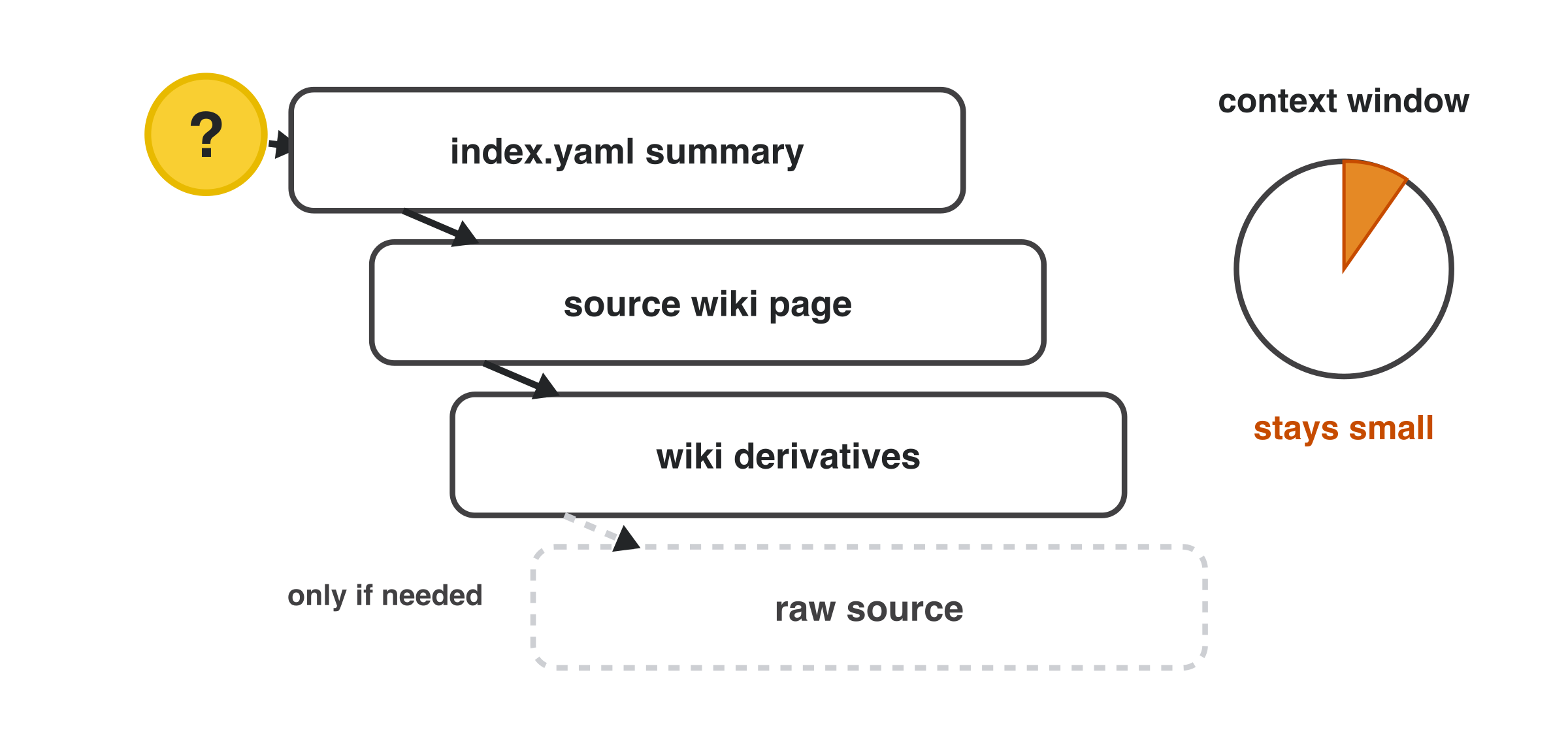
In query mode the agent drills down progressively — index summary first, then the source
wiki page, then derivatives, and only the raw source if it still needs it — so the context
window stays small:
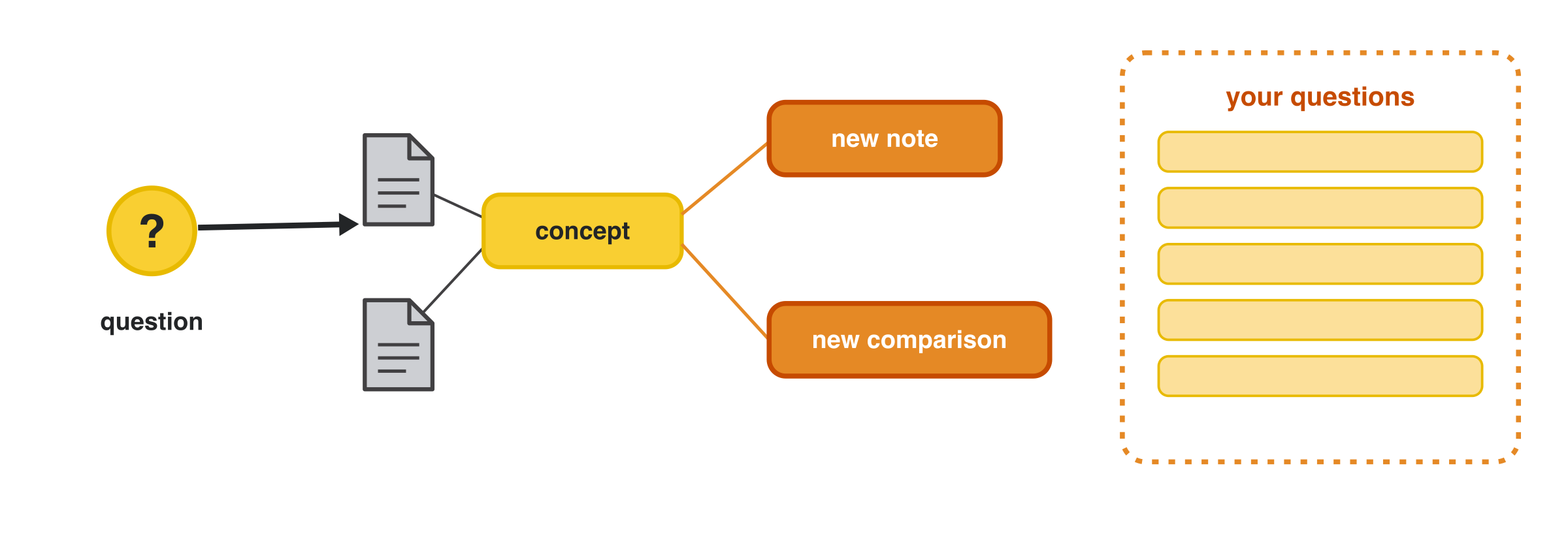
A question can also grow the wiki: it spawns new notes and comparisons off existing concepts, and your open questions accumulate for future rounds:
Install
You only need three things to get going:
- Claude Code (or Codex) — the agent that runs the skills.
uv— runs the helper scripts (see Dependencies).- This plugin — installed with one of the two options below.
Always run the agent from the directory where you want research saved: your Obsidian
vault root, a project root, or any working folder. Research outputs are created in a
working-dir/ subfolder of wherever you start.
Option A - Claude Code plugin (recommended)
Inside Claude Code, run:
/plugin marketplace add iusztinpaul/ai-research-os-workshop
/plugin install ai-research-os@iusztinpaul
That's it — the /research, /research-distill, /research-lint, and
/research-render skills are now available everywhere you use Claude Code.
Option B - local skills (for testing or development)
Use this if you want to edit the skills, test a PR branch, or run without the marketplace plugin.
git clone https://github.com/iusztinpaul/ai-research-os-workshop.git

# from the vault or project where you want to use the skills:
cd /path/to/your/vault-or-project
mkdir -p .claude/skills
cp -R /path/to/ai-research-os-workshop/plugins/ai-research-os/skills/* .claude/skills/
To test a specific branch, git checkout <branch-name> in the clone before copying.
Tip: instead of copying, symlink the skills so your edits are picked up live:
ln -s /path/to/ai-research-os-workshop/plugins/ai-research-os/skills/research .claude/skills/research
First run
- Open Claude Code or Codex from your vault/project directory.
- Type
/and confirmresearchappears in the skill list (this verifies the install). - Run
/researchwith a topic and a couple of sources, for example:/research compare LangGraph and CrewAI for multi-agent orchestration. - Inspect the generated
working-dir/research-<topic>/directory. - Ask a follow-up — the agent answers from the existing wiki instead of re-ingesting.
If a source CLI is missing, /research warns you and continues with what it can reach,
so you can start with zero extra setup and add connectors later (see
Source CLIs).
Dependencies
Install uv first:
# macOS
brew install uv

# Windows
winget install --id=astral-sh.uv -e
The helper scripts use uv run --script, so script dependencies install into isolated
environments automatically.
Per-script dependencies include pyyaml, httpx, pymupdf, pymupdf4llm,
youtube-transcript-api, and matplotlib.
Source CLIs
These are optional source connectors. Missing CLIs degrade gracefully: /research warns
you and continues with the sources it can access.
| CLI | Used for | Setup |
|---|---|---|
obsidian | Search local Obsidian notes | Enable Obsidian CLI in Obsidian settings. On Windows, the skill also tries %LOCALAPPDATA%\Programs\Obsidian\Obsidian.com. |
readwise | Search Readwise library and feed | npm install -g @readwise/cli, then authenticate. |
nlm | Search NotebookLM notebooks | See the bundled nlm-skill. |
| Web pages | Fetch generic HTML sites | None — uses preinstalled curl + a python3 stdlib HTML stripper. WebFetch is the fallback for JS-rendered or bot-walled pages. |
git | Ingest GitHub repos | Install system Git. |
| YouTube captions | Ingest public YouTube transcripts | No API key required. Public captions must be available. |
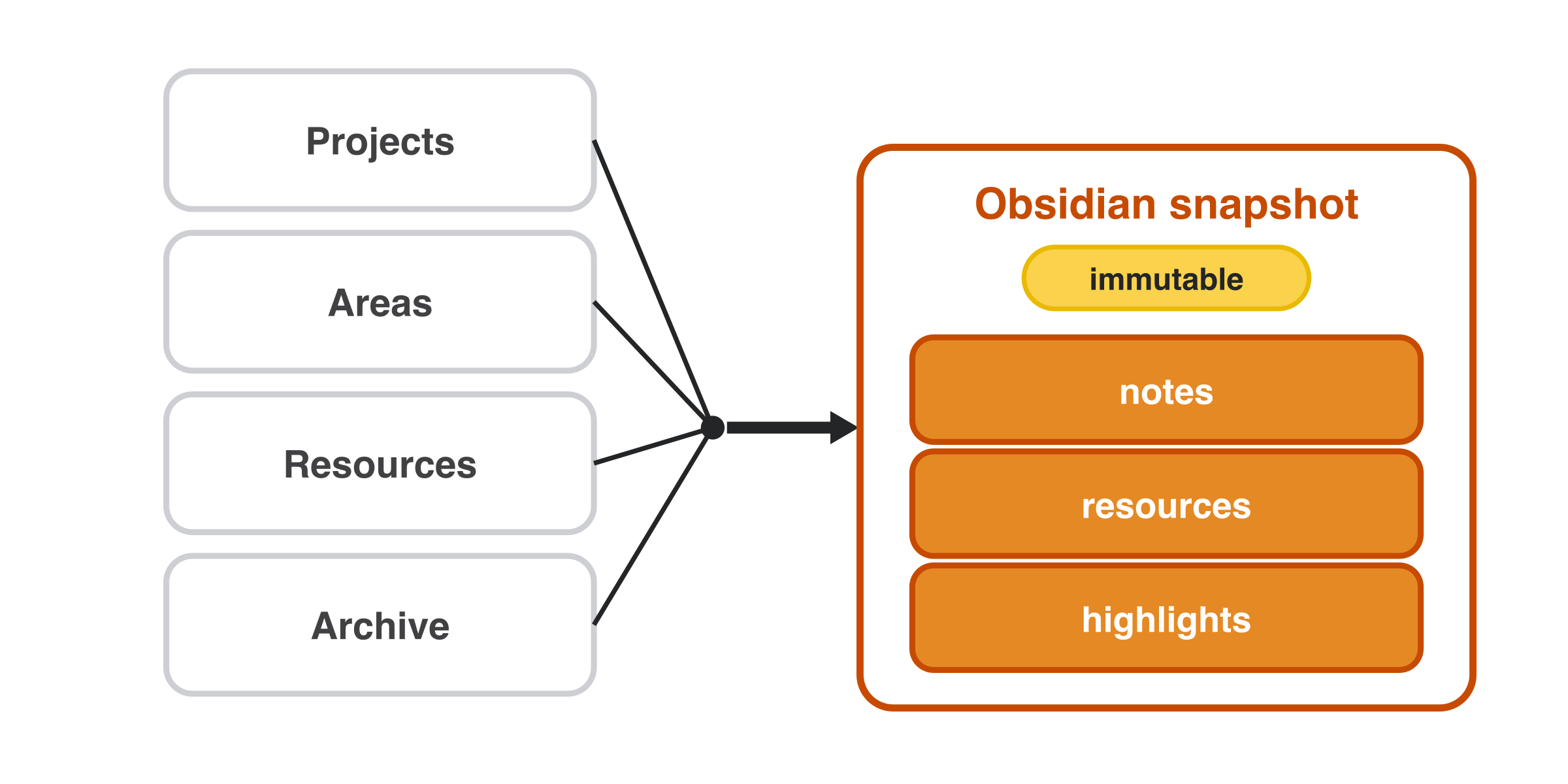
Your PARA vault (Projects, Areas, Resources, Archive) is pulled into an immutable Obsidian snapshot — notes, resources, and highlights — that research builds on without mutating your originals:
Output layout
Research outputs are created under:
working-dir/research-<topic>/
  index.yaml
  index.md
  log.md
  raw/
  wiki/
    overview.md
    synthesis.md
    open-questions.md
    sources/
    concepts/
    entities/
    comparisons/
index.yaml is the canonical machine-readable catalog. index.md is the
Obsidian-friendly view.
The agent reads index.yaml first and follows its pointers to wiki pages, derivatives, or
raw sources — the index is the retrieval layer, so there is no vector DB: