
pi Desktop
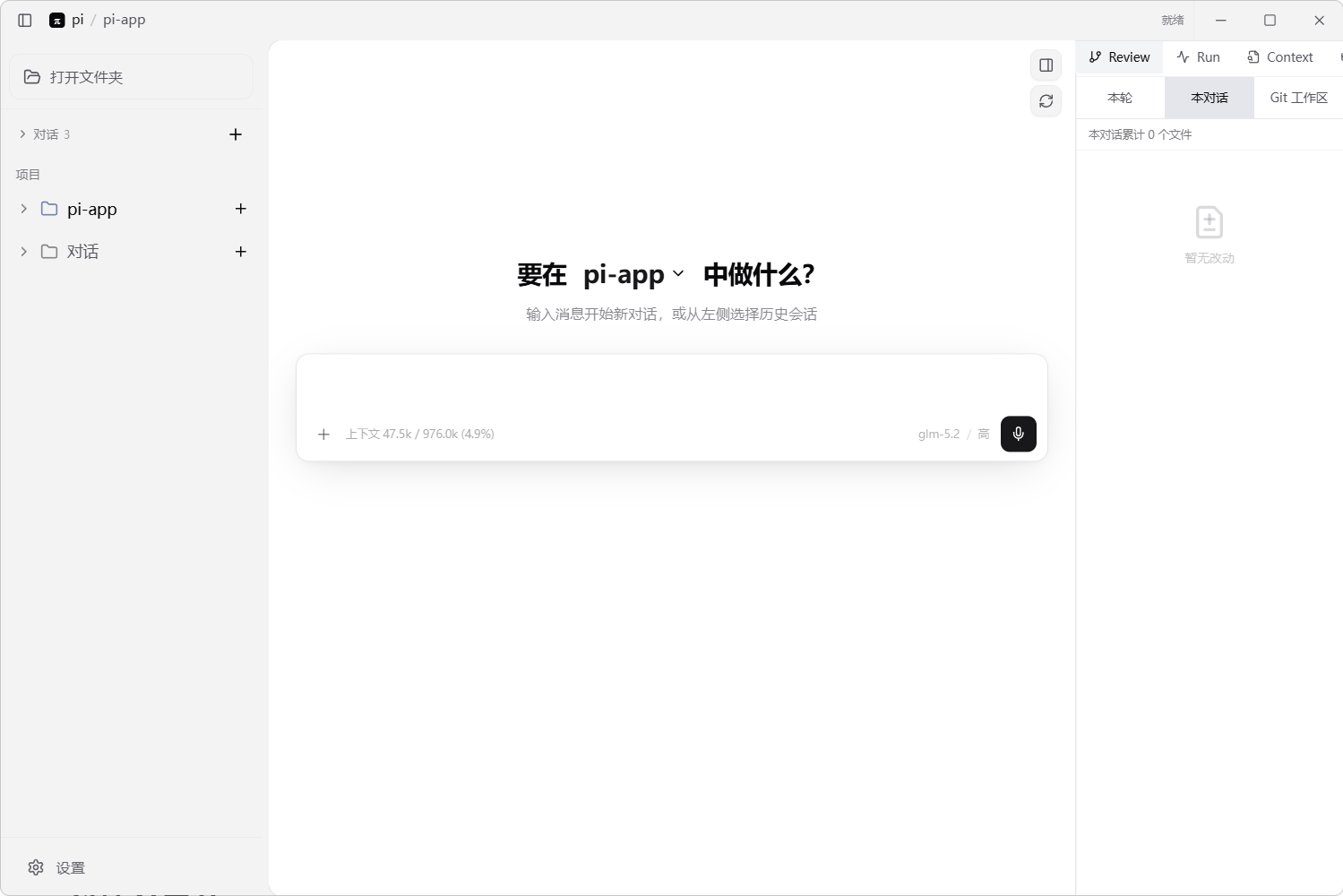
The desktop app for the pi coding agent — same agent you run in the terminal, now with a timeline, side panels, and a real window.




[!NOTE] pi Desktop is not a separate AI — it's a desktop shell around the pi SDK you already use. Your conversations, model logins, and extension settings live in the same
~/.pi/agentfiles. Open a project and keep chatting from where you left off in the terminal.
Why
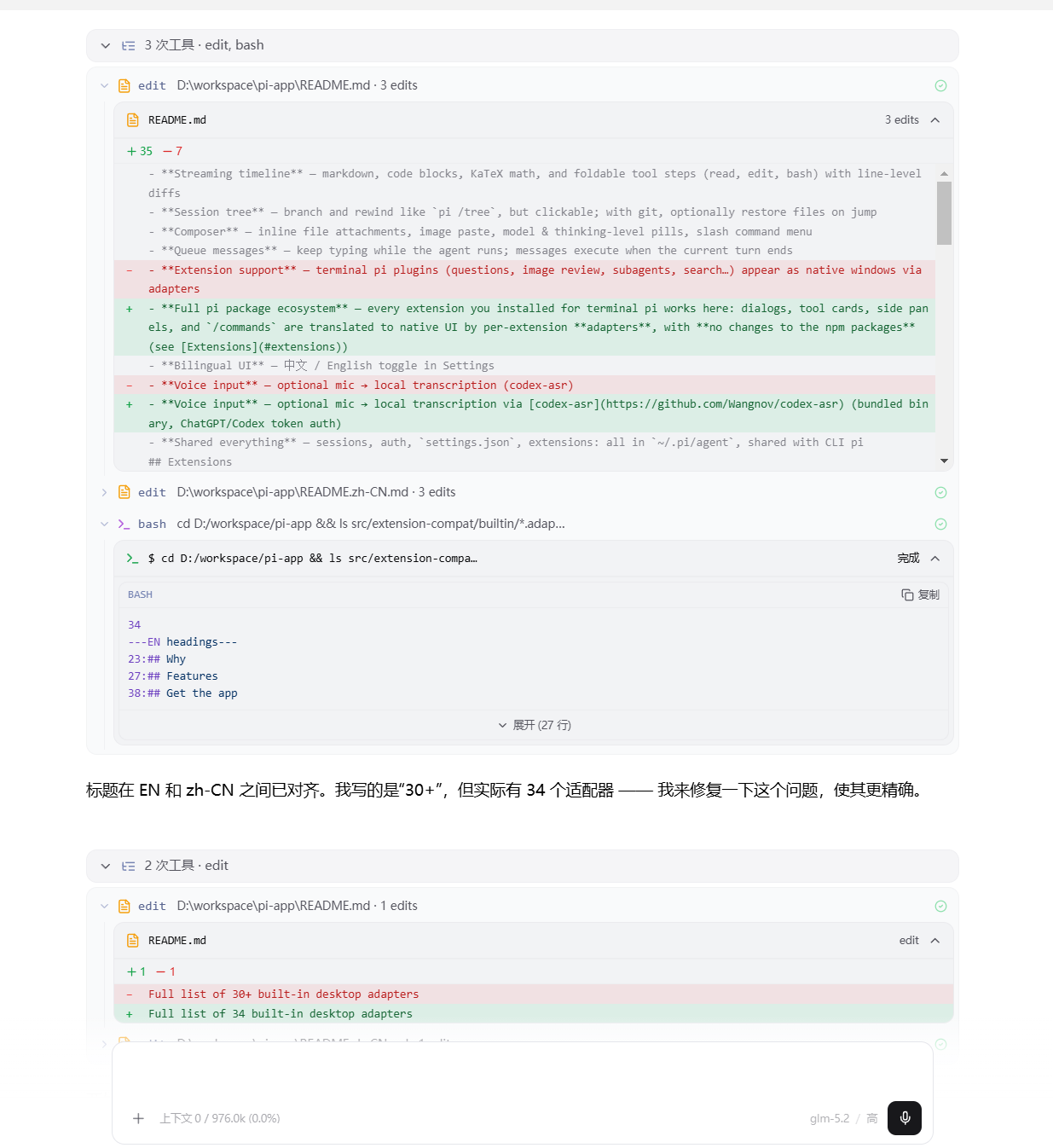
If you use pi in the terminal, you've probably wished for: a real diff view instead of scrolling raw output, the ability to queue a follow-up while the agent is still running, and a session tree you can click through instead of typing /tree. pi Desktop gives you all of that, plus native windows for extension pop-ups — without forking pi or touching your installed extensions.
Features
- Streaming timeline — markdown, code blocks, KaTeX math, and foldable tool steps (read, edit, bash) with line-level diffs
- Session tree — branch and rewind like
pi /tree, but clickable; with git, optionally restore files on jump - Composer — inline file attachments, image paste, model & thinking-level pills, slash command menu; Files panel tree supports drag files into composer or right-click attach
- Workspace file preview — multi-tab (
Ctrl/⌘+click or right-click Open in new tab), line-gutter source view, expand preview into the chat column for wide reading - Queue messages — keep typing while the agent runs; messages execute when the current turn ends
- Full pi package ecosystem — every extension you installed for terminal pi works here: dialogs, tool cards, side panels, and
/commandsare translated to native UI by per-extension adapters, with no changes to the npm packages (see Extensions) - Bilingual UI — 中文 / English toggle in Settings
- Voice input — optional mic → local transcription via codex-asr (bundled binary, ChatGPT/Codex token auth)
- Shared everything — sessions, auth,
settings.json, extensions: all in~/.pi/agent, shared with CLI pi
Get the app
Windows — download the installer or portable build from Releases.
[!TIP] You need pi set up once on the machine (model login, the way you already use for terminal pi). After that, just open a project folder in pi Desktop and you're in.
Build from source (developers):
git clone https://github.com/justhil/pi-app.git
cd pi-app
npm install
npm run dev
First steps
- Open a folder — your repo becomes the agent's working directory (or use a sandbox under "chat partitions" to experiment safely).
- Pick a session — old chats from terminal pi show up here; or start fresh with
+. - Send a message —
Enterto send,Shift+Enterfor a new line. - Check the right panel — review, run, context, session tree, or Files (tabbed preview + explorer; expand preview across the chat column).
- Jump back — hover a message and undo, or double-tap
Escwith an empty input to open the session tree.
Shortcuts
| Action | Keys |
|---|---|
| Send | Enter |
| New line | Shift+Enter |
| Browse sent messages | ↑ / ↓ (empty input) |
| Pull back queued message | Alt+↑ |
| Stop generation | Esc |
| Session tree | Esc Esc (empty input) |
| Commands | / |
| Attach file | Drag, +, or Ctrl+V; Files panel — drag files onto composer (files only) |
| Multi-tab preview | Files → Ctrl/⌘+click a file, or right-click Open in new tab |
| Wide preview | Files toolbar Expand preview (fills chat column; click again to collapse) |
Extensions
pi has a growing ecosystem of npm packages — subagents, image generation, search, hash-anchored edits, MCP servers, and more. pi Desktop makes all of them work on the desktop without forking pi or patching the packages.
How it works
Each extension ships a terminal TUI (select, confirm, surveys, tool cards, /commands). pi Desktop ships a compatibility layer plus per-extension adapters — small JSON descriptions that map that TUI onto native windows, timeline cards, and settings forms. You install and enable extensions exactly as you do for terminal pi; pi Desktop renders them.
Install & enable
- Install in terminal pi:
pi install npm:<name>orpi install git:github.com/... - Enable in
~/.pi/agent/settings.json→packages - Open Settings → Extensions in pi Desktop to confirm tools are loaded for the current session
- If something's missing, start a fresh session after enabling the package
Extension pop-ups (questions, image approval, confirm dialogs) appear as native windows. Per-extension desktop options live under Settings → Desktop adapters. Advanced users can override builtin adapters with JSON in ~/.pi/desktop/adapters/.
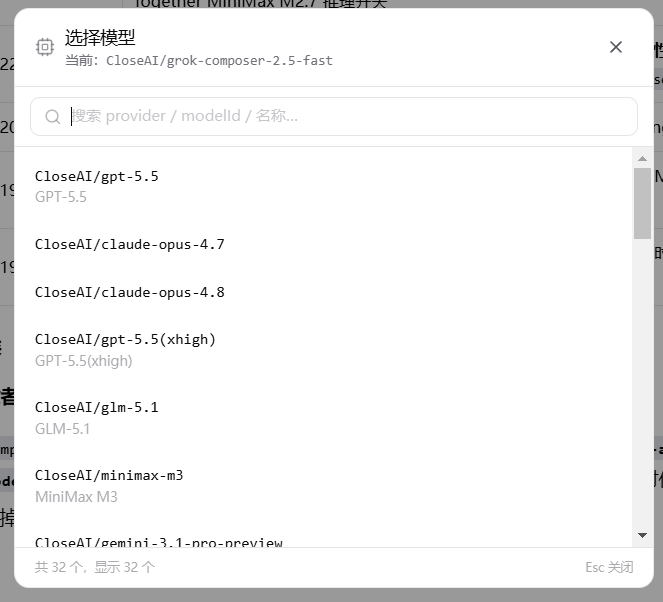
Full list of 34 built-in desktop adapters: doc/guide/adapters.en.md · Author your own: adapter-authoring-guide.md
Voice input
The composer mic records audio and transcribes it locally using codex-asr. It's optional — typing always works without it.
Setup
Open Settings → Voice:
- Provider — defaults to the bundled
codex-asr servebinary (shipped inresources/codex-asr/); falls back tocodex-asron yourPATH, or an external serve URL. - Auth — paste a ChatGPT/Codex
access_token, or click import from~/.codex/auth.json(written by the Codex CLI or ChatGPT desktop after sign-in). Tokens are JWTs and expire — refresh by signing in again. - Connectivity test — a one-click check reports whether the serve process started and the token is valid.
[!TIP] Easiest path: install the Codex CLI, run
codex login, then in pi Desktop use import from auth.json. No manual token pasting needed.
Bundled binaries come from codex-asr releases. If absent, the app falls back to any codex-asr found on your system PATH.
FAQ
| Problem | Try this |
|---|---|
| Blank or frozen window after dev changes | Delete node_modules/.vite, run npm run dev again |
| Extension listed in settings but not in chat | Enable it in pi packages, then restart the session |
| Switching sessions feels slow at first | Only recent messages load immediately; the rest loads when you send or use the tree |
| Voice doesn't work | Open Settings → Voice; check the token or run codex login to refresh — typing still works |
| Closed an extension popup | Use Continue on the timeline |
Sponsor
If pi Desktop has been useful to you, you can support its continued maintenance using the QR code below.
Community
Questions and feedback: LinuxDo
If pi Desktop saves you from staring at a terminal all day, a star on GitHub helps others find it.
For developers & extension authors
- User docs:
doc/— getting started, adapter list, screenshots - Adapter authoring (for AI): adapter-authoring-guide.md
- Tech: Electron 35 · React 18 · TypeScript · Tailwind · shadcn · Zustand · i18next ·
@earendil-works/pi-coding-agent - Release: tag
v*triggers.github/workflows/release.yml→ Windows, macOS, Linux builds