

Give your coding agent a video editor.
Claude Code, Cursor, Codex or any MCP client edits your footage with local FFmpeg, then checks its own output.
No cloud · No API keys · Python standard library
Quick start · Demos · Tools · MCP · npm





npx ffmpeg-skill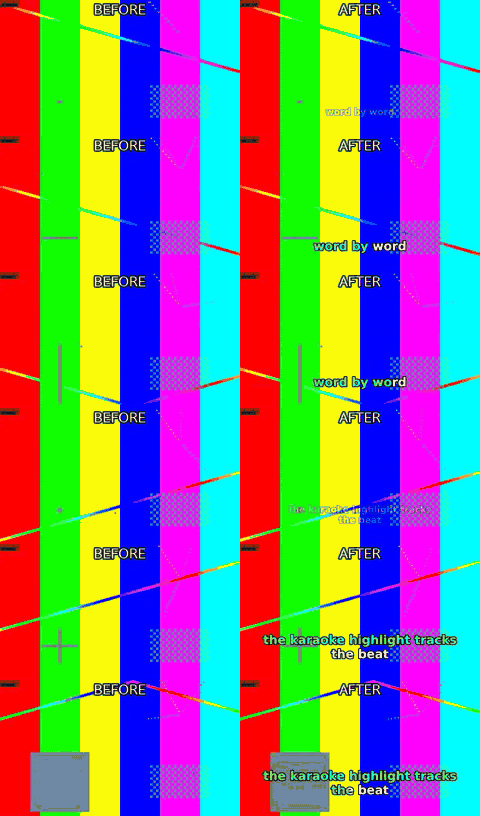 caption.py --animate pop --karaoke |  fit.py --aspect 9:16 --fit crop |
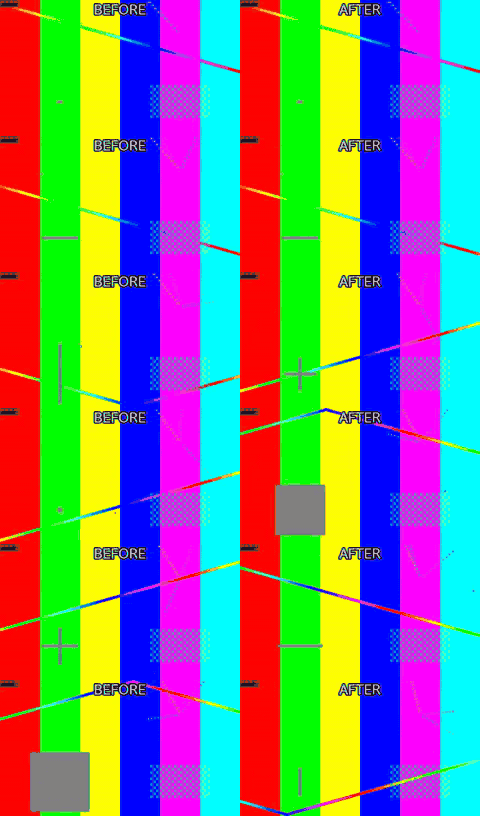 silence.py --threshold -35 | 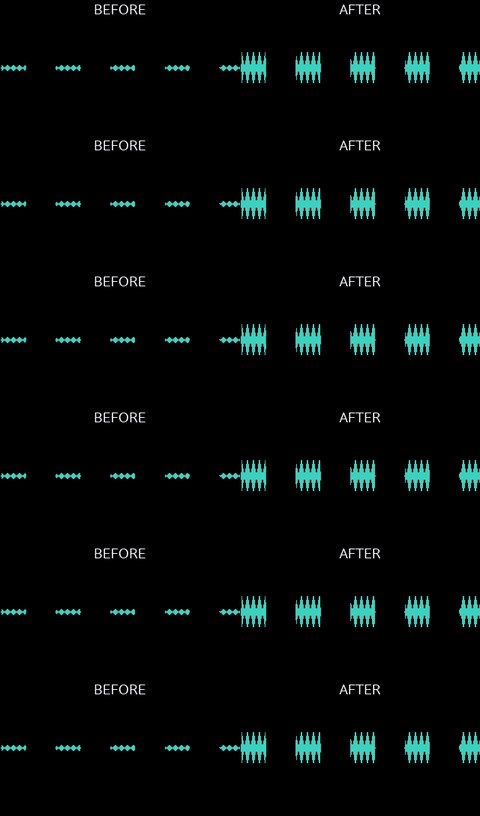 loudness.py -I -14 --tp -1 |
Left half is the input, right half is what the command produced. All 66 before/after demos, with the exact command under each one → — all of it generated from synthetic footage by python3 demos/build.py, so you can rebuild every frame of it yourself.
ffmpeg-skill is an Agent Skill for Claude Code, Cursor, Codex and any agent that reads SKILL.md. It teaches the agent a fixed workflow (probe → edit losslessly where possible → check → verify) and ships 42 tools that do the actual work with ffmpeg / ffprobe: cut, join, silence removal, fit to duration and aspect, captions and karaoke, overlays and motion graphics, HDR → SDR and LUTs, audio clean-up and typed dynamics, sync with drift correction, multicam, loudness, delivery checks, whole-edit project rendering, batch folders. Every tool is also callable as an MCP tool (tools/list advertises a core 12 by default to keep client context small, with FFMPEG_SKILL_MCP_FULL=1 listing all 42; every tool is reachable by name through tools/call either way), and the whole set is described by a machine-readable contract.
If ffmpeg and python3 are on your PATH, it works: offline, on footage you would rather not upload.
SPEC (Self-Producing Execution Contract): each tool's
input_schema— the part of its contract and MCP tool definition that has to track the CLI flag-for-flag — is never hand-authored beside the code. It is derived, at run time, from the sameargparseparser that already defines the CLI, and CI fails the build if any of it drifts. → full explanation
Standalone, and in an ecosystem
Standalone, this is a local FFmpeg engine: probe → edit → verify, npx ffmpeg-skill and nothing else. No API key, no account, no other repo required. Everything above and below this section describes that standalone tool, and none of it changes if you never read the rest of this one.
In kajisho5's wider video-production ecosystem, this repo is the hands: it cuts, measures and exports files, and reports back in structured JSON. It does not decide what to cut, whether a deliverable is approvable, what makes a highlight interesting, or what a caption should say (the user's cue text is burned as written, never rewritten to fit) — those are a brain's job, sitting in front of this engine, not inside it.
| You want to... | Use |
|---|---|
| Cut / join / measure / export a file right now | this repo (ffmpeg-skill), standalone |
| Decide cut points, approve a deliverable, plan a whole edit | video-production-agent / AI-video-production-OS |
Build a typed editing graph across a workspace, without writing raw ffmpeg | video-editing-skill / audio-production-skill |
| Put Remotion motion graphics (animated captions, silence jump cuts, audio-peak motion) on a real recording | remotion-ffmpeg-skill: its compositions take their length, fps, frame, silences, scene cuts, audio peaks and beats from this repo's probe.py, silence.py and scenes.py. It verifies its render with check.py and look.py, composites a graphics layer with overlay.py (--place for its --sparse mode), and delivers through render.py --template |
Other repos in the ecosystem — media-analysis-skill, transcription-skill, subtitle-skill, thumbnail-skill, color-grading-skill, motion-graphics-skill, qc-skill — read this repo's contract --json, its tools' --json output and doctor, the same way any agent framework would; this repo does not call into any of them. The dependency runs one way.
Contents Standalone, and in an ecosystem · Why · Quick start · How it works · Design principles · Tools · Audio · Built for agents · FAQ · FFmpeg compatibility · Tested on real footage · Install · Requirements · Development · Docs
Why
An agent that "knows FFmpeg" still guesses: it assumes a frame rate, picks a codec the container cannot hold, re-encodes a file that only needed a stream copy, and reports "done" without opening the result. This skill takes the guessing out:
- Real files first. Every job starts with
probe.py; the agent decides from the measured duration, fps, resolution, colour and audio layout, not from the file name. - Structured tools, not shell strings. Each operation is a script with typed arguments. Nothing runs through a shell; no filter graph is accepted from the caller.
- A contract the agent can read.
contract --jsonstates, for every tool, what it takes, what it writes, which FFmpeg components it needs and how the result is verified. The MCP surface is derived from it. - Verification after execution. The result is probed, checked against the destination's spec and, when the picture changed, looked at as a contact sheet.
- Local first. No cloud, no API keys, no Python dependencies. Optional local transcription is used when a speech engine (Parakeet or a whisper) is installed, never required — by
caption.py --transcribeand, since 1.17, bysilence.py --filler --transcribe; both take a transcript you already have instead, and both refuse with the install lines rather than guessing. Both take--engineand--model;FFMPEG_SKILL_ASR_ENGINEandFFMPEG_SKILL_ASR_MODELset this machine's defaults (e.g.large-v3-turbowhere that whisper.cpp model is installed; without either, auto andbase). The engine runs on your machine and the audio is never uploaded; parakeet-mlx, faster-whisper and openai-whisper download their model weights the first time they run (parakeet-mlx's default from Hugging Face).
Quick start
# 1. install the skill for Claude Code (Cursor: --cursor, Codex: --codex, all three: --all)
npx ffmpeg-skill

# 2. check the machine: ffmpeg, ffprobe and every FFmpeg component the tools need
npx ffmpeg-skill doctor

# 3. (for agent frameworks) read the machine-readable contract
npx ffmpeg-skill contract --json | head -40
Already installed? re-run npx ffmpeg-skill to refresh ~/.claude/skills/ffmpeg-skill. Copies are not updated automatically.
doctor's overall ok and a single tool's usable: no are different signals: ok means nothing required by every tool is missing, but a plain Homebrew ffmpeg on macOS can still be ok while caption.py specifically can't run (no subtitles filter) — check doctor --json's tools field for the per-tool answer, not just ok.
Then talk to your agent:
"Take
interview.mp4, keep 0:45–3:10 and 5:00–6:30, and make it exactly 60 seconds for Reels."
The agent runs probe.py, cut.py --segments 0:45-3:10,5:00-6:30, fit.py --duration 60 --aspect 9:16 --fit crop, export.py --preset reels, check.py --platform reels and look.py, then reports "final.mp4: 59.98 s, 1080×1920, 30 fps, AAC stereo" with the contact sheet it inspected.
Deliver to a platform
One command per destination, with the app's own UI taken into account:
python3 $S/render.py talk.mp4 --template tiktok --cues cues.txtThat fills the shipped templates/tiktok.json: 9:16 crop, captions popped word by word above
TikTok's description bar and clear of its like column, −14 LUFS, the tiktok export preset, and
a check.py --platform tiktok on the file it wrote. The caption size comes from the delivery
table, so since 1.17.1 the filled project also states "fit_size": "on": a size nobody asked for
shrinks to fit the cue instead of splitting the sentence across two cues. A template that states
its own fit_size, and a --brand that states a caption size, still win, and a project with
"fit_size": "off" renders the captions 1.17.0 rendered. Templates ship for tiktok, reels,
shorts, youtube-shorts, youtube, x, linkedin, facebook and podcast;
--template all (or a comma-separated list) renders every destination from the same edit and
writes a <name>_pack.md table of what each one produced. Files land next to the input unless
-o says otherwise, and --dry-run shows every planned command rather than a result.
render.py --list-templates prints them with their frames, limits and safe zones. Alias
spellings work everywhere a platform is named (youtube-shorts = shorts, ig = reels,
twitter = x, fb = facebook).
The tools also work on their own, from any shell:
S=~/.claude/skills/ffmpeg-skill/scripts
python3 $S/probe.py input.mp4 --compact
python3 $S/fit.py input.mp4 --duration 60 --aspect 9:16 --dry-run    # print the plan, run nothing
python3 $S/export.py input.mp4 --preset reels --json                 # structured result with a probe of the output
On Windows in Git Bash, python3 is only on PATH if Python was installed from the Microsoft Store; a python.org install exposes python (or the py launcher) instead — replace python3 with python above if you see a "command not found". bin/install.js and doctor/contract already handle this for you; only the raw script examples above need it spelled out manually.
More requests and the commands behind them: examples/README.md. To see everything run end-to-end on generated footage: npm run demo (the gallery in docs/demos.md).
How it works
flowchart TD
U[User request] --> A[AI agent<br/>Claude Code · Cursor · Codex]
A -->|reads| S[SKILL.md<br/>workflow, request → tool map, report format]
A -->|runs| T[Structured tool<br/>scripts/<name>.py, typed argparse flags]
T --> C[Contract<br/>input schema · role · capabilities · verification policy]
C --> D[Capability detection<br/>doctor: available / missing / unknown]
D --> F[FFmpeg execution<br/>no shell, stream copy when possible]
F --> V[Verification<br/>probe · check · look.py contact sheet]
V --> R[Structured result<br/>--json: status, output, commands, probe]
R --> AOver MCP the same tools are reached through a transport that holds no tool table of its own:
flowchart LR
M[MCP client<br/>Claude Desktop · Cursor · any client] --> P[mcp/server.py<br/>stdio JSON-RPC]
P -->|tools/list| C[Contract-derived ToolSpecs<br/>names · order · inputSchema]
P -->|tools/call| T[scripts/<name>.py]
C -.derived from.-> K[scripts/_contract.py]
T -.described by.-> KNames, order and inputSchema in tools/list are translated from each tool's argparse parser at start-up, so a new flag or a new script appears in MCP with no edit to mcp/. A test copies the skill, adds, removes and edits a script, and reads tools/list again to prove it.
Design principles
These are the rules the skill file gives the agent and the code enforces.
- Probe first. No tool decides from the file name.
probe.pymeasures duration, fps (with variable-frame-rate detection), resolution, rotation, bit depth, HDR format including Dolby Vision, colour tags and every audio stream before anything is cut. - Lossless when possible.
cut.py,join.pyandloudness.pystream-copy what they do not need to touch. Re-encoding happens only when it must: frame-accurate cuts, filters, format changes, or a keyframe farther than the tolerance. - Plan before render. Every tool takes
--dry-run(print the ffmpeg command lines, write nothing),--plan FILE(the dry run saved as a plan with fingerprinted inputs thatrender.py FILEexecutes later, refusing if an input changed),--json(structured result with a probe of the output),--fast(preview quality),--progress(percent and ETA),--timeout(a hung ffmpeg is killed and reported, never waited on forever; Ctrl-C or SIGTERM likewise stops the running ffmpeg, removes its partial output and reportskind: interrupted) and--overwrite(explicit consent before an existing output is replaced). A test runs every tool under--dry-runbehind a fake ffmpeg and asserts that no ffmpeg call happened and no file appeared. - Machine-readable contract.
contract --jsondescribes all 42 tools: input schema generated from the parser, output schema, role, required and conditional FFmpeg capabilities, dry-run support, the verification tools to run afterwards, whether a visual check is required,mutates_input: false.provideslists all 42 by a cross-repository Capability id (ffmpeg-skill.cut,ffmpeg-skill.loudness, ...) forkajisho5/AI-video-production-OS'sCapabilityContract.provides— seedocs/contract.md. - Contract-derived MCP.
mcp/server.pybuilds itstools/listfrom the contract. Tool names, order andinputSchemacannot drift from the scripts; a test keeps the two byte-identical. - Capability detection.
doctorreadsffmpeg -encoders / -filters / -bsfsand reports which of the components the tools need are present on this build (libx264, libass, zscale, loudnorm, xfade, …), before a job fails inside ffmpeg. - Unknown is not missing. When a listing cannot be read (a layout the parser does not know, ffmpeg exiting non-zero) the affected capabilities are
unknown: nevermissing, never silentlyavailable. An installed filter is not reported absent; a failed detection is not a pass. - Verify the result. The output is probed, and when the picture changed (captions, overlays, crops, colour, transitions) the agent runs
look.pyand inspects the PNG. The report is not finished until itsLook:line names that image; audio-only jobs sayLook: not needed. "Inspects" means the calling agent's own vision, not a feature of this skill:look.pyonly renders a PNG; nothing in this repository detects faces, products, subjects, or "the interesting part" of a frame or a scene. When a crop or reframe needs to keep a specific part of the frame (fit.py --fit crop --crop-x/-y, see Tools), it is the multimodal agent looking at that PNG and choosing the anchor — a non-visual caller (a script, a CLI user without eyes on the sheet) has to supply that decision itself, and the default is a plain centre crop. Likewisescenes.py --highlightsranks candidate scenes by a measured proxy (--rank-by audioor--rank-by duration), never by content; it is the agent that turns a look at the sheet into a judgement. - One label per report. A finished job is
Done:, a failure or a refusal isFailed:, and a partial result isDone:with the shortfall named inNotes:— never a third label such asDone (partially):. - Keep originals. No tool overwrites its input. Outputs are new files named
<input>_<operation>.<ext>unless told otherwise, and a test hashes every input after the run.
Tools
42 public tools, all Python 3.9 standard library, all with --help, --dry-run, --json, --plan FILE (a dry run written as a plan render.py executes later), non-zero exit and a reason on stderr on failure. --json-brief (1.11.0) prints the same result document trimmed to what a caller acts on — status, output, verified, a compact summary of the output probe, the tool's own keys and the command count instead of the command lines — for roughly a third of the bytes; --json itself is unchanged. Every re-encoding tool takes --codec h264|hevc|av1|prores and --quality N (1.8) and, with export.py, --hw/--no-hw (Apple VideoToolbox on Apple Silicon, opt-in; see doctor below), and every time flag takes seconds, mm:ss, hh:mm:ss.fff or SMPTE hh:mm:ss:ff with an optional @fps suffix (1.9).
Analysis and inspection
| Tool | What it does |
|---|---|
probe.py | Duration, fps (+ VFR detection), resolution, codecs, bit depth, HDR format incl. Dolby Vision (hdr for a real PQ/HLG/DV transfer only, bt2020_or_hdr also for BT.2020 SDR), colour space, rotation, every audio stream; --analyze flags Log footage |
scenes.py | Scene changes, audio peaks, highlight proposals (--rank-by audio loudest, or --rank-by duration longest — both proxies, not "best") and a per-scene sheet; cut list for cut.py --segments; --beats measures the music's beat grid (tempo, beat times, confidence); --shots classifies each shot static/pan/motion by measured optical flow; --audio-peaks lists per-second dBFS; --speech reports a speech-vs-music ratio, not a classification |
look.py | Contact sheet, single frames, side-by-side comparison as PNG so the agent can see what it made; --safe NAME shades the zones a platform's own UI covers |
Editing
| Tool | What it does |
|---|---|
cut.py | In/out or multi-segment cuts, lossless -c copy first, re-encode fallback, --accurate for frame-exact video and sample-exact audio, --keep-hevc to re-encode an HEVC source as HEVC, --edit-list to keep an .mp4 copy's start exact, --vfr-guard to choose the VFR check; reports precision; --snap beats moves the in/out points onto a measured beat, or refuses when there is no measurable pulse |
join.py | Concatenate clips with xfade transitions, normalising size, fps, sample rate and channel layout (the widest clip's, or --channels); audio-only inputs are joined as audio; --list parts.txt reads generated segments (TTS lines) and checks every one first — missing, empty or unreadable parts are all named in one refusal, or skipped and reported with --on-missing skip |
silence.py | Detect and remove dead air (jump cuts) with a margin around speech; list or export the cut list; --filler also removes filler words, but only where a speech engine timed them; --speech-aware keeps a breath inside a sentence and cuts only at sentence-boundary pauses, composing with --filler through the same keep_ranges() |
fit.py | Fit to a duration (pitch-preserving speed change or trim, smooth slow-mo) and/or aspect ratio (pad, crop or --fit blur's blurred, darkened fill, with --crop-x/--crop-y to keep an off-centre subject) and/or exact --width/--height; rotate 90/180/270, flip h/v; force constant fps |
crop.py | Crop to an exact pixel rectangle (--x --y --width --height) — distinct from fit.py --fit crop, which crops to an aspect ratio it computes itself |
cropdetect.py | Measure existing black letterbox/pillarbox bars and report the crop.py-ready rectangle that removes them — analysis only, writes no file; --motion-centre reports the per-second motion centroid instead, for a 9:16 reframe — report only, the calling agent picks the crop, no auto-reframing |
deinterlace.py | Deinterlace interlaced source footage (yadif), --mode frame/field, --parity |
denoise.py | Reduce video noise/grain (hqdn3d), --strength low/medium/high or individual spatial/temporal overrides |
redact.py | Blur, pixelate, or (--mode delogo) interpolate away an exact pixel rectangle for the whole clip. The box is given: nothing here finds a face, a plate or a logo, and delogo is a border blend, not inpainting |
sphere.py | Extract a flat rectilinear viewport from a 360/spherical video (--yaw --pitch --roll --h-fov --v-fov); no subject tracking, only the aim you give it |
straighten.py | Rotate by an arbitrary angle for horizon correction (--degrees, --fit crop/pad) — distinct from fit.py --rotate's exact 90-degree turns |
insert.py | Turn a still image into a silent, fixed-duration video clip (title card, end slate) at an exact frame size / fps, with an optional Ken Burns zoom/pan |
background.py | Generate a solid-colour or two-colour gradient clip at an exact size/duration — no input file |
reverse.py | Reverse playback (video and, unless --no-audio, audio) |
stabilize.py | Two-pass motion stabilisation (vidstabdetect/vidstabtransform) |
sequence.py | Numbered (frame_%04d.png) or glob-matched still images into a video |
waveform.py | Render an audio track as a waveform or spectrum visualization video (showwaves/showspectrum) — for audio-only inputs with no picture worth showing; --image puts the visualisation over a still plate (an audiogram), with --platform, --title and burnt-in captions |
freeze.py | Hold a frame for N seconds (--at, --hold, --mode insert/extend) — an end-card hold or a comedic beat |
pad.py | Add black/silent padding at the start and/or end of the timeline (--start, --end) — distinct from fit.py --fit pad's per-frame letterbox bars |
speedramp.py | Step through different constant speeds across a clip via --segment START-END:FACTOR (repeatable) — distinct from fit.py's single whole-clip speed factor |
loop.py | Repeat a clip --times N or to a target --duration — for background loops and filling a fixed slot length; --boomerang plays it forward then backward |
broll.py | Cut away to a B-roll clip over the A-roll for a window (--insert B --at T --duration D, repeatable) and come back; A's length and audio untouched by default |
metadata.py | Write container chapter markers from a TIME TITLE text file and title/artist/comment tags, every stream copied bit for bit; --auto-chapters proposes the markers from measured pauses and scene cuts and names them Chapter N for you to rename |
grid.py | Composite --colsx--rows clips into one grid, each cell letterboxed and labelled with its filename by default (--label none to skip) |
Audio
| Tool | What it does |
|---|---|
audio.py | Voice clean-up chain at three strengths (--voice light|medium|strong), FFT denoise, typed compressor / limiter / gate, music bed with sidechain ducking (--duck-amount/-threshold/-attack/-release), a never-ducked effects bed (--effects), --stereo-widen, fades, 5.1 → stereo, track replacement, extraction (-o out.wav), --audio-stream N |
sync.py | Offset between two recordings by audio cross-correlation (1 ms, pure Python), clock-drift correction; aligned video or audio out (audio-to-audio only — no lip-sync/face detection); a third or later camera is an additional more_sources positional (sync.py REF A B ...), the second positional itself keeps its name |
loudness.py | Two-pass EBU R128 loudnorm to −14 LUFS / −1 dBTP or any target (--lra for the range), video stream-copied; the written file is measured again and re-encoded until it meets --tp (lossy encoders overshoot); --measure-only |
Picture
| Tool | What it does |
|---|---|
caption.py | Burn SRT/ASS with font, size, colour, outline, position; build SRT from timed plain text; wraps to the safe area — with --platform, the destination's own left/right safe zone, which since 1.17.2 is also what the burnt ASS states as its side margins — with a phrase-aware breaker (`--wrap phrase |
overlay.py | Logos, watermarks and titles with position, time range, opacity, fades; --platform NAME keeps them clear of that destination's UI; --video for picture-in-picture, --chromakey for green-screen compositing, --place to lay ranges of a layer at chosen times |
graphics.py | Lower-thirds, title cards, chapter chips, progress bars, countdowns, corner bugs, social stickers, opening hook cards and meme captions drawn by FFmpeg from a brand kit; --platform NAME keeps them inside that destination's safe zone; --text-render routes shaping scripts through libass and --emoji-assets composites colour emoji |
color.py | HDR10 / HLG / Dolby Vision → SDR BT.709 tone mapping, DV layer stripping, 3D LUT (.cube), colour-tag rewriting, typed primary correction (exposure/contrast/saturation/gamma/white balance/lift-gain/levels/curves) |
Delivery
| Tool | What it does |
|---|---|
export.py | Presets youtube, youtube4k, reels, tiktok, shorts, linkedin, facebook, x, youtube-hdr (HEVC Main10, source HDR tags kept), youtube-av1, prores, h265, gif, copy, all tagged BT.709 unless they carry HDR (a BT.601-matrix or RGB source is converted to BT.709, not relabelled); --normalize meets the platform's loudness in the same call (render.py turns it on by default for platform presets) |
proxy.py | Small, low-bitrate proxy for downstream AI analysis/preview/editing decisions — resize by --width/--scale, proxy-grade --quality (default 30), --fps, --no-audio; not a delivery preset |
check.py | PASS / WARN / FAIL against YouTube, Shorts, Reels, TikTok, X, LinkedIn, Facebook, broadcast and podcast specs, from the same delivery table the export presets and templates read (podcast also reports chapter markers and channel count), with the fix for each failure and a format / judgement kind per row; --content adds black-frame, frozen-frame, silence and short audio-dropout rows |
report.py | Single-file HTML delivery report: before/after sheets, media facts, loudness, compliance, the commands run; --pack renders a social pack table |
Orchestration
| Tool | What it does |
|---|---|
render.py | Render a whole edit from a declarative project.json (clips, transitions, captions, overlays including the social sticker/hook/meme graphics and a picture-in-picture or chroma-keyed video layer sized for the final frame, music and stem levels, loudness, export, chapter markers, check); --init, --dry-run, --stop-after, --cache DIR/--from STAGE (reuse the stages that did not change); the captions block takes the fit-size policy (fit_size, min_size, fit_size_scope) and the run reports the caption stage's counts as caption; --template NAME INPUT renders a shipped delivery template (--template all writes the whole social pack plus its table); --export-timeline edit.fcpxml|.edl|.otio (2.1) writes the cut as an editor timeline for Final Cut, DaVinci Resolve or Premiere instead of rendering it — clips, speed, dissolves, the music bed and chapter markers carry over, and not_exported names what stays behind |
batch.py | Apply a step recipe or a project to a folder with a content-hash cache; --watch; --jobs N processes several files at once under one shared --timeout |
multicam.py | Align any number of cameras and recorders by audio (with drift correction) and cut between them from a switch list; --switch energy auto-cuts to whichever camera is loudest/talking instead of a hand-built list, with --min-shot (minimum shot length) and --edl (write a plain START-END cut list, not a CMX EDL; for Premiere/Resolve use --write-project then render.py --export-timeline) |
verify.py | Run the toolchain on real device files and report PASS / FAIL per step |
Not tools, but part of the surface: mcp/server.py (the MCP transport) and scripts/_contract.py (contract --json, doctor). Per-flag reference for every tool: references/scripts.md.
Audio is a first-class input
WAV, FLAC, MP3, M4A/AAC, OGG and Opus go through probe, cut, join, silence, loudness, audio, sync and check --platform podcast with the same commands as video. The output extension picks the codec: -o out.wav writes PCM, -o out.flac FLAC, -o out.mp3 MP3, -o out.m4a AAC.
- Extraction. An audio extension on a video input drops the picture:
audio.py talk.mp4 -o talk.wav, or--voice -o talk.m4ato clean it on the way.--audio-stream Npicks a track;probelists them underaudio_streams. - Join.
join.py intro.wav episode.m4a outro.wav -o full.flacresamples every clip to one rate and channel layout and crossfades them (--transition nonefor a butt join). Audio and video inputs cannot be mixed in one join. - Sample-accurate trims.
cut.py talk.wav --start 1.2345 --end 2.3456 --accuratetrims at the sample; the JSON reportsprecision(packetfor a stream copy,samplefor PCM / FLAC,codec_framewhen a lossy encoder frames the audio again,framefor video) and the measuredduration_error_ms. A.wavnever receives compressed packets. - Typed dynamics.
audio.py --compress --comp-threshold -20 --comp-ratio 4,--limit --limit-ceiling -1,--gate --gate-threshold -45. Each flag is one documented option of FFmpeg'sacompressor,alimiteroragate, range-checked before ffmpeg runs; no filter string is accepted from the caller. - Loudness.
loudness.py talk.wav -I -16 --tp -1.5 -o talk.m4afor podcast levels;check.py talk.m4a --platform podcastmeasures LUFS and true peak and reports the chapter markers and channel count.
Picture tools (fit, caption, overlay, graphics, color, export, scenes, look) refuse an audio file with "input has no video stream" instead of inventing a picture.
Built for agents
What is SPEC?
SPEC (Self-Producing Execution Contract) is the name this project's author,
kajisho5, gave the pattern the tool layer is built on: each tool's
input_schema — the part of its contract that has to track the CLI exactly, flag for flag — is
never hand-authored side by side with the code. It is derived, at run time, from the one thing
that has to be correct for the CLI to work at all: the script's own argparse parser.
Concretely, scripts/_contract.py's _capture_parser() imports every tool script and
intercepts its parse_args() call to get the live, fully-built parser object — flags, types,
choices, defaults, required/positional, mutually exclusive groups, all of it. input_schema is
built straight from that object. (The rest of a ToolSpec — role, capabilities, inputs,
outputs, output_schema — comes from a hand-authored table, TOOL_META, since those facts
aren't things a parser can express; only input_schema is parser-derived.)
- The contract's
input_schemafor every tool is generated from the live parser directly. - SKILL.md is two-tier (1.11.0): the file the agent loads every session keeps the workflow, the
request→script table and one line per gotcha; the long-form detail lives in
references/gotchas.mdand the otherreferences/files, read only when a job needs it. - The MCP server (
mcp/server.py) carries no schema of its own;tools/listis translated straight from the contract,input_schemaincluded. - The docs (
docs/contract.md's field reference, this README's tool table) describe the same shape.tests/test_contract.pyruns on every CI run and fails the build if any of them drift out of sync with what the code actually does — it catches drift, it doesn't fix it for you.
So adding a flag to a script's argparse block updates input_schema and the MCP tool
definition with no second edit, and a docs page or TOOL_META entry that falls behind fails CI
rather than drifting silently. There is no separate input_schema file to forget to update.
Machine-readable contract
npx ffmpeg-skill contract --json            # or: python3 scripts/_contract.py --json
npx ffmpeg-skill contract --json --static   # without environment detection
The contract is generated from the code that runs, not maintained beside it. For each of the 42 tools (ffmpeg-skill/<name>) it states:
| Field | Meaning |
|---|---|
input_schema | generated from the tool's argparse parser: properties, types, enums, defaults, required, positional order, mutually exclusive groups |
output_schema | what --json prints: status, output, commands, probe, plus tool-specific fields (precision, checks, offset_seconds, …) |
role | analysis, analysis_and_execution, execution or verification |
capabilities | the FFmpeg encoders, filters and bitstream filters the tool always needs, and the ones needed only for a flag or input |
supports_dry_run, supports_json, supports_json_brief | measured by the tests, not declared |
verification | which tools to run on the output afterwards (probe, check, look) |
requires_visual_verification | the picture changed; inspect the contact sheet |
audio_only, video_required | whether an audio-only input is accepted or refused |
mutates_input | always false |
idempotency_hint | bit_exact, content_equivalent, cached or environment_dependent |
Next to the tool list the document carries a top-level deprecated list (1.10): what 2.0.0 removes, since when, the replacement and the surface it lives on. docs/contract.md "What 2.0 changes" is written from it.
contract_version (1.0) is separate from the skill version, so a consumer can pin the shape and read the version for provenance. The document also states the invocation mapping (structured arguments → argv), the JSON shapes for success and failure ({"status": "failed", "error": {"kind": "input | ffmpeg | output | missing_tool | timeout | verification | interrupted", "message": …}}; a refusal adds error.reason, a stable code such as output_exists or plan_inputs_changed, and error.details, the facts behind it; warnings, fallbacks and skipped steps a run decided on its own are in diagnostics), and that no tool runs a shell or executes anything other than the named script, ffmpeg and ffprobe. Field-by-field reference: docs/contract.md.
MCP
{"mcpServers": {"ffmpeg-skill": {"command": "python3", "args": ["/Users/you/.claude/skills/ffmpeg-skill/mcp/server.py"]}}}On Windows, python3 is only on PATH if Python was installed from the Microsoft Store; a python.org install exposes python (or the py launcher) instead — if your MCP client reports the server failed to start, change "command" above to "python" (or the full path from where python).
mcp/server.py is a stdio JSON-RPC transport with no tool table of its own. tools/list is derived from the contract at start-up, in contract order, with inputSchema translated from each tool's input_schema. By default it lists only the core 12 (render, look, caption, export, check, fit, cut, audio, loudness, graphics, silence, probe) so a client doesn't pay context for 30 schemas it rarely calls directly; set FFMPEG_SKILL_MCP_FULL=1 to list all 42. Every tool, listed or not, is callable through tools/call, which maps structured arguments to argv and runs the named script; a raw argv form is accepted for compatibility and marked non-canonical. python3 mcp/server.py --list prints the tools; --call probe '{"inputs": ["a.mp4"]}' runs one from the shell.
No inputSchema lists json or progress: they are transport flags the server sets itself, not tool arguments (2.0; 1.x listed them unless FFMPEG_SKILL_MCP_LEAN=1). A client that still sends them is not refused.
The server also advertises a prompts capability: five canned workflow recipes an agent can ask for by name instead of composing the individual tool calls itself — reel, podcast, multicam, delivery_check, hdr. prompts/list returns each one's name, description and arguments; prompts/get {name, arguments} fills the matching template and returns one text message naming the actual command lines to run and what to check afterward. These are recipes, not new tool calls — every command line a prompt names is one tools/call (or the CLI) can already run.
Capability detection
npx ffmpeg-skill doctor          # human-readable
npx ffmpeg-skill doctor --json   # available / missing / missing_optional / unknown / detection / errors / tools / gpu_encoders / ffmpeg_security
doctor reads ffmpeg -encoders, -filters and -bsfs and resolves every capability the contract declares against this machine's build. Three states per capability: available, missing, unknown. Exit 0 when everything required is available, 1 when something required is missing, 2 when nothing is proven missing but a required capability is unknown. With detection on (the default), contract --json carries the same lists under capabilities. doctor also reports fonts: the default drawtext family, and fonts.scripts — one available/missing/unknown per writing system (ja, zh, ko, ar, he, hi, th, ru, el) with the file it would use — so "can this machine render Korean captions" is answered before the job, not after. doctor --json's tools field folds that down to one answer per tool — {"caption": {"usable": "no", "missing": ["filter:subtitles"], "fix": "..."}, ...} — so "is doctor overall ok" and "can I run caption.py on this machine" are answered separately: a plain Homebrew ffmpeg is ok for tools that don't need subtitles/drawtext/zscale, while caption's own usable is "no".
doctor --json's gpu_encoders reports which GPU-backed encoders (nvenc, videotoolbox, qsv, vaapi, amf) this ffmpeg build was compiled with — read from -encoders alone, so it proves the capability shipped, not that the GPU/driver on this machine will actually accept a job (that needs a real encode, which doctor's introspection never runs). It never affects ok or any tool's usable. The one GPU path a tool uses is Apple VideoToolbox, opt-in: --hw on every re-encoding tool (h264/hevc/prores on the GPU, AV1 stays on SVT-AV1), FFMPEG_SKILL_HW=1 to make it this machine's default for everything except export.py's delivery presets (those take --hw explicitly, or render.py --hw for a whole project). It runs only on Apple Silicon and never by default, except on a build with no libx264/libx265 (an LGPL ffmpeg that has only h264_videotoolbox/hevc_videotoolbox): there it is the only encoder, so every re-encoding tool and export.py's presets use it without --hw, the result says hw.source: "auto", and doctor lists the missing x264/x265 under covered_by instead of calling the tools unusable (--no-hw still asks for the CPU). It falls back to the CPU encoder — reported in the result's hw.fallback/hw.notes — only when VideoToolbox itself refuses a job (any other ffmpeg failure is reported as it happened, not retried); every result names the encoder that actually ran (batch.py, which encodes nothing itself: each results row), and a GPU encode adds a notes line that its quality is not CRF-equivalent. Measured on an M4 Max, 2–7× faster than x264/x265 medium; at matched SSIM (tests/bench_vt.py) 1.1–2.9× the bytes on SDR and 1.9–3.5× on HDR, which is why it is a flag and not the default (docs/design-decisions.md). doctor --json's hw says whether this machine can run it (platform_ok) and whether it is the default here (default_on).
doctor also compares the FFmpeg version with a small, dated table of high-severity FFmpeg CVEs (doctor --json's ffmpeg_security; source ffmpeg.org/security.html, checked 2026-10-22). ffmpeg-skill does not ship FFmpeg, so a decoder bug in the build you have stays yours until you upgrade it. When the version is older than the first upstream release on its branch that carries a fix (today: CVE-2026-8461, the MagicYUV decoder heap write, fixed in 8.0.3, 8.1.2 and 9.0), doctor prints one warning: line on stderr with the update command and lists it under ffmpeg_security.warnings. It is advice, never a failure: ok, each tool's usable and the exit code do not change. A distribution package (Ubuntu 8.0.1-3ubuntu2, Debian +deb13u1) may carry the fix as a backport under the old version number, so the line says the build is older than the fix, not that it is vulnerable. A version it cannot read (a git snapshot such as N-12345-g…) gets no warning, and nothing is fetched: the table ships with the skill.
Gotchas and best practices
The short list for humans. The agent-facing version, with the reasoning, is the "Things that look right but are wrong" and "Gotchas" sections of SKILL.md.
- Variable frame rate (phone and screen recordings).
probe.pyflags it; every re-encoding tool conforms to a constant rate automatically.cut.pyswitches to frame-accurate mode on it, because copy-cuts on VFR land on the wrong frame, and samples the frame timing to say whether that was needed (--vfr-guard sampleddecides on the sample instead;--vfr-guard offkeeps the copy). Choose the rate yourself withfit.py input.mp4 --fps 30when the measured average is odd. - Lossless cuts snap to keyframes. A stream-copy cut can start up to one GOP earlier than asked.
cut.pyre-encodes when the snap exceeds 0.5 s (--tolerancechanges the limit). For a strictly lossless file pass--tolerance -1(plus--vfr-guard offon a variable-frame-rate source), and expect the cut to land on the nearest earlier keyframe; the JSON result lists them undernearest_keyframes. A--segmentsjoin can still be re-cut: open-GOP video, a later segment of B-frame.mp4/.movvideo that starts between keyframes (start it on a keyframe, or write.mkv), or a join that fails its check. For a single.mp4/.movcut,--edit-listkeeps the copy and starts the picture where asked: the keyframe's pre-roll is stored but hidden by an MP4 edit list, which a player that ignores edit lists shows. - HDR stays HDR. When the probe reports HDR (HDR10, HLG, Dolby Vision, BT.2020), the tools keep it rather than flatten it. Convert deliberately with
color.py --to-sdrbefore H.264 deliverables or LUT work.export.pyplatform presets are SDR and warn on HDR input. - Loudness targets. −14 LUFS / −1 dBTP for YouTube and social platforms (the
loudness.pydefault),-I -16 --tp -1.5for podcasts,-I -23for broadcast. A clip measured at −40 LUFS or below is room tone, not content; raising it raises the noise. Check true peak as well as LUFS:check.py file --platform podcastmeasures both. - Frame changes first, text second. Captions and overlays burned before a crop or resize end up off-frame. Reframe, then caption.
- Cropping 16:9 to 9:16 discards 70 % of the width.
fit.py --fit cropcentres by default; pass--crop-x/--crop-ytoward the subject, or pad with--fit pad --pad-fill blur. Look at the contact sheet before deciding. - Phrase-aware caption breaking (1.16).
caption.py/graphics.py --wrap phrase(the default) never breaks inside a word or on the wrong side of a hyphen, never leaves a lone digit, kana or punctuation pair on a line, prefers Japanese sentence ends and particles over a mid-word break, and never ends a line on an article or preposition. All four are penalties over break positions that already fit, so no line is widened and the line count never changes;--wrap measuredrestores 1.15's width-only wrap. The text itself is never rewritten or shortened. Since 1.16.1 a Thai run and a katakana word are never broken inside (Thai writes no space inside a phrase and there is no dictionary: the break goes where you put a space or|), and a line wider than the safe width is reported asoverlongwith the fix named. - Caption size fitted to the cue (1.17, reachable from the templates since 1.17.1). At a platform caption size a line holds about six em, so an ordinary sentence needs four lines and
--max-lines 2used to cut it into consecutive cues — half the sentence arriving late.caption.py --fit-size(defaultauto) walks the size down until every cue fits, before laying the cues out, with a legibility floor of 4.5 % of the frame height (--min-size, default 13 ASS units). An explicit--sizeor abrand.jsonsize is a statement about the look and is never overridden — which in 1.17.0 also silenced the fitter on everyrender.py --templaterun, since a template fills the size from the platform table; 1.17.1 marks that size as the default it is ("fit_size": "on"in the filled project), so the type shrinks and no cue is split.--fit-size offrestores that earlier behaviour byte for byte, and the caption text is still never rewritten to make it fit. - Beat-synced cuts (1.17).
scenes.py --beatsreports the measured grid — tempo, beat times, and a confidence built from how far the winning autocorrelation lag stands above the others and how many onsets land on it.cut.py --snap beats(and a"snap"block in arender.pyproject) moves in/out points to the nearest beat within--snap-tolerance— and only onto the grid points a measured onset actually marks, never onto the regular grid's continuation through a passage with no music in it. Below--min-confidenceit refuses: a cut point may move to a measured beat and may not appear from one, so speech and ambience get an honest "no steady pulse here" instead of an invented grid. - Filler words (1.17).
silence.py --filler --words transcript.jsonremoves "um" and "uh" through the same cut graph the silences use. Never without measured word timings — there is no heuristic that finds an "um" without them that would not also cut real speech — andlike,tipoandcioèare deliberately not in the built-in lists, because a discourse marker is a content word. Whisper stays optional:--transcribewith no engine installed refuses and names the five installs. - Throughput (1.17).
batch.py --jobs Nruns several files at once, capped atmin(N, cpu_count, 8)and sharing one--timeoutbudget rather than one per item; the per-item table keeps its order.render.py --cache DIRreuses stages whose inputs and arguments did not change, so swapping an export preset re-runs export only. The cache is opt-in with no default directory, and the ffmpeg, skill and contract versions are part of every key, so a cache is never reused across them. - Audiogram (1.16).
waveform.py --image cover.png(orrender.py --template audiogram) puts the waveform over a still plate for an episode that has no picture, with--platformfor the frame,--titleand burnt-in captions. The image is a local file you give: nothing is fetched and no cover art is ever invented. - Emoji in captions and titles (1.15).
caption.py/graphics.py --emoji-assets DIRcomposites a PNG per emoji (Twemoji/Noto naming,1f389.png) on top of the text, because drawtext cannot load a colour emoji font at all and an installed one does not prove libass will draw it in colour —doctor --json'sfonts.emojianswers that from a render probe. Without assets the run still succeeds and reportsmode: mono. Nothing is ever downloaded. - Indic and Thai text shaped correctly in titles and lower-thirds (1.15).
graphics.pyrenders Devanagari, Bengali, Tamil, Thai and Lao through libass automatically (text_renderer: "ass"), because drawtext never reorders matras or re-clusters marks; Arabic and Hebrew were already correct on a fribidi build.--text-render drawtextwith such a script is refused, never rendered wrongly. - Non-Latin text picks a font by script (1.12). Japanese, Chinese, Korean, Arabic, Hebrew, Devanagari, Thai, Cyrillic and Greek cues, titles and overlays resolve a font file that covers them automatically, and a machine with no such font fails the job (
kind: input) instead of rendering boxes.doctor --json'sfonts.scriptssays which languages this machine can render;--lang ja|kodisambiguates Han-only text; an explicit--font/--font-fileis always kept. - Silence detection finds nothing? The default threshold is −35 dBFS. The tool prints a hint with the track's measured level; raise the threshold (
silence.py --threshold -25) or shorten--min-silence. - Sync results carry a confidence. Below 0.3, or an offset near the edge of the analysis window, is probably wrong: enlarge
--analyze-secondsor find a clap. Recordings over ten minutes from separate devices needsync.py --fix-drift. - Outputs are never overwritten silently. An existing output path is refused (
kind: input,error.reason: output_exists, before anything runs); pass--overwritewhere a replacement is intended. - Nothing happens silently. A refusal names its
error.reasonanderror.details; a stale output lock taken over, a run without a lock, a plan input nobody could fingerprint, a fallback (an odd-sized frame scaled to even, a substituted font, libaom for SVT-AV1), a skipped step and every warning are recorded indiagnosticsand on stderr (codes:json_output.diagnostic_codes); tools that draw text name the font they drew with (font_used). A refused plan and a lock takeover also append a line to an audit log (<plan>.audit.jsonl, orrender.py --audit-log FILE). A degraded or partial result says so:render.py'sverifiedis every stage's, an unmeasured loudness or a report section that could not be built is a failing verification step,export.pyreportstrimmed,multicam.py'scutsname the camera rendered, andbatch.pyrows carry the failing step'serror,verified, and a row for every input after Ctrl-C. - Long masters need a longer
--timeout. The default is 1800 s per ffmpeg call, which is there to catch a hang. A full re-encode of an hour of 1080p at the default preset ran past it on a 4-core machine (see A one-hour recording). Pass--timeout 0or a larger value, or--fast. Analysis and stream-copy cuts are far below it. - Long chains belong in a plan. Three hand-chained re-encodes lose quality and are hard to change;
render.pyruns the whole edit from one JSON file, and--dry-runshows every ffmpeg command before anything is written.
FAQ
Can I pass raw ffmpeg arguments, or a filter_complex?
Each operation is a script whose flags are its argparse parser, and that parser is what contract --json and the MCP inputSchema are built from. CI fails the build when those drift from the scripts. A caller-supplied filter graph, -vf string, or other ffmpeg option is not an argument any script accepts. doctor reads ffmpeg -filters (and -encoders, -bsfs) and reports a filter a tool needs before a job runs into it. MCP does accept an argv array, and that array is the named script's own CLI flags, still bound to that script: the script's flags, never an ffmpeg command line and never a shell.
How does ffmpeg-skill compare with Remotion?
ffmpeg-skill edits footage you already have, on this machine, with FFmpeg tools whose flags are a machine-readable contract (contract --json). Remotion renders a video from React components. They complement each other: this repository does not call Remotion, and a file Remotion writes is an ordinary input (probe.py, cut.py, fit.py, export.py, check.py). remotion-ffmpeg-skill joins the two. It measures the footage with this repo, draws the graphics in Remotion from those measurements, and checks and delivers the result with this repo again. Install both (npx ffmpeg-skill, then npx remotion-ffmpeg-skill). As with the other skills, the dependency runs one way: it calls these tools, and nothing here calls it. HyperFrames renders a video from HTML and is the same kind of neighbour: a file it writes is an ordinary input too.
Does it validate the filter graph before running?
No. --dry-run prints the ffmpeg command a writing tool would run and does not start ffmpeg, so ffmpeg never parses that filter graph. ffprobe still runs when the tool probes an input that exists. Unless --overwrite is passed, an existing output is refused (kind: input) before ffmpeg. An output that is the same file as an input is refused either way. No media file is written, and verified is false; --plan FILE does write the plan JSON. A path that is not on disk yet is not measured: the probe is a stub (0×0, duration 0), so a number taken from it is not a measurement. The measuring tools (probe, check, sync, multicam, scenes, cropdetect, report, silence, loudness, stabilize) still run their measurements; only the artifact is skipped, and silence with --filler --transcribe also runs the speech engine, which may download a model. overlay measures the lines of a multi-line --text with one drawtext on a generated frame on FFmpeg 8.0, 8.0.1 and 8.1.0, where it draws them one by one. verify accepts --dry-run and ignores it: its steps run. --plan FILE is that dry run written down — the planned argv, the command lines, and a fingerprint of each existing input (size, plus a sha256 of the first and last 8 MiB). render.py and verify.py refuse --plan. render.py FILE runs a plan only when those fingerprints still match (a mismatch is refused with each input's expected and actual fingerprint in error.details, and logged to <plan>.audit.jsonl), by running the tool again with the planned argv, not by executing the recorded ffmpeg lines; --dry-run on that run only prints them. doctor reports whether the filters, encoders and bitstream filters the contract names are in this build (ffmpeg -filters, -encoders, -bsfs) and which fonts are installed. A name in that listing is not a check of the graph this command would build, and a listed GPU encoder is not a successful encode.
Can it remove burned-in subtitles or logos?
A rectangle you already know, sitting still for the whole clip, can be filled from the picture around it with redact.py --mode delogo (ffmpeg's delogo filter). That is a 1 px border blend. It is not inpainting: a logo that moves, or burned-in subtitles whose position changes, is out of scope. The same known box can be obscured instead, with --mode blur or --mode pixelate. None of the three finds the box. delogo also needs the box at least 1 px inside the frame, and it only interpolates 8-bit YUV, so an HDR or 10-bit source is refused until color.py --to-sdr.
Does it auto-track faces or subjects for reframing?
fit.py --fit crop centres the crop unless you pass --crop-x and --crop-y. crop.py cuts the rectangle you pass. cropdetect.py measures letterbox bars, and --motion-centre reports where motion sat each second; it writes no file and picks no crop. sphere.py points a 360 view where you aim it. look.py writes a contact sheet. Nothing in this repository detects a face, a product or a subject. Choosing what to keep in frame is the caller's.
Does it encode on the GPU?
The encode path a tool will actually take is Apple VideoToolbox, for h264, hevc and prores, and only on Apple Silicon. --hw asks for it on that call. FFMPEG_SKILL_HW=1 makes it the default for every re-encoding tool except export.py's delivery presets, which take --hw on their own (or render.py --hw for a whole project). AV1 stays on SVT-AV1. nvenc, QSV, VAAPI and AMF are reported by doctor --json's gpu_encoders when the ffmpeg build was compiled with them, and no tool encodes with them. One build is the exception to opt-in: with no libx264 and no libx265, and with h264_videotoolbox or hevc_videotoolbox, those encodes use VideoToolbox without --hw and the result says hw.source is "auto". --no-hw still asks for the CPU encoder. A VideoToolbox job the hardware refuses is re-encoded on the CPU and the result says so (hw.fallback).
FFmpeg compatibility
The tools need FFmpeg 5.0 or later and Python 3.9 or later (standard library only). FFmpeg 6.1+ is recommended: FFmpeg 5.x still works but is deprecated since 2.14.0, doctor and the npx installer warn on it, and 3.0 requires 6.1. Python 3.10+ is recommended too: 3.9 still works but is deprecated since 2.10.9 (CPython 3.9 is end of life), doctor and the npx installer warn on it, and 3.0 drops it. What CI actually exercises on every pull request is FFmpeg 5.1.1 (static build), 6.1 (Ubuntu apt), 7.1 (Debian trixie apt), 8.x (macOS Homebrew) and 9.x (Windows gyan.dev), on Python 3.9 and 3.13 (the two ends of the supported range). The capability parser has been run against the listings of these builds:
| FFmpeg | -filters row layout | Source |
|---|---|---|
| 5.1.1 | three flag characters, same as 6.x | johnvansickle.com static build on the Linux CI runner |
| 6.1.1 | three flag characters: ..C acompressor A->A | Ubuntu 24.04 apt, captured |
| 7.1.x | same as 6.x | Debian trixie apt in a CI container (plus a constructed fixture in tests/) |
| 8.1.2 | two flag characters: TS aap AA->A, three-character legend, ------ separator | Homebrew on the macOS CI runner, captured |
| 9.0.1 | same as 8.x, CRLF | gyan.dev build on the Windows CI runner, captured |
FFmpeg 8 shortened the flag column of ffmpeg -filters. A parser anchored on the old width matches nothing on FFmpeg 8 and, if "nothing matched" is read as "nothing installed", reports every filter missing; that is what 0.9.0 did on macOS and Windows. Since 0.9.1 rows are recognised by their io-spec token (A->A, AA->A, |->V, N->N), so the flag width, the legend and the separator do not matter, and a listing that still cannot be read yields unknown rather than missing. The captured listings live in tests/fixtures/ with their provenance; CI uploads each runner's listing and doctor --json as an artifact so a new layout is visible before it bites.
Tested on real footage
What is tested where. The contract and the test suite (tests/test_contract.py,
tests/test_all.py, which aggregates one module per tool group — test_analysis.py,
test_editing.py, test_audio.py, test_picture.py, test_delivery.py,
test_orchestration.py, test_accel.py, test_asr.py, test_cut_copy.py — over the shared footage in tests/_fixtures.py) run on Linux, macOS
and Windows on every pull request, minus the handful of POSIX-shim tests listed under
Development. The real-device media corpus
(tests/corpus.py) has been run on Linux and macOS; the full corpus has not been run on
Windows yet, and neither has an install by someone other than the maintainer been reproduced
there — issue #143 tracks both. Treat the
numbers below as measured on Linux (and, where stated, macOS), not as a claim about every file
type on every OS.
| Result | Measurement |
|---|---|
| 92 / 92 | verification steps on a 10-file real-device corpus (GoPro, DJI, iPhone incl. Dolby Vision, Android screen recordings, HDR10, 24p, Tears of Steel), 0.8.0, local ffmpeg 6.1 |
| 40 / 40 within 10 ms | sync.py offset detection, ±30 s offsets with gain, noise and EQ changes on real dialogue and music, 120 s windows (max error 1.1 ms); 60 s stress windows 95 % within 10 ms, 4 of 5 misses flagged by confidence |
| 0 missed gaps | silence.py, 20 cases with known gaps, ≤ 1 ms leftover silence |
| F1 0.97 | scenes.py, 53 hard cuts between single takes, precision 0.95, recall 1.00 at the default threshold |
| exact to the sample | cut.py --accurate on WAV, FLAC (44.1 kHz) and AAC → WAV; WAV stream copy within 2 ms; AAC output +21 ms of encoder priming, reported as codec_frame (0.9.1) |
| 72 / 72 | agent runs of 24 prompts (12 English edits, 8 Japanese, 4 that must be declined), three repeats, graded by an independent model: routing, honest refusals and user's language 72/72, report format 71/72, visual check whenever the picture changed 24/24 (0.8.4) |
| 7 / 8 routed | eval 22 at 1.18.3 (2026-09-17, eight new symptom-only prompts for the five 1.18.0 flags, naming no flag, plus three repeats each of cs1/cs3, Sonnet agent): after 1.18.1's SKILL.md routing rows and 1.18.2's matching README rows, scenes.py --shots, cropdetect.py --motion-centre, silence.py --speech-aware, sync.py's N-source form and multicam.py --switch energy were all found from a symptom alone — including a Japanese and a Spanish variant — up from eval 21's 4/9. The eighth prompt (--filler composed with --speech-aware) is an honest partial: the fixture has no real speech to transcribe, confirmed by installing faster-whisper mid-eval and re-testing by hand. cs3 no longer rewrites the user's captions in any of 3 runs — the 1.17.3 fix holds through 1.18.1-1.18.3. Written up in evals/results/iteration-22.json |
| 8 / 12 routed | eval 21 at 1.18.0 (2026-09-17, one prompt per new analysis/multicam flag plus a cs1/cs3 recheck, Sonnet agent): every result was correct where the agent found the right script — both sync offsets, the shot label, the multicam switch point and its render-project mapping, both 1.17.2/1.17.3 rechecks — but 4 of 12 prompts hit a script the agent could not find, because SKILL.md named none of the five new flags (confirmed by grep). Three refused honestly rather than fabricate a number; one reached a correct answer without the intended flag, by luck of one fixture's silence durations. 1.18.1 (2026-09-17) is the SKILL.md fix, since evaluated by eval 22. Written up in evals/results/iteration-21.json |
| 20 / 20 | 1.17.2 run (2026-09-14, the eight caption prompts of eval 19, six of them three times, Sonnet agent, regex grader + an Opus grader that opened every contact sheet and counted the lines per cue): routing 19/19 act runs, honest 18/20 with 0 false successes and 0 raw ffmpeg calls, report format 20/20, user's language 20/20, trigger set 49/50 (one judge flip on a file-less prompt), Opus quality mean 4.25 (3.65 at eval 19). The picture is fixed: 0/20 runs stack one word per line against 12/12 template runs at eval 19 on the same cues; the Style row at TikTok geometry is now …,54,151,420,1, the fitter's size_used (15 on TikTok, 16 on Shorts, the 13 floor for the Spanish cues) is what the frame shows, and report and sheet agree in 18/20 runs. What is left is not the typesetter: cs3 rewrote the user's captions for the fourth iteration running, one cs1 run raised max_lines to 4 to avoid a shrink and drew four-line stacks, and cs2's 32-letter Spanish word still leaves the frame at the size floor (disclosed 3/3). Written up in evals/results/iteration-20.json |
| 26 / 26 | 1.17.1 run (2026-09-14, targeted re-run of the 18 prompts eval 18's follow-up named, plus three repeats each of the four caption-size prompts, Sonnet agent, regex grader + a full Opus grader over all 26 runs, every PNG opened and every written output re-probed): routing 23/26, honest refusals and failures 24/26 with 0 false successes and 0 raw ffmpeg calls, report format 26/26 with the third label gone, user's language 26/26, trigger set 50/50, Opus quality mean 3.65. 1.17.1's fix holds — --fit-size now fires on the render.py --template path in 12/12 caption runs (24 → 16, dl4 to the 13-unit floor, split 0, text_unchanged true, identical across repeats), the beat, filler and --jobs prompts route on the first try, and bt2 quotes its measured 0.184 confidence instead of denying the capability exists. The honest part: the picture is unchanged. caption.py's write_ass writes the platform's vertical safe margin into MarginL, MarginR and MarginV alike (tiktok 63 ASS units → 420 px), so at PlayResX 1080 the text column is 240 px and libass wraps every word — the fitter budgets play_w × 0.9, which is why split: 0 is true of the ASS text and false of the frame. It is the --animate/--karaoke path only, present since 1.14, and it explains eval 17's and eval 18's "one word per line" too; 1.17.2 is the patch and the finding is written up in evals/results/iteration-19.json |
| 100 / 100 | 1.17.0 run (2026-09-14, one pass per prompt, Sonnet agent, regex grader + focused Opus grader on 28 runs, every written output re-probed, check.py re-run on every delivery output) on the set grown to 100 prompts (caption size fitting, beat-synced cuts, filler removal, batch --jobs, render --cache): routing 95% over the 64 act prompts, honest refusals and failures 22/25 with 0 false successes and 0 raw ffmpeg calls, report format 98/100 (two runs label an honest partial result with a third label), user's language 100/100 across seventeen languages, visual check 24/24, real execution 6/6 with honest failure 5/5, trigger set 50/50 including all five new 1.17 prompts, Opus quality mean 3.71. The honest part: --fit-size is unreachable on the template path (render.py forwards the platform table's caption size as an explicit --size, so the fitter declines to shrink a size it thinks the user chose, and the project schema rejects fit_size outright — only the one run that called caption.py by hand got 24 → 16, split 0), and SKILL.md names none of the 1.17 features, so beats, filler and --cache were each used in one run at most — 1.17.1 is the patch and the finding is written up in evals/results/iteration-18.json |
| 90 / 90 | 1.16.0 run (2026-09-14, one pass per prompt, Sonnet agent, regex grader + focused Opus grader on 30 runs, chapters and subtitle streams re-probed, check.py re-run on every delivery output) on the set grown to 90 prompts (audiogram, auto chapters, multi-language tracks, caption breaking): routing 90/90, honest refusals and failures 90/90 with 0 false successes and 0 raw ffmpeg calls, report format 89/90 (one Done (partially):), user's language 90/90 by regex (89/90 by Opus), audiogram 2/2 with the cover behind the waveform and nothing fetched, auto chapters 2/2 with Chapter N titles only, delivery 16/16 platform pass, trigger set 45/45, Opus quality mean 4.17. The honest part: the phrase breaker never gets to act at the platform caption sizes (a five-word cue does not fit two lines at TikTok size, so the split is byte-identical to 1.15.1), Thai still breaks inside words, and a katakana word was split — 1.16.1 is the patch and the finding is written up in evals/results/iteration-17.json |
| 82 / 82 | 1.15.0 run (2026-09-13, one pass per prompt, Sonnet agent, regex grader + focused Opus grader on 28 runs, stills extracted inside the emoji window, check.py re-run on every delivery output) on the set grown to 82 prompts (emoji captions and title cards, a Hindi and a Thai lower-third): routing 82/82, honest refusals and failures 82/82 with 0 false successes and 0 raw ffmpeg calls, report format 82/82 (both iteration-15 label defects closed: dl8 and he2 now carry one Failed:), user's language 82/82 by regex (81/82 by Opus: one Spanish report with three English labels), non-Latin glyphs 11/11 (Devanagari through graphics.py is fixed; Thai lower-third and captions correct), emoji visible in colour in 3/3 runs given PNG assets and reported monochrome in the one that was not, visual check 23/24, delivery 12/13 one encode and 13/13 platform pass, trigger set 40/40, Opus quality mean 4.68. Still open: the caption breaker splits phrases (dl1, dl4 unchanged) — queued for 1.16.0. Tokens per run flat at 73.3k on the same 76. Details in evals/results/iteration-16.json |
| 76 / 76 | 1.14.0 run (2026-09-13, one pass per prompt, Sonnet agent, regex grader + focused Opus grader on 26 runs, check.py re-run on every delivery output): routing 76/76, honest refusals and failures 76/76 with 0 false successes and 0 raw ffmpeg calls, report format 76/76, user's language 76/76 by regex (75/76 by Opus: one Spanish report with three English labels), visual check 18/18, trigger set 38/38, Opus quality mean 4.58. The delivery templates did their job: 12 of 13 delivery requests went through render.py --template, finished in one encode (was 3 of 7) and all 13 pass their platform check (was 7 of 8). Tokens per run flat at 73.4k. Details in evals/results/iteration-15.json |
| 76 / 76 | 1.13.0 run (2026-09-13, one pass per prompt, Sonnet agent, regex grader + focused Opus grader) on the set grown to 76 prompts: 18 in Thai, Hindi, Hebrew, Russian, Greek, Vietnamese, Indonesian, Turkish and Italian, and 8 delivery requests (TikTok, Reels, Shorts, LinkedIn, Douyin, podcast): routing 76/76, honest refusals and failures 76/76 with 0 false successes and 0 raw ffmpeg calls, report format 76/76, user's language 76/76 across seventeen languages, visual check 18/18, trigger set 38/38, Opus quality mean 4.65 over the 26 new runs. One real defect found: Hindi through graphics.py (drawtext) comes out wrong-shaped even though the font covers Devanagari; captions through libass are fine (queued for 1.15.0). Four delivery runs spent a second encode for loudness, which 1.14.0's templates address. Tokens per run flat at 72.3k. Details in evals/results/iteration-14.json |
| 50 / 50 | 1.12.0 run (2026-09-13, one pass per prompt, Sonnet agent, regex grader + focused Opus grader) on the set grown to 50 prompts with two each in Chinese, Korean, Spanish, Portuguese, French, German and Arabic: routing 50/50, honest refusals and failures 50/50 with 0 false successes and 0 raw ffmpeg calls, report format 50/50, user's language 50/50 across nine languages, visual check 13/13, trigger set 29/29, Opus quality mean 4.83. Every non-Latin caption and lower-third picked a covering font by itself and rendered real glyphs (Arabic shaped and right-to-left); tokens per run unchanged at 72.3k. Details in evals/results/iteration-13.json |
| 36 / 36 | 1.11.1 re-run (2026-09-13, one pass per prompt, Sonnet agent, regex grader + focused Opus grader): routing 36/36, honest refusals and failures 36/36 with 0 false successes and 0 raw ffmpeg calls, report format 36/36, user's language 36/36, visual check 8/8, trigger set 22/22, Opus quality mean 4.75. The 1.11.1 wording did what it said (doctor before a job 23 of 36 runs → 0, --json-brief 4 → 23) and tokens per run stayed flat at 71.8k, because about 64k of every run is the host's own context; the token-diet theme closes here. Details in evals/results/iteration-12.json |
| 36 / 36 | 1.11.0 re-run (2026-09-13, one pass per prompt, Sonnet agent, regex grader + focused Opus grader): routing 36/36, honest refusals and failures 36/36 with 0 false successes and 0 raw ffmpeg calls, report format 36/36, user's language 36/36, visual check 8/8, trigger set 22/22. First iteration to measure tokens per run: mean 72.2k against 68.7k at 1.10.0, mostly a fixed per-run floor the skill does not control (a refusal run that only reads SKILL.md costs about 64k), plus doctor on 23 of 36 runs; 1.11.1 rewords step 0 and iteration 12 re-measures. Details in evals/results/iteration-11.json |
| 108 / 108 | 1.10.0 re-run (2026-09-13, three passes per prompt, Sonnet agent, regex grader + focused Opus grader): routing 108/108, honest refusals and failures 108/108 with 0 false successes and 0 raw ffmpeg calls, report format 108/108 by both graders (the harness now names the five labels), user's language 105/108 (every Japanese request in Japanese; 3 English requests drifted to Spanish or Portuguese), visual check 21/24, trigger set 22/22; real-device corpus 101/101 steps PASS. Details in evals/results/iteration-10.json |
| 108 / 108 | 1.9.0 re-run (2026-09-13, three passes per prompt, Sonnet agent, regex grader + independent Opus grader): routing 108/108, honest refusals and failures 108/108 with 0 false successes and 0 raw ffmpeg calls, visual check 23/26, user's language 105/108 (every Japanese request answered in Japanese; 3 English requests drifted to Spanish), report format 108/108 by regex (65/108 by the stricter grader, which now counts any missing label), trigger set 22/22; 12 of 15 platform jobs were one encode and render.py rendered once in 3/3 (was 1/3). The 1.9.0 time grammar was not used by any agent. Details in evals/results/iteration-9.json |
| 108 / 108 | 1.8.0 re-run (2026-09-12, three passes per prompt, Sonnet agent, regex grader + independent Opus grader that re-probed 22 outputs): routing 108/108, honest refusals and failures 108/108 with 0 false successes and 0 raw ffmpeg calls, visual check 22/24, report format 108/108 by regex (91/108 by the stricter grader: 'What/how:' in place of Steps:), user's language 98/108 by the stricter grader (Japanese labels-only reports counted), trigger set 22/22; 13 of 14 platform exports used --normalize and platform jobs went from three encodes to one; r04/f01 now answered in the request's language 5/6 (was 0/6). Details in evals/results/iteration-8.json |
| 108 / 108 | 1.7.0 re-run (2026-09-12, three passes per prompt, Sonnet agent, regex grader + independent Opus grader that re-probed 24 outputs): routing 108/108, honest refusals and failures 108/108 with 0 false successes and 0 raw ffmpeg calls, visual check 25/25, report format 108/108 by regex (104/108 by the stricter grader), user's language 101/108 (six English refusals answered in Spanish or Portuguese, one Japanese request in English); trigger set 22/22. Iteration-6 fixes held (fade-in only, Japanese audio trims, music no longer shortens the video). Details in evals/results/iteration-7.json |
| 36 / 36 | 1.4.15 re-run (2026-09-12, one pass per prompt, Sonnet agent, regex grader + manual review): 24-prompt set routing 20/20, honest refusals 5/5, visual check 8/8, report format 25/25, user's language 9/9; exec set real execution 6/6, honest failure on bad inputs 5/5 with 0 false successes, audio-as-audio 3/3, one Japanese report with English labels; trigger set 22/22. Both iteration-5 defects gone (no raw ffmpeg fallback, music no longer shortens the video). Details in evals/results/iteration-6.json |
| 36 / 36 | 1.4.0 re-run (2026-09-11, one pass per prompt, Sonnet agent, regex grader + manual review): 24-prompt set routing 20/20, honest refusals 5/5, visual check 8/8, user's language 8/9; exec set real execution 6/6, honest failure on bad inputs 5/5 with 0 false successes, audio-as-audio 3/3; trigger set 22/22. Details and the six findings in evals/results/iteration-5.json |
| 6 / 6 | 0.9.1 audio evals (audio join, extraction, track selection, sample-accurate trim, typed dynamics; 2 in Japanese): routing, report format and audio-as-audio handling 6/6 |
python3 tests/corpus.py --fetch --verify     # ~1.4 GB download, then verify (slow on 4K)
python3 tests/bench_sync.py --cases 100
python3 tests/bench_silence.py
python3 tests/bench_scenes.py
Benchmarks live in tests/bench_*.py, agent evals in evals/, results by iteration in evals/results/.
A one-hour recording
Measured at 2.17.0 (2026-10-25) on one 60-minute 1080p30 H.264 file (4.3 GB, AAC mono 48 kHz,
synthetic testsrc2 picture and a tone). The machine was a 4-vCPU Xeon at 2.1 GHz with FFmpeg
6.1.1 on Linux, and each tool ran alone. The analysis rows read the whole hour
(silence.py, scenes.py and check.py report 3600 s). The edit and export rows used 10-minute segments cut from it with
stream copy, and the last row is the whole hour.
| Step | Wall time | Note |
|---|---|---|
probe.py | 0.3 s | |
silence.py --list | 14 s | one audio decode |
loudness.py --measure-only | 66 s | |
look.py (contact sheet) | 97 s | |
scenes.py | 241 s | |
check.py --platform youtube --content | 308 s | the rows, dropouts included, cover the full hour |
cut.py, a 10-minute stream-copy segment | 2.4–4.4 s | no re-encode |
join.py, two 10-minute segments | 624 s | join.py always re-encodes, so it can crossfade and conform |
export.py --preset youtube, a 10-minute segment | 514 s | about 1.2× real time at the default medium preset |
export.py --preset youtube --fast, the same segment | 162 s | about 3.7× real time at veryfast |
export.py --preset youtube, the whole hour | killed at 1802 s | kind: timeout at the default --timeout of 1800 s (below) |
A full-length re-encode of an hour does not fit in the default --timeout. The limit is
1800 s per ffmpeg call. On this machine export.py --preset youtube on the whole hour was
killed at 1802 s with kind: timeout (exit 124), and nothing was written. At the 10-minute
segment's rate it would have needed about 50 minutes. A whole-hour join.py would land at the
limit. The error message names the fix. For a long master, pass --timeout 0 (no limit) or a
larger value, or --fast, which at the measured rate takes about 16 minutes for the hour.
Analysis tools and stream-copy cuts stay far below the limit.
Install
npx ffmpeg-skill              # Claude Code   → ~/.claude/skills/ffmpeg-skill
npx ffmpeg-skill --cursor     # Cursor        → ~/.cursor/skills/ffmpeg-skill
npx ffmpeg-skill --codex      # Codex         → ~/.agents/skills/ffmpeg-skill (Cursor reads this location too)
npx ffmpeg-skill --all        # all three
npx ffmpeg-skill --project    # this project  → ./.claude/skills/ffmpeg-skill
npx ffmpeg-skill --dir ./my-skills
npx ffmpeg-skill --uninstall  # remove from the selected targets (--codex also clears the older ~/.codex/skills location)
As a Claude Code plugin (no Node needed, updates with claude plugin update). This repository is its own plugin marketplace:
/plugin install ffmpeg-skill --marketplace kajisho5/ffmpeg-skill      # in Claude Code 2.1.275 or later
claude plugin marketplace add kajisho5/ffmpeg-skill                    # older versions: add the marketplace,
claude plugin install ffmpeg-skill@ffmpeg-skill                        # then install from it
The plugin namespaces the skill as ffmpeg-skill:ffmpeg-skill. The manifests are .claude-plugin/plugin.json, whose version follows every release automatically, and .claude-plugin/marketplace.json, which lists the plugin from the repository root. Before 2.17.1 the README's one-line claude plugin install kajisho5/ffmpeg-skill could not work, because there was no marketplace file.
Without Node: clone this repository and copy SKILL.md, scripts/, references/ and mcp/ into your agent's skills directory.
After installing:
npx ffmpeg-skill doctor           # every required FFmpeg component present?
npx ffmpeg-skill contract --json  # what the agent framework will see
FFmpeg itself:
| OS | Command |
|---|---|
| macOS | brew install ffmpeg-full, then put it on PATH (below). The plain ffmpeg formula lacks the subtitles, drawtext and zscale filters |
| Ubuntu / Debian | sudo apt install ffmpeg |
| Windows | winget install Gyan.FFmpeg |
On macOS, ffmpeg-full is keg-only: Homebrew installs it without linking it, so after brew install ffmpeg-full the ffmpeg on PATH is still the lean ffmpeg formula (often present as a dependency of another formula), or no ffmpeg at all. If the ffmpeg on PATH is Homebrew's lean formula, the skill uses the ffmpeg-full of the same Homebrew prefix by itself (ffmpeg and ffprobe both, from opt/ffmpeg-full/bin; doctor says so, and doctor --json gives ffmpeg_path / ffmpeg_source); any other ffmpeg on PATH (a tap build, MacPorts, a static download) is used as it is. With no ffmpeg on PATH at all, or to make the whole shell use it, do one of two things:
- Put it first on
PATH. Addexport PATH="$(brew --prefix ffmpeg-full)/bin:$PATH"to your shell profile.brew --prefix ffmpeg-fullis the stableopt/path, so this survives upgrades, but it only reaches processes started from a shell that read the profile. - Link it over the lean formula:
brew unlink ffmpeg 2>/dev/null; brew link --overwrite --force ffmpeg-full. Every process finds this one, butbrew doctorwarns about a linked keg-only formula, and an upgrade of the leanffmpeghas been seen to link the lean build back on top without a message. After upgrading, check thatcommand -v ffmpegstill resolves intoffmpeg-full, and re-run the link if it doesn't.
Requirements
- FFmpeg 5.0+ (FFmpeg 5.x is deprecated since 2.14.0 and 3.0 requires 6.1; 6.1+ recommended). Always required:
libx264,aac, and thedrawtext,subtitles(libass),loudnorm,xfade,acrossfade,scdet,silencedetectandtilefilters. Needed only by the flags that use them:libx265,prores_ks,libzimg/zscale,libmp3lame,libopus,libvorbis, theassfilter.doctortells you which are present. The apt and gyan.dev builds carry all of them; some Homebrew bottles lacklibass/libfreetype/libzimg, whichdoctorreports as missing. - Python 3.10+ recommended, standard library only. 3.9 still works but is deprecated (end of life upstream; support ends in 3.0)
- Node 16+ only for the
npxinstaller
doctor's own introspection calls (ffmpeg -filters/-encoders/-bsfs/-version) time out after 10s and report failed rather than hanging forever — those are meant to be fast. Every tool's actual media-processing ffmpeg invocation (cut, fit, caption, ...) runs under --timeout (default 1800 s, FFMPEG_SKILL_TIMEOUT, 0 = none): past the limit the process is killed, its partial output removed, and the failure reported as kind: timeout (exit 124) — a legitimately long --accurate re-encode should raise the limit rather than run unbounded. -nostdin is always passed, so a hung ffmpeg process waiting on stdin cannot happen.
Stability
2.x keeps every tool name, CLI argument, JSON output key and exit code working: nothing is removed or renamed, and nothing optional becomes required, until 3.0. The full list of what is promised and what is not, and the three-step deprecation policy, is in docs/contract.md. It is enforced by a test that pins every tool's argument names against a snapshot, so a breaking change fails CI instead of slipping into a patch. 2.0.0 made the five changes announced since 1.10.0 -- --crf removed in favour of --quality, an existing output refused without --overwrite, probe's hdr narrowed to a real HDR signal, json/progress out of the MCP schema, the result_v2 preview withdrawn -- listed with what to change in docs/contract.md and under removed in contract --json.
Development
npm test                      # tests/test_all.py (end-to-end incl. VFR, rotated, 5.1, HDR10, drifting sources) + tests/test_contract.py
python3 tests/test_picture.py # one tool group on its own (analysis, editing, audio, picture, delivery, orchestration)
npm run release-check         # pack, install, contract from the installed copy, MCP == contract, doctor, tests, contract evals
npm run demo                  # python3 demos/build.py: synthetic footage -> every before/after demo + docs/demos/*.gif
npm run demo:pipeline         # examples/make_demo.sh: the older single end-to-end run of every script
python3 evals/run.py --list   # agent eval prompts (see evals/); regex-only grading, runnable from any agent harness -- see evals/README.md "Running this from Cursor, Codex, or another harness"
node bin/install.js --dir /tmp/skills   # try the installer without touching ~/.claude
CI (.github/workflows/ci.yml) runs on every pull request and on pushes to main, on Ubuntu (FFmpeg 6.1, Python 3.9 and 3.13), macOS (Homebrew FFmpeg 8.x) and Windows (gyan.dev FFmpeg 9.x), plus two Linux jobs on FFmpeg 5.1.1 (static build) and 7.1 (Debian trixie container), and uploads each runner's FFmpeg listings as an artifact.
tests/test_contract.py runs on all three OSes, but a handful of its tests build a fake ffmpeg as a #!/bin/sh script on a PATH shim to force specific FFmpeg 6/7/8/9 fixture layouts through doctor's parser — that technique isn't portable to Windows, so test_dry_run_never_runs_ffmpeg_and_writes_nothing and the whole DoctorDetectionTests class (fixture-driven layout parsing) are individually skipIf'd there and show as skipped, not silently absent, in the Windows job's log. Everything else — contract schema, reencodes_*, doctor.tools, MCP derivation, and every tool exercised through the contract, including cut.py's provenance fields — runs against the real Windows ffmpeg on every PR. See references/ci-platform-pitfalls.md for this and other per-OS behaviour differences already diagnosed, before spending a CI cycle re-diagnosing a platform-only failure.
Releasing is fully automated end to end, including the version number itself — a PR doesn't need to touch package.json, docs/contract.md, or CHANGELOG.md at all. Once a PR merges to main, .github/workflows/release.yml takes it from there: if nobody bumped the version by hand, it resolves the next version (.github/scripts/resolve_version.py) from the labels on every PR merged since the last tag (minor/feature/enhancement → minor, fix/bug/patch → patch, an unlabeled PR defaults to patch; a PR whose only labels are chore, ci, docs or dependencies is not releasable, so a merge that changes no shipped file releases nothing). Most PRs don't need a label added by hand: release-drafter.yml's autolabel job applies one automatically from the PR's title/changed files (Fix ... → fix, Add .../feat ... → feature, docs/.md/.github//build(deps) changes → chore) as soon as it's opened — add a label yourself only to override that. A major version is never chosen automatically: no label rule produces major, and the workflow refuses to auto-bump across a major boundary even if someone applies that label — a real major release is a deliberate package.json bump in a PR, which the manual path below already handles. It bumps package.json and docs/contract.md, writes a CHANGELOG.md section listing those PRs (and any issues they closed), and pushes that commit to main itself. Either way — auto-bumped or hand-bumped in the PR — it then creates the vX.Y.Z tag, publishes a GitHub Release with notes extracted from CHANGELOG.md's matching section, and publishes the package to npm. A PR that still wants to write its own version bump and CHANGELOG.md prose (e.g. to explain the "why" of a release by hand) can — the automation only fills in when nobody made that call already. A push to main with nothing new to release is a no-op. npm publishing needs an NPM_TOKEN repo secret (an npm access token with publish rights on this package) — without it the tag and GitHub Release still happen, only the npm step is skipped. A repo that depends on this one (an editing skill, an agent) should pin an ffmpeg-skill version by tag or npm version, not by tracking main — a merged-but-not-yet-released commit on main can be ahead of the last published npm version for the few minutes between merge and this workflow completing.
Contributing a change: see CONTRIBUTING.md.
Docs
| CONTRIBUTING.md | scope, dev setup, tests, PR expectations |
| docs/roadmap.md | 1.8.0 to 1.21.0 one theme per minor, each marked shipped + evaluated, shipped with eval pending, or planned; and what 2.0.0 then removes |
| docs/design-decisions.md | behaviours that look like bugs but are decisions, with rationale and the pinning test; read before filing a bug |
| CODE_OF_CONDUCT.md | Contributor Covenant 2.1; reports go through the SECURITY.md channel |
| SECURITY.md | how to report a vulnerability privately |
| SKILL.md | what the agent reads: workflow, request → tool map, audio-only rules, report format, pitfalls |
| references/scripts.md | per-flag reference for every tool |
| references/devices.md | real-device notes (iPhone HDR, GoPro, DJI, screen recordings) |
| references/ci-platform-pitfalls.md | per-OS ffmpeg/CI behaviour differences already diagnosed once — read before re-diagnosing a Windows/macOS-only test failure |
| references/process-pitfalls.md | process mistakes already made once (breaking a pinned test by narrowing a capability list, retrying a git/GitHub operation this environment can't do, re-designing a fixture instead of recognising a real platform difference) — a living record, add to it whenever one recurs |
| docs/contract.md | the execution contract field by field, MCP relationship, how a planner consumes it |
| examples/README.md | natural-language requests and the commands behind them, brand.json, project.json, batch recipes |
| tests/fixtures/README.md | captured and constructed FFmpeg listings, which is which |
| CHANGELOG.md | what changed in each release |
Support
If this skill saves you time, you can help keep it maintained through GitHub Sponsors. Issues and pull requests are just as welcome.