Design -isms
Find a style. Compose a screen. Build with a reference.
A visual design atlas, frontend pattern library, and Code Mode MCP for coding agents.
Explore the atlas → · Install MCP · Agent skills · API · Report an issue


Install the MCP
Requires Node.js 22+. Clone the repository; the query runtime uses committed JavaScript and Node built-ins, so no npm install or build is needed for MCP use.
git clone https://github.com/lidge-jun/design-isms.gitAdd this stdio server to your MCP client. Replace /absolute/path/design-isms with the absolute path to your clone.
This example uses the mcpServers format; your host may use a different configuration file or top-level key.
{
  "mcpServers": {
    "design-isms": {
      "command": "node",
      "args": ["/absolute/path/design-isms/scripts/mcp/server.mjs"]
    }
  }
}
Once connected, you should see one tool: execute_code. Run return actions.find(); to discover its operations.
API and examples · Agent skill installation · Use the website
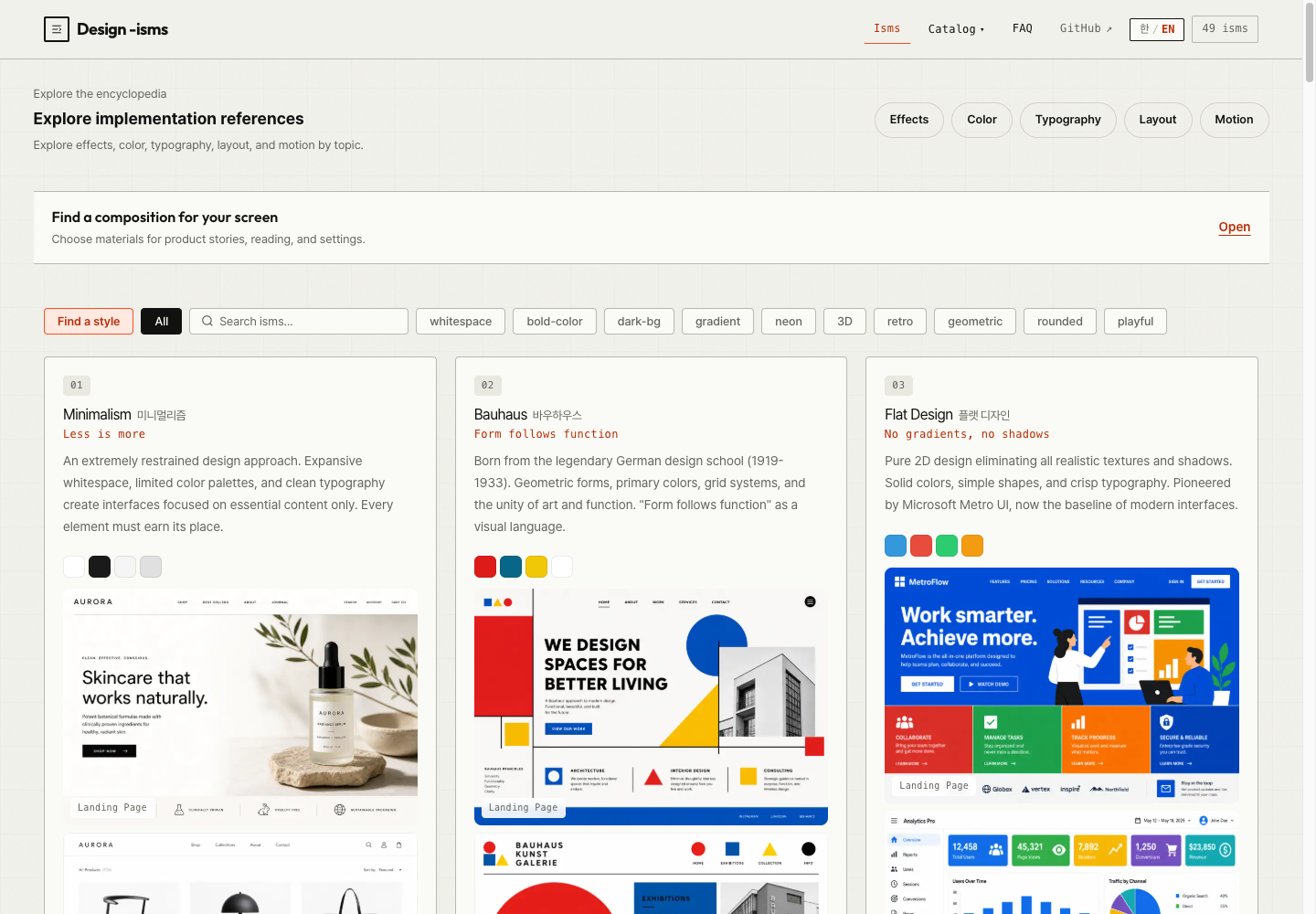
Design -isms connects visual references to implementation decisions. Browse styles and interactive UI patterns, or let your coding agent query the same catalog for palettes, typography, layout guidance, and code examples.
From reference to implementation
| What you need | What you get |
|---|---|
| A design direction | Style mockups, history, palettes, and real website references, from Minimalism to Bauhaus and Brutalism |
| A working pattern | Bottom sheets, drawers, scroll reveals, and more, with demos, HTML/CSS/JS, and accessibility guidance |
| A screen composition | Product landing, editorial reading, and settings recipes with compatible style, color, type, and motion alternatives |
| An implementation brief | Usage guidance, constraints, checks, and sources in English or Korean |
Choose the ingredients. Copy the brief.
Open the recipe chooser on the home page, select a screen purpose, and adjust the permitted alternatives. Inspect the linked references, then copy the implementation brief into your coding agent. If automatic copying is unavailable, the full text remains selectable.
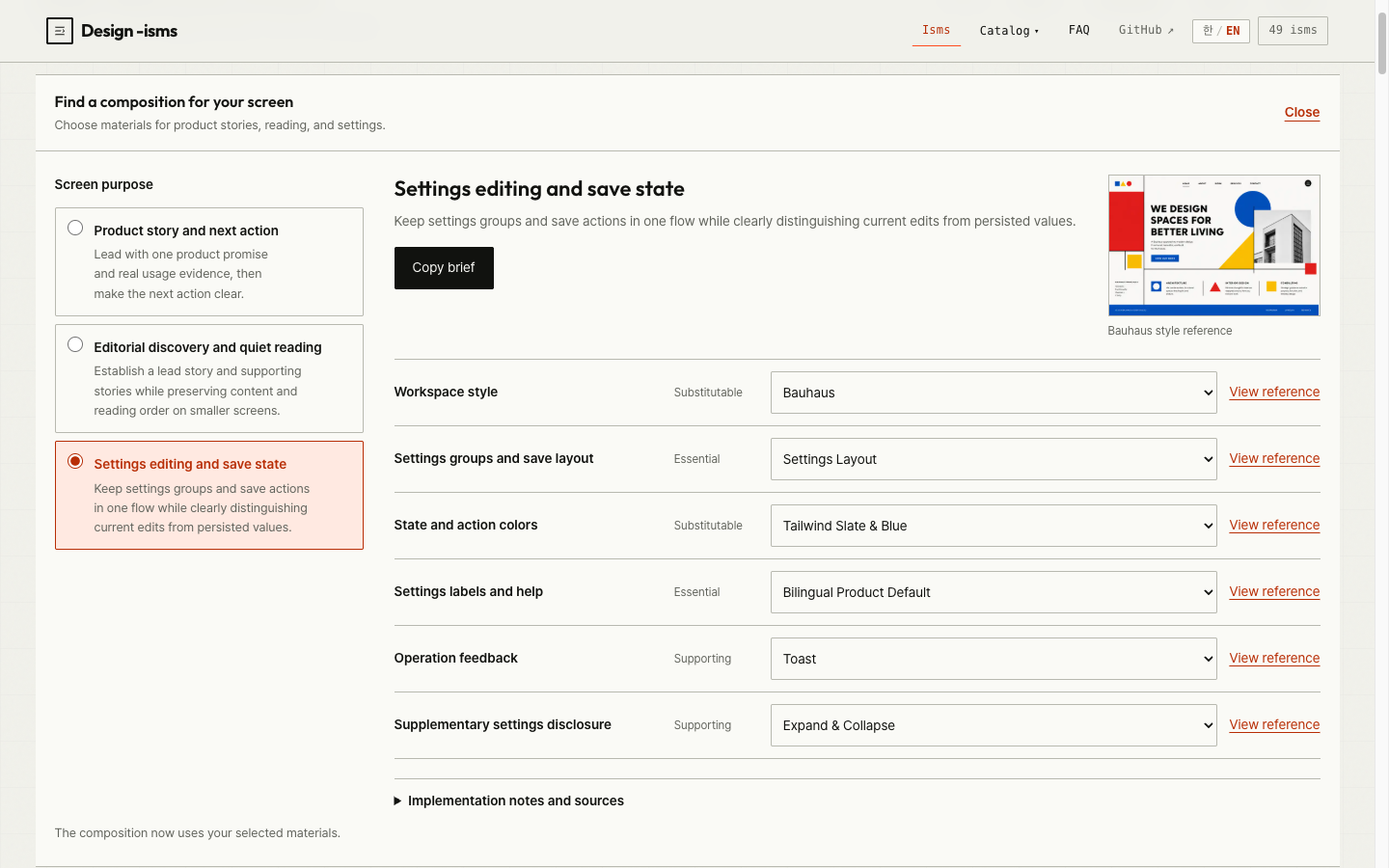
Recipes provide design guidance; they do not generate a finished page or certify your product. The site supports English and Korean. These screenshots show the actual interface; mockups within catalog cards are AI-generated reference images.
Catalogs
| Catalog | Entries | Includes |
|---|---|---|
| Design ISMs | 49 | Visual styles and an AI Slop diagnostic, mockups, palettes, and implementation guides |
| UI Effects | 94 | 46 interface patterns and 48 visual effects, each with a dedicated demo |
| Color Systems | 25 | Semantic palettes, light/dark variants, and contrast guidance |
| Typography Pairings | 20 | Font pairings, type scales, and live specimens |
| Layout Patterns | 25 | Responsive wireframes and implementation snippets |
| Motion Presets | 20 | Easing, duration, playback controls, and reduced-motion alternatives |
Try the Liquid Glass material comparison and interactive motion examples for progress, tabs, and list reordering. The AI Slop entry is diagnostic only; it is excluded from recommendations and related styles.
Agent skills
For Claude Code:
claude plugin marketplace add lidge-jun/design-isms
claude plugin install design-isms@lidge-jun
Compare design styles for my portfolio.
Show me bottom-sheet implementation code and accessibility checks.The style and effect skills read the repository's JSON. They can query a connected Design -isms MCP server when available.
Plugin installation and MCP configuration are separate steps.
For Codex and agy installation, skill usage, and troubleshooting, see the plugin guide (Korean).
Code Mode MCP
One public tool, execute_code, exposes small synchronous functions that return ordinary data.
Its resident description stays below 2,000 UTF-8 bytes; discover full operation schemas with actions.find() and actions.describe() as needed.
Pass this as the tool's code argument to compose a screen and return its implementation brief:
const composition = design.compose({
  recipeId: 'settings-workspace',
  lang: 'en'
});
return design.brief({ composition }).text;| Operation | Purpose |
|---|---|
design.search / design.get | Search catalogs and retrieve summaries, guides, or code |
design.recipes / design.compose | Discover recipes and compose permitted alternatives |
design.brief | Validate a composition and format it as Markdown |
actions.find / actions.describe | Discover operations, arguments, and examples |
Use JavaScript's map, filter, and reduce to work with the returned values.
The default MCP response budget is 8 KiB, including the JSON-RPC envelope. Code is returned whole or rejected with RESPONSE_TOO_LARGE.
Direct search pages can be shortened at item boundaries, with a cursor for the remaining results.
The server uses local stdio and opens no network port. It is intended for trusted local agents: Worker/VM limits contain mistakes, but are not a security sandbox for hostile JavaScript. See API details, pagination, and execution limits (Korean).
CLI and Unix pipes
From your clone (cd design-isms), query the same operations using newline-delimited JSON: one request on stdin, one result on stdout.
printf '%s\n' '{"op":"design.search","args":{"query":"bottom sheet","limit":3}}' |
  node scripts/design-query.mjs
Compose → brief pipeline (requires jq)
printf '%s\n' '{"op":"design.compose","args":{"recipeId":"settings-workspace","lang":"en"}}' |
  node scripts/design-query.mjs |
  jq -c '{op:"design.brief",args:{composition:.}}' |
  node scripts/design-query.mjs
Errors are also JSON lines. Processing continues after an invalid request; the process exits with code 1 if any request failed.
The CLI does not execute arbitrary JavaScript. Use node scripts/design-query.mjs --help to inspect available operations.
Development and contributions
Use Node.js 22+ and npm. The local server serves the .pages/ output created below.
npm ci
npm run build
npm run verify
npm run pages:stage
npm run serve
Open http://127.0.0.1:4173. After editing, run build → verify → pages:stage again.
TypeScript lives in src/; commit its browser output in assets/js/.
The website, skills, and MCP share assets/data/. Verification does not generate files.
Submit changes as PRs targeting dev. Promoting verified changes to main runs verification again and deploys only the
allowlisted .pages/ output to GitHub Pages. Skills, the MCP server, and development documentation stay outside that deployment.
For bug reports, include the page URL, viewport size, and steps to reproduce.
| Documentation | Contents |
|---|---|
| Project structure | Module ownership and sources of truth |
| Contribution rules (Korean) | Catalog additions, generated JS, imagery, accessibility, and verification contracts |
| Plugin and MCP guide (Korean) | Installation, skills, API details, and troubleshooting |
| FAQ | Choosing and using design references |
Catalog maintenance
Keep PNG originals and WebP previews together. After changing imagery, run npm run images:thumbs and the relevant audit procedure,
then npm run verify to check hashes, image quality, and preservation of unrelated assets. See the contribution rules.
Credits and source licenses
| Project | Adapted or referenced ideas | Upstream license |
|---|---|---|
| StyleGallery · IYEN | Required, supporting, and substitutable recipe roles; composition constraints | Code: MIT · documentation: CC BY 4.0 |
| Taste Skill · Leonxlnx | Purpose-led design, density and motion, preserving existing design systems | MIT |
| aside-codemode · lidge-jun | A single MCP tool with progressive API discovery | MIT |
| TasteCode · Leonxlnx / Blueemi | Browser/Design Mode settling and DOM review practices; research only | Apache-2.0 · no code included |
Pinned revisions, adaptation scopes, and original notices are recorded in ATTRIBUTION.md. These licenses apply to their respective upstream materials; they do not establish a blanket license for this repository or its AI-generated images.