tui-test
tui-test is a rust powered cli for controlling, inspecting, testing, and recording shell sessions and terminal apps. It supports all standard terminal actions (send keys, mouse clicks) & user actions (screenshot, record sessions), & testing (matches screenshot, contains text). tui-test supports Windows, Linux, & macOS and it supports a wide range of shells (see Supported shells).
[!IMPORTANT]
tui-testis in the middle of a major re-write, the documentation reflects the beta releases
Programmatic usage
tui-test provides a Rust, Python and Node libraries. These libraries are independent of the cli
Rust (tui-test-rs)
cargo add tui-test-rs@0.1.0-beta.1use tui_test::{OpenOptions, Operation, Session};
fn main() -> Result<(), Box<dyn std::error::Error>> {
let session = Session::new(format!("rust-example-{}", std::process::id()));
session.open(OpenOptions::default())?;
session.execute(Operation::Submit {
data: Some("echo hello".into()),
})?;
session.execute(Operation::WaitCommand {
timeout_ms: Some(30_000),
})?;
session.execute(Operation::ExpectText {
text: "hello".into(),
regex: false,
full: false,
strict: false,
not: false,
fg: None,
bg: None,
timeout_ms: Some(5_000),
})?;
session.execute(Operation::ExpectExitCode {
code: 0,
timeout_ms: Some(5_000),
})?;
session.close()?;
Ok(())
}Python (tui-test)
pip install --pre tui-testimport asyncio
from tui_test import TuiTest
async def main():
async with TuiTest() as su:
await su.open()
await su.submit("echo hello")
await su.wait_command()
await su.expect_text("hello")
await su.expect_exit_code(0)
asyncio.run(main())Node (@microsoft/tui-test)
npm install @microsoft/tui-test@beta # Node 20+

bun add @microsoft/tui-test@beta # Bun (best effort)

deno add npm:@microsoft/tui-test@beta # Deno 2 (best effort)
import { TuiTest } from "@microsoft/tui-test";
const su = new TuiTest();
await su.open();
await su.submit("echo hello");
await su.waitCommand();
await su.expectText("hello");
await su.expectExitCode(0);
await su.close();Node is the supported runtime. Bun and Deno compatibility is best effort; Deno requires a local node_modules directory and --allow-ffi to load the native addon.
Cli Installation
install script
macOS / Linux:
curl --proto '=https' --tlsv1.2 -LsSf https://raw.githubusercontent.com/microsoft/tui-test/main/install/install.sh | shWindows PowerShell:
irm https://raw.githubusercontent.com/microsoft/tui-test/main/install/install.ps1 | iexUse TUI_TEST_VERSION to select a specific version or TUI_TEST_INSTALL_DIR to select an install location.
download from releases
Download the latest beta from releases.
Cli Quick start
Run a command and check the result:
tui-test open                  # start a shell session (auto-starts the daemon)
tui-test submit "echo hello"   # type the command, press Enter
tui-test wait command          # block until it finishes
tui-test expect text "hello"   # assert it showed up
tui-test expect exit-code 0    # assert it exited 0
tui-test close
Drive a full-screen TUI the same way:
tui-test run vim file.txt
tui-test wait idle             # let the screen settle
tui-test press i
tui-test type "some text"
tui-test press Escape : w q Enter
tui-test wait exit
Built for agents
tui-test has native support for AI agents:
tui-test agent-contextprints versioned JSON for every command, flag, enum, default, and exit code. It is generated from the cli, so it cannot drift from the real surface.tui-test usageprints a one-screen cheatsheet.tui-test skillprints the full workflow guide (SKILL.md).
Skill quick start
tui-test skill --addAdds the tui-test skill to the location the user selects in the TUI.
Each command returns a stable exit code (see Exit codes), so an agent can tell an assertion failure from a missing session without scraping text.
Cli Command reference
Global flags: --session <name> (env TUI_TEST_SESSION, default default), --json for machine-readable output, and --verbose/-v to log PTY traffic (see Debugging).
Timeouts
Waits and assertions fall into five timeout classes:
| Class | Applies to | Default |
|---|---|---|
text | expect text, wait text | 5000 ms |
idle | wait idle | 5000 ms |
command | wait command, expect exit-code | 30000 ms |
exit | wait exit | 30000 ms |
ready | wait ready, and the prompt wait inside open | 30000 ms |
open's prompt wait caps at 8000 ms unless you set a ready timeout.
Set a session default at open, override it per call:
tui-test open --timeout-text 30000 --timeout-idle 15000 --timeout-ready 20000
tui-test wait text "done" --timeout 60000   # just this call
Precedence: --timeout, then the session default from open/run, then
TUI_TEST_TIMEOUT_<CLASS>_MS (read when the daemon starts). tui-test state
prints a session's effective timeouts.
Session & lifecycle
| Command | Description |
|---|---|
open [--shell S] [--cols N --rows N] [--cwd D] [--env K=V] [--config F] [--profile P] [--timeout-<class> MS] | Spawn a shell session. |
run [--config F] [--profile P] <program> [args...] | Spawn a session running a program directly. |
sessions | List active sessions. |
close [--all] | Close the current session (or all). |
daemon start / daemon status / daemon stop --session N | --all | Start, inspect, or stop a session's daemon. |
Each session has its own daemon, so daemon stop needs --session <name> or
--all. close stops it too.
open waits for a prompt before returning, run does not. Override with
--wait-ready / --no-wait-ready. An explicit --wait-ready fails (exit 1) if
no prompt appears; open's implicit wait reports ready in its payload either
way.
Inspection
| Command | Description |
|---|---|
state | cwd, size, cursor, window title, last command + exit code, effective timeouts, text snapshot. |
text [--full] | Plain text of the viewport (or scrollback). |
screenshot [-o file.svg] [--full] | Terminal text to stdout, or a crisp full-color SVG image (svg-term-style window) to a file. |
cells X Y [W H] | Per-cell attributes (char, fg, bg, flags). |
get command|output|exit-code|cwd|cursor|size|title | Structured getters. |
state prints key: value lines then the screen; text and screenshot
print the screen bare.
Input
| Command | Description |
|---|---|
type "text" | Type literal text. |
submit ["text"] | Type then press the shell return key. |
press <Key...> | Named keys, e.g. press Escape : w q Enter, press Ctrl+C. |
keys "Control+a" | A single key combo. |
mouse click X Y / mouse click --on-text "OK" [--clicks N] | Click by coords or label. |
mouse move|down|up|drag|scroll ... | Full mouse control. |
PTY
| Command | Description |
|---|---|
resize COLS ROWS | Resize the PTY and emulator. |
write <data> | Write raw bytes (no return key). |
signal INT|TERM|KILL / kill | Signal / kill the child. |
Wait
| Command | Description |
|---|---|
wait text "T" [--regex --full --not --timeout MS] | Until text is (not) visible. |
wait title "T" [--regex --not --timeout MS] | Until the window title (OSC 0/2) matches. |
wait idle | Until the screen stops changing. |
wait command | Until the current command finishes. |
wait exit | Until the session exits. |
wait ready | Until the shell reports a prompt. |
Expect (exit 0 = pass, 1 = fail)
| Command | Description |
|---|---|
expect text "T" [--regex --full --no-strict --not --fg C --bg C --timeout MS] | Visibility + optional color. |
expect title "T" [--regex --not --timeout MS] | Window title set with OSC 0/2. |
expect exit-code N [--timeout MS] | Last command's exit code. |
expect output "T" [--regex] | Last command's captured output. |
expect snapshot NAME [-u] [--include-colors --include-title] | Compare against __snapshots__/NAME.snap. --include-title adds the window title to the frame. |
Colors accept ANSI-256 (9), hex (#ff0000), or rgb (255,0,0).
Screenshots
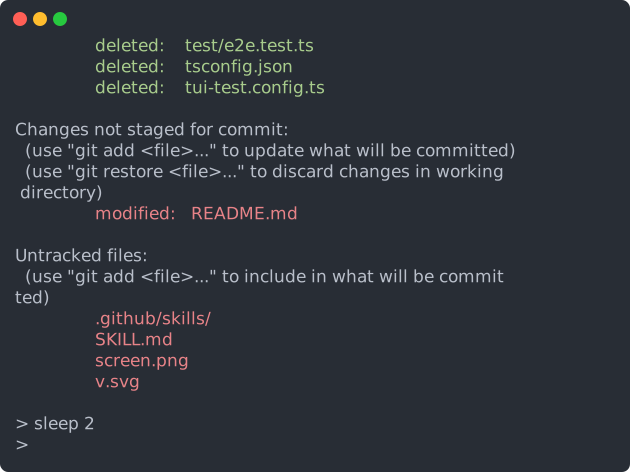
Screenshots render a snapshot of the session in the current terminal by default, but can render an SVG using the -o output flag. Nerd Font icons are embedded as vector paths, so SVGs remain self-contained without changing the font stack for regular text.
Recording
Every session records automatically from the moment it opens, in the standard asciinema v2 cast format.
| Command | Description |
|---|---|
get-recording [session] | Print the session's recording (cast) to stdout. |
tui-test get-recording > demo.cast   # capture the current session's recording
asciinema play demo.cast              # replay it
agg demo.cast demo.gif                # render a GIF
Live monitor
Watch a live session in a second terminal while an agent drives it. Both share
the same daemon. monitor takes over an alternate screen and streams the
session in full color at ~20fps; press q, Esc, or Ctrl-C to detach.
In-process Python and Node sessions cannot be monitored from another process.
https://github.com/user-attachments/assets/741c985f-7861-41c5-9ceb-0f82f705b43f
| Command | Description |
|---|---|
monitor | Attach a live, full-color framed view of the session (--session selects which). |
tui-test --session work monitor # watch the 'work' session liveIt needs an interactive terminal (exit 2 otherwise) and an existing session
(exit 3 if none). The view reads only the shared screen state, so watching
never blocks the commands the agent is running, and resizing the window just
re-fits the frame.
Agents
| Command | Description |
|---|---|
usage | Compact command cheatsheet. |
agent-context | Versioned JSON describing every command, flag, enum, default, and the exit-code taxonomy (generated from the cli, so it can't drift). |
skill | Long-form workflow guide (SKILL.md). |
Exit codes
Every command returns a stable exit code so an agent can branch on the failure class without parsing text:
| Code | Meaning |
|---|---|
0 | success |
1 | assertion or wait condition not met (expect/wait) |
2 | usage / invalid argument |
3 | no active session (run open/run first) |
4 | daemon or IPC error |
5 | internal error |
With --json, failures also carry a "kind" field (assertion/usage/no_session/internal).
Configuration
Settings live in a tui-test.toml with named profiles. Everything is
optional, so a file only states what it changes:
[profiles.default]
scrollback = 10000            # rows kept beyond the visible screen

[profiles.default.colors]
background = "#000000"
foreground = "#c0c0c0"
cursor     = "#c0c0c0"
red        = "#800000"        # any of the 16 ANSI slots, by name

[profiles.ci]
scrollback = 500              # other fields use built-in defaults
tui-test open # profile "default"
tui-test open --profile ci
tui-test open --config ./other.toml --profile ciLooked up nearest first: ./tui-test.toml, then
~/.tui-test/tui-test.toml. --config or TUI_TEST_CONFIG replaces the
search.
Named profiles do not inherit from [profiles.default]; every omitted field
uses tui-test's built-in default. tui-test.toml affect the cLI only, the libraries
accept profile configurations when starting a new session.
Colors
A terminal grid stores colour indices, not colours. What index 1 looks like
is the profile's choice, and tui-test needs that choice twice: to draw a
screenshot, and to answer expect --fg "#rrggbb". Both read the same table,
so a colour an assertion matches is the colour a screenshot paints.
Only the 16 ANSI slots and the three defaults are configurable. Indices 16-255
are the xterm colour cube and grey ramp, fixed by the spec, so --fg 196 means
the same thing in every profile.
The shipped palette is the classic VGA/xterm one that TERM=xterm-256color
promises.
Supported shells
- bash
- zsh
- fish
- PowerShell (
powershellandpwsh) - xonsh
- elvish
- nushell
- cmd
Comparison
| tui-test | tui-use | terminal-use | |
|---|---|---|---|
| Language | Rust | TypeScript/Node | Rust |
| Emulator | alacritty | xterm (headless) | alacritty |
| Shell command tracking | ✅ command boundaries, exit codes, cwd | ❌ | ❌ |
| Testing / snapshots | ✅ expect text / output / exit-code / snapshot | ❌ | ❌ |
| Color & per-cell attributes | ✅ fg/bg, ANSI-256/hex/rgb, cells | ❌ plain text (+ highlights) | via PNG |
| Image screenshots | ✅ SVG | ❌ | ✅ PNG |
| Built-in recording | ✅ always-on asciinema cast | ❌ | ❌ |
| Live monitor view | ✅ | ❌ | ✅ |
| Stable exit-code taxonomy for agents | ✅ | ❌ | ❌ |
| Python & JavaScript bindings | ✅ | ❌ | ❌ |
| Runtime | native | Node.js | native |
| Platforms | Windows + Unix | Windows + Unix | Linux / macOS |
Debugging
By default the daemon writes no log. Start it with --verbose to record every byte read from and written to the PTY, plus lifecycle events, to ~/.tui-test/<session>.log.
Contributing
This project welcomes contributions and suggestions. Most contributions require you to agree to a Contributor License Agreement (CLA) declaring that you have the right to, and actually do, grant us the rights to use your contribution. For details, visit https://cla.opensource.microsoft.com.
When you submit a pull request, a CLA bot will automatically determine whether you need to provide a CLA and decorate the PR appropriately (e.g., status check, comment). Simply follow the instructions provided by the bot. You will only need to do this once across all repos using our CLA.
This project has adopted the Microsoft Open Source Code of Conduct. For more information see the Code of Conduct FAQ or contact opencode@microsoft.com with any additional questions or comments.
Trademarks
This project may contain trademarks or logos for projects, products, or services. Authorized use of Microsoft trademarks or logos is subject to and must follow Microsoft's Trademark & Brand Guidelines. Use of Microsoft trademarks or logos in modified versions of this project must not cause confusion or imply Microsoft sponsorship. Any use of third-party trademarks or logos are subject to those third-party's policies.