CLIARE
CLIARE audits command-line interfaces for agent readiness.
It is like OpenAPI/Swagger for CLIs, but generated from runtime evidence rather than hand-written docs.
Agents increasingly use terminals as their operating surface, but most CLIs were designed for humans reading help text. An agent harness needs a different contract before it spends tokens trying commands:
- Which commands actually exist?
- Which flags and positionals are safe to use?
- Which commands have parseable JSON/YAML output?
- Which paths require auth, a project directory, fixtures, network access, or a local daemon?
- Which "safe" discovery commands quietly write files?
CLIARE answers those questions by measuring the released CLI binary as a black box. It probes runtime behavior under bounded controls, records evidence, infers the command surface, detects side effects, and emits command indexes, issue ledgers, scorecards, one-command summaries, persona reports, CI artifacts, and agent skills.
CLIARE stands for CLI Agent Readiness Evaluation.
From CLI Drift to Agent-Ready Command Surfaces
CLIARE is pronounced like "Claire": she cares about whether your CLI can be used reliably by agents, maintainers, and security reviewers.
1. CLIs are becoming agent hands
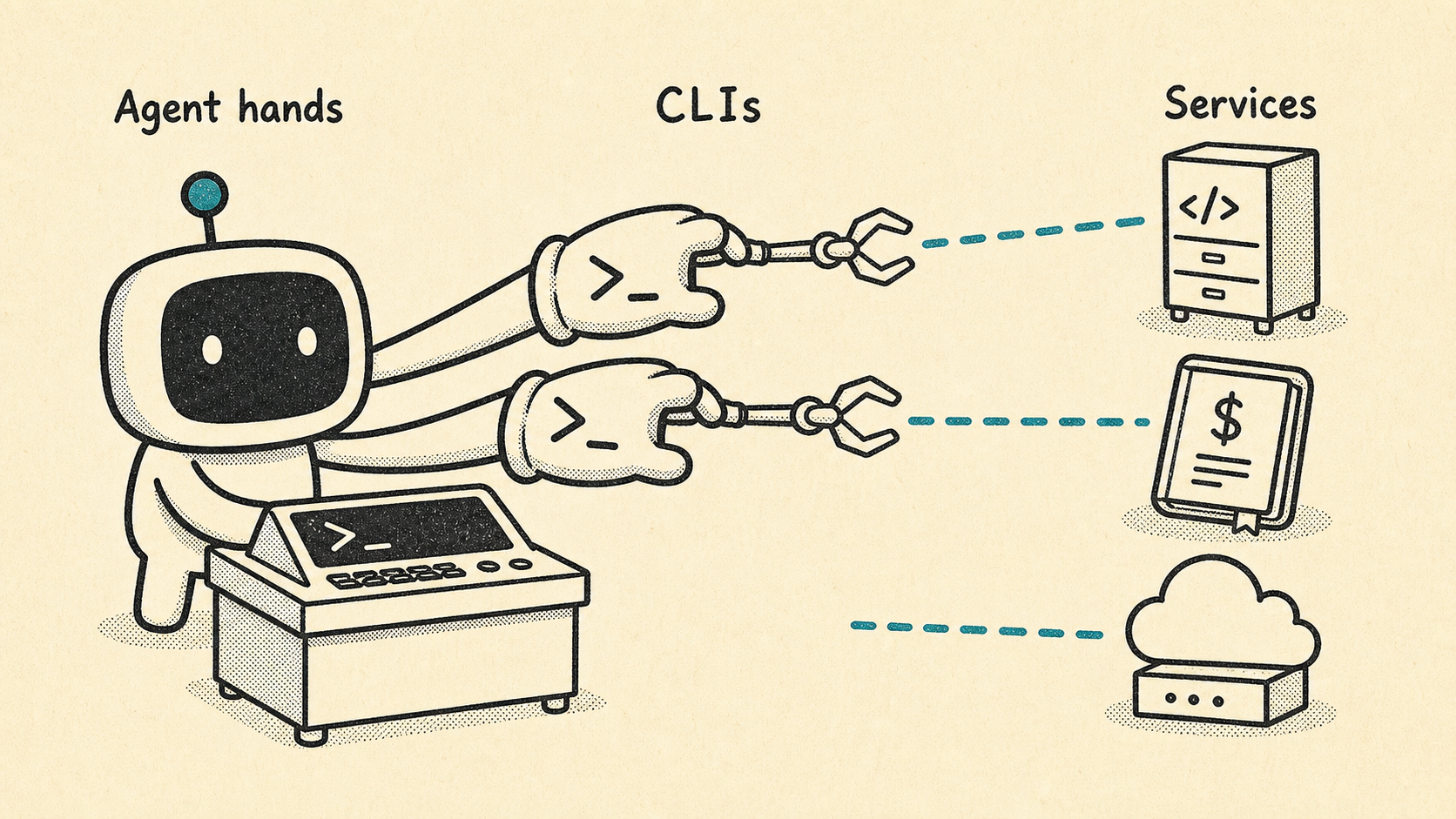
Agents increasingly use CLIs as their hands: the practical surface for reaching code hosts, cloud systems, payment services, internal platforms, and local developer workflows.
cargo install cliare
cliare metadata --format json
2. CLI surfaces drift as they grow
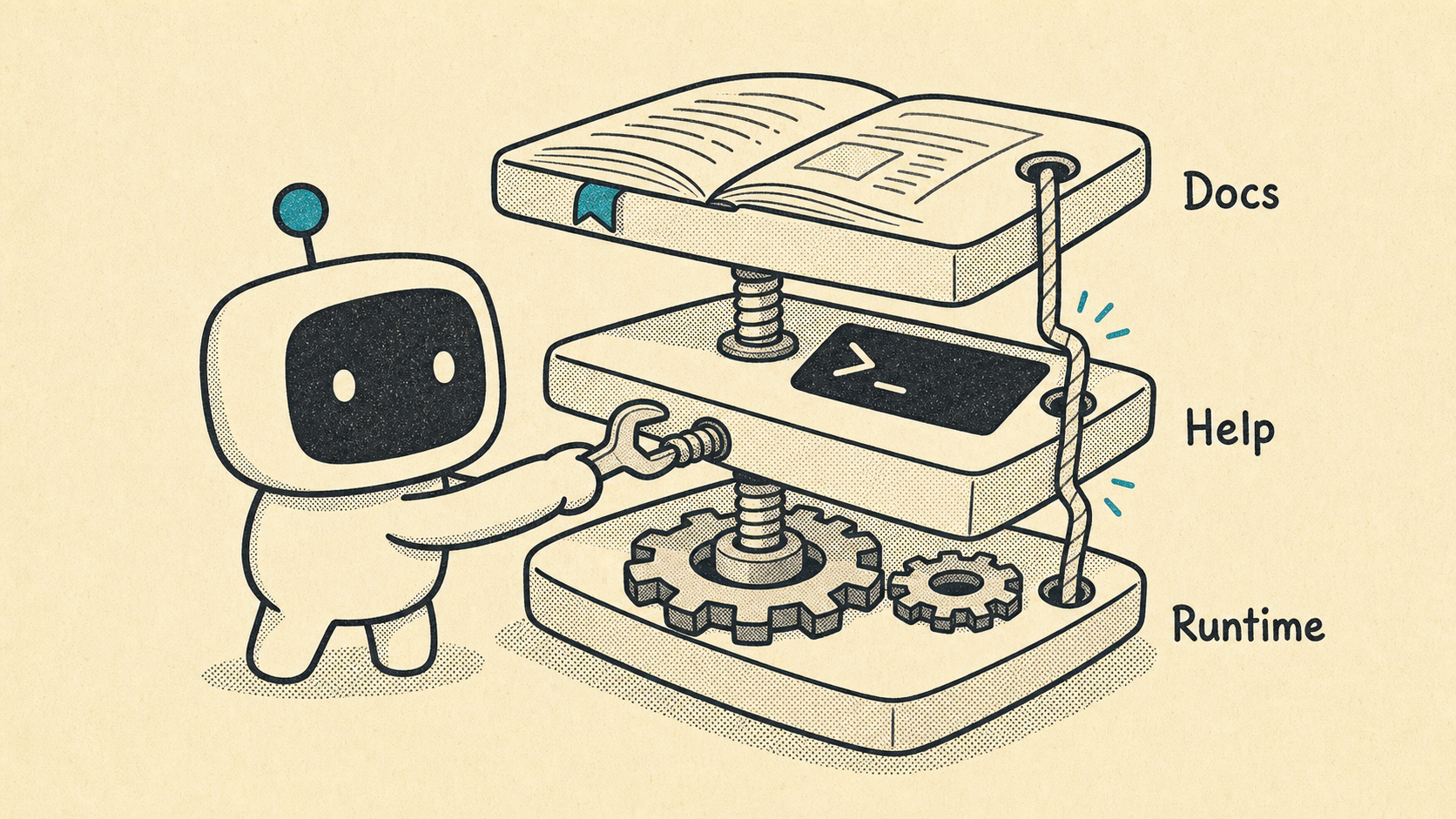
When a CLI evolves quickly, the docs, --help, and the released binary can start telling different stories. Humans can work around that drift. Agents tend to discover it the expensive way.
cliare measure mycli --out .cliare/mycli --profile standard --refresh3. Drift becomes token burn
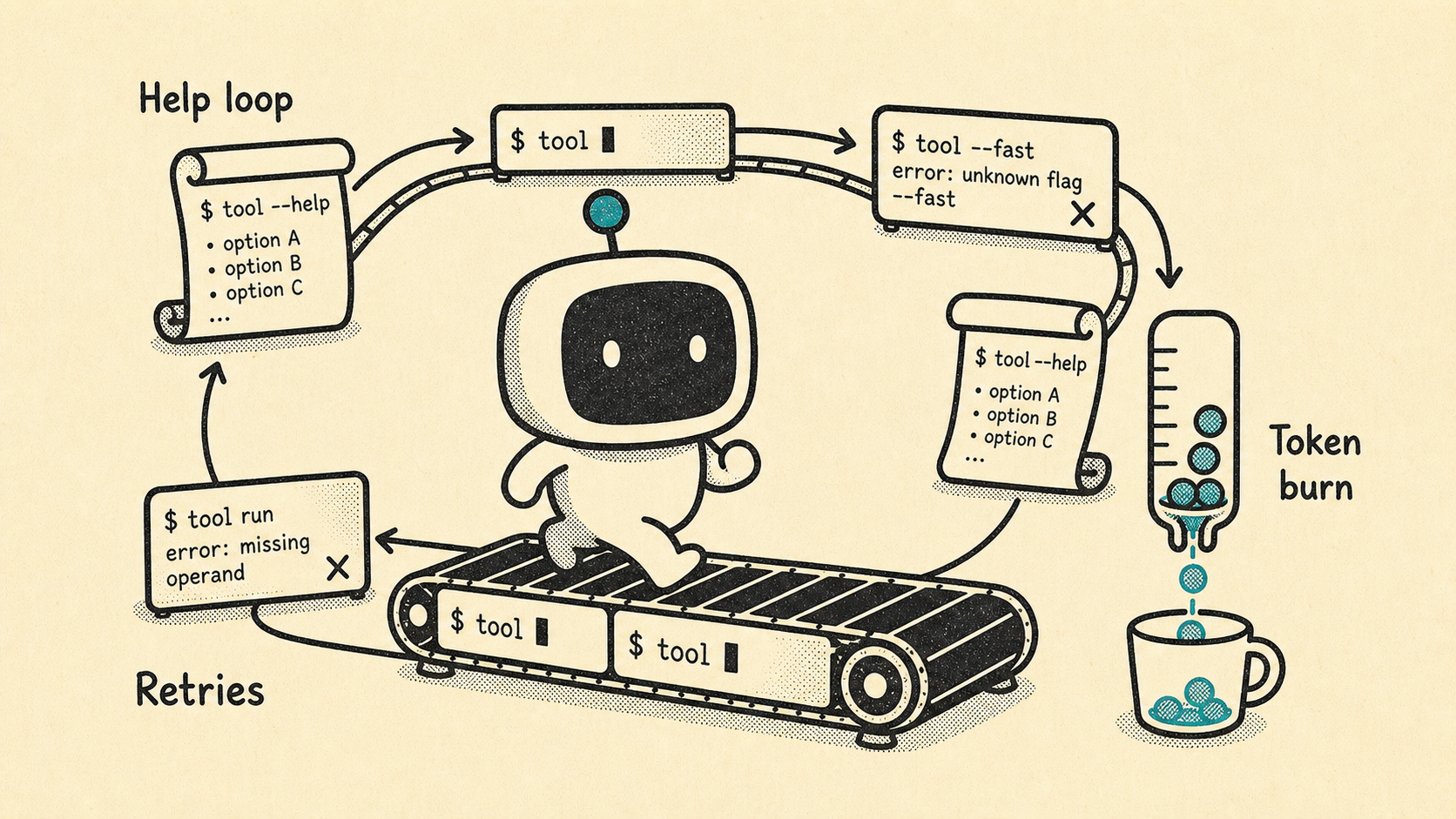
Without an evidence-backed command index, an agent harness has to rediscover the surface repeatedly: run help, try a flag, hit a missing operand, back up, and try again. That loop costs tokens, latency, and reliability.
cliare summary --out .cliare/mycli4. CLIARE probes the CLI like an agent would
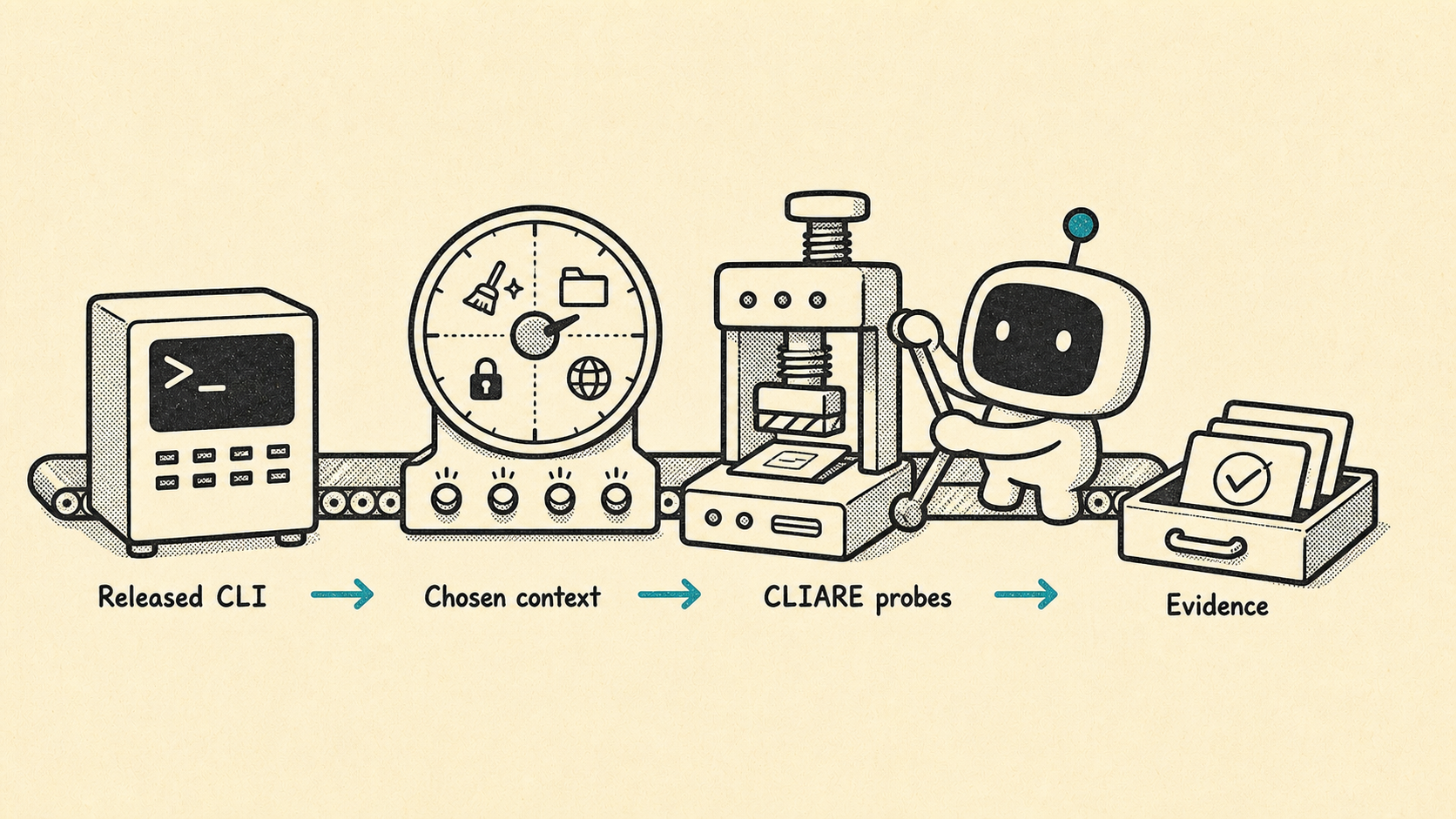
CLIARE exercises the released binary as a black box. You choose the context: clean, repository, authenticated, host, fixture-backed, or CI. CLIARE records evidence instead of relying on stale assumptions.
cliare measure mycli \
  --out .cliare/mycli \
  --context authenticated \
  --auth-state present \
  --execution-mode host \
  --profile deep \
  --refresh
5. Maintainers get a release-time fix queue
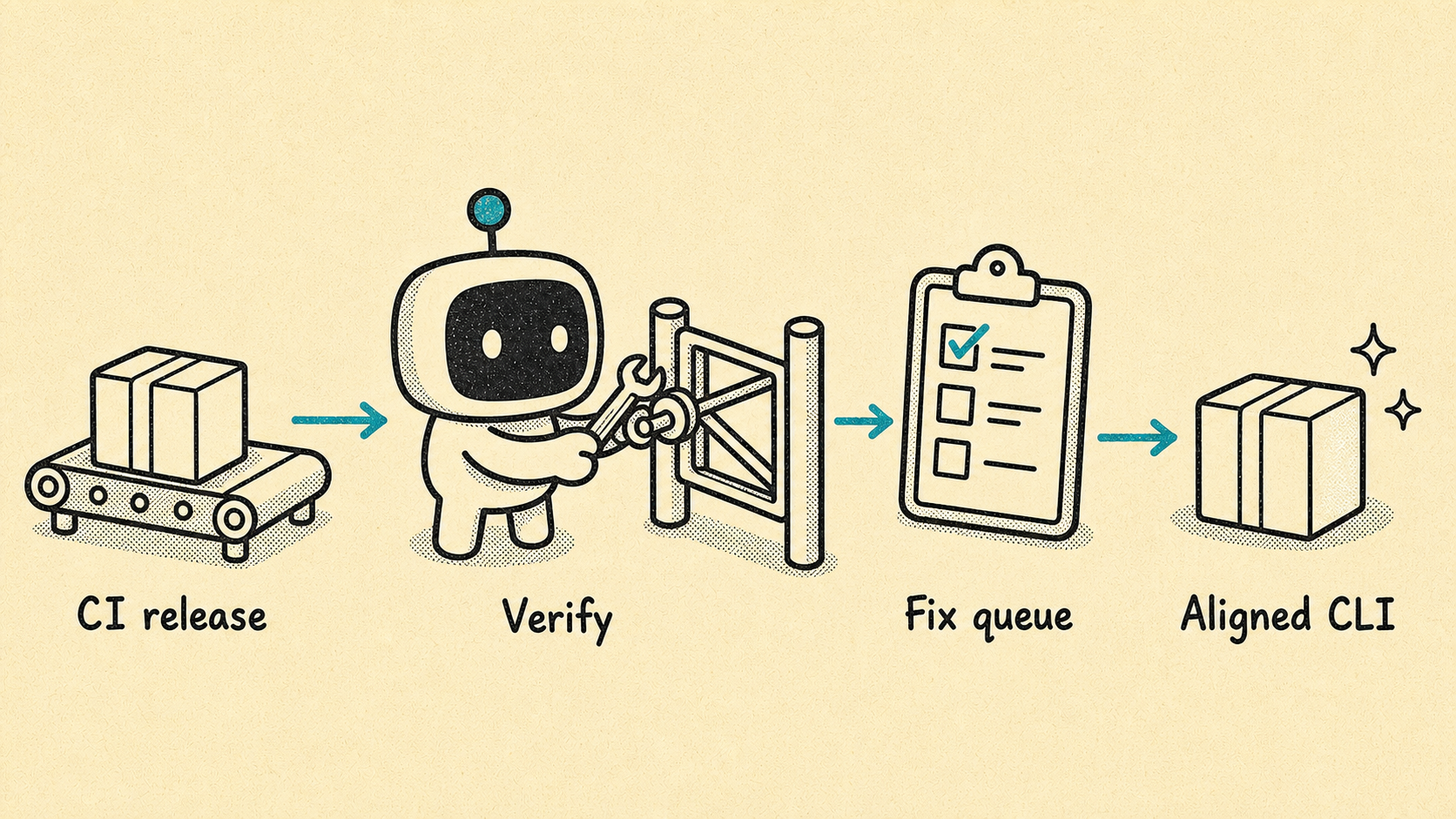
For maintainers, CLIARE turns agent-readiness gaps into a concrete queue: missing help, confusing diagnostics, parseable-output gaps, unsafe discovery side effects, precondition blockers, and command-shape drift.
cliare summary --out .cliare/mycli
cliare report maintainer --out .cliare/mycli --format markdown
cliare issues list --out .cliare/mycli --format markdown
cliare playbook maintainer --target mycli
6. Harnesses get a command index
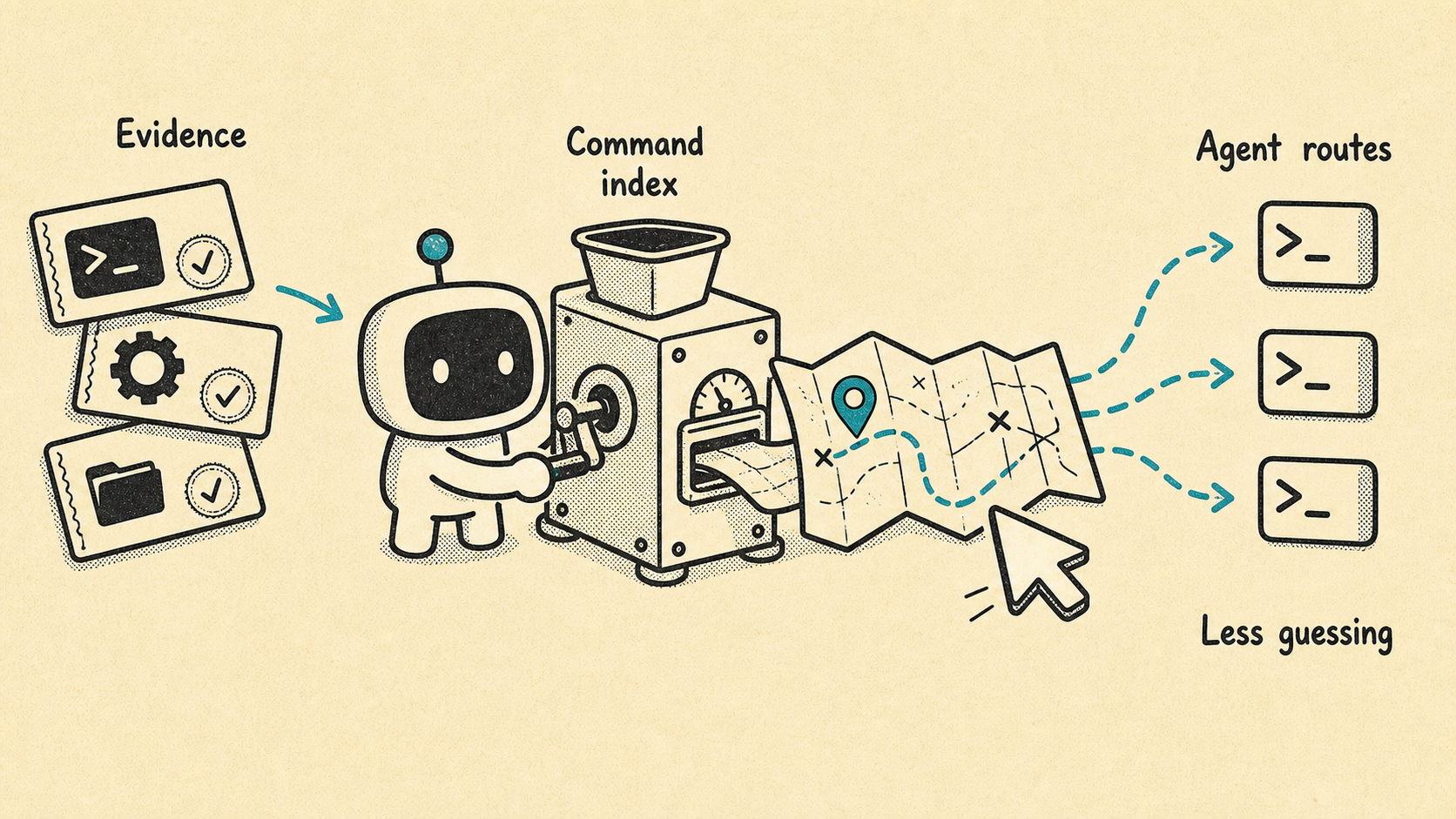
For agent harnesses, CLIARE builds the map: an evidence-backed command index that describes command paths, flags, operands, preconditions, output contracts, confidence, suitability, and evidence references.
cliare describe .cliare/mycli --write
cliare summary --out .cliare/mycli --format json
cliare report harness --out .cliare/mycli --write
cliare playbook harness --target mycli
The harness can then load:
.cliare/mycli/command-index.json
.cliare/mycli/AGENT_SKILL.md
.cliare/mycli/persona-harness.json
7. Skills teach; indexes map
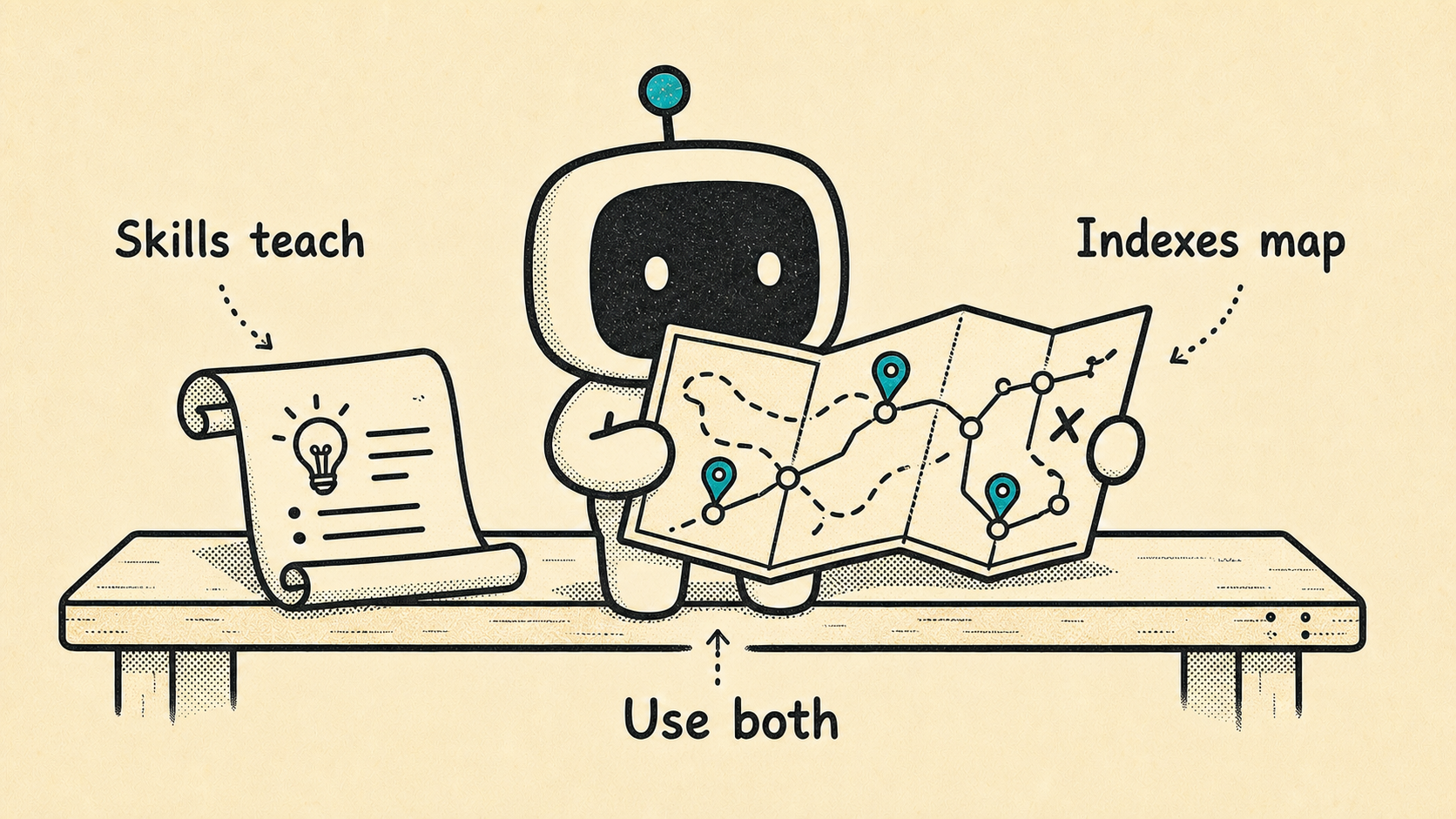
Skills are useful, but they are not command indexes. A skill can teach intent, workflow, and policy. A command index tells the harness what the CLI actually supports right now. Agents need both: instruction for judgment, evidence for navigation.
cliare summary --out .cliare/mycli
cliare report harness --out .cliare/mycli --format markdown
cliare report security --out .cliare/mycli --format markdown
cliare issues list --out .cliare/mycli --format human
CLIARE helps maintainers keep CLIs aligned, helps security reviewers catch undocumented side effects, and helps agents use CLIs deliberately instead of rediscovering syntax by trial and error.
Why Run CLIARE?
For CLI Maintainers
CLIARE turns vague "is this CLI agent-friendly?" feedback into a concrete implementation queue.
It shows where agents will struggle with command discovery, help coverage, diagnostics, output contracts, preconditions, and unsafe discovery behavior. Instead of guessing what to improve, maintainers get evidence-backed assessments, their meaning for agents and harnesses, associated commands, suggested remedies, and verification commands.
Benefits:
- Catch command-shape drift before it ships.
- Prioritize fixes by agent impact instead of anecdotal feedback.
- Add release gates for help coverage, diagnostics, parseable output, and unsafe discovery behavior.
- Give downstream agent harnesses a measured contract for each release.
For Security Reviewers
CLIARE catches undocumented runtime behavior in binaries.
It snapshots filesystem state around each probe and reports persistent side effects from safe-looking commands such as help, version, invalid flag, and output-mode probes. This helps security teams find cache/config writes, credential-like paths, and host/auth behavior before a CLI is exposed to autonomous agents.
Benefits:
- Surface side effects from commands that appear read-only or safe.
- Separate expected auth, host, network, daemon, and fixture behavior from surprises.
- Preserve evidence references for review, exception handling, and audit trails.
- Decide which commands are safe for autonomous use and which require policy, sandboxing, or human approval.
For Agent Harness Builders
CLIARE creates a measured command surface that harnesses can query before agents explore.
Harnesses should use cliare surface query, cliare surface explain, and cliare surface list for compact intent-to-command routing answers. command-index.json remains the evidence-backed source of truth when a route needs audit or debugging.
Benefits:
- Reduce token burn from repeated
--help, flag-guessing, and error-recovery loops. - Route through commands with known preconditions, confidence, and agent suitability.
- Prefer JSON/YAML output when the agent needs machine-readable state.
- Keep skills focused on workflow while the command index remains the runtime source of truth.
What You Get
A measurement writes one artifact directory:
.cliare/<target-cli>/
  command-index.json      # agent-facing command catalog
  command-index.md        # human-readable command catalog
  condition-dictionary.csv # CSV decoder for report labels and conditions
  AGENT_SKILL.md          # generated guidance agents can read
  scorecard.json          # readiness score, subscores, coverage, findings
  issues.json             # reviewable issue ledger
  issues.md               # human issue report
  issue-dispositions.json # reviewed decisions, when present
  persona-maintainer.md   # maintainer action packet
  persona-harness.md      # agent harness packet
  persona-security.md     # side-effect and approval packet
  evidence.jsonl          # raw runtime evidence
  shape.json              # inferred command shape
  findings.sarif          # CI/security upload format
  junit.xml               # CI test result format
The key artifact is command-index.json. It records command paths, argv forms, summaries, confidence, runtime state, agent suitability, flags, positionals, preconditions, output contracts, gaps, and evidence references.
Reading a Measurement
Start with the one-command summary:
cliare summary --out .cliare/myclicliare summary reads scorecard.json, issues.json, command-index.json, and evidence.jsonl and prints one concise assessment. Each finding includes:
- Assessment: what CLIARE found.
- Meaning: why it matters for agent or harness use.
- Associated commands: the command paths attached to the finding.
- Evidence excerpts: bounded stdout/stderr snippets from the process evidence that supports the finding.
- Suggested remedy: the CLI change or review action to take next.
Use JSON when another tool or harness needs the same interpretation without scraping Markdown:
cliare summary --out .cliare/mycli --format jsonThen drill down with the role-specific commands:
| Command | Use When |
|---|---|
cliare summary --out .cliare/mycli | You want the shortest human-readable assessment of the run. |
cliare report maintainer --out .cliare/mycli | You maintain the CLI and need a prioritized implementation queue. |
cliare report harness --out .cliare/mycli --write | You are preparing command-index and harness artifacts for agents. |
cliare report security --out .cliare/mycli | You need side-effect, auth, host, and approval context. |
cliare issues list --out .cliare/mycli | You need the full issue ledger or maintainer dispositions. |
cliare surface query ... --out .cliare/mycli | A harness needs a compact intent-to-command routing answer. |
cliare surface explain ... --out .cliare/mycli | A harness or reviewer needs one command's readiness, operands, and output contract. |
cliare surface list --out .cliare/mycli | You need a filtered list of measured command paths. |
Install
Install from crates.io:
cargo install cliare
cliare metadata --format text
Or install the latest prebuilt binary from GitHub Releases:
curl -fsSL https://github.com/modiqo/cliare/releases/latest/download/install.sh | sh
cliare metadata --format text
The installer detects macOS/Linux and x86_64/aarch64, downloads the matching archive, verifies SHA256SUMS, and installs cliare into $HOME/.local/bin by default.
To install somewhere else:
curl -fsSL https://github.com/modiqo/cliare/releases/latest/download/install.sh | CLIARE_INSTALL_DIR=/usr/local/bin shTo install a specific release:
curl -fsSL https://github.com/modiqo/cliare/releases/download/v0.1.9/install.sh | CLIARE_VERSION=v0.1.9 shOr install from source:
git clone https://github.com/modiqo/cliare.git
cd cliare
cargo install --path .
cliare metadata --format json
For local development:
cargo build --locked --bin cliare
./target/debug/cliare metadata --format json
The source package also includes a justfile with optional command shortcuts for common CLIARE workflows. Install just separately if you want to use these recipes; the cliare binary itself does not require it.
List available recipes:
just --listRun the local preflight gate before pushing:
just justdevjust justdev runs formatting, workspace checks, clippy with warnings denied, tests, package file-set checks, and a quick CLIARE-on-CLIARE measurement.
Measure a large local CLI surface in the background:
just measure-detached supabase
just jobs supabase
This expands to a deep traversal that writes artifacts under .cliare/supabase:
cliare measure supabase --out .cliare/supabase --profile deep --max-depth 12 --max-probes 5000 --concurrency 8 --refresh --detachOverride traversal budget when a CLI needs more or less exploration:
just max_depth=16 max_probes=10000 measure-detached gh
just profile=standard max_depth=5 max_probes=256 measure kubectl
For path-based local binaries, pass a stable artifact id:
just measure-detached ./target/release/mycli mycliReview accumulated artifacts:
just review supabase
just report supabase security
just agent-surface supabase
Release preparation lives in RELEASE.md. The version history is CHANGELOG.md.
Quick Start: Maintainer Audit
Use this when you maintain a CLI and want a fix list.
cliare measure mycli --out .cliare/mycli --profile standard --refresh
cliare summary --out .cliare/mycli
cliare report maintainer --out .cliare/mycli --format markdown
cliare issues list --out .cliare/mycli --format markdown
For launch or release-quality review:
cliare measure mycli \
  --out .cliare/mycli \
  --profile deep \
  --max-depth 12 \
  --max-probes 5000 \
  --concurrency 8 \
  --refresh
If a finding is real, fix the CLI and rerun. If the behavior is intentional, record a disposition so CI keeps the evidence but stops treating it as unreviewed noise:
cliare issues mark <issue-id> \
  --out .cliare/mycli \
  --status intentional \
  --reason "Direct <command> --help is the canonical help contract."
Print the full maintainer walkthrough:
cliare playbook maintainer --target mycliQuick Start: Security Side-Effect Review
Use this when you need to know what a CLI does during safe discovery.
cliare measure mycli --out .cliare/mycli --profile standard --refresh
cliare summary --out .cliare/mycli
cliare report security --out .cliare/mycli --format markdown
cliare issues list --out .cliare/mycli --format markdown
CLIARE's default execution mode is isolated. It clears most inherited environment variables, uses sandboxed runtime directories, bounds output, bounds time, and records filesystem changes observed around each probe.
For authenticated or host-specific review, run an explicit context so the result is not confused with a clean run:
cliare measure mycli \
  --out .cliare/mycli \
  --context authenticated \
  --auth-state present \
  --execution-mode host \
  --profile deep \
  --refresh

cliare summary --out .cliare/mycli --context authenticated
cliare report security --out .cliare/mycli --context authenticated --format markdown
Print the full security walkthrough:
cliare playbook security --target mycliQuick Start: Agent Harness Command Index
Use this when you want agents to understand a CLI before they invoke it.
cliare measure mycli --out .cliare/mycli --profile deep --refresh
cliare summary --out .cliare/mycli --format json
cliare describe .cliare/mycli --write
cliare report harness --out .cliare/mycli --write
Then point your harness at:
.cliare/mycli/AGENT_SKILL.md
.cliare/mycli/persona-harness.json
.cliare/mycli/command-index.json
Resolve a task intent:
cliare surface query "check job status" --out .cliare/mycli --format json
cliare surface query "list issues" --out .cliare/mycli --require-output json --format json
cliare surface explain "jobs status" --out .cliare/mycli --format json
cliare surface list --out .cliare/mycli --state ready --format json
Harness routing should:
- Query the surface resolver for a task intent.
- Prefer matches with
readinessofready. - Treat
conditionalcommands as requiring their listed cautions or preconditions. - Prefer parseable output contracts when state needs to be read.
- Avoid
blocked,needs_fixture, and low-confidence paths unless the harness can satisfy the missing context. - Open
command-index.jsononly when a route needs full evidence or debugging.
Print the full harness walkthrough:
cliare playbook harness --target mycliUnderstanding Profiles
Most users should pick a profile first and only tune advanced knobs when the report says traversal pressure exists.
| Profile | Use When |
|---|---|
quick | Fast local smoke pass while editing help, diagnostics, or one command family. |
standard | Normal maintainer/security/harness review loop. |
deep | Release-quality pass, CI baselines, large command surfaces, and agent-surface publishing. |
Advanced knobs:
| Option | Meaning |
|---|---|
--max-depth | Maximum recursive command-path depth. Increase when nested commands are missing. |
--max-probes | Runtime probe budget. Increase when budget_exhausted or frontier_remaining appears. |
--concurrency | Probes run at the same time. Lower for flaky CLIs, shared state, or rate limits. |
--timeout-ms | Per-probe timeout. Raise for slow, network-backed, or daemon-backed CLIs. |
--execution-mode host | Use host auth/config/plugins/local state. Only use when that context is intentional. |
For long runs:
cliare measure mycli --out .cliare/mycli --profile deep --refresh --detach
cliare jobs status --out .cliare/mycli
Context-Specific Measurements
Many CLIs change behavior based on auth, project directory, local config, installed plugins, fixtures, network, or daemons. Keep those runs separate:
cliare measure mycli --out .cliare/mycli --context clean --profile standard --refresh

cliare measure mycli \
  --out .cliare/mycli \
  --context local-context \
  --context-workdir /path/to/project \
  --profile deep \
  --refresh
Context artifacts live under:
.cliare/mycli/contexts/<context>/Compare contexts:
cliare context compare .cliare/mycli/contexts/clean .cliare/mycli/contexts/local-context --writeCI Usage
CLIARE ships a composite GitHub Action in this repository.
name: CLIARE

on:
  pull_request:
  push:
    branches: [main]

jobs:
  cliare:
    runs-on: ubuntu-latest
    steps:
      - uses: actions/checkout@v6
      - uses: dtolnay/rust-toolchain@stable
      - run: cargo install --git https://github.com/modiqo/cliare.git
      - uses: modiqo/cliare@main
        with:
          target: mycli
          out: .cliare/mycli
          profile: standard
          extra-args: --refresh
The action appends a summary to the job summary, uploads the artifact directory, and exposes output paths for scorecard.json, summary.md, findings.sarif, and junit.xml.
For release gates, keep a baseline and use guard:
cliare guard mycli \
  --baseline .cliare-baseline/mycli/scorecard.json \
  --policy cliare.policy.json \
  --out .cliare/mycli \
  --profile deep
Issue Dispositions
CLIARE keeps evidence visible even when a finding is reviewed. That means issues_total can remain nonzero while action_required is zero.
Useful statuses:
| Status | Use When |
|---|---|
intentional | The behavior is deliberate and documented. |
needs-fixture | Safe operands or fixture data are needed before judging the finding. |
not-applicable | The finding does not apply to this measured profile. |
accepted-risk | Security/platform owners reviewed and accepted the residual risk. |
false-positive | The evidence is misleading for this CLI. |
deferred | The issue is real but scheduled for later. |
Review queue:
cliare issues list --out .cliare/mycli --format markdown
cliare issues list --out .cliare/mycli --format json
Mark a reviewed decision:
cliare issues mark <issue-id> \
  --out .cliare/mycli \
  --status not-applicable \
  --reason "This command requires a project fixture and is not part of clean CI."
Agent Skills
CLIARE can install local artifact-review skills so coding agents know how to inspect CLIARE outputs:
cliare skills list
cliare skills install --agent all --scope project
Use --agent claude, --agent codex, or --agent cursor for one integration. Use --scope user for user-level install.
Command Index Registry Workflow
This repository includes a manual workflow for building public command-index entries:
Actions -> Extract Command Index PRInputs include artifact_id, target, optional install_command, profile, max_depth, and max_probes.
The workflow builds CLIARE, optionally installs the target CLI, measures it, copies public review artifacts into registry/<artifact_id>/, and opens or updates a pull request with the measured command index, score, and issue ledger.
Benchmark Corpuses
The repo includes launch and calibration manifests:
cliare benchmark --manifest benchmarks/local-corpus.json --out .cliare-bench --refresh
cliare benchmark --manifest benchmarks/vendor-calibration-corpus.json --out .cliare-vendor-calibration --refresh
cliare benchmark --manifest benchmarks/launch-low-pretraining-corpus.json --out .cliare-launch-low-pretraining --refresh
cliare benchmark --manifest benchmarks/agent-harness-corpus.json --out .cliare-agent-harness --refresh
The low-pretraining launch corpus focuses on newer and faster-moving CLIs where generated command indexes are most likely to help agents.
Design Packet
The design and implementation notes live under docs/. Start with:
- Design index
- Runtime evidence for agent-ready CLIs
- CLI shape for agent harnesses product brief
- Persona outcome packets
- Agent-ready CLI standard template
- Agent skills installation
- CLI benchmark corpus tracker
- Maintainer playbook
FAQ
Is CLIARE a binary fuzzer?
No, CLIARE is not a binary fuzzer.
It is a black-box runtime auditor for CLI agent readiness. It measures a released CLI binary the way an agent would encounter it: commands, flags, help behavior, output formats, preconditions, side effects, auth assumptions, and failure modes.
A fuzzer tries to discover crashes or vulnerabilities by generating many unexpected inputs.
CLIARE tries to answer a different question: "Can an autonomous agent use this CLI reliably, safely, and cheaply without rediscovering the whole command surface by trial and error?"
It is closer to an evidence-backed OpenAPI/Swagger generator and readiness scorecard for CLIs than a fuzzer.
How does a command index save tokens?
A command index lets an agent read the measured command surface before it starts experimenting.
Without an index, the agent has to spend tokens rediscovering the same things over and over: run --help, guess subcommands, try flags, hit missing operands, inspect errors, and back up. That loop is expensive because each failed probe consumes tokens, latency, and tool calls.
With command-index.json, the harness can route directly through known commands, prefer parseable output modes, honor preconditions, and avoid unsafe discovery paths. The agent still decides what to do, but it starts from evidence instead of guessing.
Why is a command index different from a skill file?
A skill file teaches intent, workflow, and policy. It can tell an agent how to approach a task.
A command index maps what the CLI actually supports at runtime. It records command paths, flags, positionals, output contracts, preconditions, confidence, side effects, and evidence references.
Agents need both. Skills help with judgment. Command indexes help with navigation.
What happens when docs, --help, and runtime behavior drift?
CLIARE treats the released CLI binary as the operational source of truth.
Docs can be stale. --help can be incomplete. The binary can accept flags that are not documented, reject examples that appear in docs, require hidden preconditions, or write files during commands that look safe.
CLIARE does not assume those surfaces agree. It probes the binary, records evidence, and reports where the runtime contract differs from what an agent or maintainer would reasonably expect.
Who should use CLIARE?
CLI maintainers use CLIARE to turn agent-readiness gaps into a release-time fix queue.
Agent harness builders use CLIARE to load an evidence-backed command map before invoking a CLI.
Security reviewers use CLIARE to find undocumented side effects, host assumptions, auth behavior, and unsafe discovery paths before a CLI is exposed to autonomous agents.
License
Apache-2.0. See LICENSE.