NtWARden
Windows Analysis and Research Toolkit
- Windows system inspection tool built on ImGui + DirectX 11.
- Covers processes, services, network, kernel internals, and more - locally or over the network via WinSysServer.
⚠️ Parts of this project were vibe coded with AI assistance so it might have some bugs. The kernel driver (KWinSys) should only be installed in a Test VM for research purposes.
Screenshots
Processes (Kernel Mode)
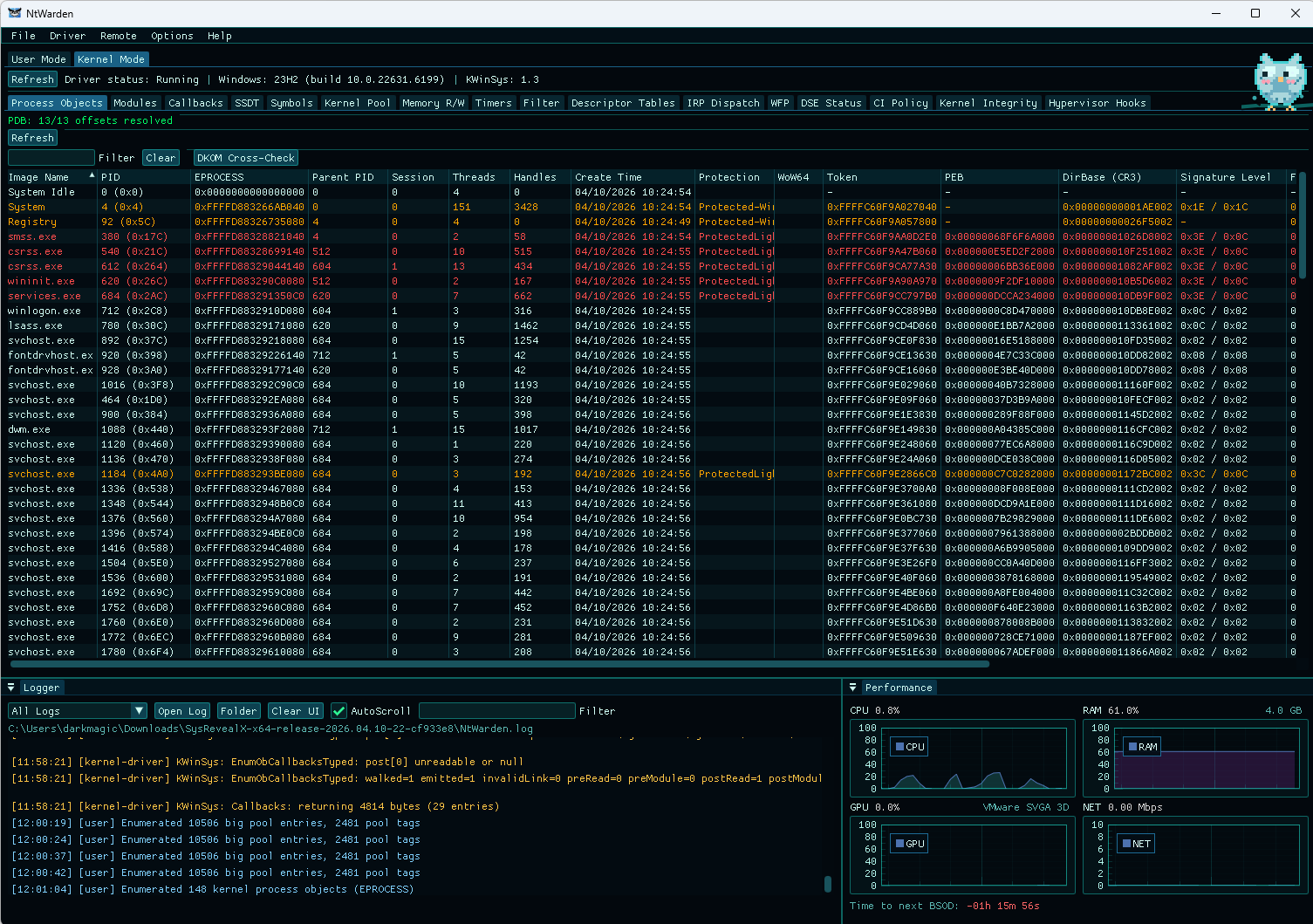
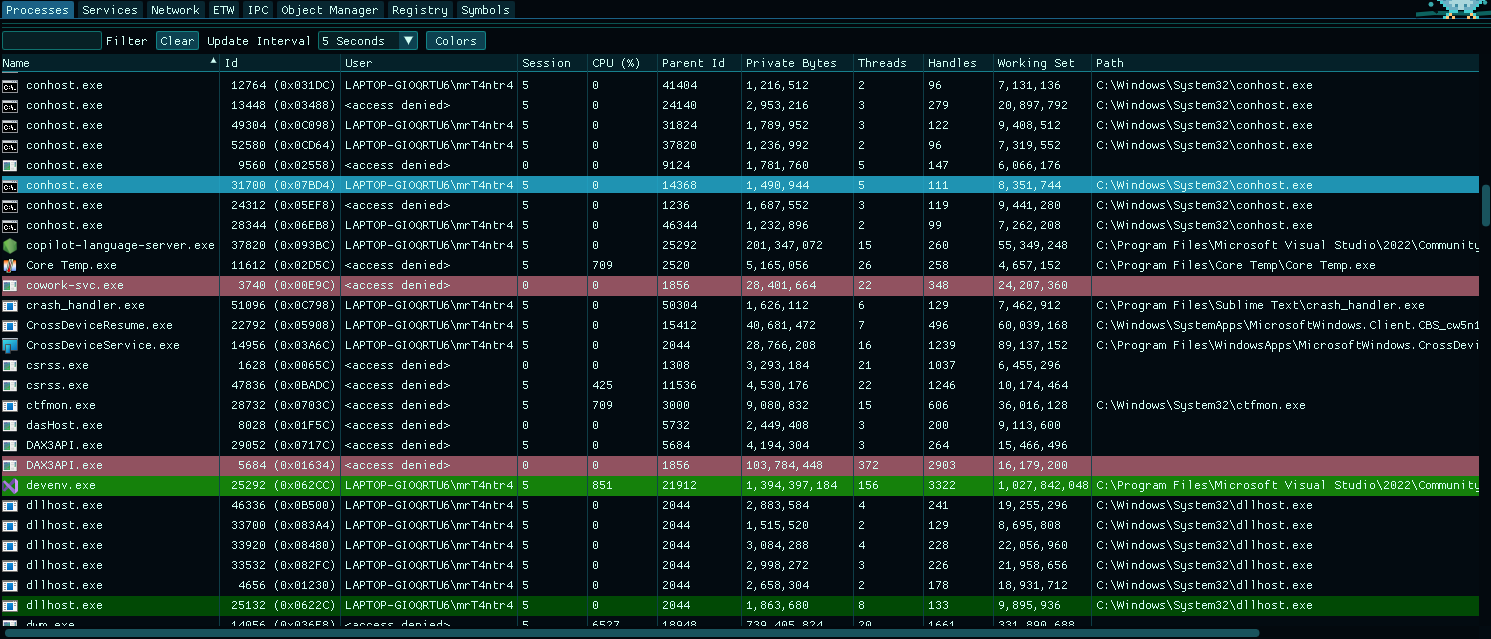 Processes (User Mode) | 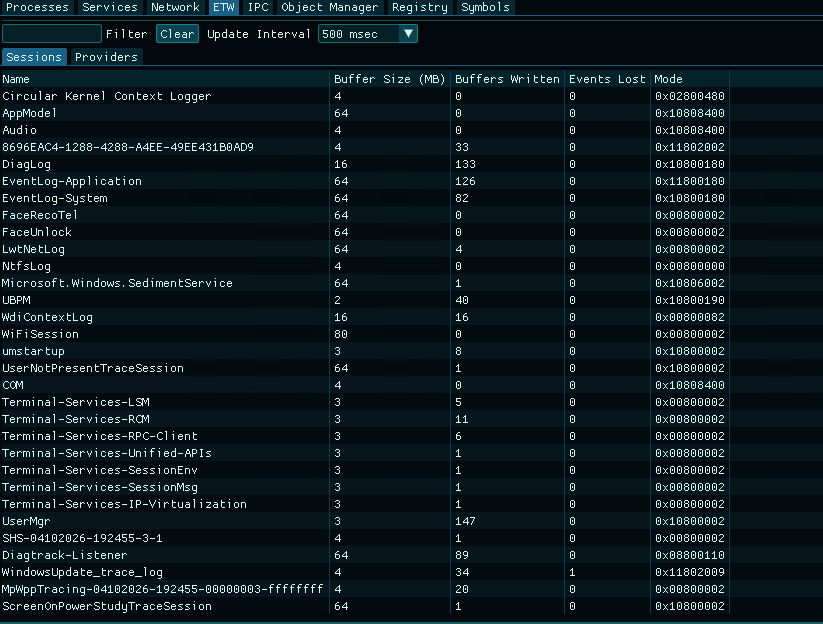 ETW Sessions | 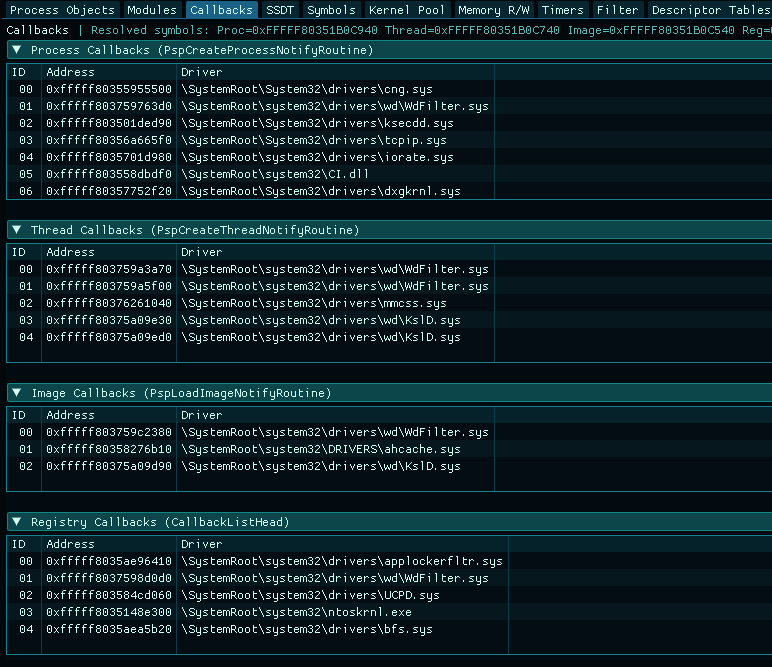 Kernel Callbacks |
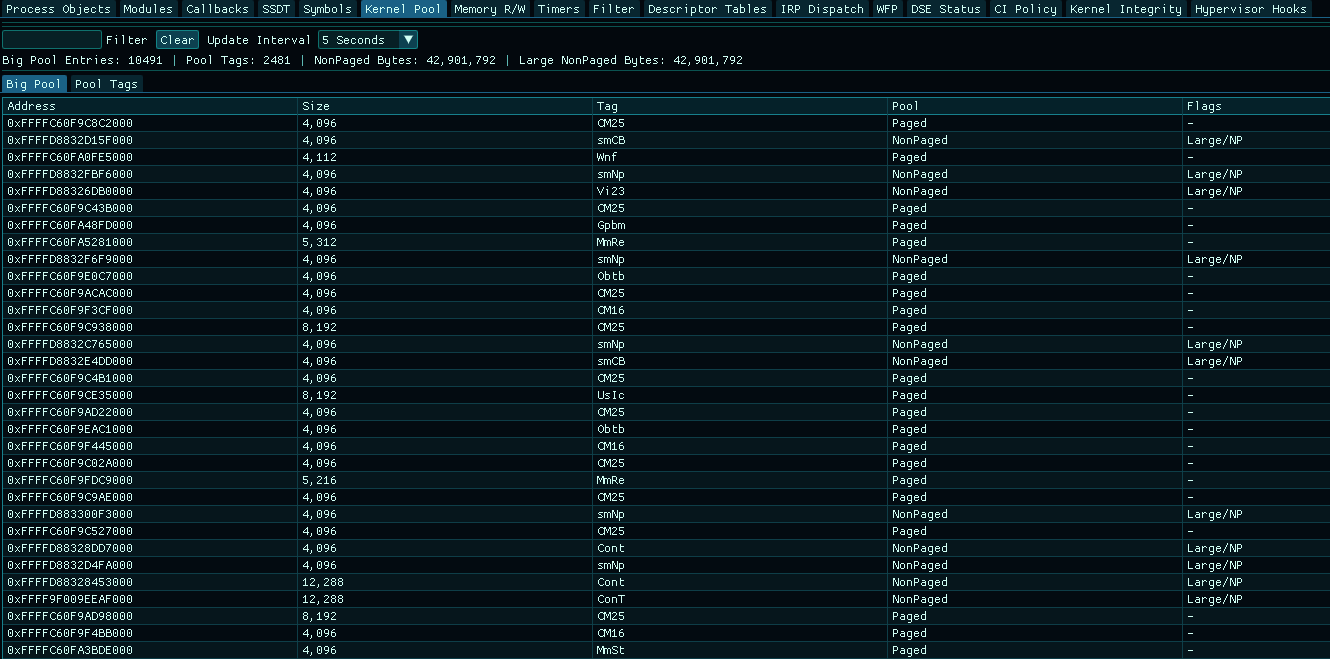 Kernel Pool | 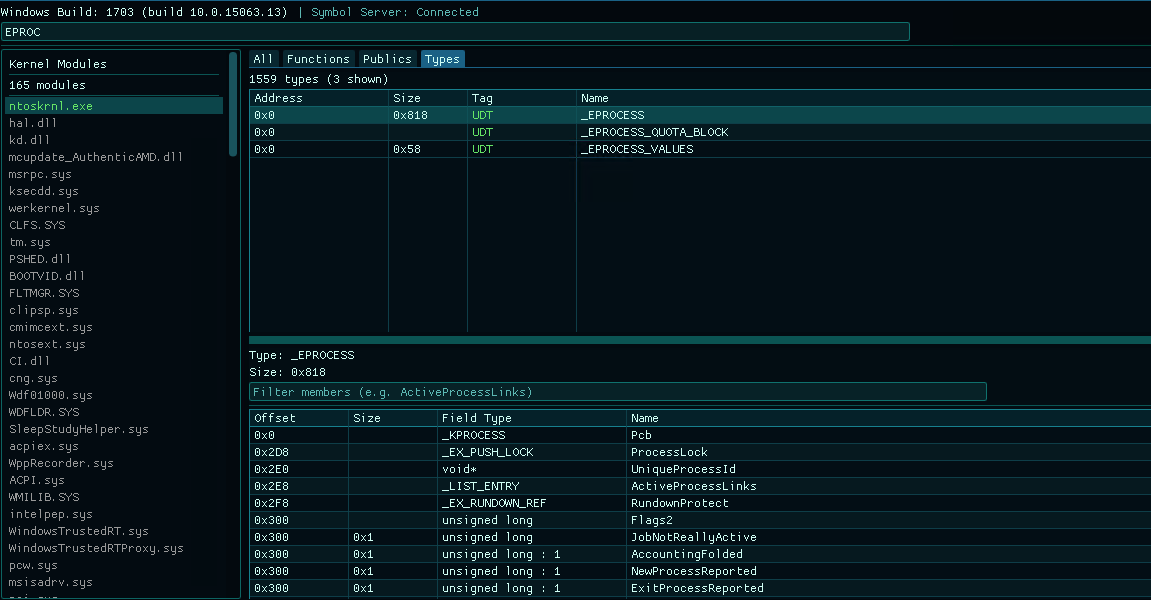 Symbols | 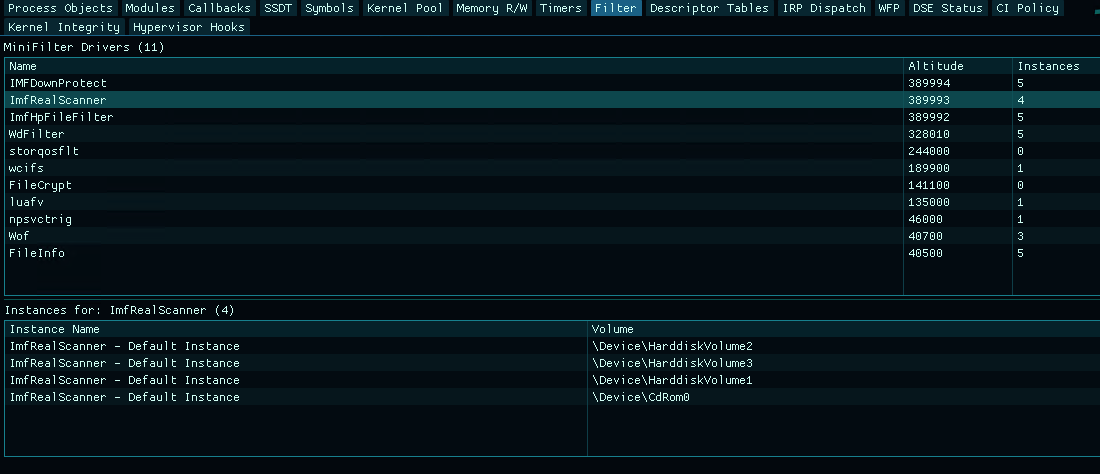 Filters |
Architecture
| Component | Role |
|---|---|
| NtWarden | GUI app (ImGui + DirectX 11) |
| WinSys | Static lib for process, service, and network enumeration |
| KWinSys | Kernel driver for callbacks, SSDT, kernel modules, etc. |
| WinSysServer | Headless TCP server for remote inspection |
Features
User Mode (no driver needed)
| Tab | What it does |
|---|---|
| Processes | Process list with tree view, handles, threads, memory regions, modules |
| Performance | Real-time CPU, RAM, GPU, and network usage graphs - can be overlaid on top of other tasks |
| Services | Service enumeration with status, start type, binary path |
| Network > Connections | TCP/UDP connections with owning process and remote endpoints |
| Network > Root Certificates | Trusted root CA store with subject, issuer, thumbprint |
| Network > NDIS | Network adapter info - driver, MAC, speed, media type |
| ETW | Active trace sessions and registered providers |
| IPC | RPC endpoints and named pipes |
| Object Manager | Browse the kernel object namespace - directories, symlinks, devices |
| Registry | Registry browser with key/value enumeration |
| Symbols | User-mode symbol loading status |
| Logger | Intercepts kernel driver debug logs and user-mode GUI logs in one place |
Kernel Mode (needs KWinSys)
| Tab | What it does |
|---|---|
| Process Objects | EPROCESS enumeration, hidden process detection via cross-referencing |
| Modules | Loaded kernel drivers with base, size, path (along with LolDrivers check) |
| Callbacks | Kernel callbacks (process/thread/image/registry/object/power) + integrity checks |
| SSDT | SSDT entries with owner and hook detection |
| Symbols | Kernel symbol resolution and PDB loading |
| Kernel Pool | Big pool allocations, pool tag stats |
| Memory R/W | Read/write kernel memory by address |
| Timers | Per-CPU interrupt and DPC counters |
| Filter | Minifilter drivers with altitude and instance info |
| Descriptor Tables | GDT/IDT entries |
| IRP Dispatch | IRP dispatch table for any driver - handler addresses, owner module |
| WFP | WFP callout drivers and filters |
| DSE Status | Driver Signature Enforcement state |
| CI Policy | Code Integrity policy and enforcement level |
| Kernel Integrity | Verify kernel .text against on-disk image |
| Hypervisor Hooks | EPT hook detection via timing analysis |
Analyze Process (right-click > Analyze Process)
Per-process security analysis, accessible from the process context menu.
| Section | What it checks |
|---|---|
| Unbacked Memory | Private executable regions not backed by any file (shellcode indicator) |
| Hollowing | PEB ImageBase vs PE header ImageBase mismatch |
| Module Stomping | In-memory .text sections compared against disk originals |
| Direct Syscalls | syscall (0F 05) instructions found outside ntdll |
| Syscall Stubs | ntdll stub integrity - memory bytes vs clean disk copy |
| User Hooks | Inline hooks (JMP/CALL patches) in ntdll, kernel32, etc. (needs capstone to disassemble analyzed bytes) |
| Tokens | Elevation, integrity level, impersonation, suspicious privileges |
| Debug Objects | Debug objects and debug ports on the process |
| Hypervisor | CPUID vendor check + RDTSC/CPUID timing anomalies |
| Job Objects | Job membership, limits, UI restrictions |
| CFG Status | CFG/XFG enforcement state and mitigation flags |
Building
Requirements: Visual Studio 2022, Windows SDK 10.0.26100.0+, WDK (for KWinSys)
NtWarden.sln
├── NtWarden/          # GUI app
├── WinSys/            # Core library (static lib)
├── KWinSys/           # Kernel driver
└── WinSysServer/      # Remote server
- Open
NtWarden.slnin Visual Studio - Build Release | x64
- Output goes to
x64/Release/
Driver Setup
KWinSys needs test signing or a valid signature.
# Enable test signing (reboot required)
bcdedit /set testsigning on

# On VMs you may also need
bcdedit /set nointegritychecks on
Run NtWarden as Administrator. Switching to the Kernel Mode tab will auto-install and start the driver if it's not already loaded. You can also manage it manually from the Driver menu.
Remote Inspection
WinSysServer runs on a target machine (usually a VM) and serves system data over TCP. Connect from NtWarden via Remote > Connect.
What to copy to the target
| File | Path | Needed for |
|---|---|---|
WinSysServer.exe | x64/Release/WinSysServer.exe | Always |
KWinSys.sys | x64/Release/KWinSys/KWinSys.sys | Kernel features only |
User-mode stuff (processes, services, network) works without the driver. Kernel tabs need KWinSys loaded on the target.
Running the server
# Auto-install driver + start server (run elevated)
WinSysServer.exe --install              # default port 50002
WinSysServer.exe --install --port 9000  # custom port

# Or install the driver yourself first
sc create KWinSys type= kernel binPath= "C:\path\to\KWinSys.sys"
sc start KWinSys
WinSysServer.exe [--port <port>]        # default: 50002
Connecting from NtWarden
- Launch NtWarden
- Remote > enter target IP and port > Connect
Protocol
Custom binary protocol over TCP. 12-byte header (MessageType, DataSize, Status). No auth - use in isolated lab/VM environments only.
Tested On
- Windows 11 23H2 (Build 22631.6199)
- Windows 10 22H2 (Build 19045.2006)
- Windows 10 1703 (Build 15063.13)
Credits
License
MIT - see LICENSE.