RoboDust
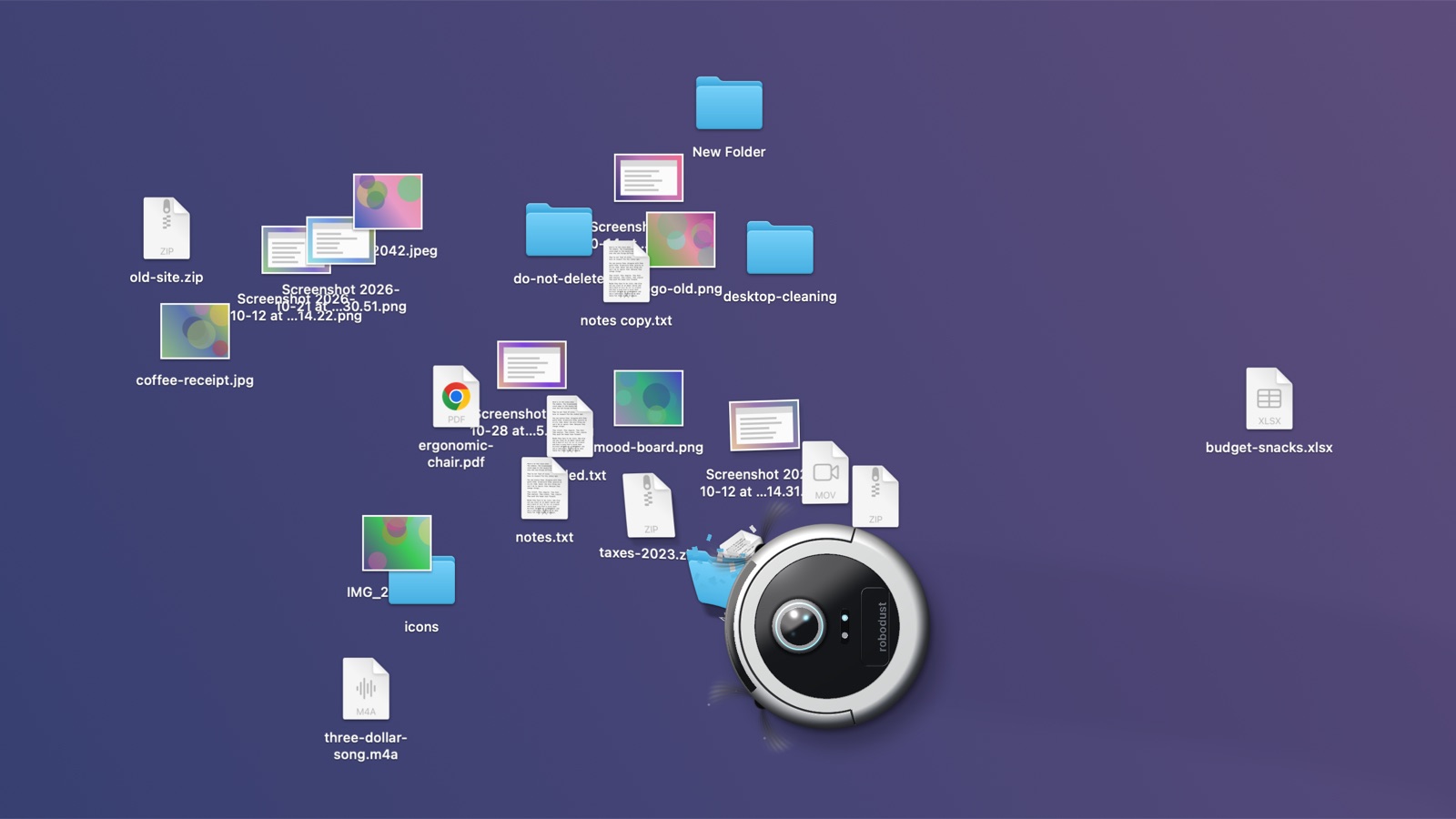
A robot vacuum for your Mac desktop. It drives around your screen and eats your files.
Download for Mac (4 MB, free, macOS 14 or later, Apple silicon and Intel) or play with it in your browser
I had 300-something things on my desktop, mostly screenshots, and no plans to sort them. Then I saw someone make an app that lets you hide your desktop under a rug, and it was so good that I got annoyed I hadn't thought of it. So I made the version where you hire a robot instead.
It works like a real one. It drops onto your desktop on its dock, maps the room with a lidar sweep, and cleans in rows. File names tear off before the icons go. Big files make it slow down and strain. When the bin is full it reverses onto the dock and empties itself, and you can watch the bag fill up. Pick it up while it's working and it will complain until you put it down.
At the end you choose what happens to everything it collected: sort it into neat columns, move it to the Trash, or delete it for good.
Yes, it really deletes things
So it's careful about it.
Until the very end, nothing has changed. The robot is eating pictures of your files, not your files. Stop at any point and your desktop is exactly how you left it.
Trash and Delete ask for one last click first, and you can untick anything you want to keep. There's a switch to skip the question if you know what you're doing. Delete still counts down for 10 seconds in that case, with a big Stop button, because it can't be undone.
It leaves these alone on Trash and Delete runs:
- anything changed in the last 10 minutes
- locked files
- folders with a
.gitinside - apps
Disks are never touched, with one exception: read-only disk images, like the installer you opened last month and forgot about. Those get ejected, never erased. Anything writable or in use stays mounted. Each file gets checked again right before anything happens to it, so one that changed during the clean just flies back to where it was.
If your Desktop syncs with iCloud, it warns you, because anything you delete also goes from your other devices.
There's also a sample mess, if you only want to watch the robot and not risk a thing. It's made up and has no files behind it.
How it works
macOS doesn't let an app move Finder's icons around or squash them into a vacuum. So RoboDust cheats.
It asks Finder where your icons are, grabs your wallpaper, and draws a copy of the whole desktop in a window that sits just above the real icons and below your other windows. Everything you see after that is the copy, drawn with Metal. The icons are little meshes that bend towards the intake, and the robot and dock are lit in a shader, so the light stays put when the robot turns. All the sounds are synthesised, apart from the cat's meows, which are a real cat.
When the clean is done it makes the real change, waits for Finder to catch up, and fades the copy away.
The one file that changes anything on disk is FileOps.swift, if you want to check what it does before you trust it. I would.
Build it yourself
You need Xcode, or its command line tools, on macOS 14 or later.
git clone https://github.com/muhraufan/robodust.git
cd robodust
scripts/build.sh
open build/RoboDust.app
Start with the sample mess. The first real run will ask for Finder and Desktop access.
Helping out
Bug reports and ideas are very welcome, and so are pull requests. Please read CONTRIBUTING.md first, mostly so you don't test something on your own desktop by accident.
Thanks
Updates are handled by Sparkle. The meows are Elix, recorded by Joseph Sardin for BigSoundBank (CC0). The app is designed by me, Raufan, with a lot of implementation help from Claude.
If it made you smile, a star is nice, and you can also buy me a coffee.
MIT license. See LICENSE.