Ryoku Arch
力と美のために · For the sake of power and beauty.
Ryoku is a hand-built Arch Linux distribution: one cohesive Hyprland desktop, a guided installer, and the system definition that reproduces them, all from a single repository. The base is lean enough to live in from first boot and deliberate in how it looks and moves.






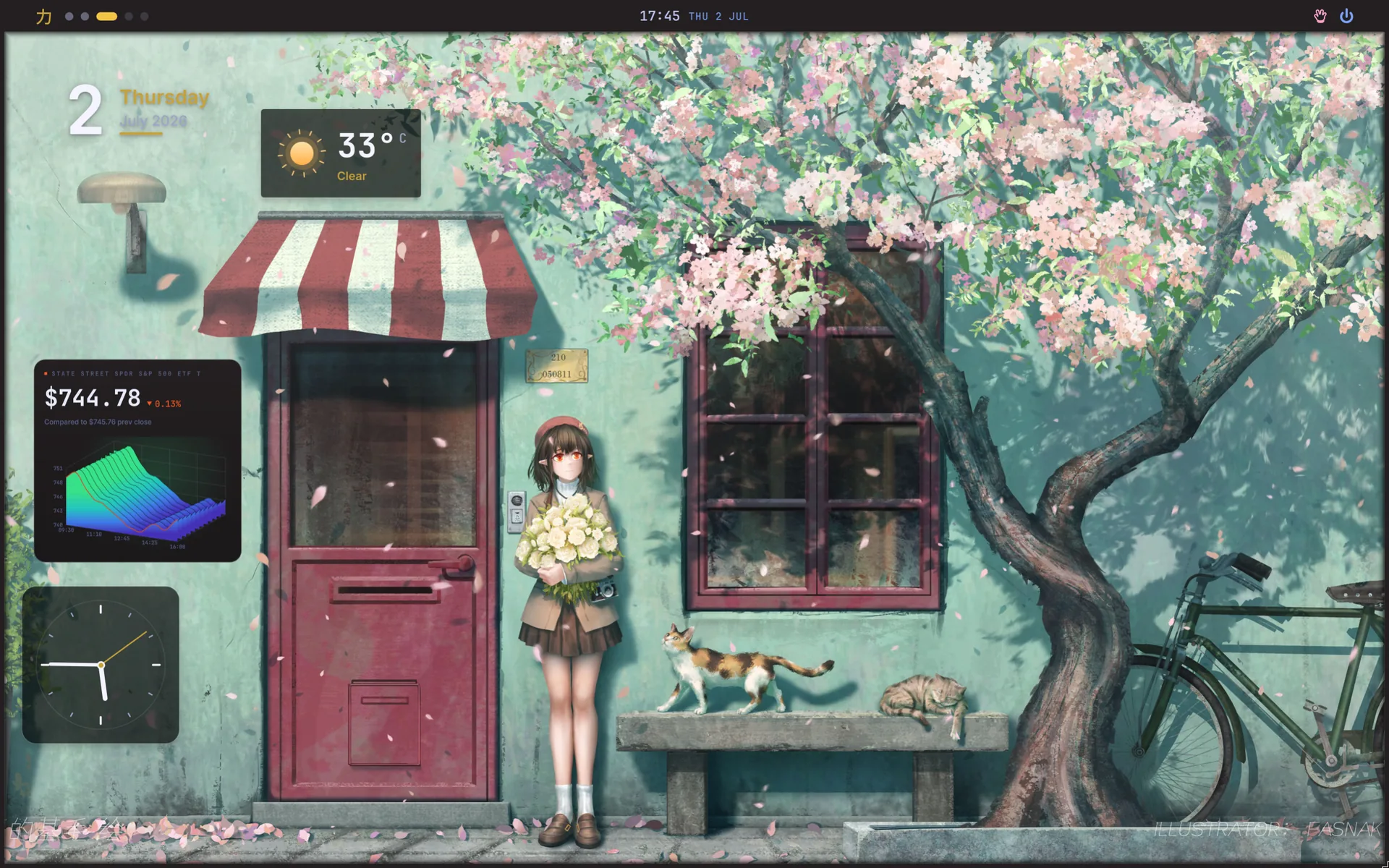
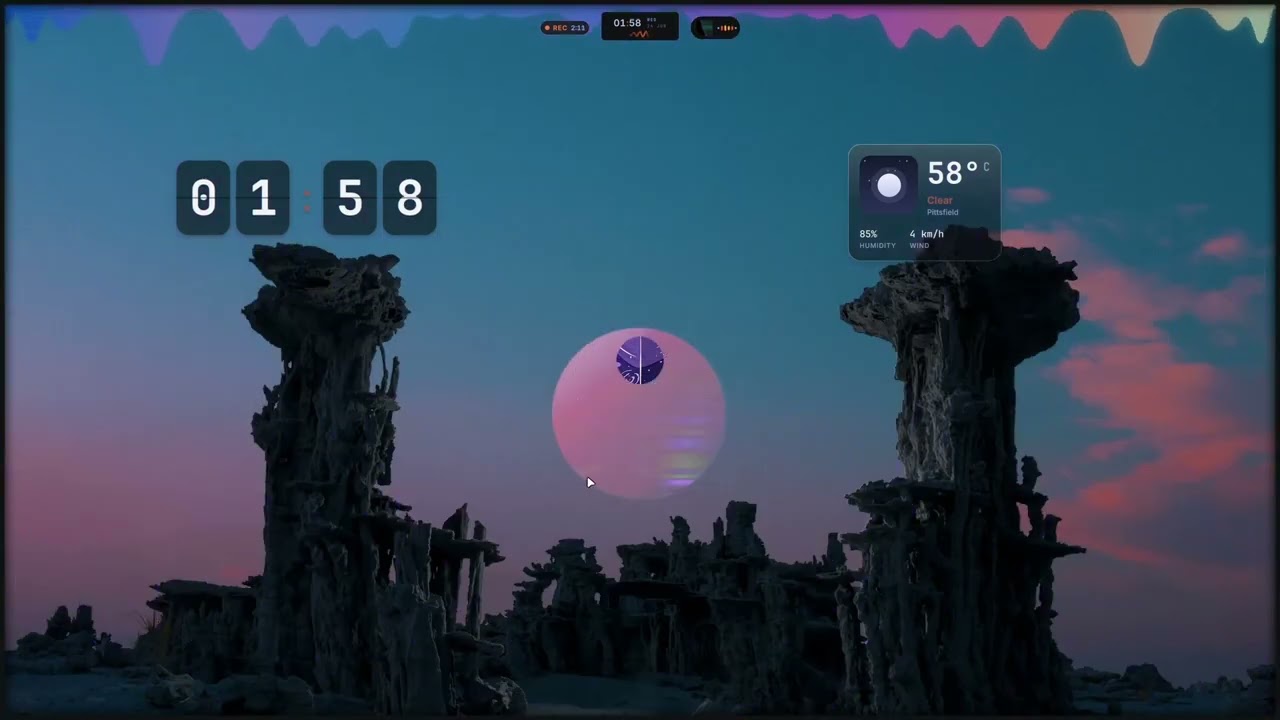
The Ryoku desktop. Screenshots are real; the poster art is generated.
About
Ryoku means power, and the name is the point. The power is a modular shell built to be extended: the desktop is composed of small, independent surfaces, and a plugin system is on the way, so the shell grows with what you actually use instead of bloating by default. The beauty is the shell itself, one continuous and deliberate surface where the bar, panels, launcher, lockscreen, and session controls move as a single thing. 力と美のために: for the sake of power and beauty.
Underneath, Ryoku is a hand-built Arch distribution rather than a config dump. The desktop, the installer, and the system definition all live in this repository, and every machine is built from it; the repository is the single source of truth, and a live machine is only ever a deployment target. The desktop is a Hyprland Wayland session authored in Lua with the Quickshell-based Ryoku shell on top. The project began as an Omarchy fork, and its command and package conventions still descend from it, but the installer, shell, theming, and desktop are Ryoku's own. The shell is custom: its frame-blob rendering and some animation curves are adapted from Caelestia.
The desktop
One motion language across every surface, retinted live from your wallpaper.
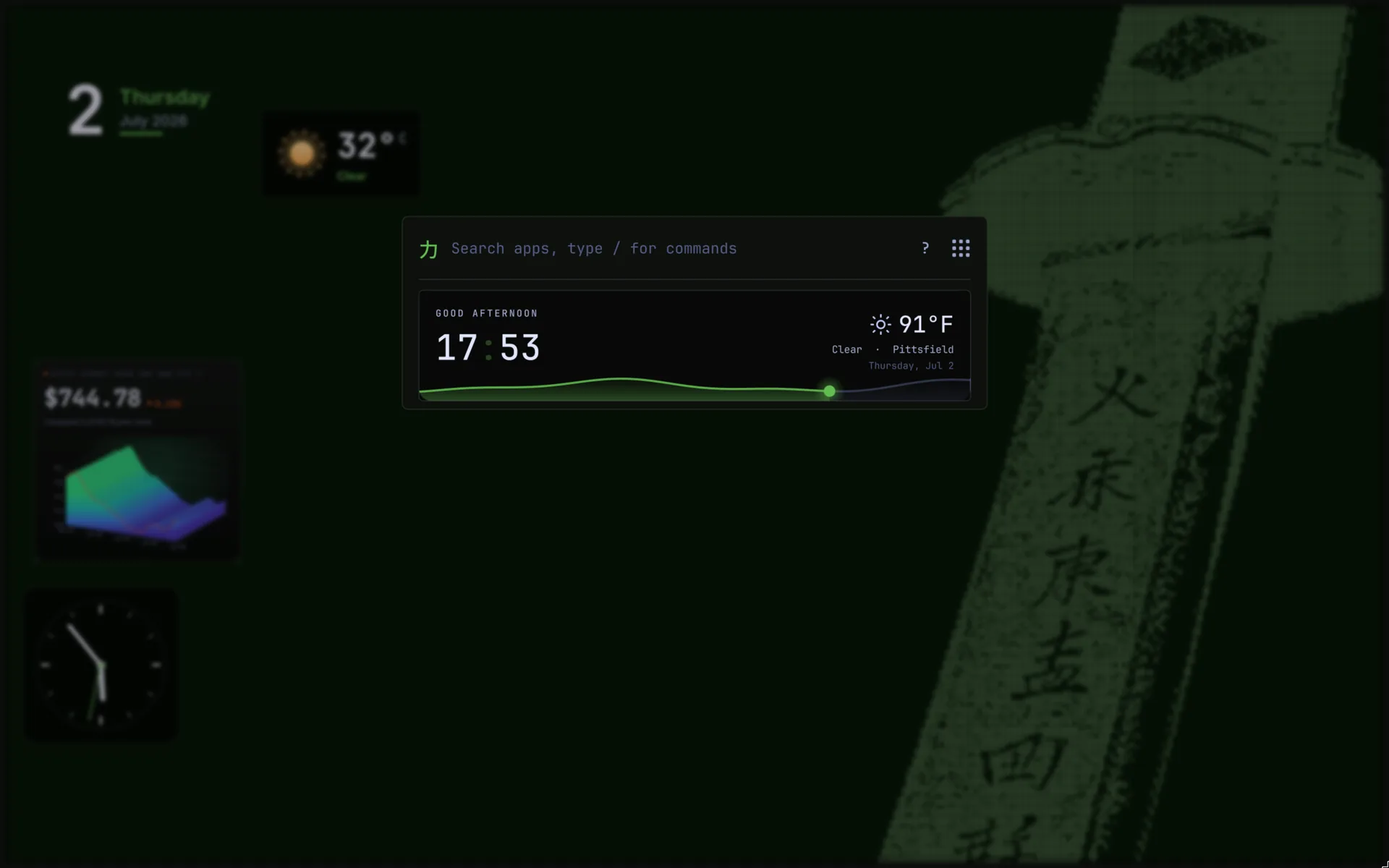 Launcher. Apps, commands, calculator, files, and Ryotunes radio behind one search. |
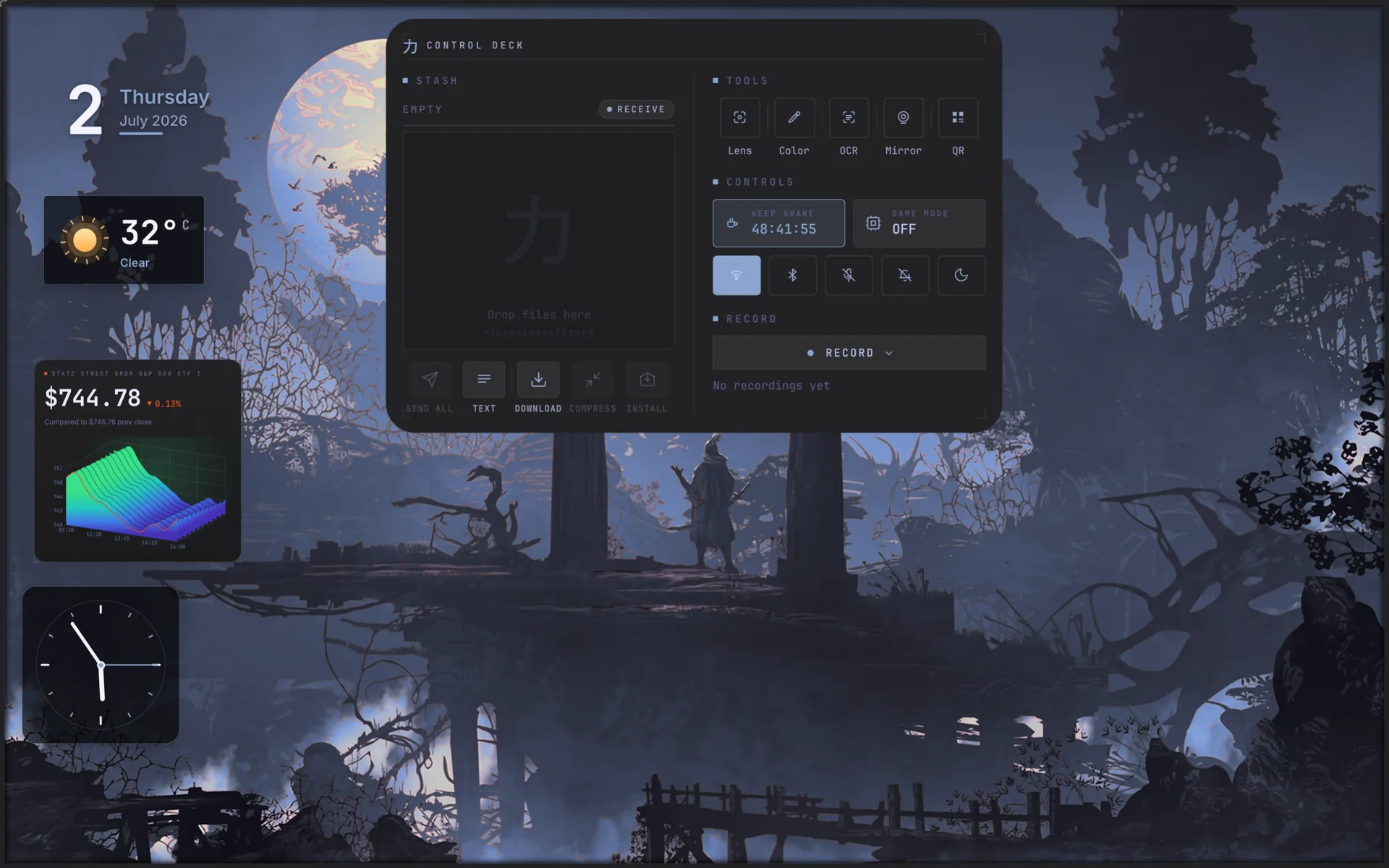 Control Deck. Stash, tools, game mode, and capture, reachable in one place. |
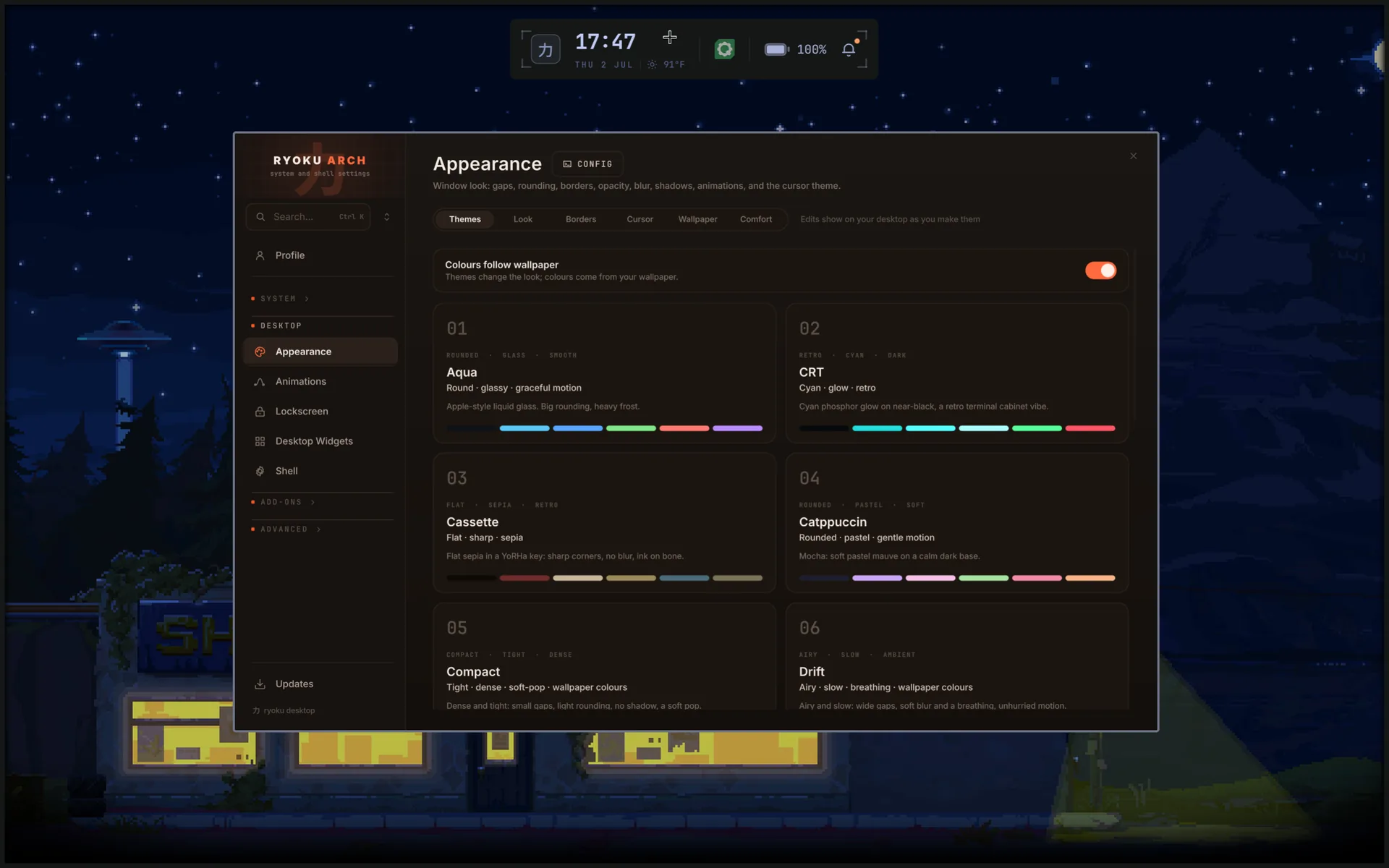 Appearance. The whole desktop retints from the wallpaper. |
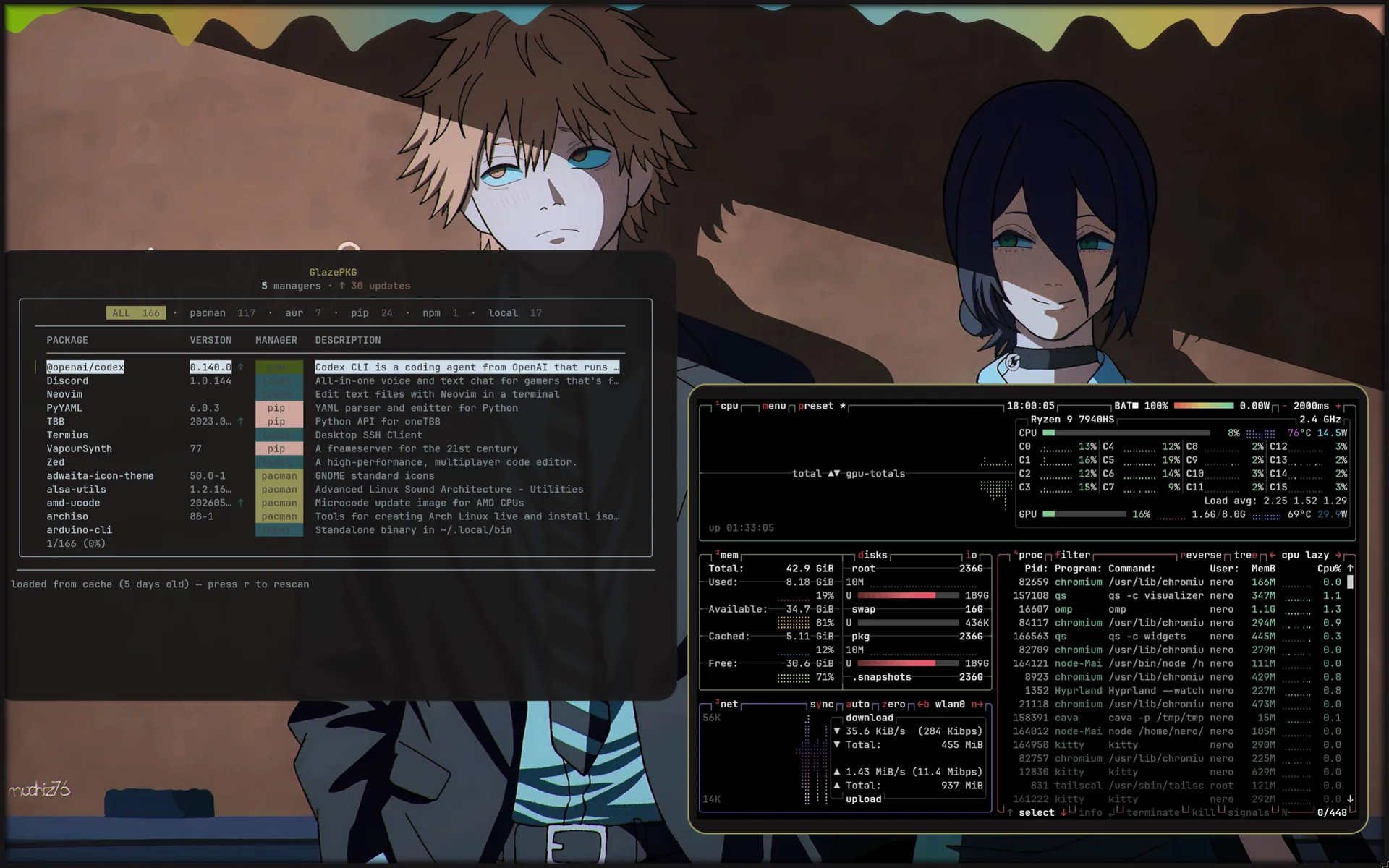 Tooling. GlazePKG across every package manager, plus a live system monitor. |
What ships
- The desktop under
ryoku/: a Hyprland session authored in Lua (not a hand-writtenhyprland.conf), the Quickshell-based Ryoku shell, the lockscreen, app configs, and brand assets. - The system definition under
system/: the boot chain, hardware policy, and package sets that make a machine a Ryoku machine. - The installer under
installation/: a guided TUI, the backend installer, and the archiso profile that builds the signed ISO. - The update system under
release/: theryokucontrol CLI, the desktop packages, and the signed[ryoku]pacman repository.
Install
Two ways in. A fresh machine boots the signed ISO; an existing Arch box converts in place with the shell installer.
Fresh install (the ISO)
Signed ISO builds are published at ryoku.dev. Download the latest image, its signature, and the checksums, write it to a USB stick, and boot it. The guided installer partitions the disk (Btrfs with subvolumes), installs the package set and the Ryoku desktop from the signed repository, sets up the Limine boot chain, and configures snapshots.
Releases are signed with:
- Key:
Ryoku Releases <releases@ryoku.dev> - Fingerprint:
EB6D 3C0F 55A7 B3CA BA6B 2838 847B 274F 025D D6E3 - Public key in repo:
keys/ryoku-release-key.pub.asc
Verify the imported key's fingerprint matches before trusting it:
gpg --import keys/ryoku-release-key.pub.asc
gpg --verify ryoku-*.iso.sig ryoku-*.iso
Prefer to build it yourself? The archiso profile and build script live in
installation/iso.
Already on Arch (no ISO)
One line converts an existing Arch machine into a Ryoku box: it backs up your
configs (with a restore.sh to undo), trusts the signed [ryoku] repo, migrates
you off conflicting shells and daemons, and wires up the full desktop. It never
partitions a disk.
curl -fsSL https://raw.githubusercontent.com/neur0map/ryoku-arch/main/ryoku-shell-installer/install.sh | bashPreview everything it would do without changing anything by appending
-s -- --dry-run after bash. Details in
ryoku-shell-installer/.
[!WARNING] The shell installer is young and still being tested across different hardware, distributions, and existing setups. It rewrites your shell and desktop configuration in place, and it may not behave the same on a setup we have not seen yet. Back up your system first. It writes a
restore.shand refuses to run as root, but making proper backups is your responsibility, and Ryoku is not responsible for data loss or for breaking your current desktop. Run it with--dry-runbefore you commit, and prefer a machine you can afford to reinstall.
CachyOS kernel, in one click
Want the CachyOS scheduler and build? Open the Hub, go to Extras, and install
the CachyOS Kernel bundle. One click adds the CachyOS x86-64-v3 repository
(its own signing key, layered above [core] and never replacing it) and installs
linux-cachyos. It is additive and idempotent, and it leaves your stock kernel in
place as a fallback, so you keep the choice of what to boot. Full details in
docs/kernels.md.
Updating
Everything updates through one command:
ryoku updateIt takes a snapshot, runs the package transactions (pacman -Syu against the
official repos and the signed [ryoku] repo, then yay for the AUR), re-lays
the desktop configs into your home, reloads the shell, and takes a paired
post-snapshot. A failed package step aborts before anything else changes.
The desktop ships from the [ryoku] pacman repository, signed by the release key
and trusted through the ryoku-keyring package, so updates are verified the same
way the rest of the system is.
Your settings survive every update. The base configs are Ryoku-owned and
refreshed in place, while your own edits live in override files that are never
shipped or touched (hypr/user.lua, kitty/user.conf, fish/user.fish); they
load last, so your changes win. There is no ordered migration ledger: the config
is reconciled to the shipped state on every update, and the rare stateful fix
(disk layout and the like) is an idempotent ryoku doctor reconciler that runs
inside ryoku update. If an update goes wrong, run ryoku rollback or pick the
previous snapshot from the Limine boot menu.
Recovery
When an update leaves the desktop unusable and ryoku update cannot fix it,
there is a last-resort recovery. It pulls the latest main, reinstalls the base
packages, and rebuilds and redeploys the whole desktop from source, overwriting
your Ryoku configs:
ryoku recoveryIf the ryoku command itself is gone, drop to a TTY (Ctrl+Alt+F2, then log in)
and run the same recovery straight from the repo:
curl -fsSL https://raw.githubusercontent.com/neur0map/ryoku-arch/main/bin/ryoku-recovery | bashThis is a true last resort. It discards local Ryoku config customizations
(hypr/user.lua and friends) and resets you to the latest main. It refuses to
run on a machine that is not Ryoku, and asks you to confirm before it changes
anything. Pass --yes to skip the prompt and --no-packages to pull and
redeploy the configs without the pacman step.
Repository layout
| Path | One job |
|---|---|
ryoku/ | The desktop: the Hyprland (Lua) config, the Quickshell shell, the lockscreen, app configs, brand assets. |
system/ | The machine definition: boot chain, hardware policy, package sets. |
installation/ | How a machine is built: the TUI, the backend installer, the ISO profile. |
release/ | Packaging: the desktop PKGBUILDs, the [ryoku] repo builder, the signing keyring. |
docs/ | The guides. Start with docs/ryoku.md and docs/structure.md. |
Channels
main is the stable channel everyone runs; it is published to the [ryoku]
repository and the ISO only on tagged releases. unstable-dev is the maintainer
preview, consumed through the dev loop and never published. A release promotes
unstable-dev to main. See docs/development.md for the
deploy, test, and commit loop.
Credits and license
Ryoku began as a fork of Omarchy, created by David Heinemeier Hansson and
contributors; its command and package conventions descend from it. The Ryoku
shell is custom, with its frame-blob rendering and some animations adapted from
the Caelestia shell, and parts of the
display configuration UI adapted from
DankMaterialShell. Full
attribution and upstream links are in NOTICE. Ryoku is released under
the GNU GPL v3.