Add AirPrint / AirScan support to your old printer, using just a cheap ESP32-S3
[!IMPORTANT] This project is actively looking for contributors to add support for more printers. Most importantly, you need to really own the printer you add: every driver must be tested on the real hardware, not only in emulation. See Adding a printer to get started.
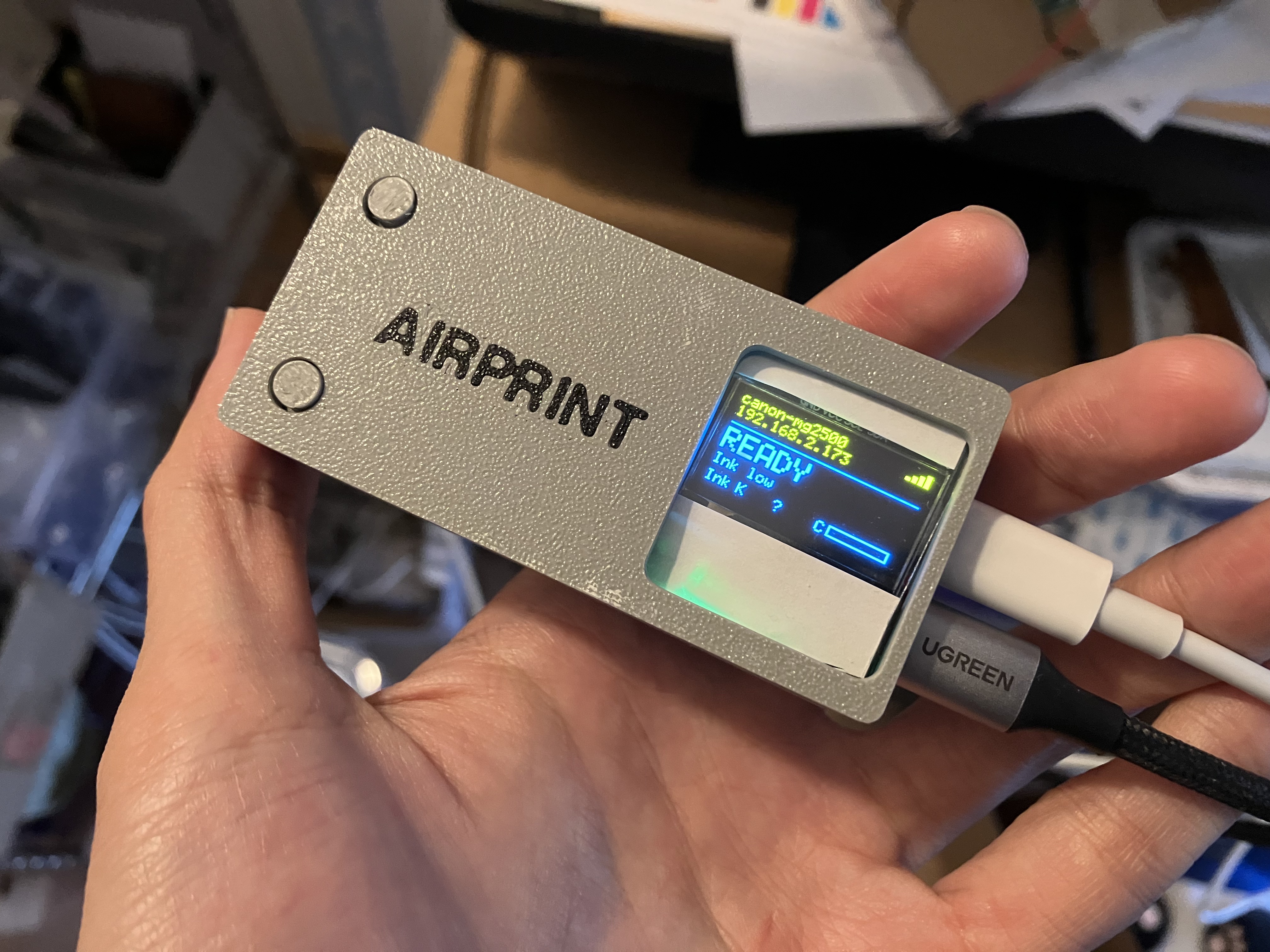
Turns any USB-only printers into a wireless printer and scanner. An ESP32-S3 board plugs into the printer's USB port and joins your WiFi:
- Print from iPhone, iPad and Mac (AirPrint), Android (Mopria) and Linux, with no drivers or apps.
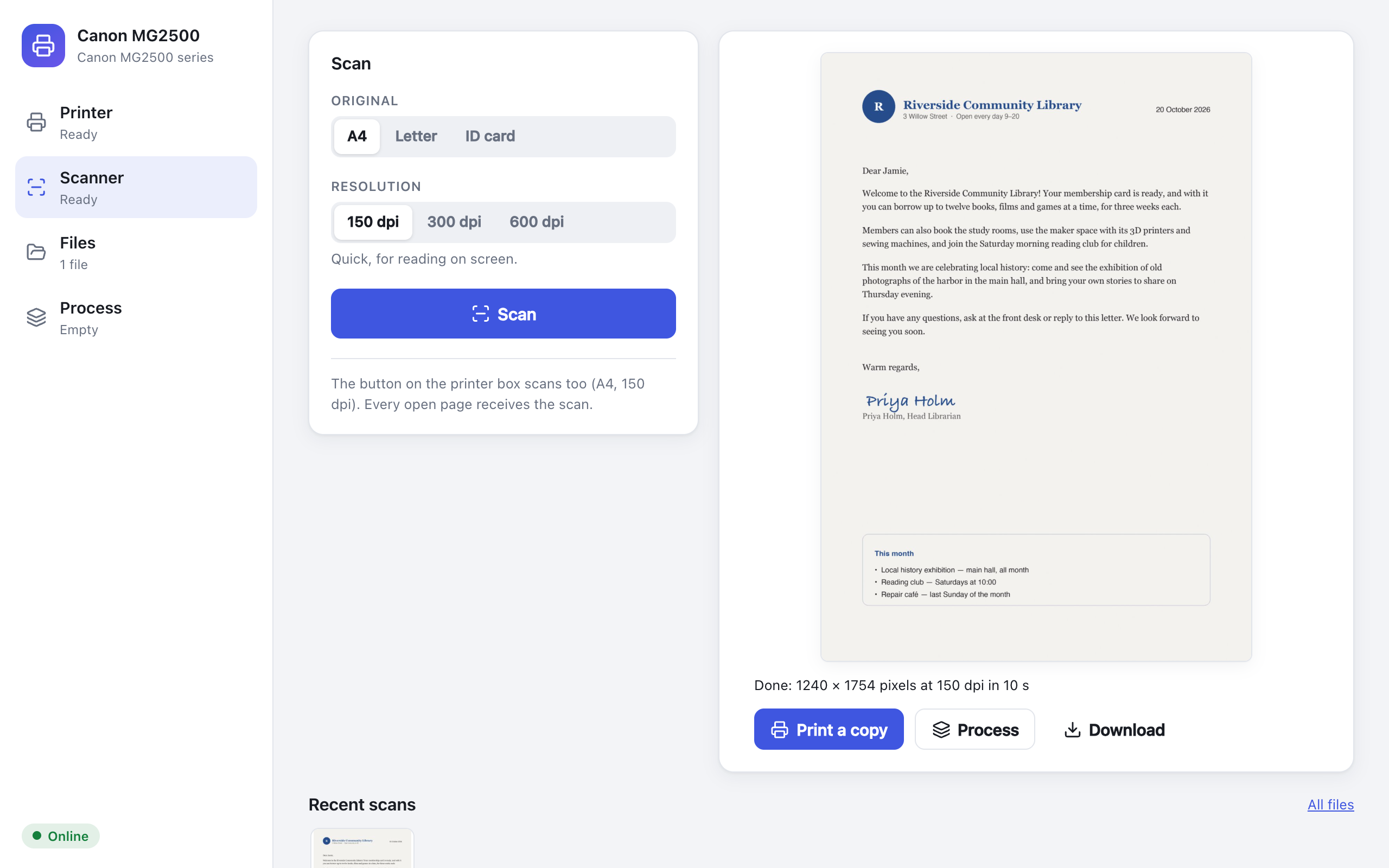
- Scan from any browser, from Image Capture and Preview on a Mac, or with the button on the board.
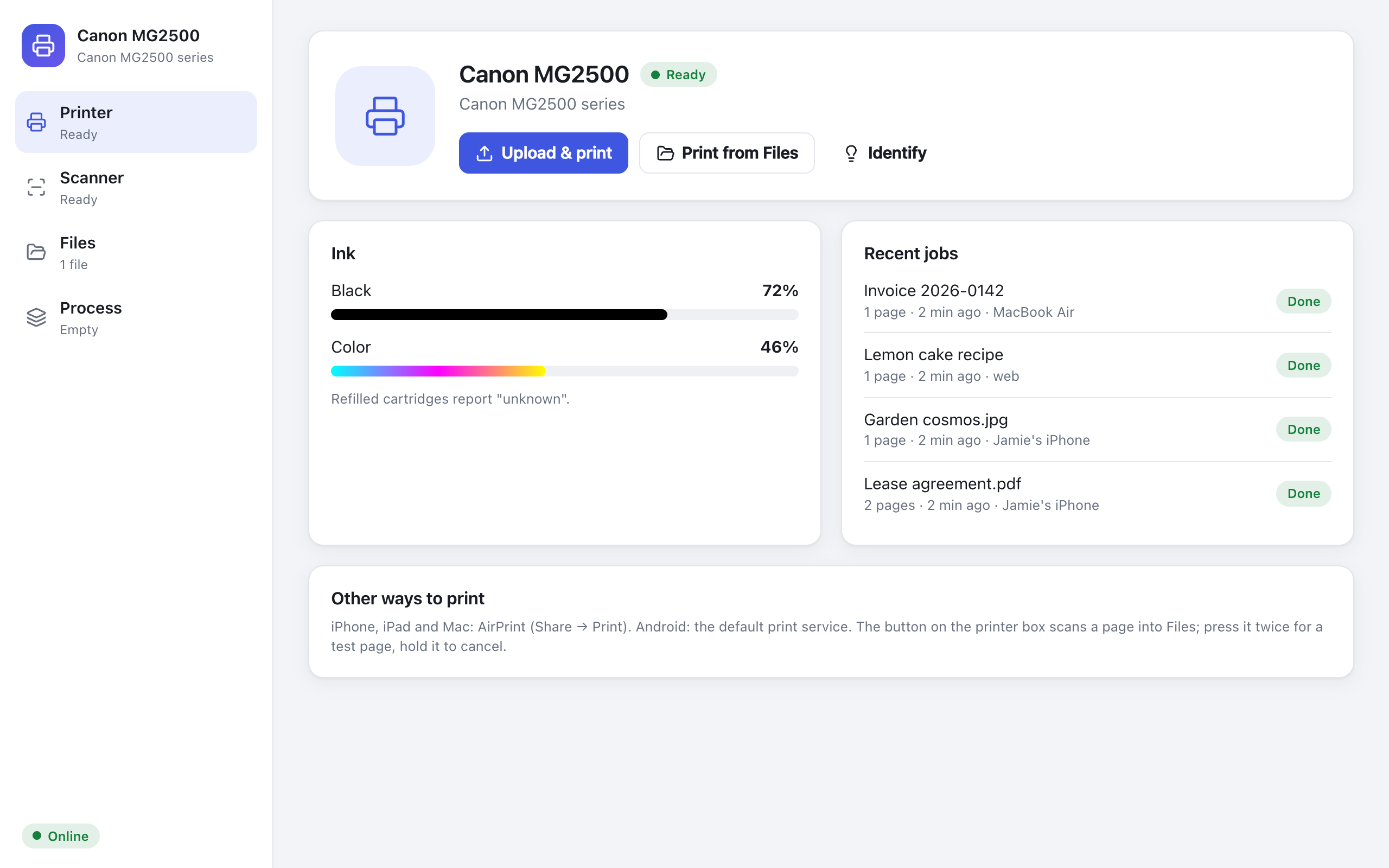
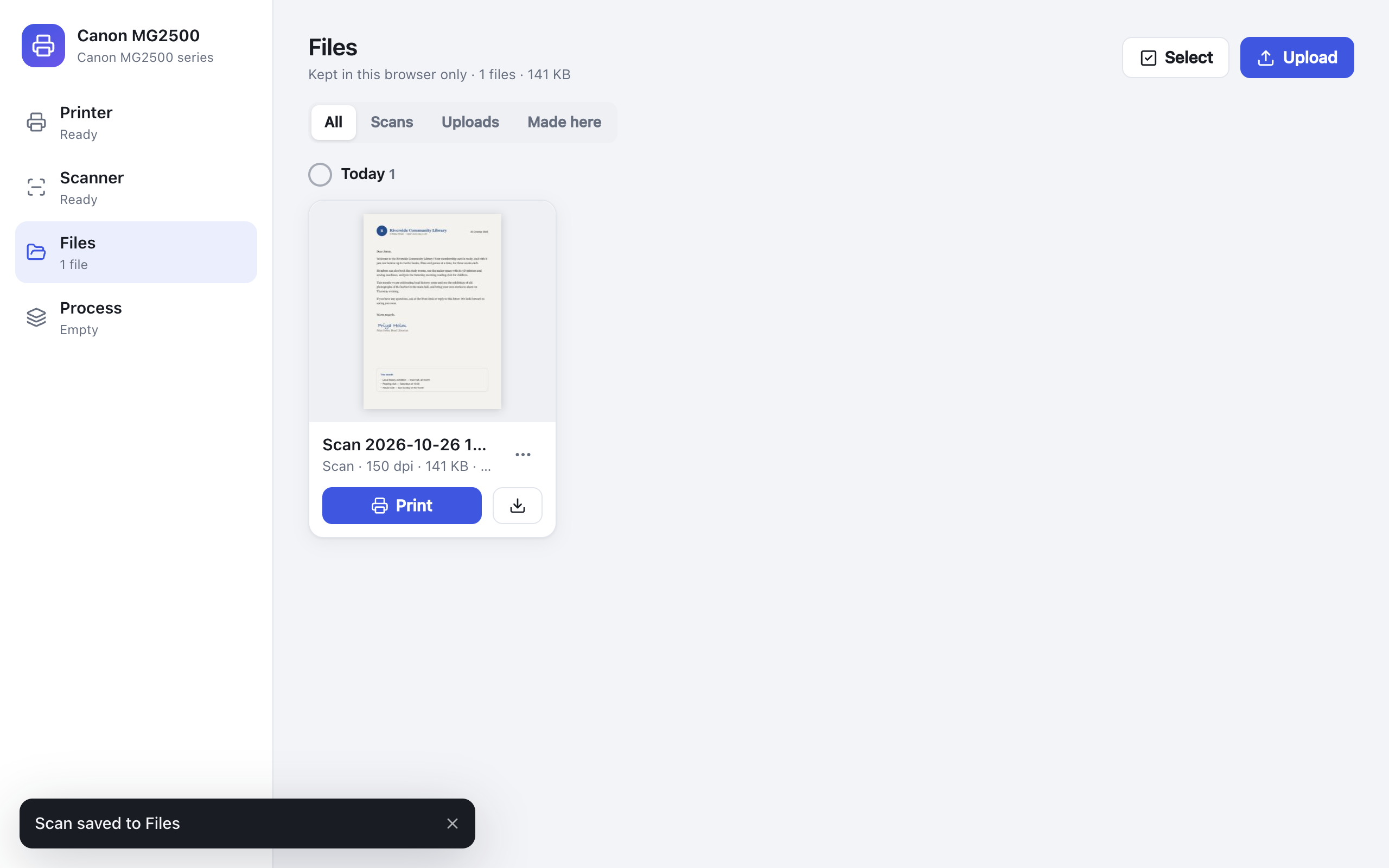
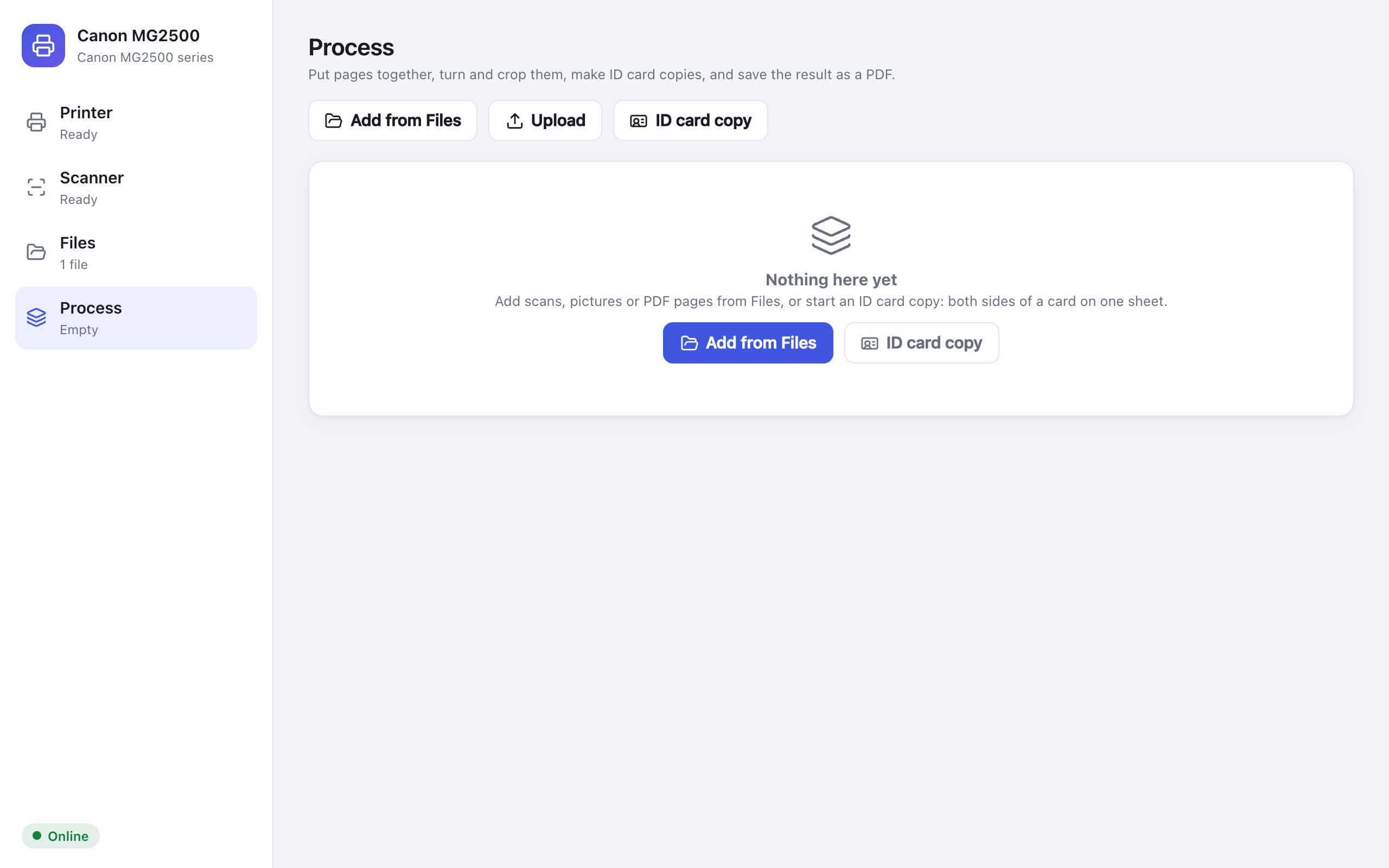
- A web app on your phone or computer: print PDFs and pictures, scan, keep the files in the browser, and put pages together (rotate, crop, ID card copies) into a PDF.
 |  |
 |  |
Supported printers
| Series | Models | Scan |
|---|---|---|
| 🟢 MG2500 | MG2550S | yes |
| 🟡 MG2400 | MG2410 to MG2490 | yes |
| 🟡 MG2500 | MG2510 to MG2590 (other than the MG2500S) | yes |
| 🟡 P200 | P200 | no scanner |
| 🟡 MG2900 | MG2910 to MG2990 | yes |
| 🟡 MG3000 | MG3010 to MG3090 | yes |
| 🟡 E470 | E470 to E478 | yes |
| 🟡 E460 | E460 to E468 | yes |
| 🟡 iP2800 | iP2810 to iP2899 | no scanner |
| 🟡 E3100 | E3170 to E3195 | yes |
| 🟡 TS3100 | TS3110 to TS3195 | yes |
| 🟡 MP230 | MP230 to MP237 | yes |
| 🟡 iP2700 | iP2700 to iP2788 | no scanner |
| 🟡 MP250, MP270, MP280 | MP250 to MP288 | yes |
| 🟡 MP490, MP493, MP495 | MP490 to MP499 | yes |
| 🟡 MX340, MX350 | MX340 to MX358 | yes (glass only) |
| 🟡 MX360, MX410, MX420 | MX360 to MX428 | yes (glass only) |
- 🟢 Validated on real printer
- 🟡 Expected to work, not tested on real hardware yet.
The firmware recognises the printer when it is plugged in. Other printers? Please open an issue or a PR.
What you need
Just one thing: An ESP32-S3 dev board with two USB-C ports:
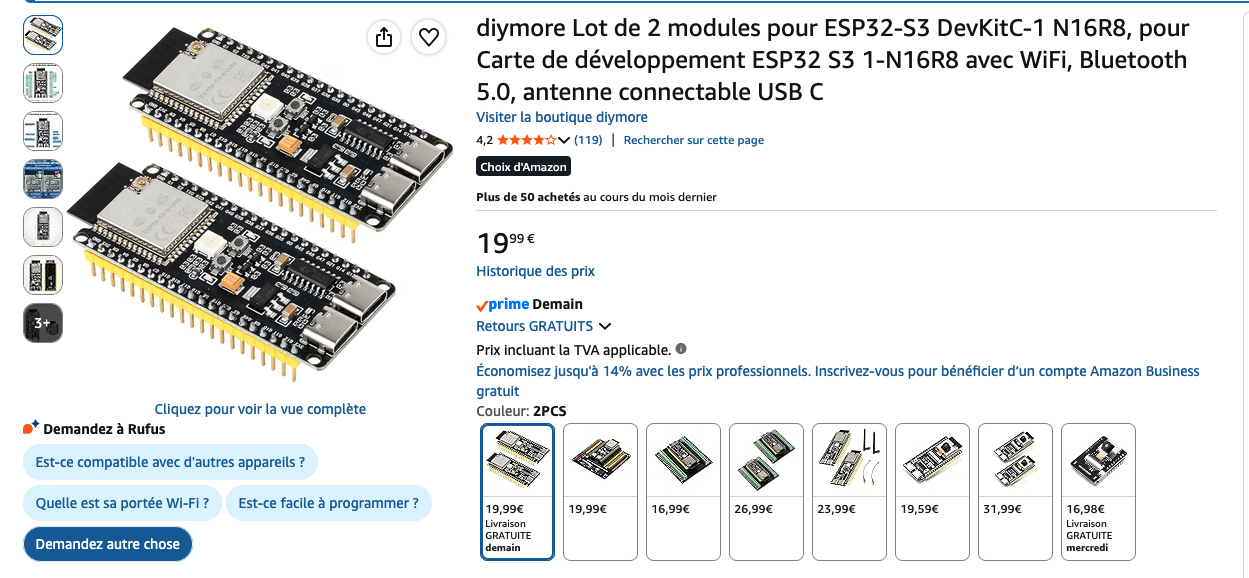
Optionally: a SSD1315 OLED screen and a 3D-printed case, see later in this tutorial
Setup
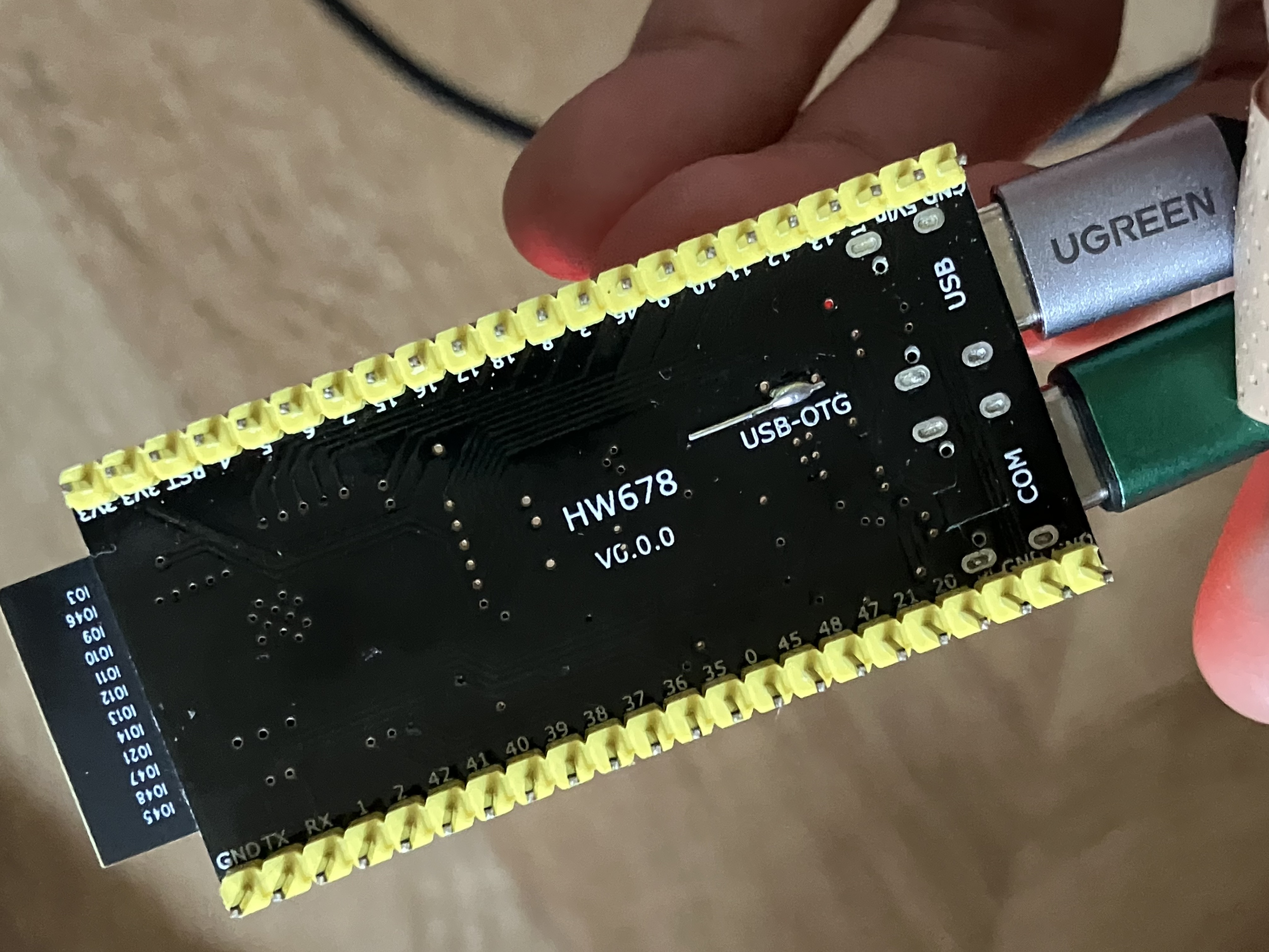
Step 1: Hardware. Plug the ESP32-S3 into your computer via the COM port on the ESP32 board (NOT the port labelled "USB")
Step 2: Settings. Build once (pio run): this creates .env. Edit it:
WIFI_SSID=your-network
WIFI_PASSWORD=your-password
PRINTER_NAME=Canon MG2500 (ESP32)
HOSTNAME=canon-mg2500
MODE=debug
MODE=debug lets you update the board over WiFi later (see below); MODE=normal does without. .env is git-ignored, so your WiFi password stays local.
Step 3: Flash. Connect the board's COM port to your computer and run pio run -t upload. PlatformIO finds the board's serial port; if several are connected, add --upload-port /dev/cu.usbmodem….
Using it
Plug the printer to the port labelled "USB"
NOTE: You may also need to bridge the "USB-OTG" solder join on the board, so that it supplies 5V to the printer. While the printer doesn't actively use 5V, it sense the USB plug using this signal.
- The web app: open
http://canon-mg2500.local/(yourHOSTNAME) on your phone or computer. - The button on the board (BOOT, or one on GPIO4): press to scan, press twice for a test page, hold 2 s to cancel.
- Print from a phone or a Mac: on an iPhone, Share → Print and pick the printer. On a Mac, add it in System Settings → Printers & Scanners.
- Scan on a Mac: open Image Capture (or Preview → File → Import from Scanner) and pick the printer.
Adding OLED screen and buttons
This step is optional, you can connect a SSD1315 OLED screen with the pinout below:
| OLED | ESP32-S3 |
|---|---|
| VCC | 3V3 |
| GND | GND |
| SCL | GPIO41 |
| SDA | GPIO42 |
Connect it before powering on: the board only looks for it at startup.
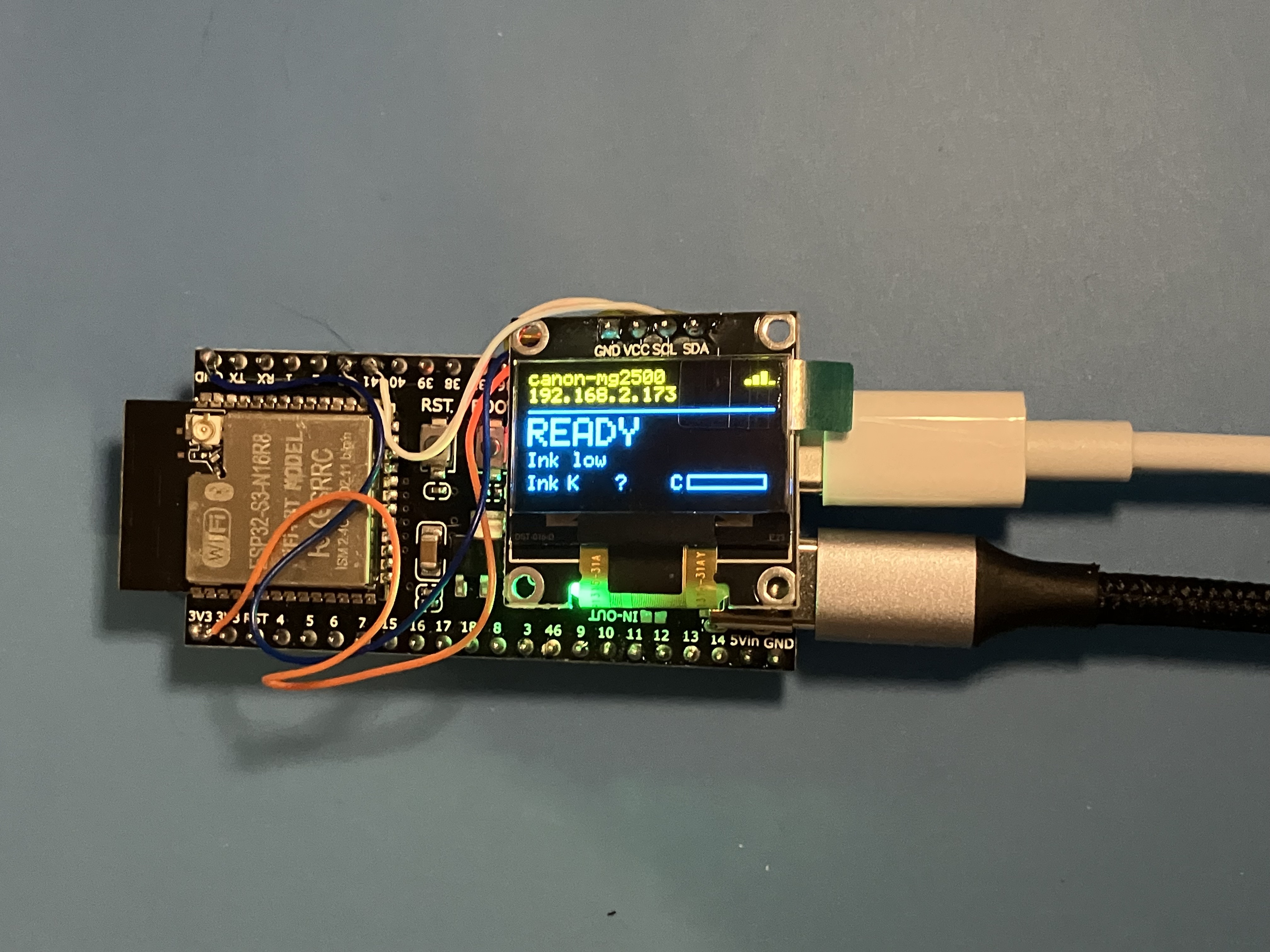
For buttons, wire each one between a pin and GND:
| Button | ESP32-S3 | Action |
|---|---|---|
| 1 | GPIO4 | Same as BOOT (scan, test page, cancel) |
| 2 | GPIO5 | Not assigned: add your own in on_user_button() (src/main.c) |
While the screen is off, a press only wakes it up.
Development
Set MODE=dev and flash: print jobs are processed but not printed, and scans show a built-in test page.
On the computer, without the board: make -C host && cd host && ./airprint_host, then open http://localhost:8631/ (an emulated printer and scanner). To work on the web app with live reloading: cd web && npm run dev (it talks to that server; DEVICE=http://<board IP> npm run dev talks to the board).
Technical details are in AGENTS.md.
Adding a printer
Each printer model is a driver in components/printers/, listed in printers.c; the firmware picks the one of the printer that is plugged in. A Canon PIXMA whose stream is close to the MG2500's is one line in canon_pixma.c; another printer is a new file in the same folder. See AGENTS.md for details.
License
MIT, see LICENSE.
The printer and scanner protocols follow Gutenprint and SANE's pixma backend. The JPEG encoder's DCT is a translation of libjpeg's jfdctint.c: this software is based in part on the work of the Independent JPEG Group. The web UI bundles Svelte (MIT) and pdf.js (Apache-2.0).