Video to Data (V2D)
An end-to-end pipeline that converts human demonstration videos into simulation-ready assets and physics-grounded robot training data.
Documentation · Robotic Grounding Project Page · Robotic Grounding Tech Report
Contents
Overview
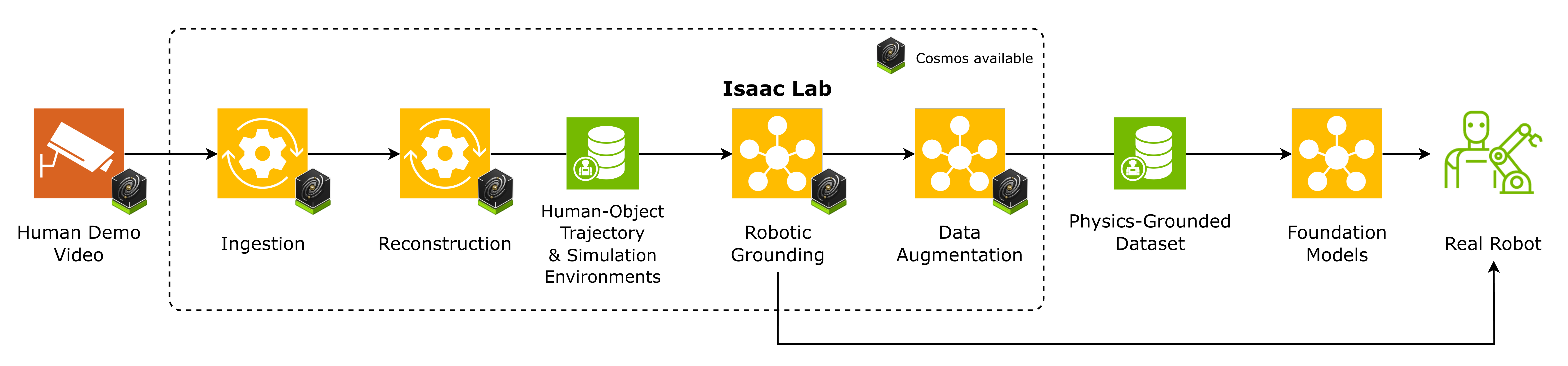
Video to Data (V2D) turns raw human demonstrations into robot-ready training data through four composable stages. Each stage runs independently and writes its artifacts to disk, so you can stop, inspect, cache, and recompose the pipeline at any boundary.
- Video Ingestion Agent — a LangGraph-driven agentic workflow that segments demonstration videos into temporally-bounded action clips, extracts an entity-relation scene graph, and stores per-frame SigLIP-2 embeddings. The result is a queryable action database (
graph.db+vector.db) that lets downstream stages select which clips to process via natural-language retrieval, instead of brute-forcing the full video. - Reconstruction — containerized vision modules turn the selected RGB (or stereo) clips into per-frame depth, object masks, textured meshes, 6-DoF object poses, and SMPL human body parameters. Multi-view pipelines (
run_mv_hoi_reconstruction,run_mv_calibration) orchestrate the full reconstruction from a rosbag. - Robotic Grounding — human motion (e.g. Arctic) is retargeted onto the target robot embodiment (Sharpa), then the reconstructed scene and retargeted motion drive Isaac Lab environments trained with RSL-RL PPO to produce deployable policies.
- GR00T post-training — successful Vega/Dexmate Sharpa expert episodes are replayed, converted to an audited LeRobot dataset, used to fine-tune GR00T N1.7, and evaluated in closed-loop simulation.
The repository-root launcher connects reconstruction, retargeting, expert training, joint-action collection, GR00T fine-tuning, and evaluation while preserving a manifest for every stage:
./run_e2e.sh init \
  --run-root /absolute/path/to/e2e_run \
  --sequence-id example_sequence \
  --embodiment-contract vega_sharpa_joint \
  --task-profile /absolute/path/to/task_profile.json
./run_e2e.sh setup \
  --mano-dir /absolute/path/to/mano \
  --isaac-groot-dir /absolute/path/to/Isaac-GR00T \
  --accept-nvidia-model-eula
./run_e2e.sh doctor
Pass --accept-nvidia-model-eula only after reviewing and accepting the
NVIDIA Open Model License required by FoundationPose.
Continue with the concise reconstruction-to-GR00T workflow. Inputs such
as videos, prompts, checkpoints, episode counts, and measured pilot success are configured only
when their owning stage runs.
Demos
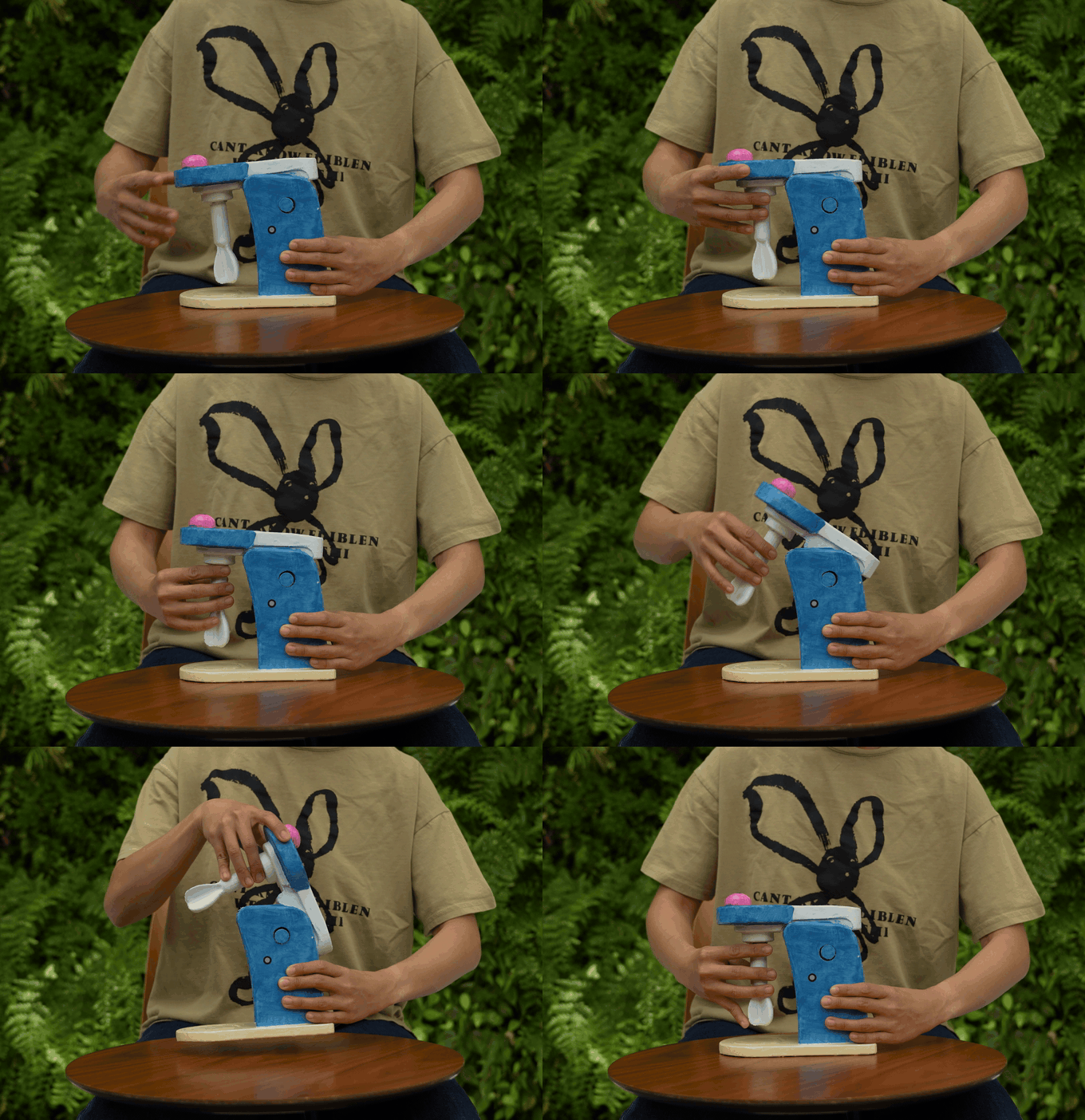
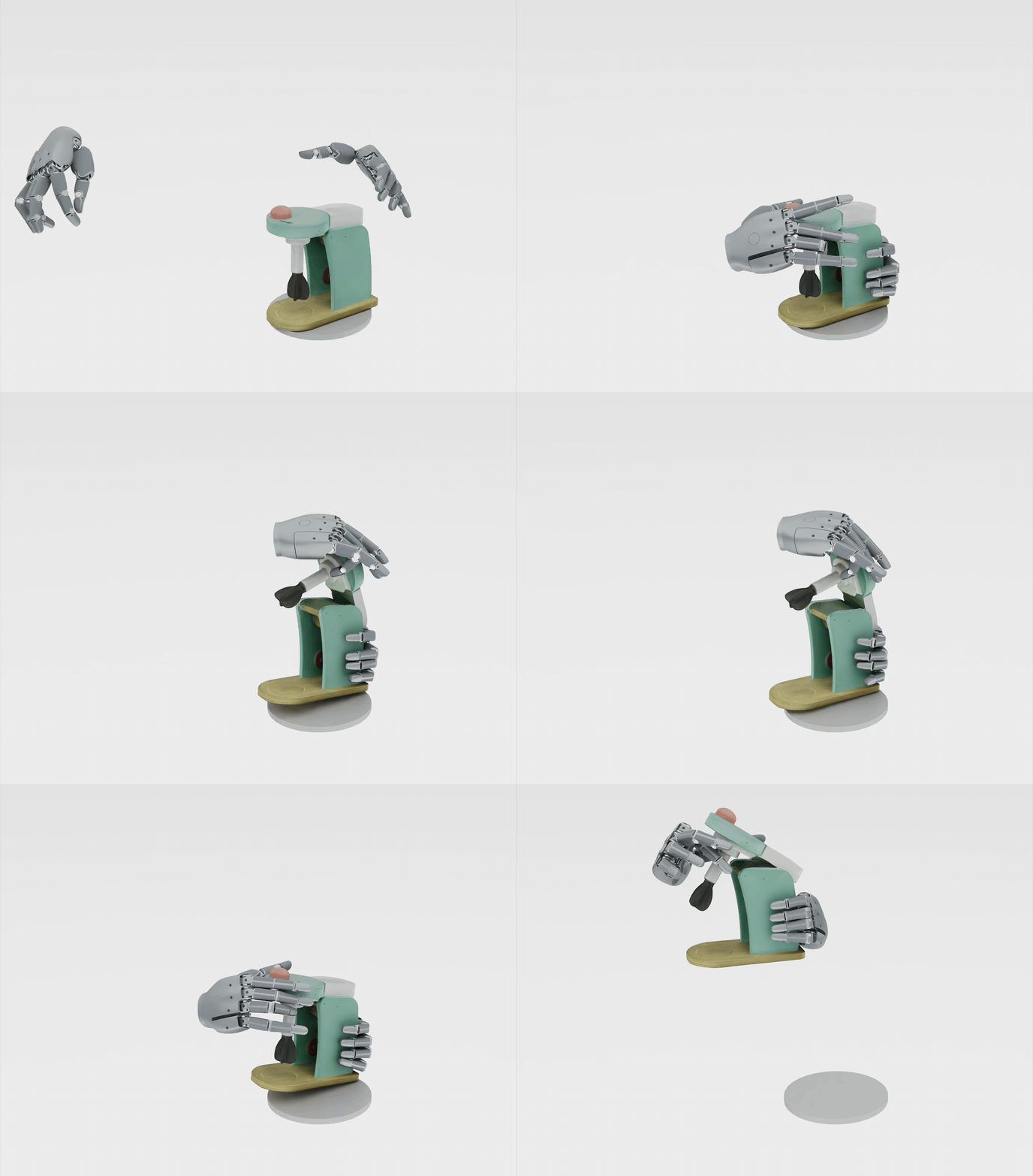
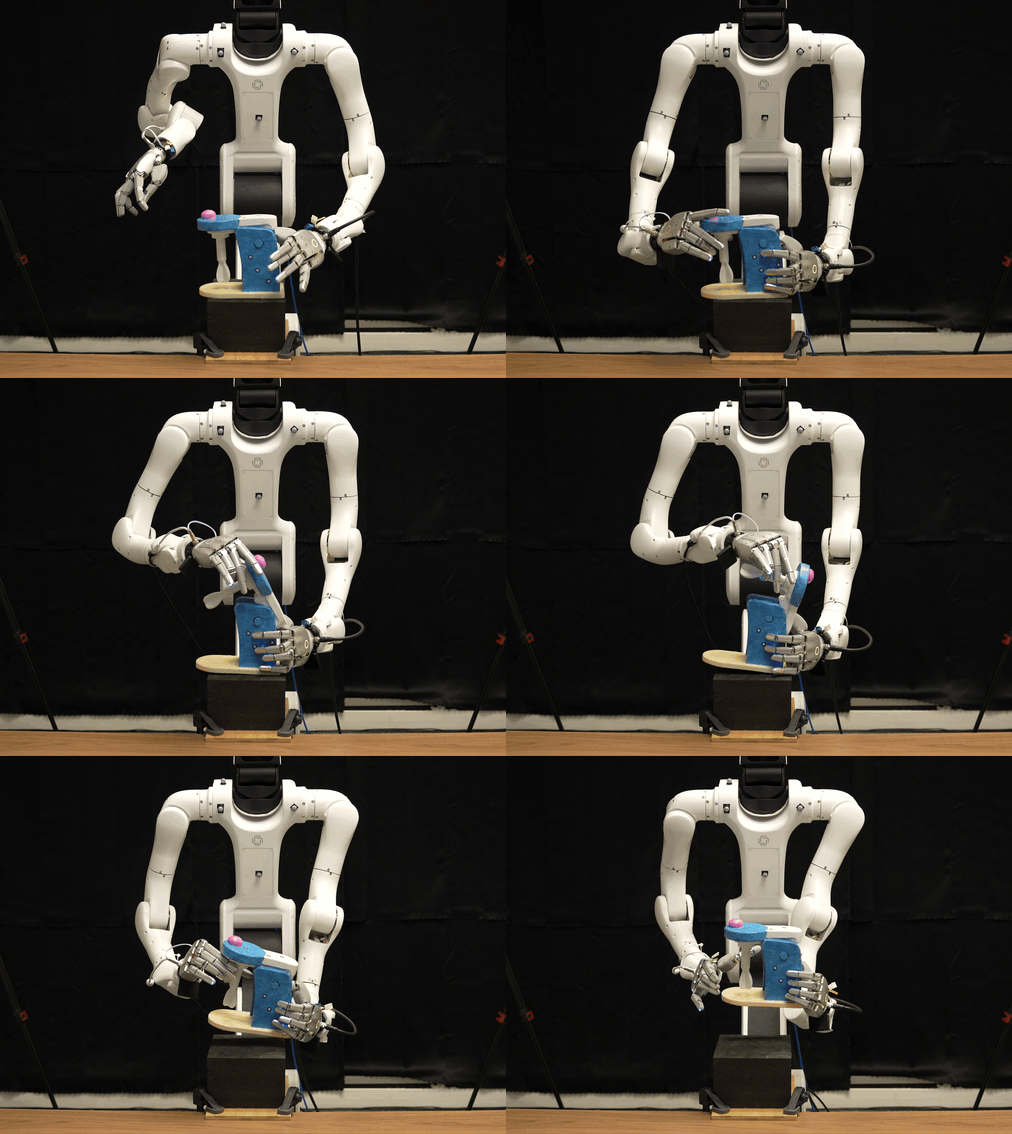
The pipeline in action — from a raw human demonstration, to grounded policies trained in Isaac Lab, to deployment on a physical robot.
Packages
| Package | Role | Runtime |
|---|---|---|
video_ingestion_agent/ | Video → action segments + entity scene graph + frame embeddings. LangGraph pipeline (segment → verify/refine → entity graph → embeddings) plus an EGAgent-style natural-language retrieval agent and an optional Gradio UI. | Python venv + vLLM server |
reconstruction/ | Video → depth, masks, meshes, 6D poses, human body. 18 containerized modules + multi-view pipelines. | Docker (per-module images) |
robotic_grounding/ | RL training on NVIDIA Isaac Lab 2.3.1 with RSL-RL (PPO); motion retargeting utilities. | Docker (nvcr.io/nvstaging/isaac-amr) |
Prerequisites
- Docker with GPU support (install)
- NVIDIA Container Toolkit
- Python 3.10+
- NVIDIA driver 580.126.09 / CUDA 13.0 recommended (for
robotic_grounding)
The v0.2 HOI object-reconstruction pipeline is validated on RTX A6000 (SM 86)
and L40S (SM 89). Blackwell GPUs with compute capability 12.0 (sm_120),
including RTX PRO 6000 Blackwell, are not supported by the TensorRT and cuVSLAM
versions in v2d_cusfm. The reconstruction container build and pipeline
launcher check this before starting; see the
HOI GPU compatibility notes.
Quickstart
Video Ingestion Agent (video → queryable action database)
cd video_ingestion_agent

uv venv .venv && source .venv/bin/activate
uv pip install -e ".[all]"     # vLLM, webapp, benchmark, dev tools

# 1. Start the vLLM server (loads the VLM, ~1 minute)
python scripts/serve.py -c configs/ingestion.yaml

# 2. Ingest a video — segmentation → entity graph → report
python scripts/run_ingestion.py path/to/video.mp4 \
  -c configs/ingestion.yaml --no-verify -o runs/my_run

# 3. Retrieve clips with natural language
python scripts/run_retrieval.py "Find clips where someone picks up a mug" \
  -d outputs/ -c configs/retrieval.yaml

# 4. Or browse interactively in the web UI
python scripts/run_webapp.py
See video_ingestion_agent/README.md for hardware requirements, the full extras list, the verify/refine loop, and batch-ingestion across multiple GPUs. Pre-publication TODOs are tracked in video_ingestion_agent/docs/release_readiness.md.
Reconstruction (video → 3D data)
cd reconstruction

# Install host-side orchestration wrappers (lightweight, no ML deps)
./scripts/install_pacakages.sh

# Build per-module Docker images
./scripts/build_containers.sh

# Run a minimal video→depth example (MoGe)
python -m v2d.moge.docker.run_download_weights --output_dir data/weights/moge
python -m v2d.moge.docker.run_video_to_depth \
  --video_path modules/v2d_moge/assets/test_video.mp4 \
  --depth_folder data/outputs/moge/depth \
  --intrinsics_folder data/outputs/moge/intrinsics \
  --weights_path data/weights/moge
Full multi-view HOI pipeline (rosbag → textured object mesh + SMPL body):
python -m v2d.pipelines.run_mv_hoi_reconstruction \
  --rosbag_path /data/rosbags/session1 \
  --output_dir  /data/datasets/session1 \
  --calibration_camera_params_path /data/datasets/calibration/extrinsics/edex \
  --obj_mesh_path /data/meshes/object.glb
See reconstruction/README.md for the complete module reference, including Grounding DINO, SAM2, FoundationPose, SAM3D-Body, and others.
Robotic Grounding (data → RL policy)
Quick start: the from-scratch setup & run guide is robotic_grounding/docs/SETUP.md — it covers the two Docker images, downloading each dataset from its original public source, the directory layout, and how to run the full hand→robot retargeting pipeline.
Throughout, <HMD> (human-motion-data root) is a directory you choose — e.g.
~/datasets/human_motion_data — that holds mano/ and one subdirectory per dataset
(taco/, hot3d/, …); see docs/SETUP.md §4.
cd robotic_grounding

# One-time host setup (git-lfs, pre-commit) + robot assets (LFS)
bash workflow/setup_deps.sh
git lfs pull

# Build both pipeline images (loader + robotic-grounding) in one shot
python scripts/run_pipeline_docker.py --build-only

# Run the full pipeline on a dataset (download it first per docs/SETUP.md §6).
# <HMD> is the data root holding mano/ and each <dataset>/.
python scripts/run_pipeline_docker.py taco \
    --hmd <HMD> --mano-dir <HMD>/mano --max-sequences 2     # small smoke test
Reproduce the sequences end-to-end (arctic / hot3d / taco) in a self-contained workspace — see robotic_grounding/docs/EXAMPLE_SEQUENCES.md for the sequence list and prerequisites:
HMD=<HMD> ./run_example_sequences.sh # → RL-ready parquets under <HMD>/example_sequences/<ds>/<ds>_processed/Then enter the Isaac Lab container and train a policy on the retargeted motion:
./workflow/run.sh build
./workflow/run.sh start [version] [gpu_id]              # build + enter the container
python scripts/rsl_rl/train.py --task Sharpa-V2D-v0    # inside the container
See robotic_grounding/README.md for retargeting, debug environments, and task definitions.
Visualizer (retargeting gallery)
Browse retargeted sequences as interactive 3D animations in your browser.
See robotic_grounding/README.md#visualizer for setup instructions.
Design philosophy
- Host orchestration, containerized inference. The host runs thin Python wrappers that
docker runeach module; all ML dependencies live inside their respective images. No CUDA or PyTorch is ever installed on the host. - Typed contracts between packages. Modules communicate through strongly-typed dataclasses in
v2d_common(DepthImage,CameraIntrinsics,Transform3d,BoundingBox,Mask) — never raw arrays across package boundaries. - File-based dataflow. Modules write intermediate artifacts to disk (depth PNGs, pose JSONs, mask PNGs, etc.), enabling independent execution, caching, and pipeline composition via
v2d_pipelines.
Contributing
See the contributing guide in reconstruction/README.md for adding new reconstruction modules. Each new module must expose a Docker image, a run_download_weights entry point (if weights are required), a run_shell entry point, and a typed API surface consistent with v2d_common.