





OpenConnector is an open-source connector gateway for AI agents and an alternative to Pipedream/Composio. Connect user app accounts once, then expose a shared catalog of 1,000+ providers and 10,000+ prebuilt Actions to agents and applications.
 |  |  |
| Managed OAuth and hosted runtime, ready to use. No deployment or OAuth app setup. | Run on Workers, D1, R2, and Static Assets in your Cloudflare account. You manage deployment and OAuth apps. | Run locally or on your own infrastructure with Docker or Node.js. You manage storage and OAuth apps. |
| 🚀 OOMOL Hosted | Deploy to Cloudflare | Self-host |
Use the Connector SDK from app code, oo CLI as the local-agent relay, MCP from agent hosts, HTTP/OpenAPI from custom clients, and the Web Console for administration and debugging.
- Keep credentials, scopes, schemas, policies, and run logs inside an inspectable runtime.
- Run locally, on Fly.io, on Cloudflare-compatible infrastructure, or through OOMOL's hosted runtime.
- Use the same provider ids, Action ids, schemas, and contracts across open-source and commercial SaaS deployments.
What It Provides
- A working connector catalog across products such as GitHub, Gmail, Notion, BigQuery, Google Analytics, Supabase, Airtable, Slack, and more.
- Credential handling for API keys, OAuth2, custom credentials, and no-auth providers.
- Inspectable Action contracts: request/response schemas, required scopes, and lazy-loaded executor source.
- Runtime controls for connection identity, scopes, runtime tokens, action allow/block policies, temporary file transit, and redacted run logs.
- Deployment options for local Docker or Node.js with SQLite or PostgreSQL state and local or S3-compatible transit storage, Fly.io, Cloudflare Workers with D1/R2/Static Assets, and OOMOL's hosted runtime.
Where It Fits
OpenConnector fits products where agents need durable access to the tools users already use, without handing provider credentials to the agent process.
- Agent products that need reusable access across work apps, developer tools, data systems, communication platforms, and AI services.
- Products adding agent workflows that need stable, inspectable Action contracts for user app access.
- Teams that want hosted auth for speed while keeping a path to private or self-hosted runtime control.
Developer Tools
| Tool | Purpose |
|---|---|
| Connector SDK | Thin TypeScript HTTP client. Use OpenConnector for self-hosted runtimes, or Connector / ProjectConnector for OOMOL-hosted personal and SaaS end-user connections. |
| oo CLI | Local agent relay for connector Actions. oo connector can search, inspect, and run Actions against OOMOL-hosted or self-hosted OpenConnector runtimes. |
| MCP | Expose app Actions to MCP-capable agent hosts through http://localhost:3000/mcp. |
| HTTP / OpenAPI | Call /v1/actions/* directly or inspect the generated /openapi.json document. |
Endpoint details, response envelopes, auth headers, MCP tools, and Action guide examples are in docs/runtime-api.md.
Dashboard Preview
OpenConnector ships with a local Dashboard for browsing connectors, configuring credentials, creating runtime tokens, and inspecting runtime usage.
Connector Catalog
Use the connector catalog to see available services, search for providers, and open their Actions and credential setup from one place.

Usage Overview
Use the Overview page after deployment to monitor runtime readiness, available providers, executable Actions, recent failures, tool call trends, and recent calls.
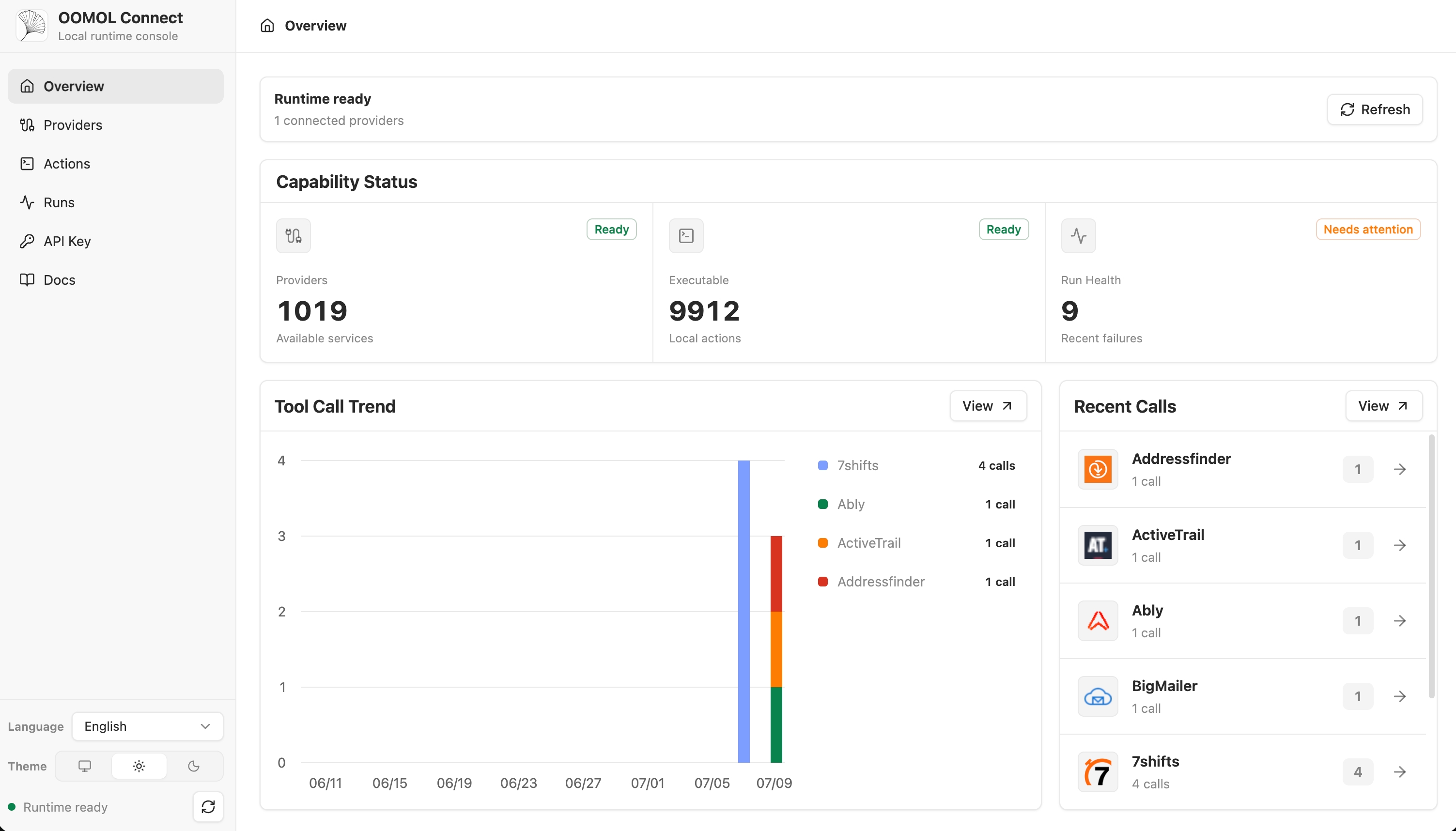
Provider names and trademarks belong to their respective owners and are used only for identification and interoperability.
How It Works
flowchart LR
  Agent["AI Agent / App"] -->|"SDK / CLI / MCP / HTTP"| Gateway["OpenConnector Gateway"]
  Gateway --> Auth["Credential & OAuth Boundary"]
  Gateway --> Catalog["Provider Catalog"]
  Gateway --> Actions["Open-source Action Executors"]
  Gateway --> Policy["Tokens, Scopes, Allow/Block Policy"]
  Gateway --> Logs["Run Logs"]
  Actions --> Providers["1,000+ Providers"]
  Console["Web Console"] --> Gateway
  Cloudflare["Cloudflare Workers, D1, R2"] -. deploy .-> Gateway
Apps and agents discover Actions, inspect schemas and scopes, select a connection alias, and execute through the gateway. Provider secrets stay behind the runtime boundary; agents receive the metadata, safe account labels, and execution results needed for the run.
Usage Paths
| Path | Best for | Includes |
|---|---|---|
| Open-source self-host | Developers and teams that want full control | Local Docker or Node runtime, SQLite or PostgreSQL state, local or S3-compatible transit files, MCP, HTTP, OpenAPI, and Web Console |
| Kubernetes (Helm) | Teams that run their own clusters | Hardened Helm chart with PVC-backed SQLite or PostgreSQL plus migration hooks, Ingress, autoscaling, and NetworkPolicy toggles |
| Fly.io self-host | Teams that want a hosted Docker runtime | Node Docker runtime, SQLite on a Fly volume or external PostgreSQL, TLS, health checks, MCP, HTTP, OpenAPI, and Web Console |
| Cloudflare-compatible deploy | Teams that want a lightweight hosted runtime | Workers runtime, D1 state, R2 transit files, and Static Assets for the console |
| OOMOL | Teams that want users to authorize accounts immediately | OOMOL-provided OAuth apps, monthly included Connect credits, and hosted runtime infrastructure; the same provider and Action contracts keep a path open to later private or self-hosted deployment |
Cloudflare Quick Start Video
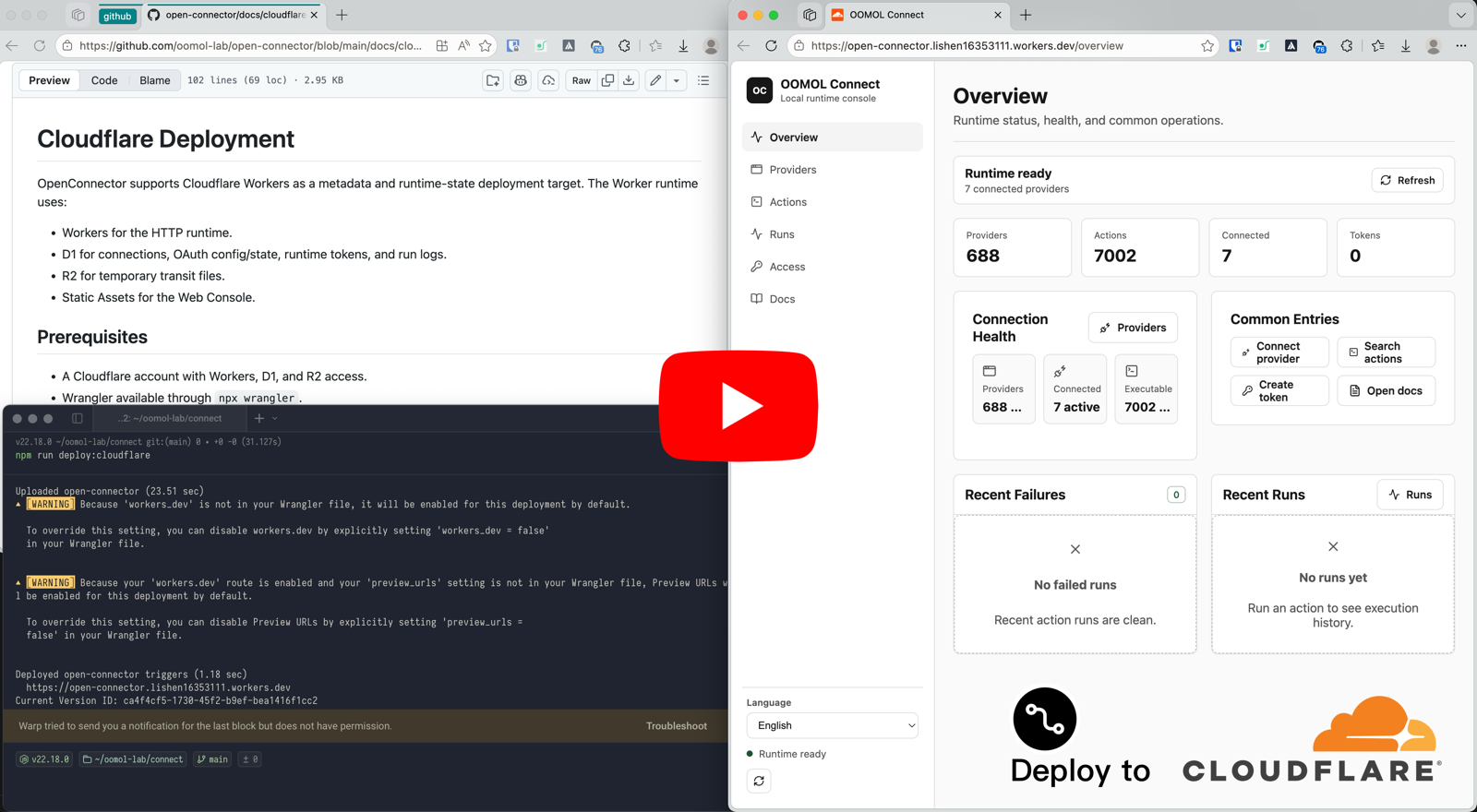
The
Cloudflare Workers deployment walkthrough shows how
to launch OpenConnector on Cloudflare with Workers, D1, R2, and the Web Console. The video follows
the same flow as docs/cloudflare.md: create Cloudflare resources, copy
wrangler.example.jsonc to wrangler.local.jsonc, apply D1 migrations, set required secrets, and
run npm run deploy:cloudflare.
Quick Start
[!NOTE] This starts a self-hosted runtime. OAuth providers require OAuth client credentials from apps you register with those providers. To let users authorize supported providers without setting up your own OAuth apps, use OOMOL-hosted connectors.
Start the runtime from the published image with Docker Compose:
docker compose upThis pulls ghcr.io/oomol-lab/open-connector:latest. To build from source instead:
docker compose -f docker-compose.yml -f docker-compose.build.yml up --buildOpen the local console and generated API reference:
http://localhost:3000
http://localhost:3000/docs
Run a no-auth Action to verify the runtime:
curl -s -X POST http://localhost:3000/v1/actions/hackernews.get_top_stories \
  -H 'content-type: application/json' \
  -d '{"input":{}}'
See docs/quickstart.md for the full local setup, first provider connection, OAuth flow, and runtime settings.
Connect a Provider
GitHub is the simplest credentialed example because it can use a personal access token:
curl -s -X PUT http://localhost:3000/api/connections/github \
  -H 'content-type: application/json' \
  -d '{"authType":"api_key","values":{"apiKey":"github_pat_..."}}'

curl -s -X POST http://localhost:3000/v1/actions/github.get_current_user \
  -H 'content-type: application/json' \
  -d '{"input":{}}'
For OAuth2 apps, named connections, credential encryption, token refresh, and action policies, see docs/credentials.md and docs/configuration.md.
Web Console
For npm-based local development, open http://localhost:5173; the Web Console dev server proxies
API requests to the runtime on http://localhost:3000. For Docker or a built Node runtime, the
console is served from http://localhost:3000.
The console supports provider browsing, API key and OAuth client configuration, runtime token creation, Action schema inspection, Action debugging, recent run review, and access to the generated OpenAPI and MCP metadata.
Cloudflare Deployment
OpenConnector can run on Cloudflare with Workers for the runtime, D1 for state, R2 for transit files, and Static Assets for the Web Console.
See docs/cloudflare.md for resource creation, migrations, secrets, local Worker preview, and remote deployment.
PostgreSQL Runtime Storage
The Node runtime uses SQLite by default and can use PostgreSQL 15 or newer when
OOMOL_CONNECT_DATABASE_URL is configured. PostgreSQL migrations are explicit: run
npm run runtime:migrate before starting a version with pending migrations. Server startup only
checks schema readiness and never applies PostgreSQL DDL. See
docs/configuration.md for configuration, permissions, TLS,
and multi-instance requirements. The Docker image exposes the same runner as its migrate
subcommand; see docs/docker-ghcr.md.
Fly.io Deployment
OpenConnector can also run on Fly.io with the Node Docker runtime and persistent SQLite storage on a Fly volume.
See docs/fly-io.md for app creation, volume setup, secrets, deployment, custom domains, and scaling.
Docker Image (GHCR)
Run OpenConnector from a prebuilt image on GitHub Packages (GHCR): ghcr.io/oomol-lab/open-connector. Use
latest for the newest release, a pinned released version for production, or tip for the latest
main build.
See docs/docker-ghcr.md for tags, pulling, and running.
RepoCloud Deployment
Deploy OpenConnector to the cloud with one click on RepoCloud with competitive pricing and no infrastructure setup required.
See RepoCloud for one-click cloud deployment.
Build a Desktop Agent with Wanta
OpenConnector and Wanta are two open-source projects for AI Agents in the OOMOL ecosystem. OpenConnector connects Agents to external services such as Gmail, Slack, and Notion. Wanta provides a complete desktop Agent application powered by OpenCode and uses OpenConnector to work with connected SaaS services.
- Run locally: Use your own OpenAI-compatible model without creating a Wanta account.
- Build your own: Fork Wanta and customize its prompts, tools, interface, models, and branding.
- Use hosted services: The optional hosted experience provides managed models, OAuth connections, and team workspaces.
Issues and pull requests are welcome.
Documentation
- Quickstart
- Developer tools
- Gmail OAuth and SDK tutorial
- Instagram OAuth and Actions
- Runtime API and MCP
- Fly.io deployment
- Cloudflare deployment
- Docker image (GHCR)
- Configuration
- Credentials and OAuth
- Catalog format
- Verification language
- Contributing
- Code of Conduct
- Security
Development
Use Node.js 22 or newer:
npm install
npm run dev
The local API runtime listens on http://localhost:3000. The Web Console dev server listens on
http://localhost:5173 and proxies API requests to the runtime.
Before opening a pull request:
npm run fix-check
npm test
Provider code lives under src/providers/<service>. See
CONTRIBUTING.md for provider contribution rules.
License Scope
Unless otherwise noted, the source code, scripts, generated project scaffolding, tests, and documentation authored for this repository are licensed under the Apache License, Version 2.0. See LICENSE.txt.
The Apache-2.0 license for this repository does not grant rights to third-party products, providers, apps, APIs, trademarks, service marks, trade names, logos, icons, brand assets, documentation, screenshots, or other copyrighted materials owned by their respective holders.
Provider and app names, metadata, links, scopes, permissions, and optional logos/icons are included only to identify services and enable interoperability. All third-party brand and product rights remain with their respective owners. Inclusion in this catalog does not imply endorsement, sponsorship, partnership, certification, or verification by those owners.
If you contribute provider metadata or assets, only submit material you have the right to submit. Prefer linking to official public assets instead of copying brand files into this repository.
Community
Please keep issues and pull requests focused, respectful, and actionable. Participation in this project is governed by CODE_OF_CONDUCT.md.
Support OpenConnector
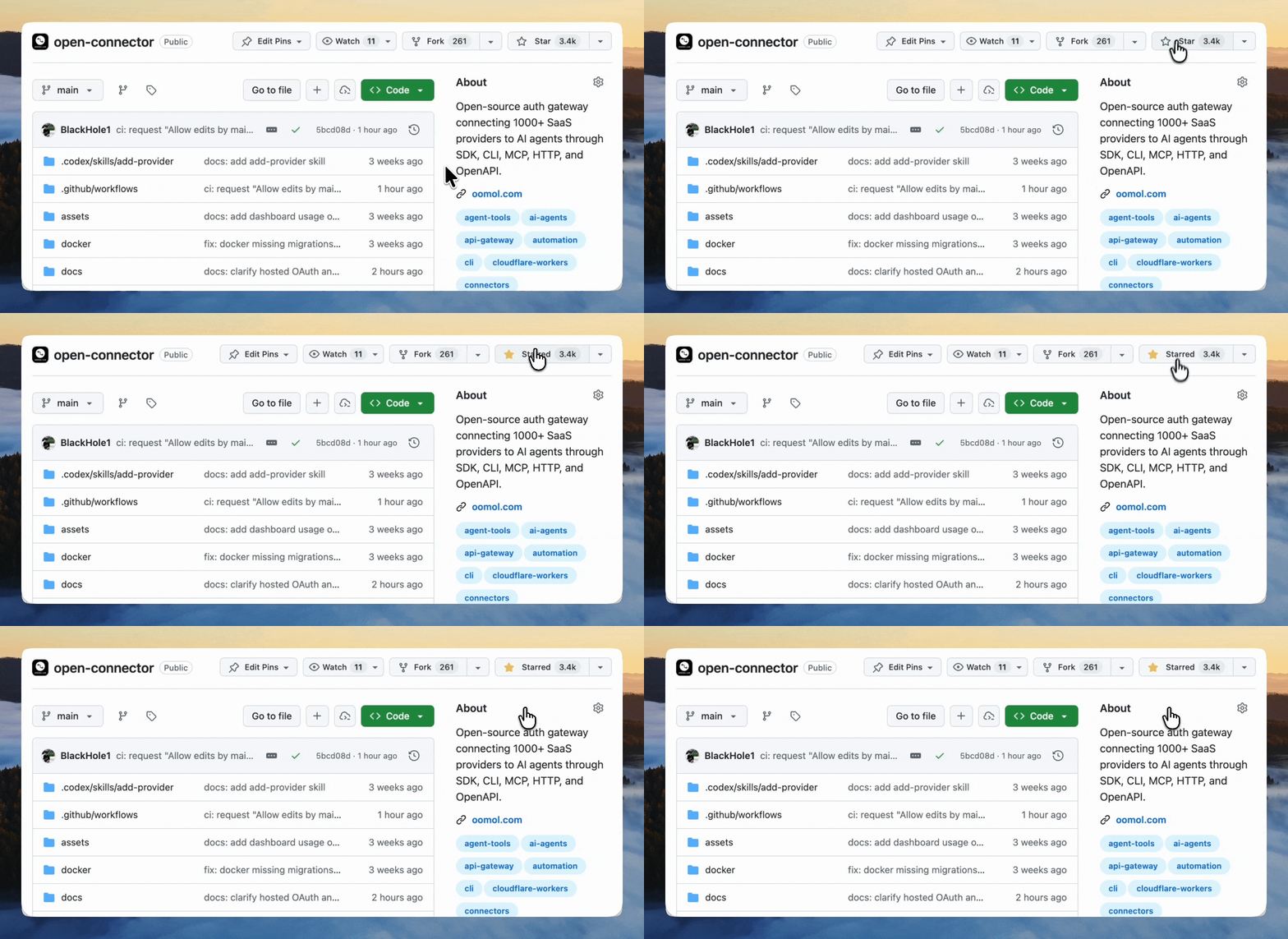
If OpenConnector is useful to you, giving it a ⭐ helps more developers discover the project.
Contributors
Thanks to everyone who has helped build OpenConnector. Want to join them? See CONTRIBUTING.md.
Star History
