English Ver. | 中文
PH60 Slim-Choc

PH60 Slim-Choc is a 60% ANSI layout low-profile mechanical keyboard designed for portability and customization.
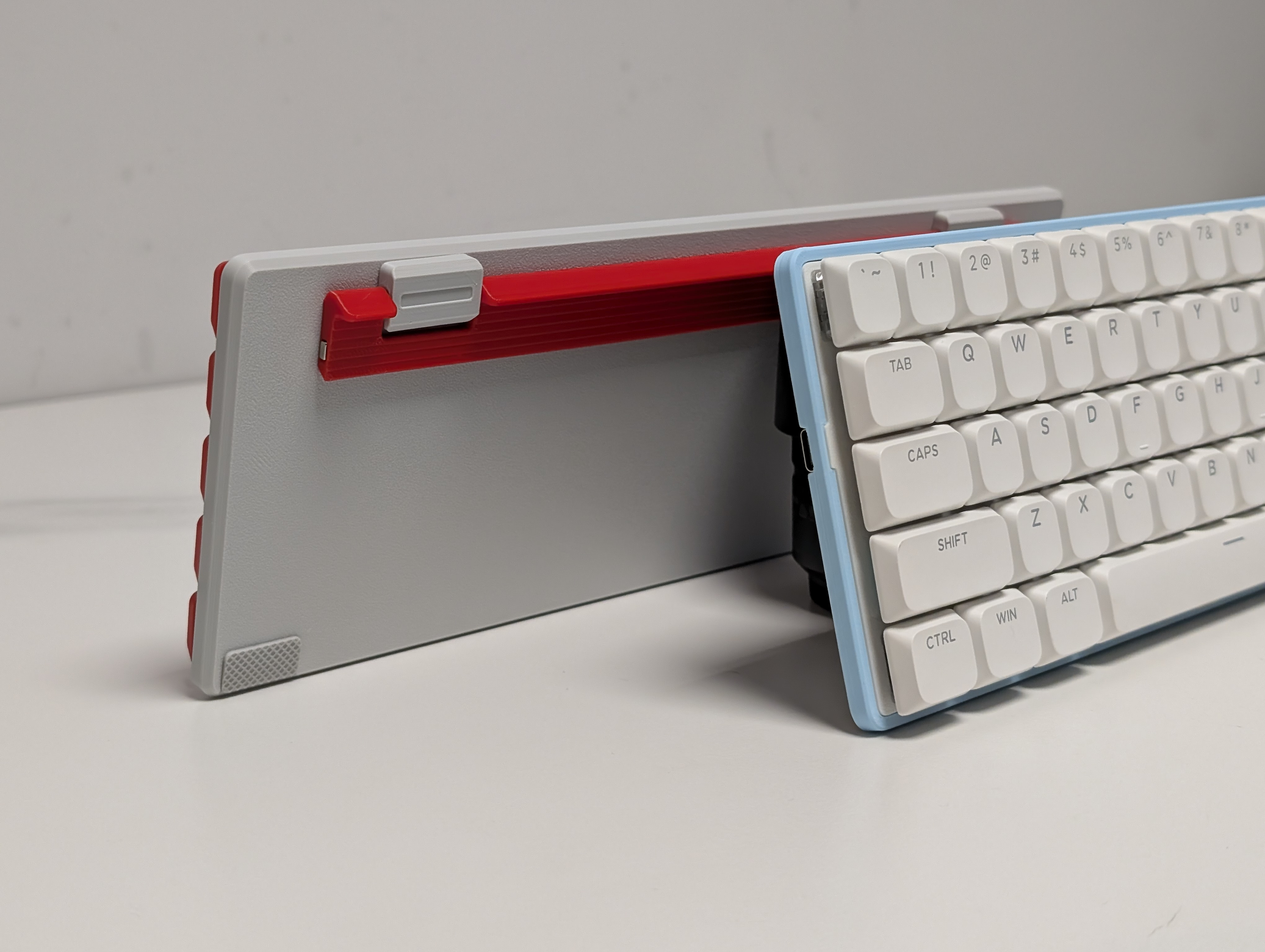
Table of Contents
Features
- 📏 Ultra-Slim Design: 7mm physical front height (4.5mm visual)
- 🧲 Adjustable Typing Angle: Magnetic 2-step foldable footstand (5° and 10°)
- 💻 Laptop-Friendly: Side-out USB-C for seamless laptop integration
- 🔅 Hotswap Ready: Kailh Choc V1/V2 low-profile switches
- 🖨️ Easy Manufacturing: Optimized for 3D printing/CNC
- ⚡ QMK & VIA Support: Fully programmable with open-source firmware
Required Components
| Part Name | Amount | Remark |
|---|---|---|
| PH60Slim-Choc PCB | 1 | Purchase in our Taobao Store (optional) |
| M2×2×3 Heat-Set Inserts | 10 | For securing case components |
| M2×3 Flat Head Screws | 4 | Footstand mounting |
| M2×5 Flat Head Screws | 6 | Case assembly |
| 20×10×0.5mm Ferrous Plate | 1 | Magnet alignment |
| 10×4×2mm N52 Magnet | 1 | Footstand retention |
| Low-Profile Stabilizers | 5 | 4×2u + 1×6.25u |
| Kailh Choc Switches | 61 | Compatible with Choc V1/V2 |
| Case Components | 1 set | Includes bottom case, footstand, plate |
| Keycaps | 61 | DSA height recommended |
Printing Guide
Slim-Choc components are optimized for Bambu Lab printers. However, they can also be printed with other printers by adjusting some of the parameters as follow:
Case
- Printing Profile: MakerWorld
- Filament: PLA
- Layer Height: 0.16mm (0.2mm acceptable)
- Walls: 4 loops, Arachne wall generator
- Infill: 100%
- Supports: Tree (auto)
Keycaps
- Printing Profile: Follow MakerWorld
- Filament: PETG
Assembly Guide
-
Heat-Set Inserts
- Use soldering iron at 200°C to install inserts (8 in case, 4 in footstand).
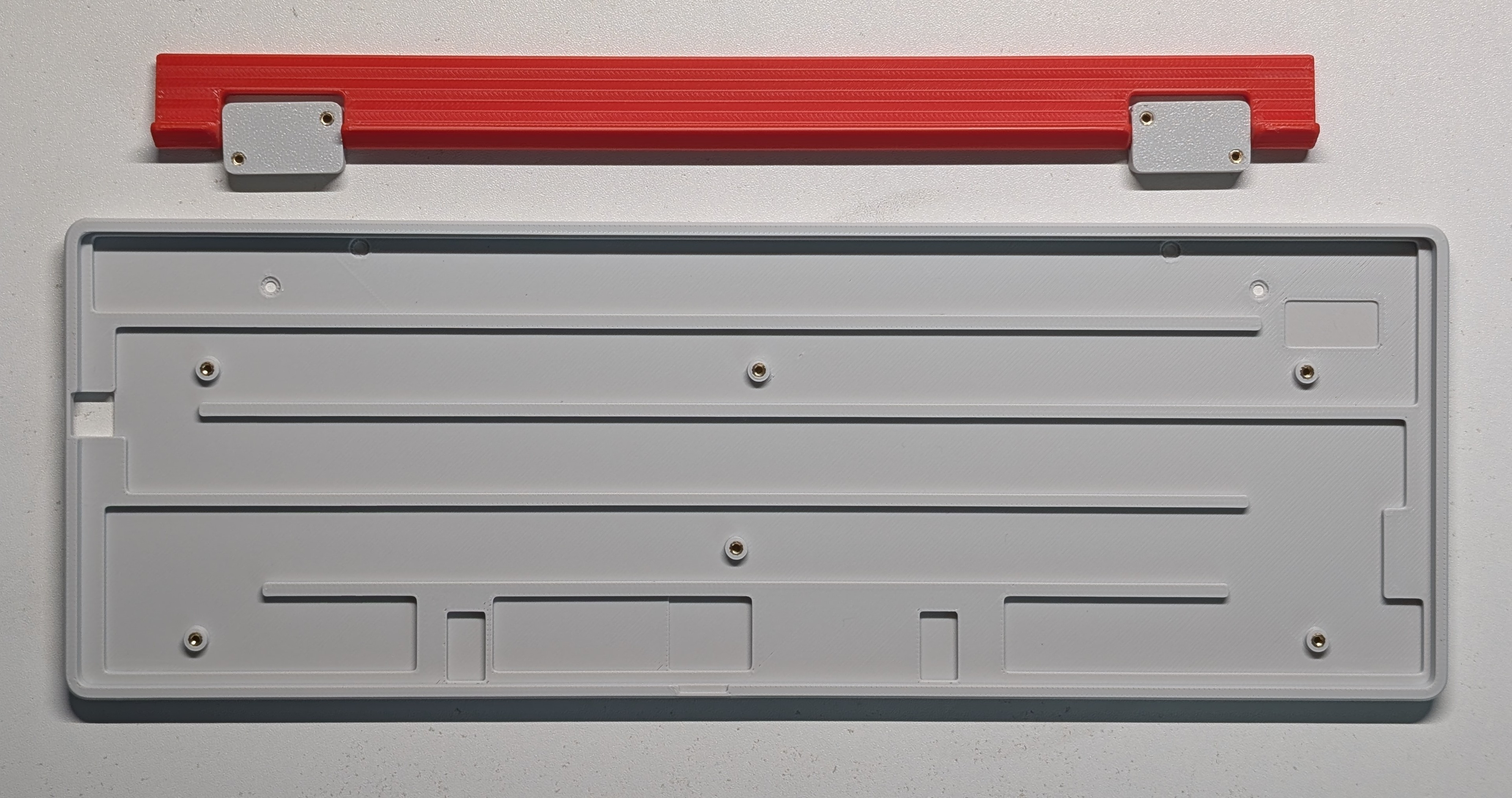
- Use soldering iron at 200°C to install inserts (8 in case, 4 in footstand).
-
Magnet Installation
- Press-fit N52 magnet into footstand recess.
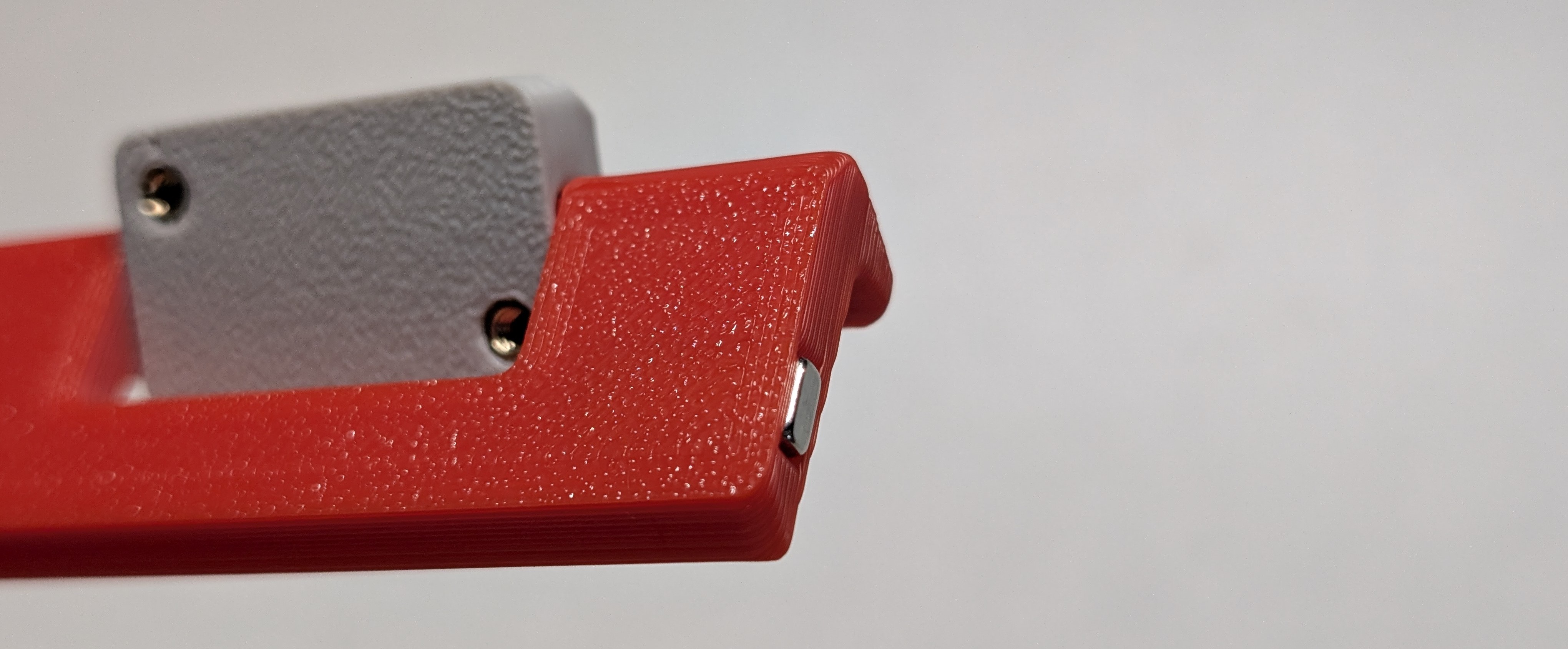
- Press-fit N52 magnet into footstand recess.
-
Footstand Assembly
- Secure with M2×3 screws. Ensure smooth angular adjustment.
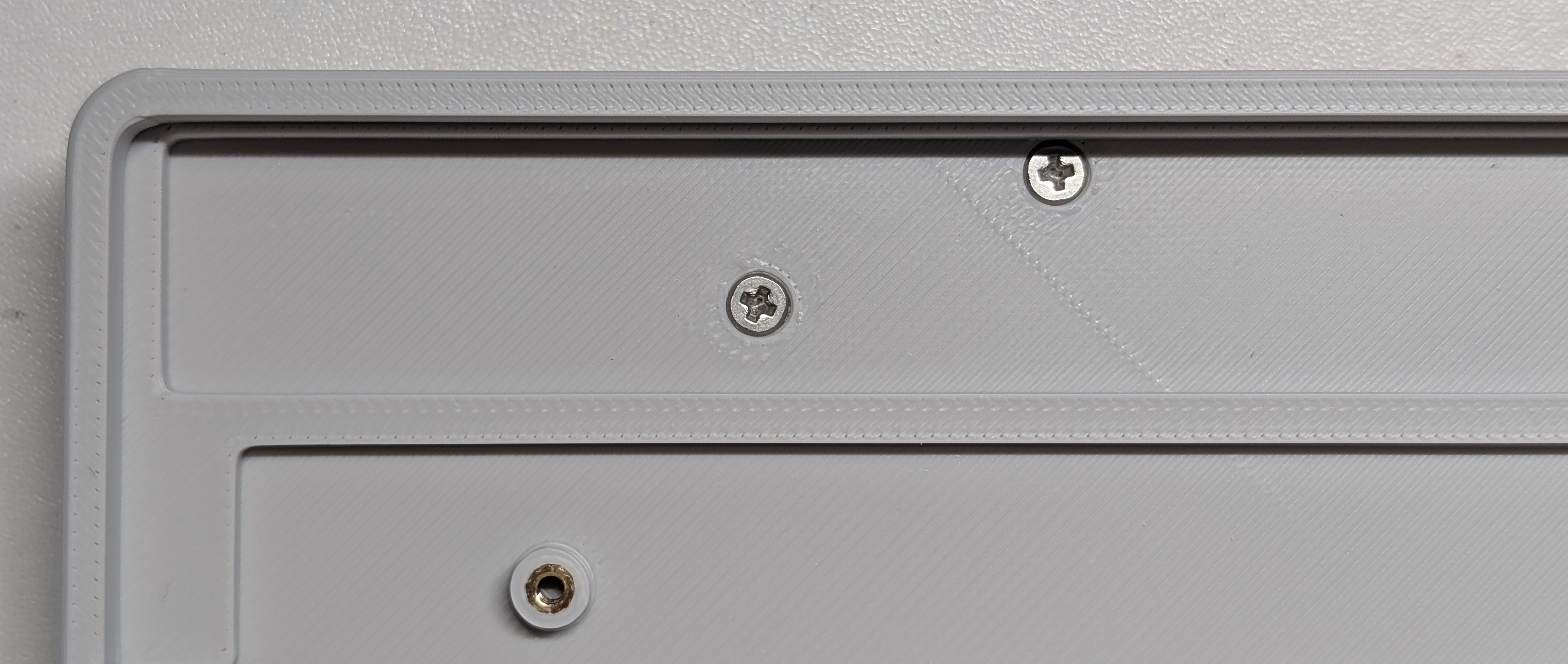
- Secure with M2×3 screws. Ensure smooth angular adjustment.
-
Ferrous Plate Attachment
- Apply glue and insert an iron piece into the case.
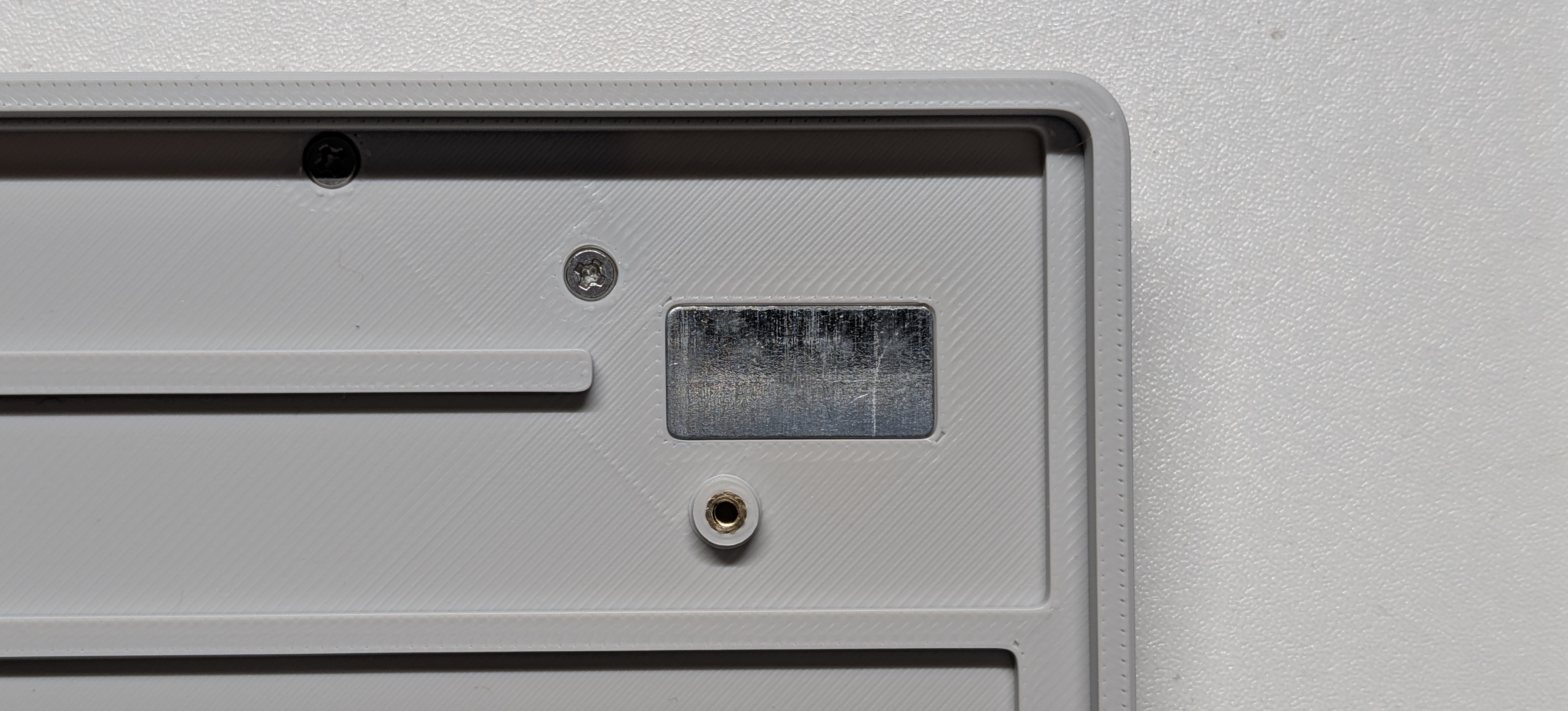
- Apply glue and insert an iron piece into the case.
-
Anti-Slip Pads
- Apply silicone pads to case corners.
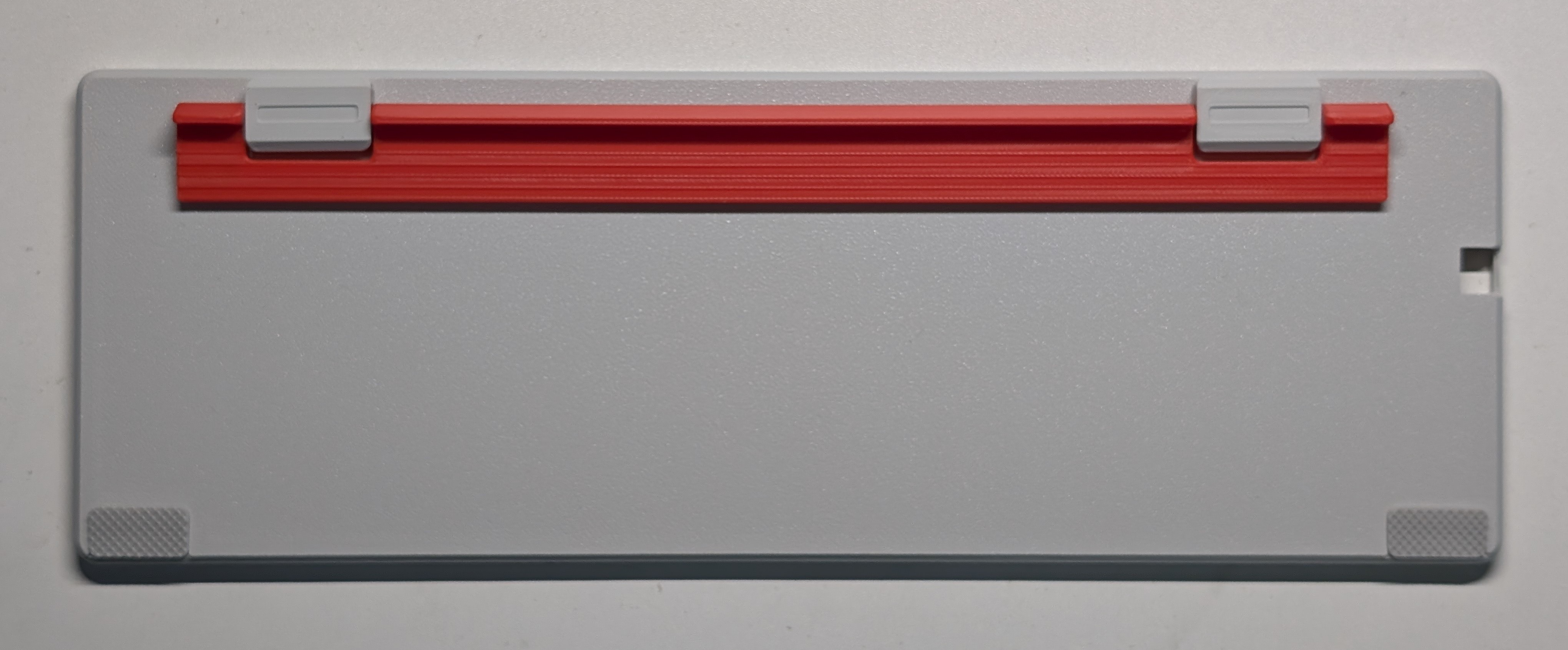
- Apply silicone pads to case corners.
-
PCB & Plate Integration
- Align plate with PCB, insert stabilizers and switches partially, then mount to case with M2×5 screws (torque evenly).
-
Final Assembly
- Fully seat switches, test connectivity, then install keycaps.
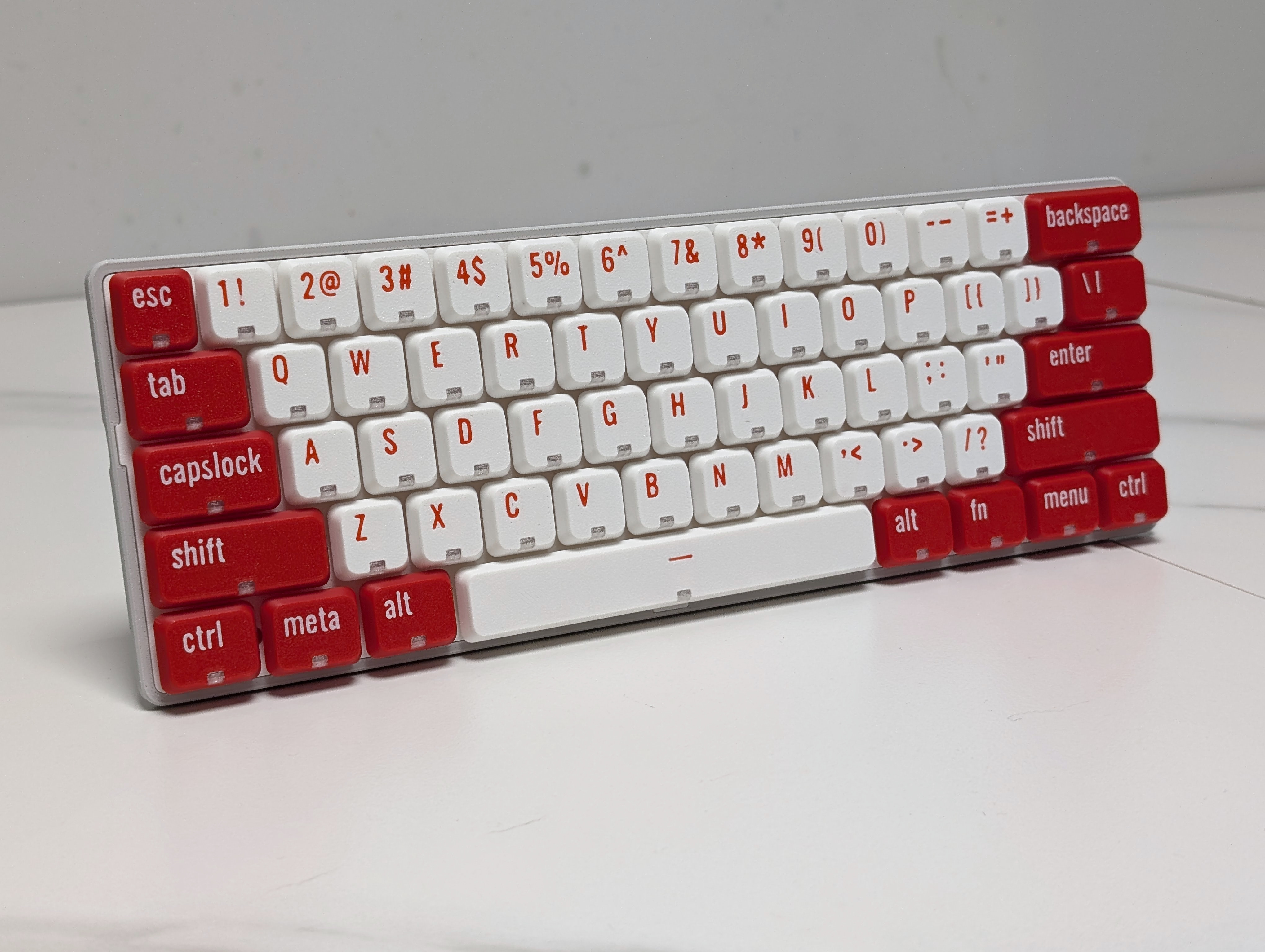
- Fully seat switches, test connectivity, then install keycaps.
Firmware & Configuration (WIP)
QMK/VIA Setup
-
Compile from Source:
qmk compile -kb phdesign/ph60slim_choc -km via -
Flashing:
Shorten the boot perforations around the space with a metal object, plug in the USB cable, and drag the firmware into the USB drive that appears. -
Keymap Editor:
Configure directly via VIA Web
Contributing
We welcome contributions! Please:
- Fork the repository
- Create a feature branch
- Submit PR with detailed description
Guidelines:
- Follow QMK coding standards for firmware
- Include STEP files for hardware modifications
- A dedicated documentation website will be available soon.
FAQ
Q: What switches can I use?
A: ONLY Kailh Choc switch, not Gateron or Cherry.
Q: Where can I get the special stabilizer?
A: It can be found on Taobao, or modify the mounting plate to use Kailh official stabilizer (Not verified).
Q: USB-C port not detected?
A: Ensure proper alignment of side-out connector with case cutout.
Q: Recommended keycap?
A: Special low-profile keycaps are required. You can try our 3D-printed keycaps alternatively.
Special thanks
- QMK Community for firmware support
- Bambu Lab for 3D printing support
Links
- GitHub Repository
- Discord Community
- Build Video (Bilibili)
- Purchase link (Taobao)
- 3D Printing Profiles
- Official Website
License
This project is licensed under the CC BY-NC-SA 4.0 license.
Changelog
- 2025-05-10: Initial release.
*Project maintained by ph.design Released: 2025.05
