
EasyCLIProxyAPI
A portable desktop console for CLIProxyAPI.
Our goal is to make tokens free—as in freedom.
Overview
EasyCLIProxyAPI is a graphical desktop management tool built on CLIProxyAPI. It brings core lifecycle management, OAuth authorization, API provider aggregation, protocol conversion, credential management, quota inspection, usage records, model aliases, and agent client configuration into one interface.
The application is built with Tauri, React, and Rust. It can carry a matching CLIProxyAPI core archive, making first-time setup and offline installation easier.
Sponsor
Thanks to APIMart for sponsoring this project!
APIMart is a low-cost API platform for AI image & video generation — GPT-Image-2 from $0.006/image, 160+ images per dollar. One async API covers both image and video: submit a task, get an ID, fetch results via polling or callback. Batch tens of thousands of images without timeouts, switch models without changing code. Pay-as-you-go with no monthly fee — sign up here to get started.
Feature Tour
Home dashboard and local API endpoints
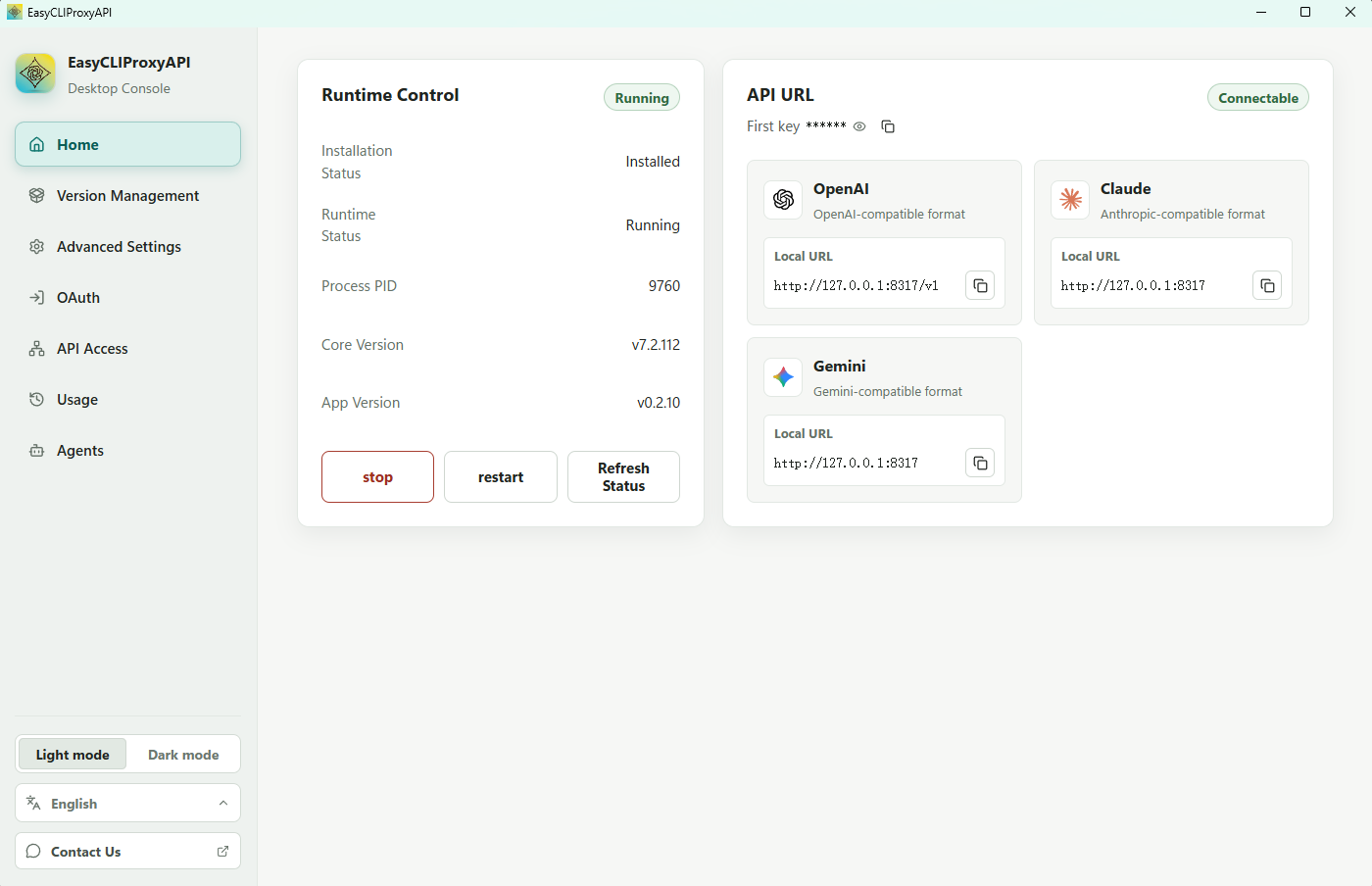
The Home page provides a quick overview of the local proxy runtime and ready-to-use API endpoints:
- Start, stop, restart, and refresh the CLIProxyAPI core.
- View installation state, runtime state, process ID, and listening port.
- Copy ready-to-use OpenAI, Claude, and Gemini-compatible API endpoints.
- Check local connectivity and the application/core version at a glance.
Core installation, version comparison, and offline installation are available from the Version Management page. You can switch between official GitHub, GitCode, and GitHub mirror proxies or add custom HTTPS mirror prefixes; application and core updates prefer the selected channel and fall back automatically.
Application and core updates are each checked once in the background at startup, then automatically on every fifth visit to Version Management (visits 5, 10, 15, and so on). Their respective Check for Updates buttons remain available for manual checks. Re-renders do not count as visits, and restarting the application resets the counter. Changing download sources does not trigger a check, and reopening the page preserves the saved source. Checks do not automatically download or install updates.
OAuth account authorization
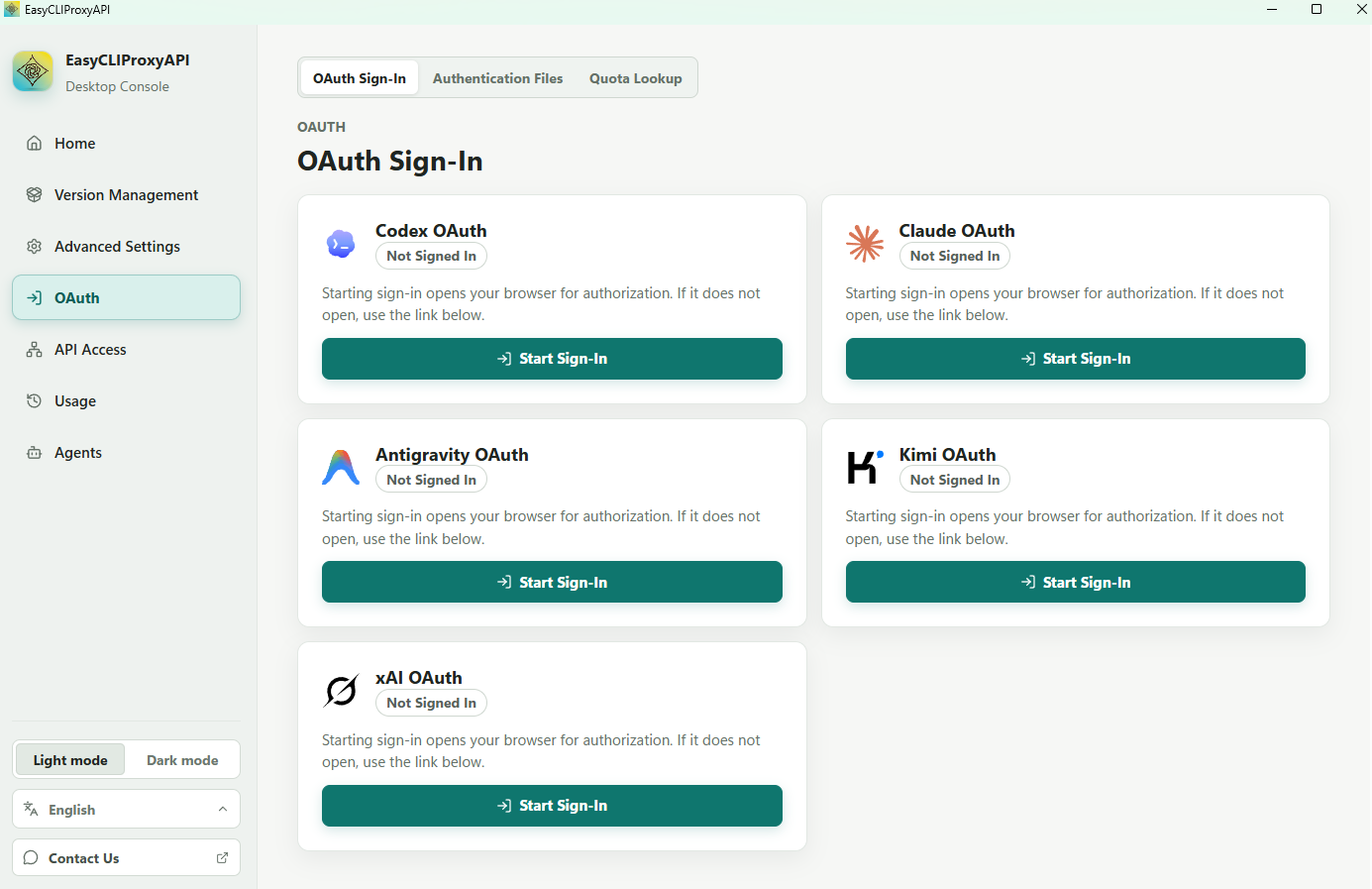
The OAuth page centralizes browser-based authorization for supported providers:
- Codex OAuth
- Claude OAuth
- Antigravity OAuth
- Kimi OAuth
- xAI OAuth
EasyCLIProxyAPI opens the authorization page in the browser and supports completing the callback flow when an automatic redirect is unavailable.
API provider aggregation
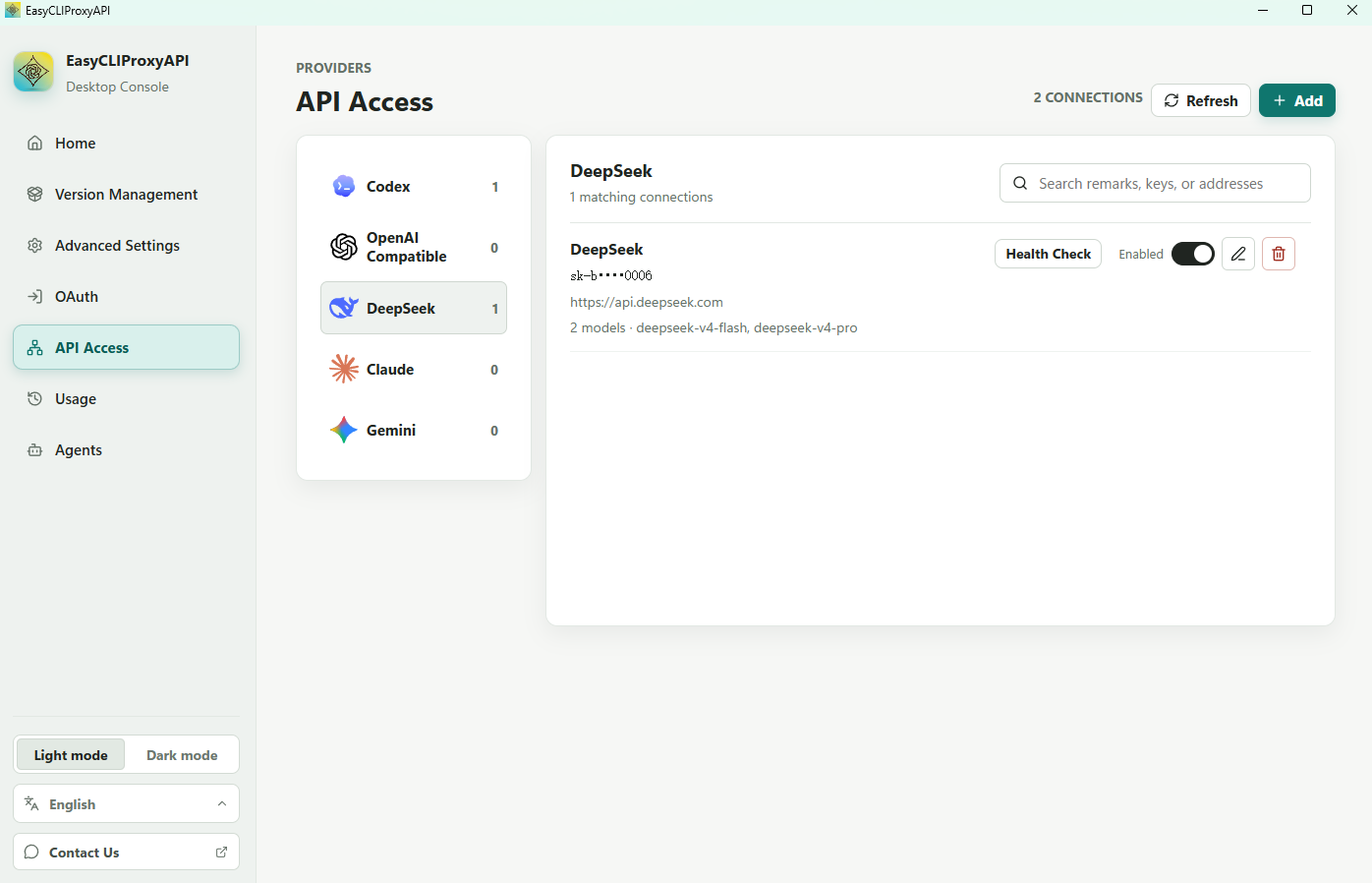
The provider workspace manages upstream API credentials and endpoints by protocol or provider:
- Codex
- OpenAI-compatible providers
- DeepSeek
- Claude
- Gemini
You can add multiple connections, search existing entries, refresh provider state, and use them through the unified local CLIProxyAPI endpoint. Requests and responses can be converted between supported OpenAI, Claude, Gemini, and compatible formats.
Usage history and token analytics
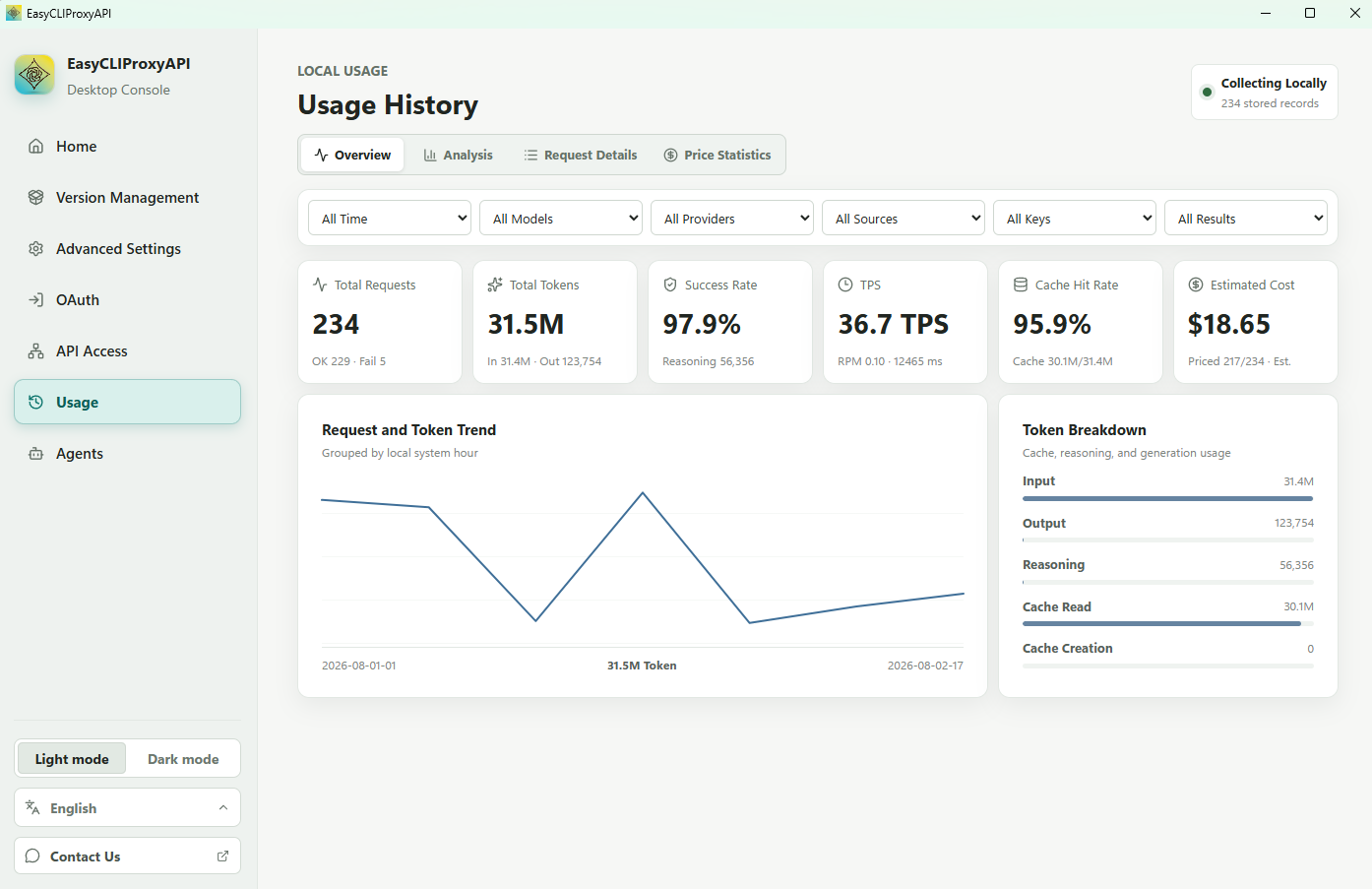
The Usage page helps you understand local request activity and token consumption:
- Review request totals, token counts, success rate, throughput, cache hit rate, and estimated cost.
- Filter usage by time, model, provider, source, key, and result.
- Inspect request/token trends and input, output, reasoning, and cache usage.
- Browse request details, analysis views, and price statistics.
- Collect through CPA's real-time usage subscription with a durable local inbox and automatic HTTP fallback.
- Upgrade legacy usage databases once at startup after saving a backup under
usage-records/backups.
Agent client configuration
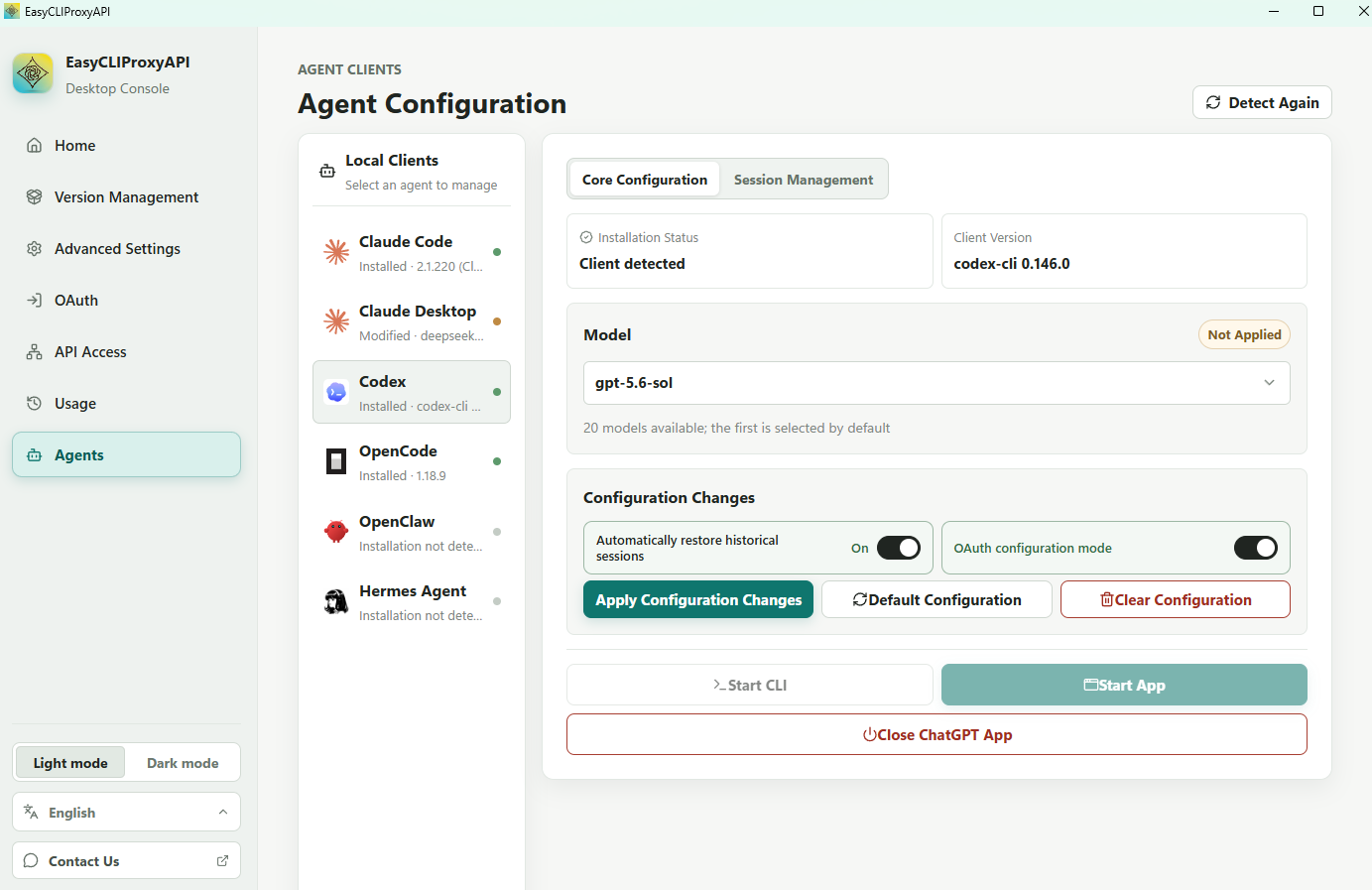
The Agents page detects installed desktop and CLI clients and helps connect them to the local proxy. Supported clients include:
- Claude Code
- Claude Desktop
- Codex
- OpenCode
- OpenClaw
- Hermes Agent
- Pi (with the CLIProxyAPI provider extension)
- ZCode
- WorkBuddy / WorkBuddy AI
- Antigravity CLI
- Cursor CLI
- Kimi Code
- Grok Build
For supported clients, the application can synchronize the available model catalog, select a default model, back up the original configuration before applying managed settings, and restore the previous configuration.
Antigravity CLI connects through CPA's Gemini-compatible API. Launch the CLI from CPA to supply its endpoint and API key for that process. Running agy directly requires setting those environment variables yourself.
Cursor CLI has a separate entry. It supports local installation detection and launch with terminal and working directory selection, and uses Cursor’s native configuration and account system rather than local CPA model routing.
Additional Capabilities
- Manage core settings, API keys, remote management credentials, and routing strategy.
- Create client-visible model aliases and map them to provider models and reasoning levels.
- Upload, download, inspect, and manage authentication files.
- Review provider quotas and account availability.
- Keep the application available from the macOS menu bar or Windows system tray.
Quick Start
- Download the package for your operating system from GitHub Releases.
- Extract the Windows or Linux archive, or open the macOS DMG.
- Launch EasyCLIProxyAPI.
- Open Version Management and install the bundled or latest CLIProxyAPI core.
- Return to Home, start the core, then copy the required local endpoint or configure an OAuth/API provider.
Upgrading
Every Windows release publishes both the complete ZIP and the legacy update ZIP. This keeps in-app updates available to older clients that have not migrated yet, while newer clients use the complete package so the bundled core can be updated too.
Current Windows, Linux, and macOS release packages support in-app automatic updates. Linux replaces the portable application files while preserving runtime data, and macOS replaces the signed application bundle. Each platform waits for the new version to confirm a successful launch and rolls back automatically if startup fails. The installation directory must be writable by the current user.
Existing Linux and macOS installations need one manual upgrade to a release that includes the cross-platform auto-update marker. In-app updates are available after that release has been launched once.
If you are running v0.2.5 or earlier, perform one manual migration: exit EasyCLIProxyAPI, download the latest complete Windows ZIP for your architecture, then copy the contents of its top-level directory over the existing installation directory. Do not delete the existing directory first; user data such as config.toml, oauth, and cpa-core/config.yaml will remain in place. After launching the new version, later releases can use in-app automatic updates.
Supported Platforms
GitHub Actions builds the following release packages:
| Operating System | Architecture | Package |
|---|---|---|
| Windows | amd64, aarch64 | ZIP |
| macOS | amd64, aarch64 | DMG |
| Linux | amd64, aarch64 | TAR.GZ |
Related Project
- CLIProxyAPI — the proxy core managed by this application.