Star 历史趋势
数据来源: GitHub API · 生成自 Stargazers.cn
README.md
Ditto - Clipboard Manager



Help/Wiki Forums Donate Beta Source History
Ditto is an extension to the standard windows clipboard. It saves each item placed on the clipboard allowing you access to any of those items at a later time. Ditto allows you to save any type of information that can be put on the clipboard, text, images, html, custom formats.
- Installer
- Portable
- Chocolatey choco install ditto
- Chocolatey Portable choco install ditto.portable
- Winget winget install -e --id Ditto.Ditto
- Windows Store App
Basic Usage
- Run Ditto
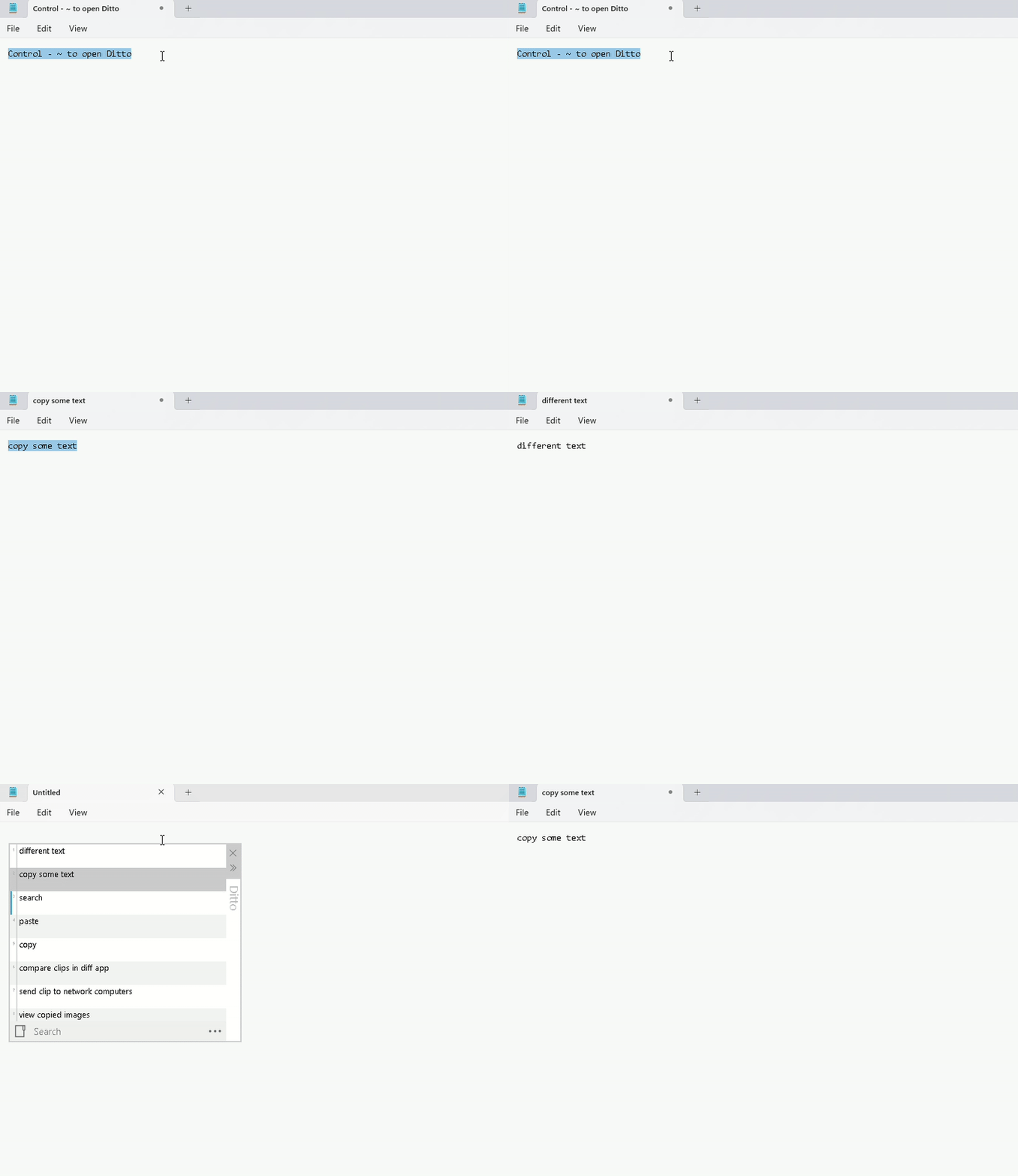
- Copy things to the clipboard, e.g. using Ctrl-C with text selected in a text editor.
- Open Ditto by clicking its icon in the system tray or by pressing its Hot Key which defaults to Ctrl + ` – i.e. hold down Ctrl and press the back-quote (tilde ~) key.
- Double click or press enter on the item to paste it to the previous window.
Local First
- No login
- No cloud
- No telemetry
Windows Code-Signing Policy
Free code signing on Windows binaries provided by SignPath.io, certificate by SignPath Foundation.