Window Sweaters
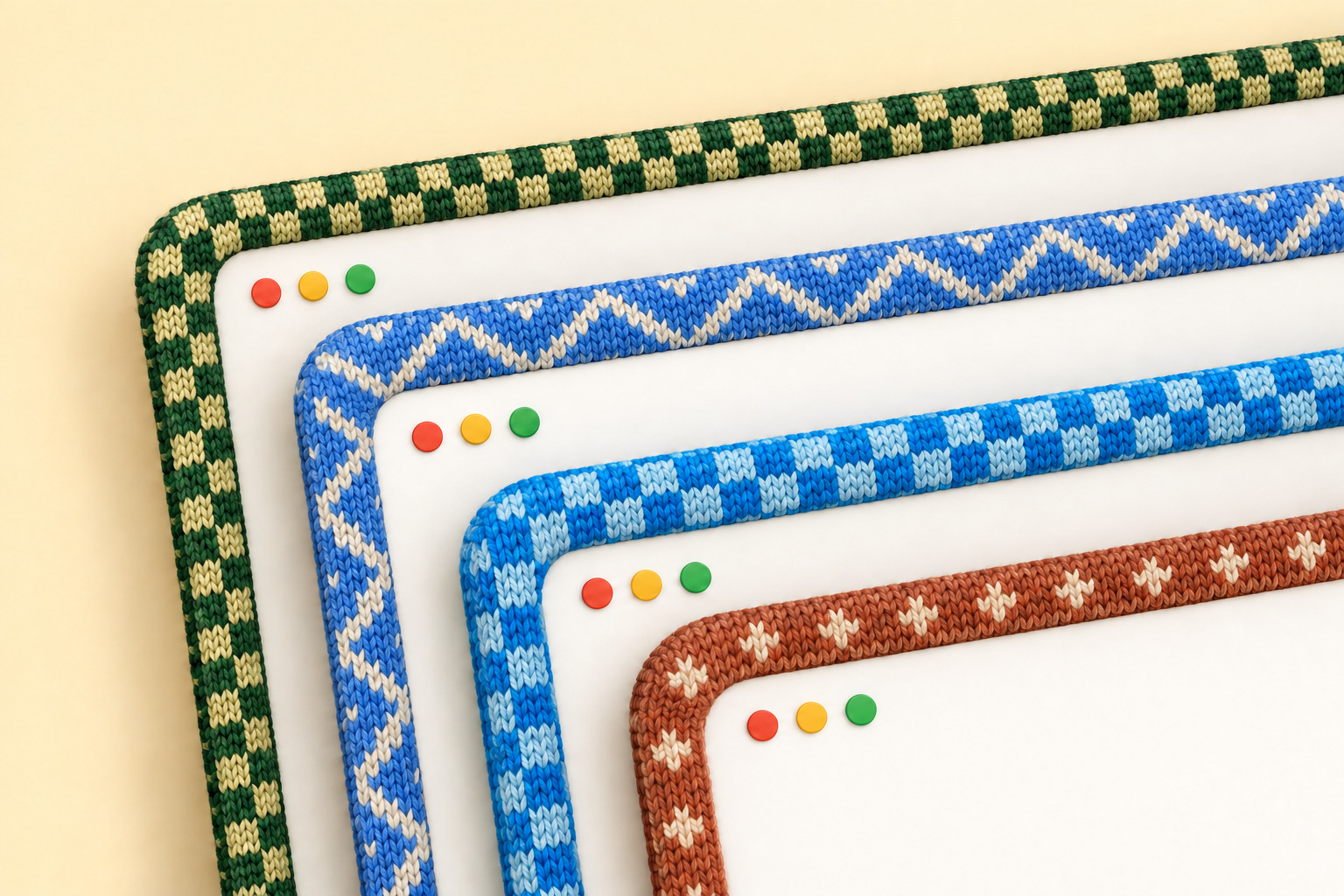
A little Mac app I made to give my windows sweaters. 🧶 Knitted borders, colours inspired by your favourite apps, and a cosier desktop.
Get it
You can just send this repo to your coding agent and ask it to install Window Sweaters for you:
Install Window Sweaters on my Mac: https://github.com/saragordic/window-sweaters
Or install it yourself with Homebrew:
brew trust saragordic/tap
brew install --cask saragordic/tap/window-sweaters
Then open Window Sweaters from your Applications folder.
You can also grab the latest ZIP from Releases, unzip it, and drag Window Sweaters.app into Applications.
If macOS blocks it, open System Settings → Privacy & Security → Open Anyway after trying to launch it. The app isn't notarized by Apple yet. Apple's instructions explain this step.
Make yourself cosy
Click the yarn icon in your menu bar to change the style, pattern, border width, and stitch size. You can also pause the sweaters or quit from there.
To leave an app bare, open Apps and untick it. Its windows lose their sweater straight away, everything else stays as it is, and it stays off until you tick it again, even after a restart. Only want sweaters on a few apps? Choose Turn Off for All Apps, then tick the ones you like. Apps you open later start off too.
By App gives each app its own sweater. Zigzag gives them all a softer, matching cream zigzag in colours taken from their icons. Try both and see what you like.
If macOS asks for Accessibility access, enable Window Sweaters in System Settings → Privacy & Security → Accessibility so it can follow which window is focused.
The sweaters
Custom sweaters for 37 apps, and counting! Almost 40 little colourways, with colours picked by hand. These are just a few of my favourites:

Shown above in By App and Zigzag. Here’s everyone we’ve knitted for so far:
- Apple: Finder, Safari, Mail, Messages, Notes, Calendar, Reminders, Apple Music, Photos, Preview, Terminal.
- Work and notes: Notion, Paper, Granola, Microsoft Teams, Slack, Zoom.
- Coding and AI: Cursor, VS Code, Claude, ChatGPT, Codex, Grok Bot, Ghostty.
- Design: Figma, Adobe Photoshop, Adobe Illustrator.
- Microsoft Office: Word, Excel, PowerPoint, Outlook.
- More favourites: Spotify, WhatsApp, Google Chrome, Firefox, Telegram, Discord.
See every sweater and its close-up stitches in the catalogue, or download the By App PDF.
The 37 custom sweaters keep their hand-picked colours and patterns. Other apps borrow colours from their own icons, softened into yarn, and get a two-colour zigzag, picnic or twinkle sweater in By App mode. The pattern stays the same for each app. If an icon has no usable colour, the app keeps a stable colour chosen from its name.
Icons are sampled locally in the background when needed. While the colour is being prepared, the border uses its usual fallback. Zigzag uses icon colours for every app, the 37 custom ones included, with a cream zigzag, or a deeper shade of the app’s colour on pale apps. Colours you set in apps.conf always win. Other shared patterns keep their own contrast yarns, with each app’s own base colour.
A little work in progress
I built this on my Mac and use it myself, but there are still rough edges. Borders hide while you resize a window and return when you're done.
The app is built for macOS 13 or later, on Apple Silicon and Intel. I've tested it on Apple Silicon with macOS 26; older macOS versions and Intel Macs haven't had the same hands-on testing. It uses private macOS window APIs, so system updates may affect how it works.
If something looks wrong, open an issue and tell me your macOS version, Mac model, and whether you're using another screen. Reproduction steps help a lot.
Build it yourself
You'll need Apple's Command Line Tools (xcode-select --install) and Python 3.
git clone https://github.com/saragordic/window-sweaters.git
cd window-sweaters
./scripts/build-app.sh
python3 scripts/install-local.py
This builds outputs/Window Sweaters.app, installs it in ~/Applications, and opens it. The installer backs up any previous local installation before replacing it.
Your own colourways
If you'd like to experiment, edit these files and restart the app:
~/Library/Application Support/Knit Borders/apps.conf
~/Library/Application Support/Knit Borders/charts/
The folder still uses the app's original name so existing settings keep working. For example, an app rule looks like this:
Claude = #D58561 atelier-claudeNames match app-name prefixes, ignoring capitalisation; the longest match wins. You can also put your own PNG charts in the charts folder to replace built-in patterns.
If you like setting things up from the command line, Window Sweaters also runs an optional shell script at startup, if you have one at ~/.config/window-sweaters/sweatersrc or ~/.sweatersrc.
Taking it off
Quit Window Sweaters from the yarn icon first. Then, if you installed it with Homebrew:
brew uninstall --zap --cask window-sweaters--zap also removes your saved colourways. Leave it off to keep them for later.
If you installed it by hand, drag Window Sweaters.app to the Trash, then delete these if you want everything gone:
~/Library/Application Support/Knit Borders
~/Library/Preferences/local.knitborders.app.plist
macOS remembers the Accessibility permission separately, so remove Window Sweaters from System Settings → Privacy & Security → Accessibility too.
Contributing
make test       # run the tests
make catalogue  # render the sweater collection
make bench     # benchmark the renderer
See CONTRIBUTING.md for more details.
Credits and license
Built on JankyBorders by Felix Kratz, with thanks. Released under GPL-3.0. See NOTICE.md for attribution.