DiAuto
Android Auto on your BYD display. Wireless or USB.
BYD support scope: These projects focus on BYD cars. They may work on other brands, but other brands are unsupported and there are no plans to add support or fix brand-specific incompatibilities.
Download & installation · Latest release · Telegram updates
English · العربية · Русский · Español · 简体中文
Install DiAuto on the car, then connect a compatible Android phone using its built-in Android Auto support. No additional phone companion app, dongle, external hardware, root or firmware modification is required. An Android phone is still required; this is not Apple CarPlay.
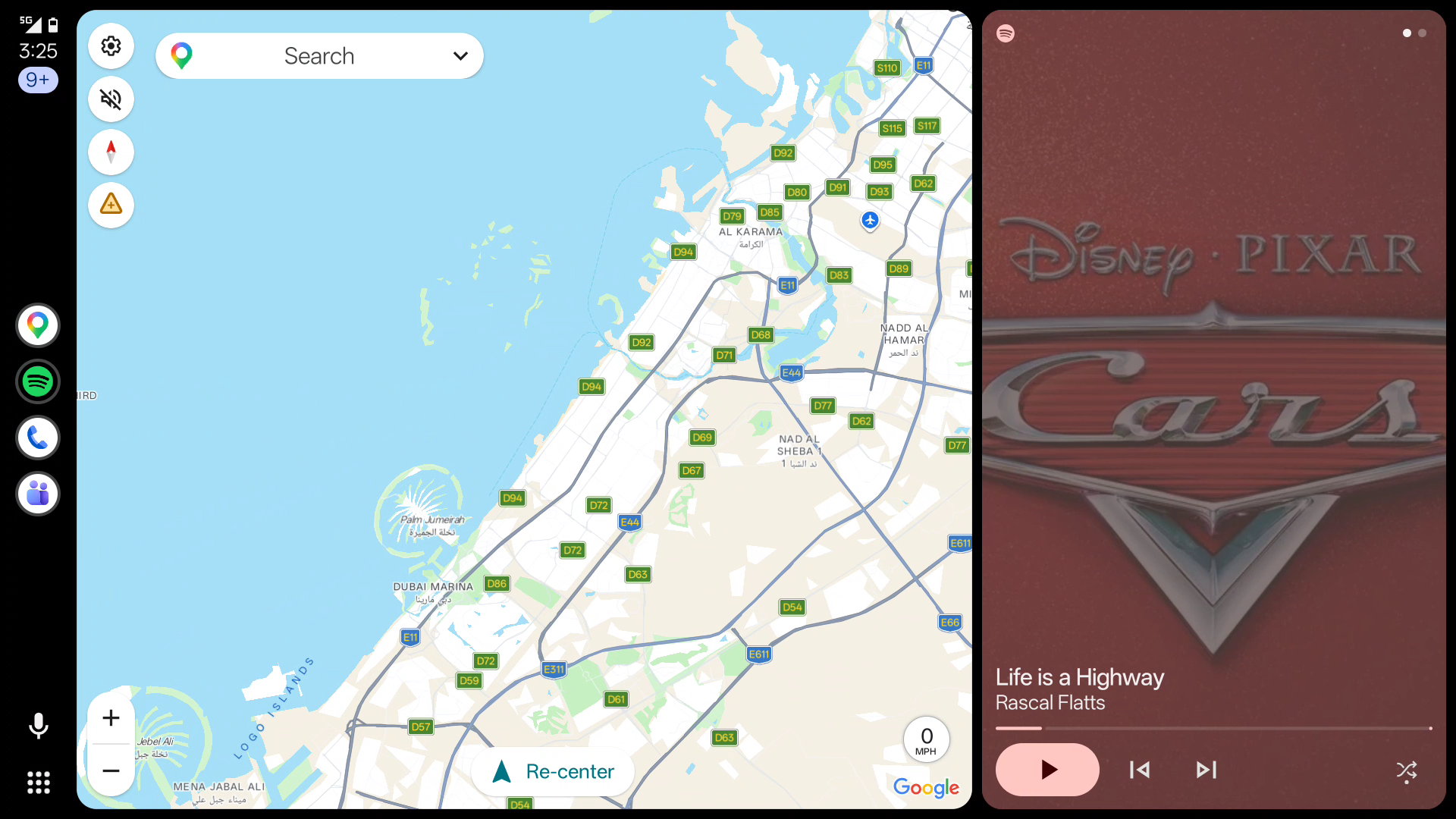
What’s new in 0.3.11
- Connects when you turn on the car hotspot after opening DiAuto, without restarting the app.
- Waits for the hotspot network to be ready instead of using the car’s wired or modem connection details.
- Refreshes hotspot connection details after a failed phone join, and waits for a manually selected hotspot interface.
Features
- Native wireless Android Auto, with USB data-cable support.
- BYD windshield navigation arrows, distance and street names on verified firmware, without ADB.
- Improved recovery when the Wi-Fi Direct interface appears late; explicit Static BSSID remains supported.
- Automatic Wi-Fi Direct address recovery on supported DiLink firmware, without ADB setup.
- Car-friendly home screen, simplified settings and redesigned option dialogs.
- Music-through-car-Bluetooth mode to avoid competing media audio focus.
- Automatic preference for the car's existing non-DFS 5 GHz Wi-Fi channel when supported, with normal band selection as a fallback.
- Bounded SurfaceView frame pacing, full-screen 1080p and corrected touch alignment.
Compatibility and setup
Tested on BYD DiLink 5.1 with Android 13, using wireless and physical USB connections. Other models and firmware versions are not yet verified. A compatible Android phone with functioning Android Auto is required. The app and website support English, Simplified Chinese, Arabic, Russian and Spanish. Other existing community translations remain available.
See BYD HUD compatibility and cleanup limits.
See the installation guide, including permissions, Static BSSID and upgrading from private previews. APK installation must be allowed by your head unit. Set up while parked.
The tested panel exposes approximately 58 Hz. Recent wireless map-drag samples reached 47–58 displayed FPS after Wi-Fi channel alignment, with remaining variation and occasional stalls. Constant 60 FPS is not promised. See validation notes.
Build
Requires JDK 17, Android SDK 36, NDK 29.0.14206865, and CMake 3.22.1.
Set ANDROID_HOME or an untracked local.properties with sdk.dir=....
./gradlew :app:testGithubDebugUnitTest :app:assembleGithubDebug :app:assembleGithubReleaseAPKs are under app/build/outputs/apk/github/. Release builds use R8/resource shrinking.
They are unsigned unless an untracked key.properties provides:
storeFile=/absolute/path/to/your-release-keystore.p12
storePassword=YOUR_PRIVATE_PASSWORD
keyAlias=YOUR_KEY_ALIAS
keyPassword=YOUR_PRIVATE_PASSWORD
Never commit signing keys or passwords. Your self-built APK will not upgrade a public
release unless signed with the same key. The public release signing key is held privately
by the maintainer. Application ID: com.andrerinas.headunitrevived.
Only the github flavor is covered by this fork's CI.
Website
Five static language editions live under site/. Edit site/content.json, then run
python3 scripts/build_site.py. GitHub Actions deploys only site/ to GitHub Pages.
Credits and license
DiAuto is an independent fork of Open Headunit,
based on work by its contributors and Michael Reid.
The local DiLink fork began from upstream commit 562c8dc; the first public snapshot
includes the DiAuto modifications developed from that fork.
See LICENSE (AGPL-3.0), original copyright notices, in-app credits and third-party notices. This repository contains the source for the published app. Android Auto is a Google trademark. This project is not affiliated with or endorsed by Google or BYD.