herdr-file-viewer


-informational)
A git-aware, read-only file viewer in a herdr pane. Tree on the left. On the right, the view that file deserves: a diff if it changed, rendered markdown, or highlighted code. Agents can drop you on a file or a line. You pin one file, mark a range, and paste those notes back into the chat. It never touches your files.
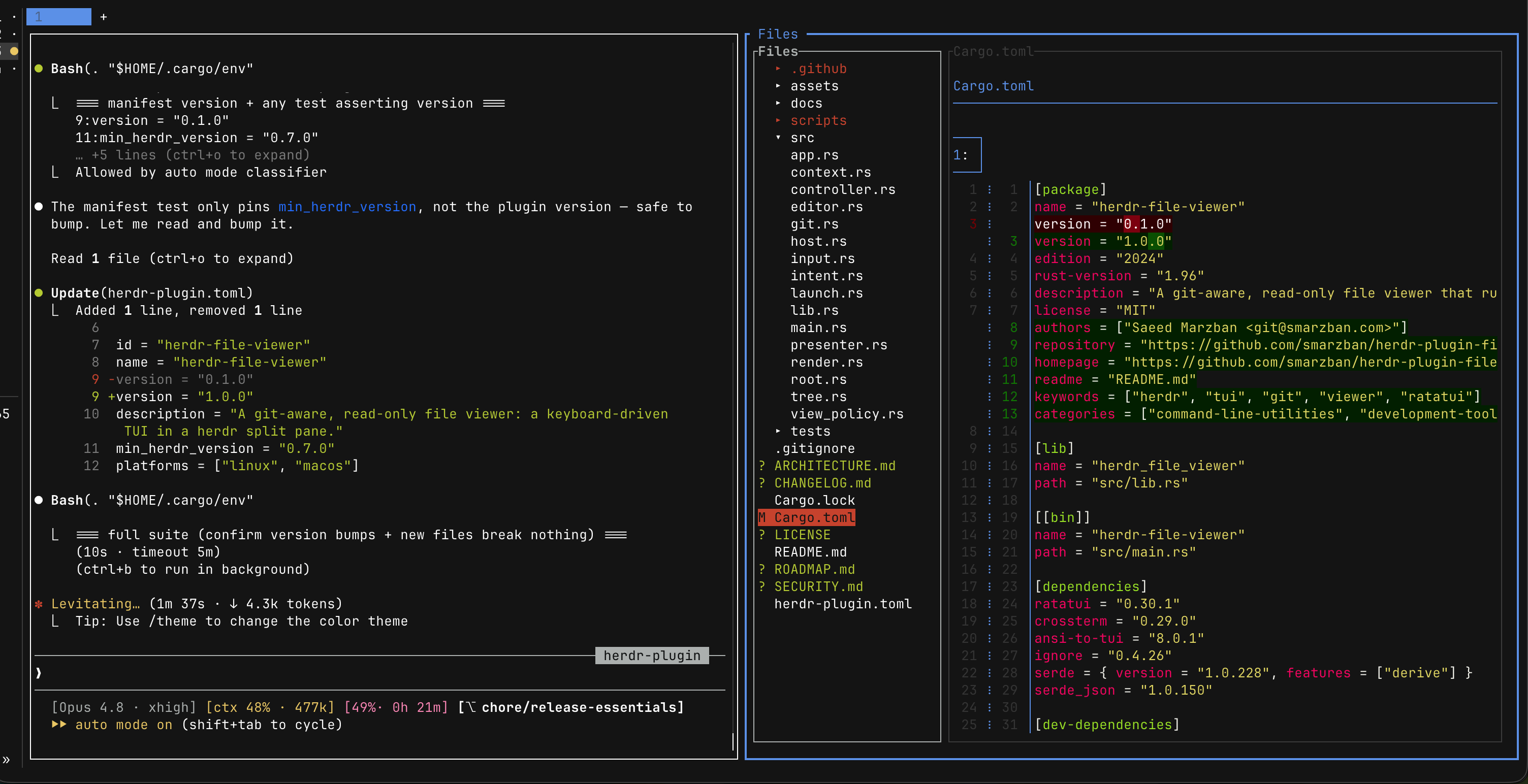
The right view per file, here a markdown file rendered (headings, inline code, tables) in your terminal's theme:
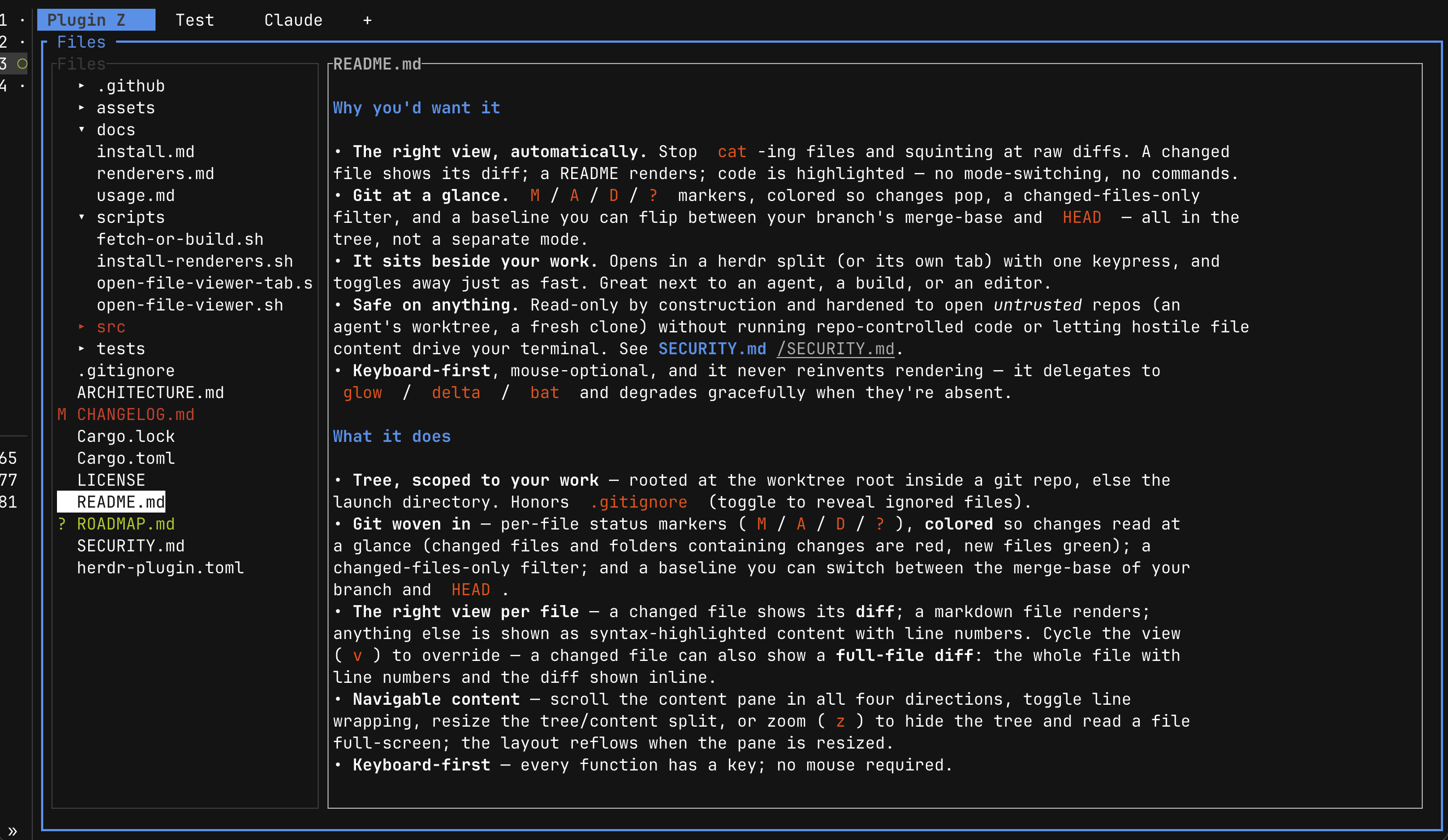
…and running full-screen, the same tree + content, filling the terminal:
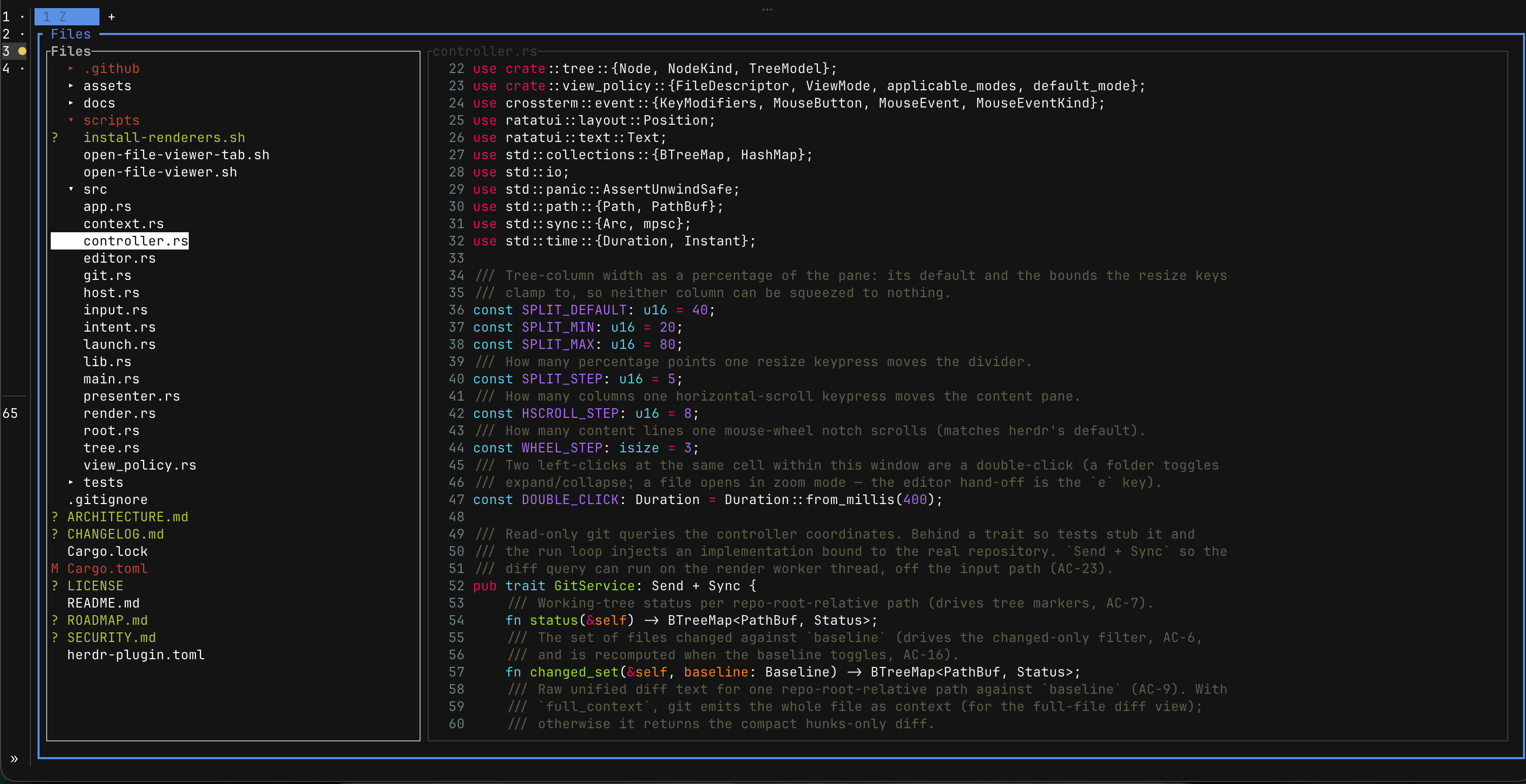
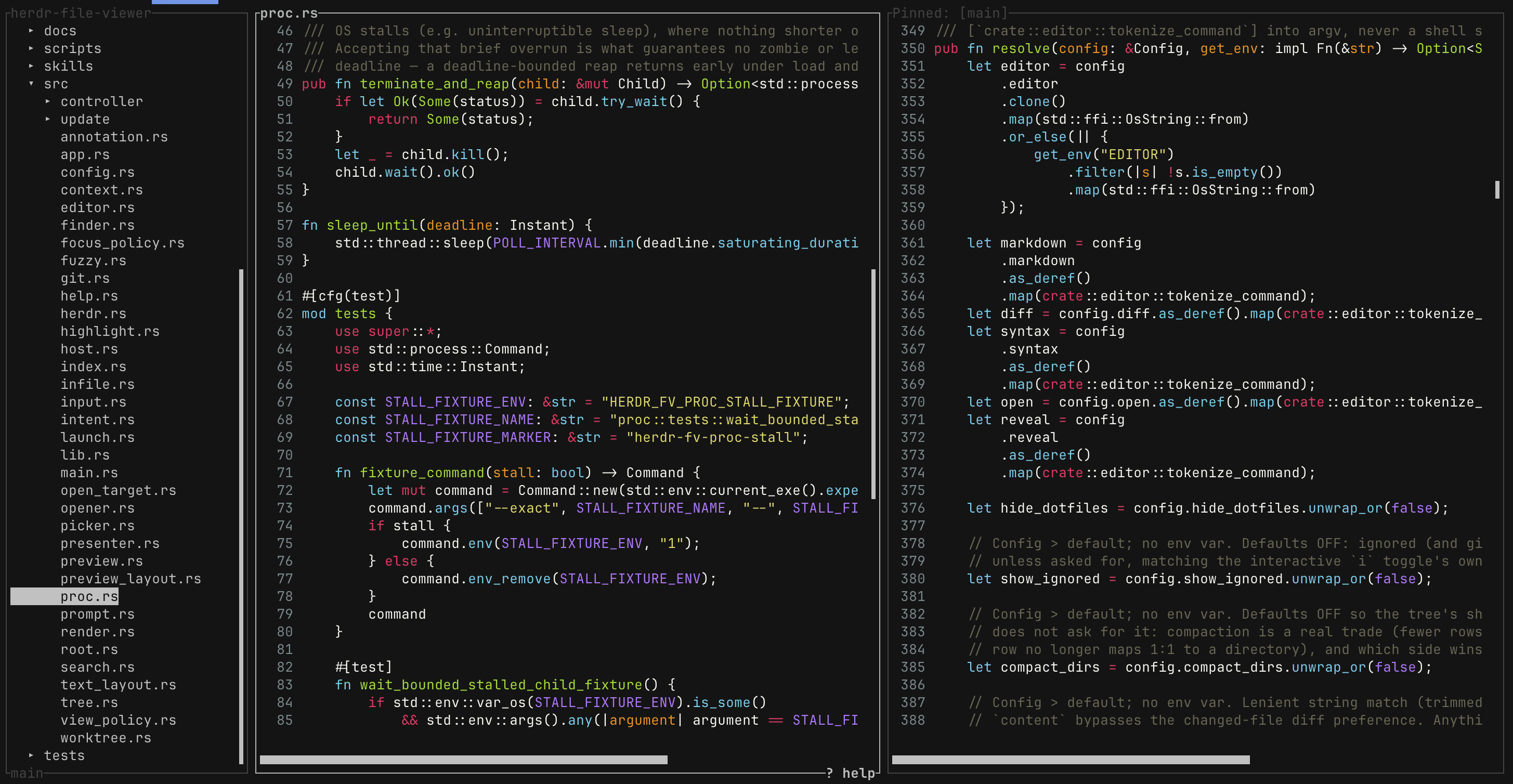
Pin a file with p and keep browsing: tree, the file you are on, and a frozen Pinned: [main] beside it:
Why you'd want it
- The right view, automatically. A changed file opens as a diff. A README renders. Code is
highlighted. No
cat, no mode switch, no commands. Pressvonly when you want something else. - Git in the tree.
M/A/D/?on every row, a changed-only filter (c), jump next/prev changed file (]/[), flip the baseline between your branch andHEAD(b). Not a separate git client. - Pin one file, keep browsing.
pfreezes it on the right. Switch worktree (W) and compare it with another checkout, or pin the old version and walk the new one. - Agents show you the spot. You send notes back. Teach them the bundled skill
and "open
src/app.rs:42in Files" lands you there. Mark a file or a range (a), copy the notes (Atheny), paste them into the chat. - Edit in your editor.
esuspends the viewer and opens the file in neovim, vim, micro, or whatever you set aseditor(else$EDITOR). You change the file there; the viewer never writes it, and comes back when you quit the editor. - Beside your work, safe on anything. One keypress in a herdr split (or its own tab). Read-only,
hardened for an agent's worktree or a fresh clone. Delegates rendering to
glow/delta/bat. See SECURITY.md.
Highlights
A taste of what the keys do — the full key & mouse reference has them all, and the usage guide walks through each feature:
| Key | Does |
|---|---|
f | Fuzzy-find any file in the tree |
p | Pin the current file and keep browsing (compare across worktrees with W) |
a / A | Annotate a file or range; copy the notes out for an agent |
v | Cycle the view (diff ⇄ rendered ⇄ syntax) |
] / [ | Jump to the next / previous changed file |
b | Flip the diff baseline: your branch's merge-base ⇄ HEAD |
W | Switch to another git worktree, in place |
L | Copy a path:line reference (or the selected lines) |
Z | Full-screen the current file |
e / O / R | Hand off: editor / OS default app / file manager |
? | Help overlay: What's New, keys, settings, about |
Quick start
# 1. Install the plugin (downloads a prebuilt binary for released versions; otherwise builds from source):
herdr plugin install smarzban/herdr-file-viewer

# 2. (recommended) install the renderers, so markdown / diffs / code are styled, not plain text:
brew install glow git-delta bat     # macOS, or use your package manager
#   Linux / cross-platform: run scripts/install-renderers.sh from the plugin dir (`herdr plugin list`)
Then bind a key in your herdr config (~/.config/herdr/config.toml) so one press summons it:
[[keys.command]]
key = "prefix+f"
type = "plugin_action"
command = "herdr-file-viewer.open-file-viewer"
description = "open file viewer in split"

[[keys.command]]
key = "prefix+shift+f"
type = "plugin_action"
command = "herdr-file-viewer.open-file-viewer-tab"
description = "open file viewer in tab"
Run herdr server reload-config, then press your key. That's the whole setup: the split-pane
viewer and its open actions ship inside the plugin and register automatically on install, so
you only add the keybinding.
Deeper detail lives in the docs: install & updating,
summoning the viewer (split vs. tab, the launcher, --remote),
external renderers, and the keys reference.
Configuration
An optional, read-only TOML config file lets you override the editor, the renderer/opener
commands, a couple of startup toggles, the tree layout, and the keybindings. A fully-commented
config.example.toml ships in the plugin folder; copy it as config.toml
into the directory herdr plugin config-dir herdr-file-viewer prints, then uncomment what you want.
The full reference — file location, precedence, every key, and [keys] remapping — is in
docs/configuration.md. See your effective settings any time in the ?
help overlay's Settings section.
Windows
Native Windows is supported as a preview (install works the same way; the open actions use
-windows action ids and herdr's preview channel). WSL works today with zero extra setup. See
docs/windows.md.
Documentation
Full docs live in docs/:
- Install & updating — prebuilt vs. source, pinning a version, local-dev linking, and remote notices.
- Summoning the viewer — the open actions, the idempotent launcher, split vs. tab, and the
--remotecaveat. - Usage guide — a feature-by-feature tour of the whole viewer.
- Keys & mouse — the complete key table, mouse gestures, and editor hand-off.
- Configuration — the full
config.tomlreference and[keys]remapping. - External renderers — the optional
glow/delta/batintegrations and the plain-text fallback. - Windows (preview) — native-Windows specifics and WSL.
- Architecture — one in-process TUI owning both columns, the component map, and the load-bearing decisions.
- Security — the threat model for opening untrusted content, and how to report a vulnerability.
Contributing
Bug reports and feature requests are very welcome — please open an issue. To build, test, and send a change, see CONTRIBUTING.md.
License
MIT © Saeed Marzban