
EffectCraft
Motion graphics and visual effects; an open-source, clean-room reimplementation of Adobe After Effects, rebuilt in pure Rust.
A free, open-source compositor in the spirit of After Effects: compositions, layers, keyframes, 306 effects, layer styles, expressions, 3D cameras and lights, and a render queue, native on macOS, Windows and Linux, and in the browser. Young, moving fast, and already usable.




EffectCraft on getartcraft.com · ArtCraft · All Crafting Apps
[!NOTE] ArtCraft is a community of artists from all walks of life. Digital, generative, music, games — if you make things, you're one of us. Come say hi on Discord.
What it is · Animate · Effects · 3D · Export · Agents · Get started · Status · How it's made · The Crafting Apps · License
What EffectCraft is
EffectCraft is for animated titles, motion graphics and compositing work: the kind of thing people reach for After Effects to do. You build a composition out of layers (solids, shapes, text, footage, other compositions), animate their properties with keyframes, stack effects on them and render the result.
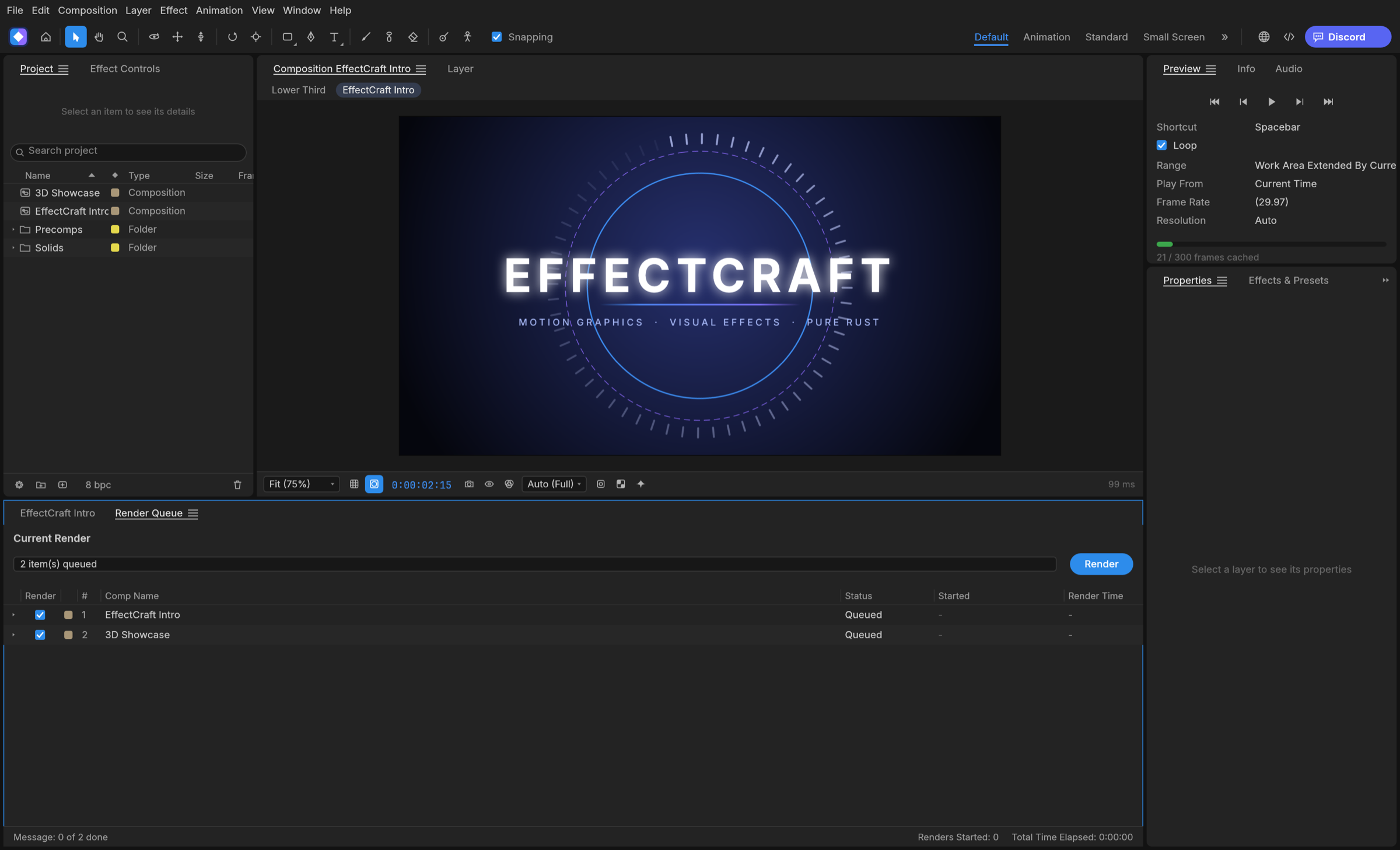
The aim is to feel familiar to anyone who has used After Effects, with the same panels (Project, Composition, Timeline, Effect Controls, Effects & Presets) and the same keyframe behaviour, and then to go further in a few places where it matters to us:
- Lottie import and export built in, so animations can go straight to the web and apps without a plugin.
- A project file you can read. Projects are versioned JSON (
.ecproj), so they diff cleanly in version control. - Everything is scriptable. Every menu item, timeline drag and property edit goes through one command registry, so the same actions are reachable from a command line, a JSON control channel and an MCP server for agents.
- No FFmpeg. Video and audio decoding and encoding are pure Rust: FilmCraft's codecs and EffectCraft's own VP9, AV1, HEVC and Opus encoders.
Animate
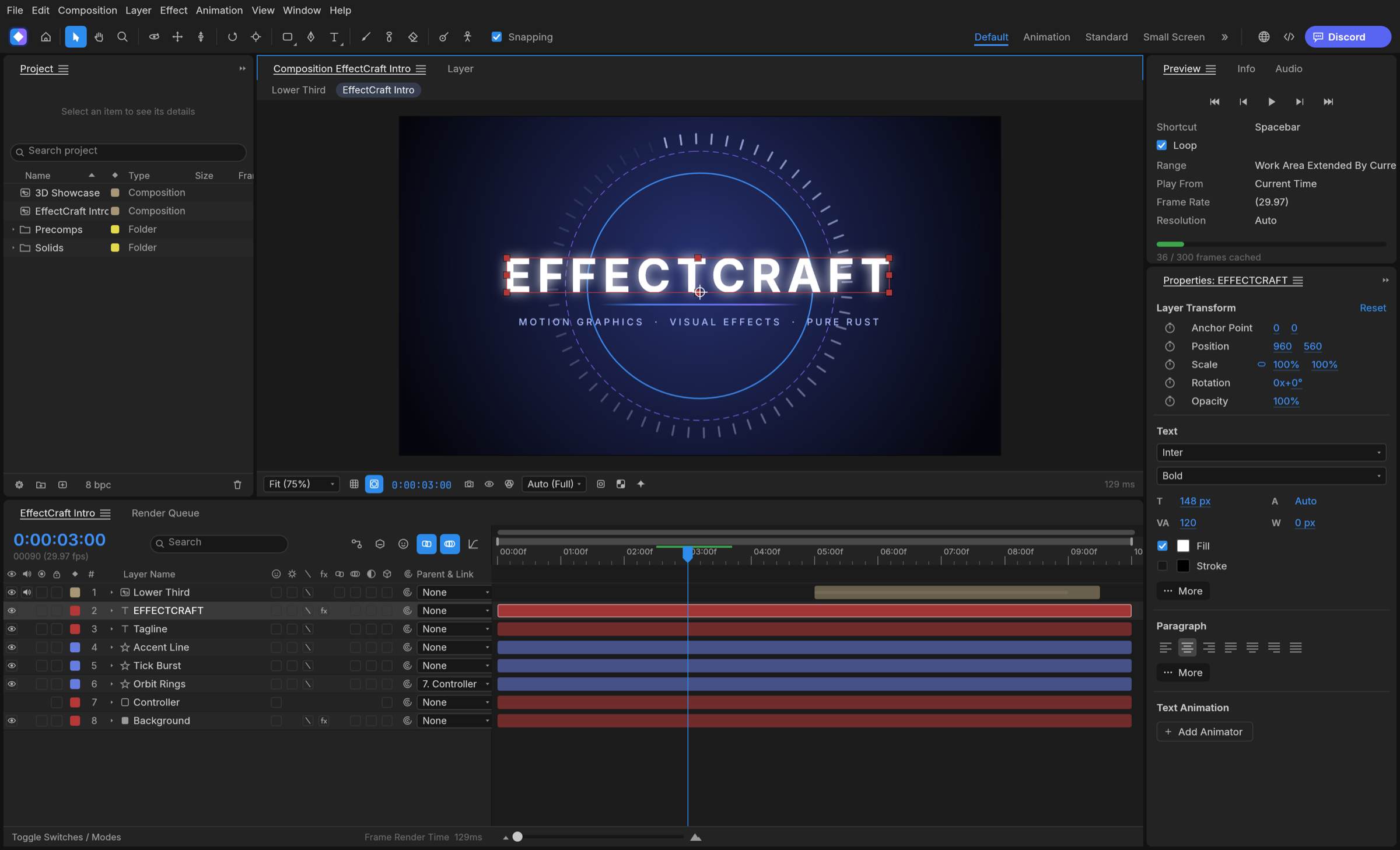
The panels, menus and shortcuts follow After Effects, so your muscle memory carries over: Project, Composition, Timeline, Effect Controls, Properties, Effects & Presets, Character, Paragraph, Align, Info, Preview, Audio and the Render Queue, docked the way you expect.
- Layers of every kind: solids, shapes, text, footage, nested compositions, nulls, adjustment layers, cameras and lights; parenting, track mattes, all 38 blend modes, motion blur.
- Keyframes that behave the same: linear, Bezier, hold, auto and continuous Bezier, roving keys, Easy Ease (F9), Keyframe Velocity and Interpolation dialogs, copy and paste at the current time, and a Graph Editor with value and speed graphs and draggable handles.
- Time: time remapping, time stretch, time-reverse, freeze frame, work area, markers, exact frame-accurate timing at every frame rate including 29.97 drop-frame.
- Shapes and masks: shape layers with trim paths, repeaters, round corners, offset, zig zag, twist, wiggle, merge paths and gradient strokes; masks drawn with the pen tool, with modes, feather, expansion and vertex editing in the viewer.
- Text: point and paragraph text with real shaping, the Character and Paragraph panels, and text animators with range selectors.
- Expressions: JavaScript with the After Effects object model (
wiggle,loopOut,thisComp.layer("…"), vector maths on arrays), an inline editor and the pick-whip. - Timeline like you know it: twirl layers open to Transform, masks, effects and the rest; drag rows to reorder layers; rename with Enter or a double-click; the property shortcuts (A, P, S, R, T, M, F, E, L, U and their double presses AA, PP, SS, RR, TT, MM, FF, EE, LL, UU), Shift to add properties, Alt+Shift+A/P/S/R/T to key the current time, Ctrl+` to twirl selected layers.
- Puppet tools: Position, Advanced, Bend, Starch and Overlap pins on a mesh built from the layer, real-time pin recording, rotate/scale handles, pins driven by (or carrying) nulls for rigging, and follow-through for hair and cloth.
Effects
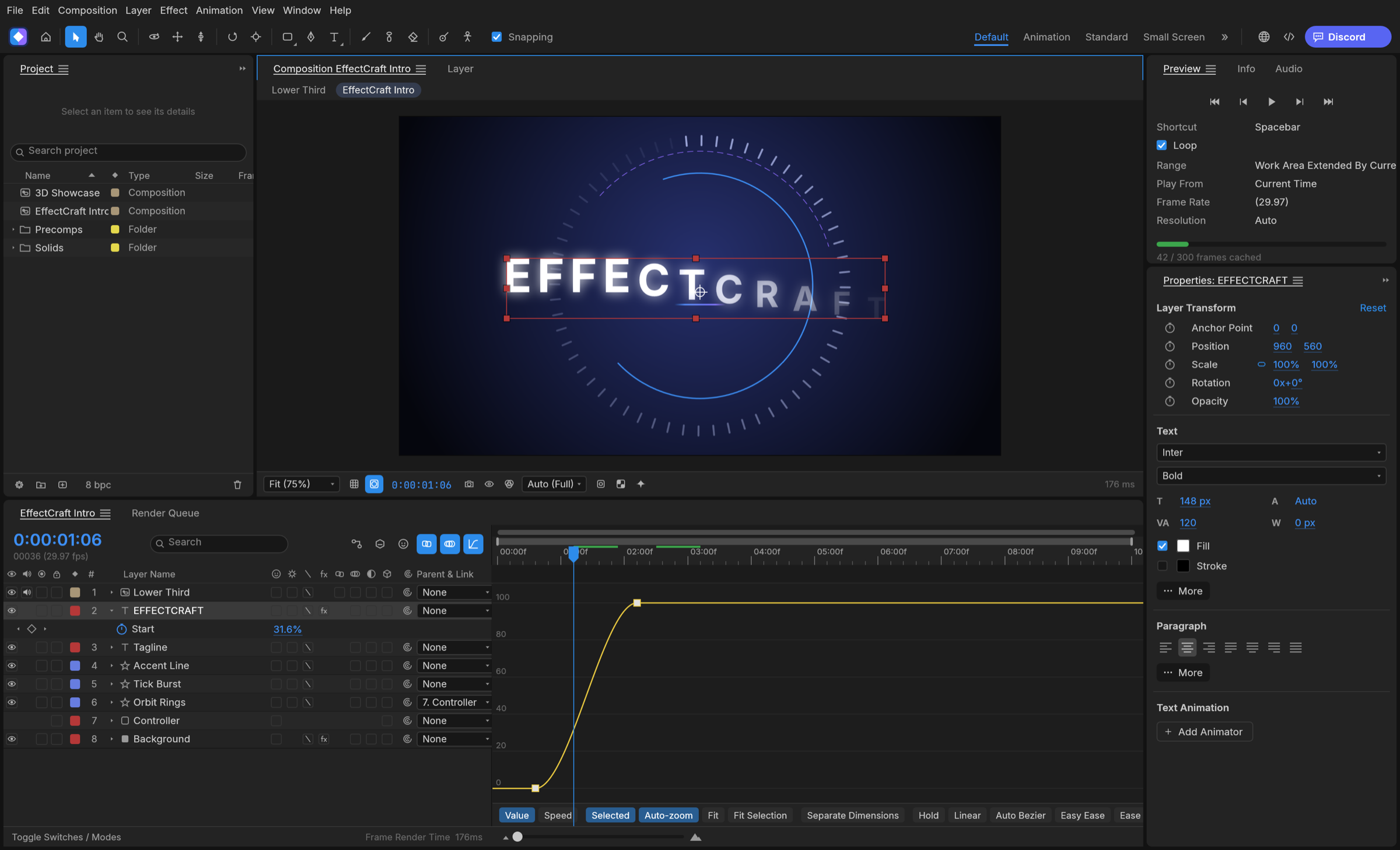
306 effects (every one of After Effects' 298, and more) across its categories, each with its parameter names, order and defaults: blur and sharpen, channel, color correction (Curves, Levels, Hue/Saturation, Lumetri Color…), distort (Warp, Bulge, Turbulent Displace, CC Power Pin…), generate (Fractal Noise, Gradient Ramp, Stroke, Write-on, Audio Spectrum…), keying, matte, noise and grain, perspective, simulation (CC Particle World, CC Rainfall, Shatter, Card Dance, Caustics, Wave World…), stylize (Glow, CC Glass…), time (Echo, Posterize Time, Timewarp, Time Displacement…), audio (Reverb, Parametric EQ, Delay, Stereo Mixer…), text, transitions, utility and expression controls. All nine Layer Styles (Drop Shadow, Inner/Outer Glow, Bevel and Emboss, Satin, overlays, Stroke) with Global Light. Preview plays audio in sync, with meters and waveforms.
3D
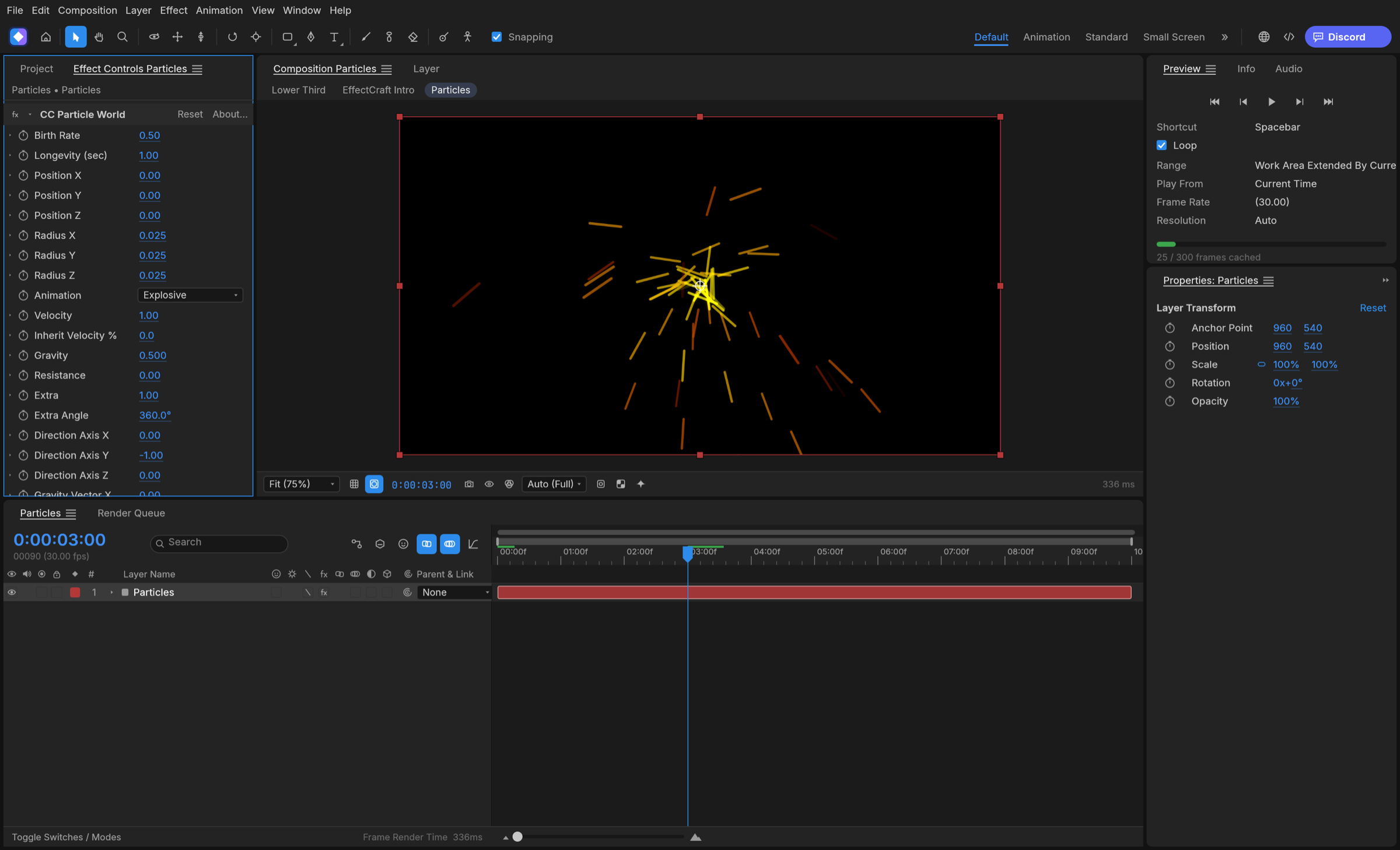
Classic 3D the way After Effects does it: 3D layers with orientation and material options, one- and two-node cameras with depth of field, lights (parallel, spot, point, ambient) with soft ray-traced shadows, layers that intersect correctly, orbit, pan and dolly camera tools, and Front, Top, Left and Custom views.
Export
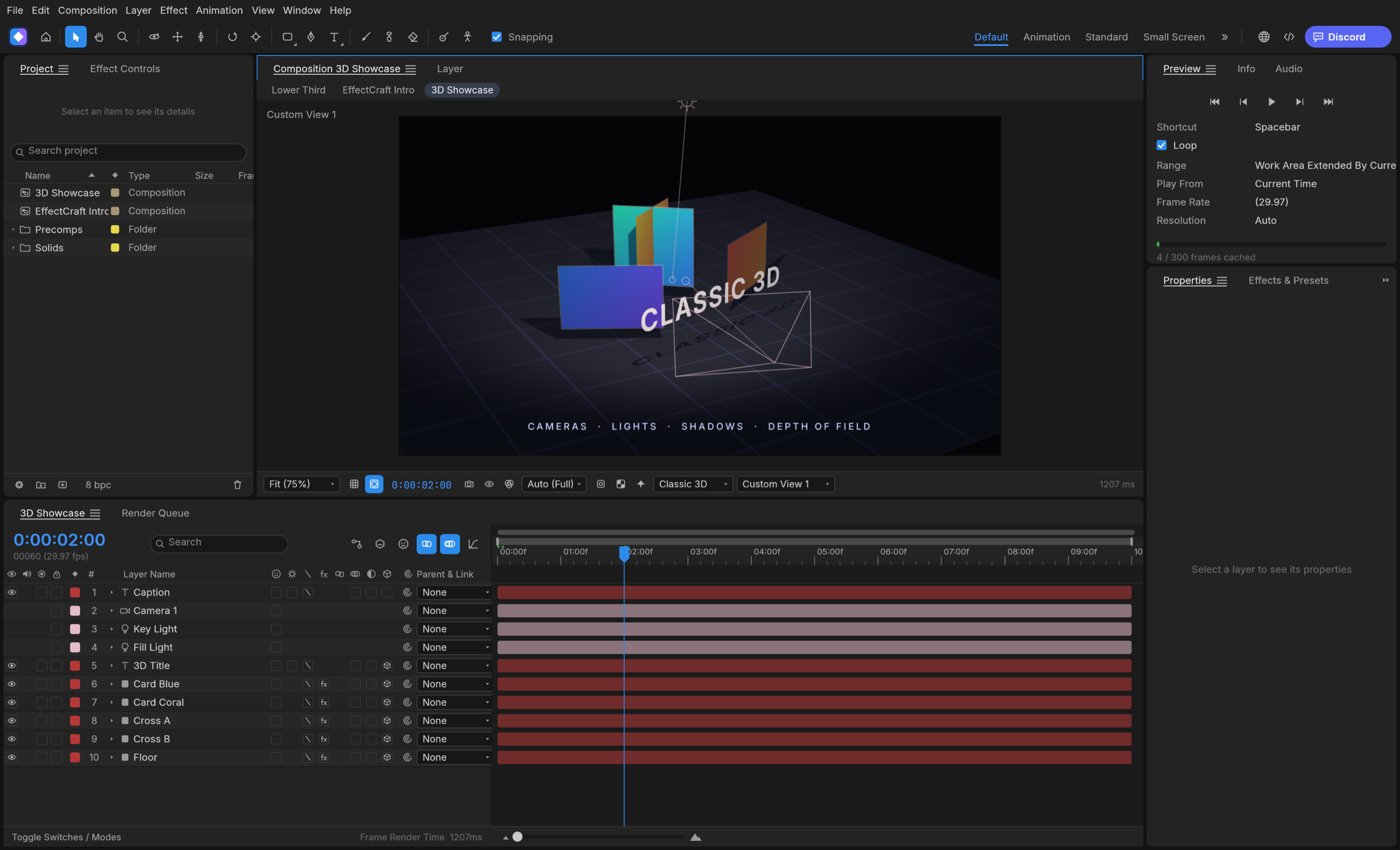
A Render Queue like After Effects', with Render Settings and Output Modules: H.264 MP4 and ProRes MOV (Proxy to 4444 XQ with alpha) with audio, HEVC (Main / Main 10) and AV1 MP4, WebM (VP9 with inter frames and alpha, or AV1; Opus audio), PNG, JPEG, TIFF and 32-bit EXR sequences, animated GIF and WAV/AIFF. Field rendering with 3:2 pulldown, effect/solo/guide/depth overrides, crop, region of interest and resize, Render Settings and Output Module templates with defaults, post-render actions, storage overflow and render logs. The same queue runs from the command line. Every encoder is pure Rust (FilmCraft's H.264, ProRes and AAC; EffectCraft's own VP9, AV1, HEVC and Opus); there is no FFmpeg inside.
Lottie goes both ways: File ▸ Export ▸ Lottie JSON… writes a composition (precomps, shape,
solid, image, text and null layers, eased and spatial keyframes, masks, track mattes, blend
modes, time remapping, optionally expressions) as .json or .lottie, and lists anything Lottie
cannot express; File ▸ Import ▸ Lottie… opens one as a new composition.
Built for agents
Everything you can do from a menu is a command with an id, and agents can reach every one of them:
- MCP server:
effectcraft-cli mcpspeaks the Model Context Protocol over stdio, headless or bridged to the running app (--bridge 9877). Tools cover commands, the project and property tree, keyframes and rendered frames. This repository ships a ready.mcp.json. - Command line: one-shot calls with JSON output, for example
effectcraft-cli set Main '#1' transform/position '[100,360]' --time 0 main.ecproj --saveoreffectcraft-cli render --comp Main --out main.mp4, oreffectcraft-cli exec file.exportLottie '{"comp":"Main","path":"main.json"}' main.ecproj. - Control channel:
effectcraft --control 9877accepts JSON lines to run commands, inspect and click any widget by its automation id, and take screenshots.
See docs/agents.md and docs/control-protocol.md.
Get started
You need Rust 1.95 or newer.
git clone https://github.com/storytold/effectcraft
cd effectcraft
cargo run --release -p effectcraft          # the app, with the demo project open
cargo run --release -p effectcraft-cli -- render --out intro.mp4    # render the demo headless
cargo xtask web --serve 8765                # the browser build on http://127.0.0.1:8765/ (docs/web.md)
To work on it: cargo test --workspace, and cargo xtask ci before every commit (format, lints,
tests, layering, asset attribution and the WebAssembly build). See CONTRIBUTING.md,
docs/architecture.md and docs/testing.md.
Where it stands
EffectCraft is young. The core of After Effects is in place and gets deeper every week: what is
done and what comes next is in the ROADMAP. Still to come: learned models for
Roto Brush and face tracking (both use classical methods today), GPU versions of the remaining
CPU-only effects, the Advanced 3D Extended Viewer, and shared-memory threads in the web build. The
web build (docs/web.md) runs the full app in the browser, with renders, analyses
and viewer frames in Web Workers. Projects are saved as .ecproj, readable versioned JSON; After
Effects .aep files cannot be opened.
How it's made
- Engine first. A stack of small crates with strict layering. The interface (egui) sits on top and nothing underneath depends on it.
- Clean room. We work from After Effects' public documentation and how it behaves, never from Adobe's files, icons, presets or code. No code is copied from GPL projects. The full rules are in AGENTS.md.
- Private by default. No telemetry, and no network access unless you ask for it.
- One family. EffectCraft shares its time model and text engine design with FilmCraft, and gets its video and audio codecs from it.
The Crafting Apps
EffectCraft is one of the Crafting Apps: free, open-source creative tools from the ArtCraft team, each written from scratch in Rust and each able to stand on its own.
| App | What it's for | Code | Learn more | |
|---|---|---|---|---|
 | PhotoCraft | Image editing: layers, masks, type and real PSD files | GitHub | Website |
 | VectorCraft | Vector illustration | GitHub | Website |
 | FilmCraft | Video editing, color and sound | GitHub | Website |
 | LightCraft | Photo library and raw development | GitHub | Website |
 | PrintCraft | Reading, organizing and protecting PDFs | GitHub | Website |
 | EffectCraft | Motion graphics and visual effects · you are here | GitHub | Website |
 | DesignCraft | Page layout and publishing | GitHub | Website |
And ArtCraft itself, our AI image and video studio for artists who want real control.
Come make things with us
Our Discord is where artists of every kind hang out: people who paint, shoot, draw, cut film, set type, and people still figuring out what they like to make. Share what you're working on, ask for help, tell us what's broken, or tell us what you wish these tools could do. Whatever your medium and however long you've been at it, you're welcome here.
discord.gg/artcraft · getartcraft.com · The Crafting Apps · EffectCraft
License and credits
EffectCraft is dual-licensed under MIT or Apache-2.0, at your option. Copyright (c) 2026 ArtCraft Team and the EffectCraft contributors. Required notices are in NOTICE.
Bundled fonts, icons, images and other assets keep their own open licenses; each one is listed with its author, source and license in ATTRIBUTION.md.
The ArtCraft name, wordmark and logos in docs/brand/ are trademarks of the
ArtCraft Team and are not covered by this license. They may be used only unmodified, and only as
part of this repository and EffectCraft, under docs/brand/LICENSE-brand.txt.
Forks and modified versions must remove them.
Adobe, Photoshop, Illustrator, Premiere Pro, Lightroom, Acrobat, After Effects and InDesign are trademarks or registered trademarks of Adobe Inc. in the United States and/or other countries. EffectCraft is an independent, open-source project and is not affiliated with, sponsored by or endorsed by Adobe Inc.; these names are used only to describe the workflows it is compatible with.

Made by the ArtCraft team and community.