Termany
A terminal for running many coding agents at once.
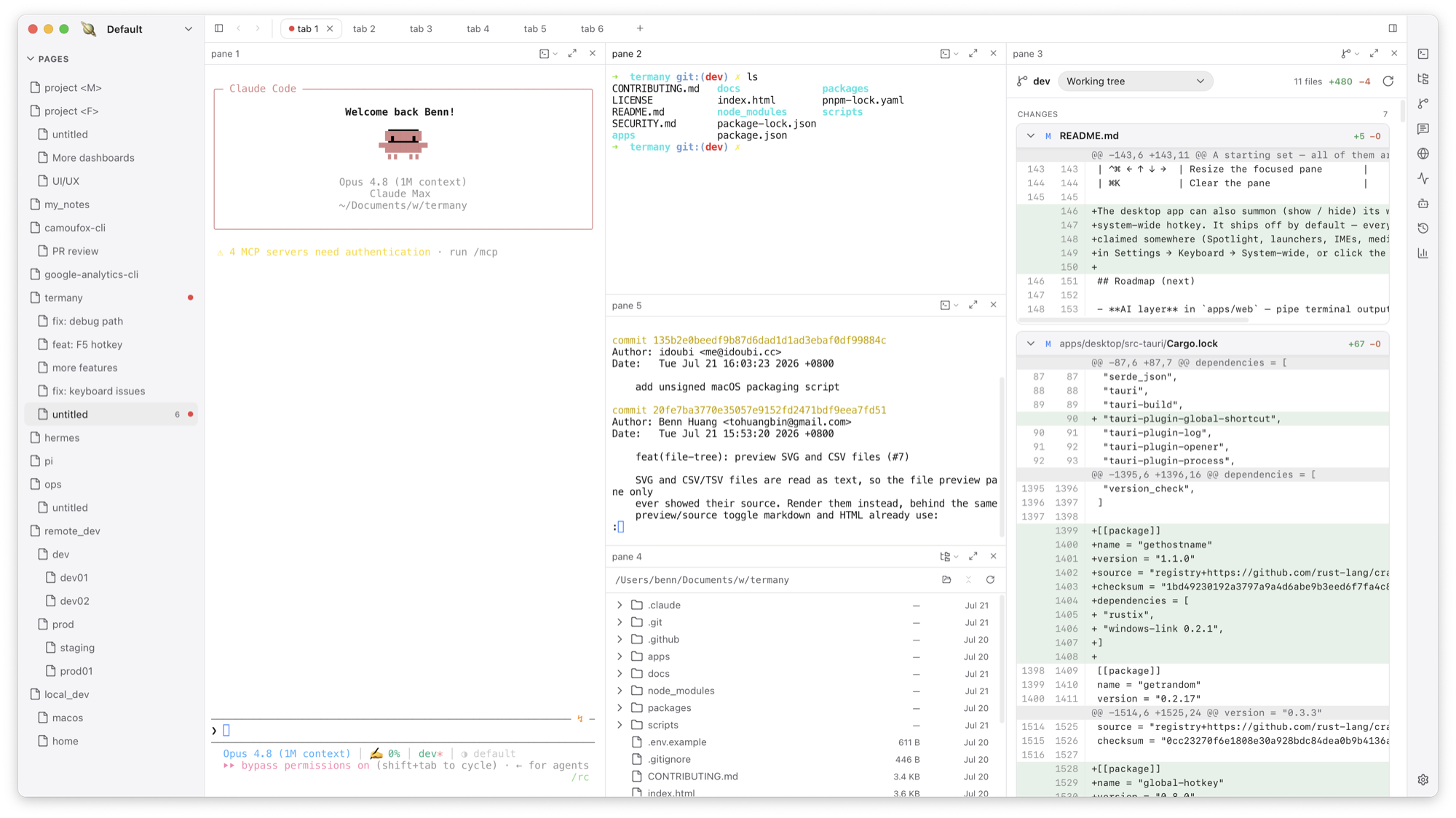
Termany keeps a large number of agent sessions in one window, tells you which session needs you, and puts the work around those sessions in the same place: diffs, worktrees, ports, remote hosts, and token cost.
Website: termany.sh — downloads, docs, and release notes.
Is this for you
Termany helps most if you:
- run five or more agent sessions at the same time
- use Claude, Codex, and other agents on the same repository
- keep several worktrees of one project open, and hit port conflicts between them
- move long tasks to a dev box so they survive a sleeping laptop
If you don't work this way, Termany still works as a plain terminal with splits, themes, and an inline file viewer.
Many sessions in one window
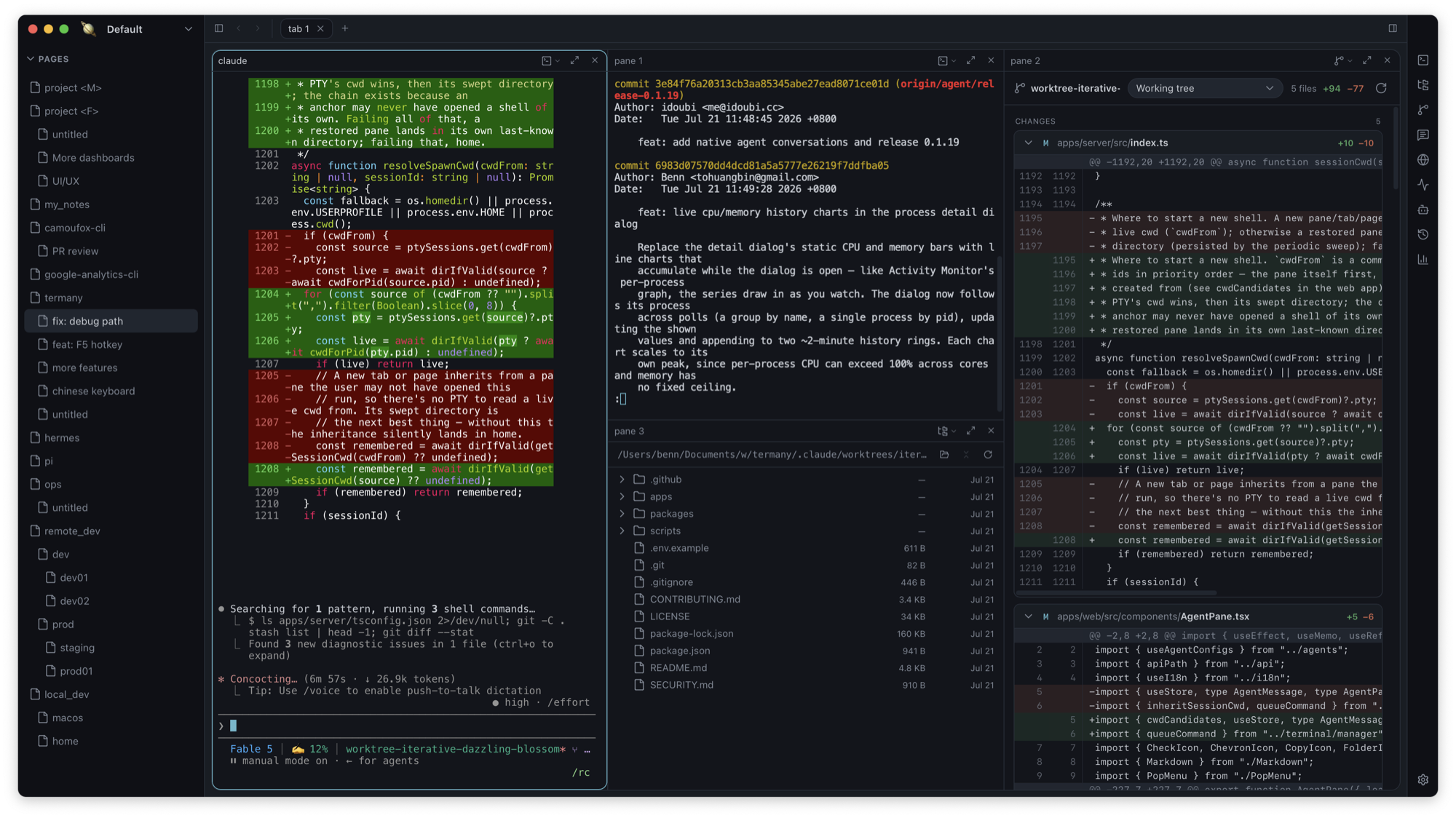
Panes nest three levels: workspace (far-left rail, one context such as a client or a product), page (left sidebar, one project or area), and tab (top strip, one shell each). Every pane splits again with ⌘D and ⇧⌘D. Every tab is a persistent session: it keeps running, and keeps its scrollback, while backgrounded.
Termany tags each pane working, done, or needs attention. It reads the pane's foreground job and the changes on screen, not the shell prompt, so the tag also works for agents that draw their own interface. Tagged panes appear in an ACTIVE section above the page tree, so you do not open twenty tabs to find the one that stopped.
⌘P searches commands, pages, tabs, and panes by name. ⌘M maximizes one pane over a dimmed background. On desktop, ⌥⌘N opens a second window on the same workspaces.
Launch an agent into any pane from the right-hand rail. Claude, Codex, Gemini, Grok Build, OpenClaw, FastClaw, Hermes, OpenCode, Cursor, Kimi, and OMP ship built in. Claude, Codex, and OpenClaw are enabled by default; enable the rest with one toggle. Point an agent at a different binary, or add your own agent, in Settings → Agents. Detect probes your machine and lists what it finds.
Claude and Codex Bots use your locally installed and authenticated official CLI. If one is
missing, Termany links you to its official installer from Settings → Agents. Termany ships the
small ACP bridge and the Node runtime needed to run it, so Bot conversations do not require a
separate system node or npx installation.
Bots that work together
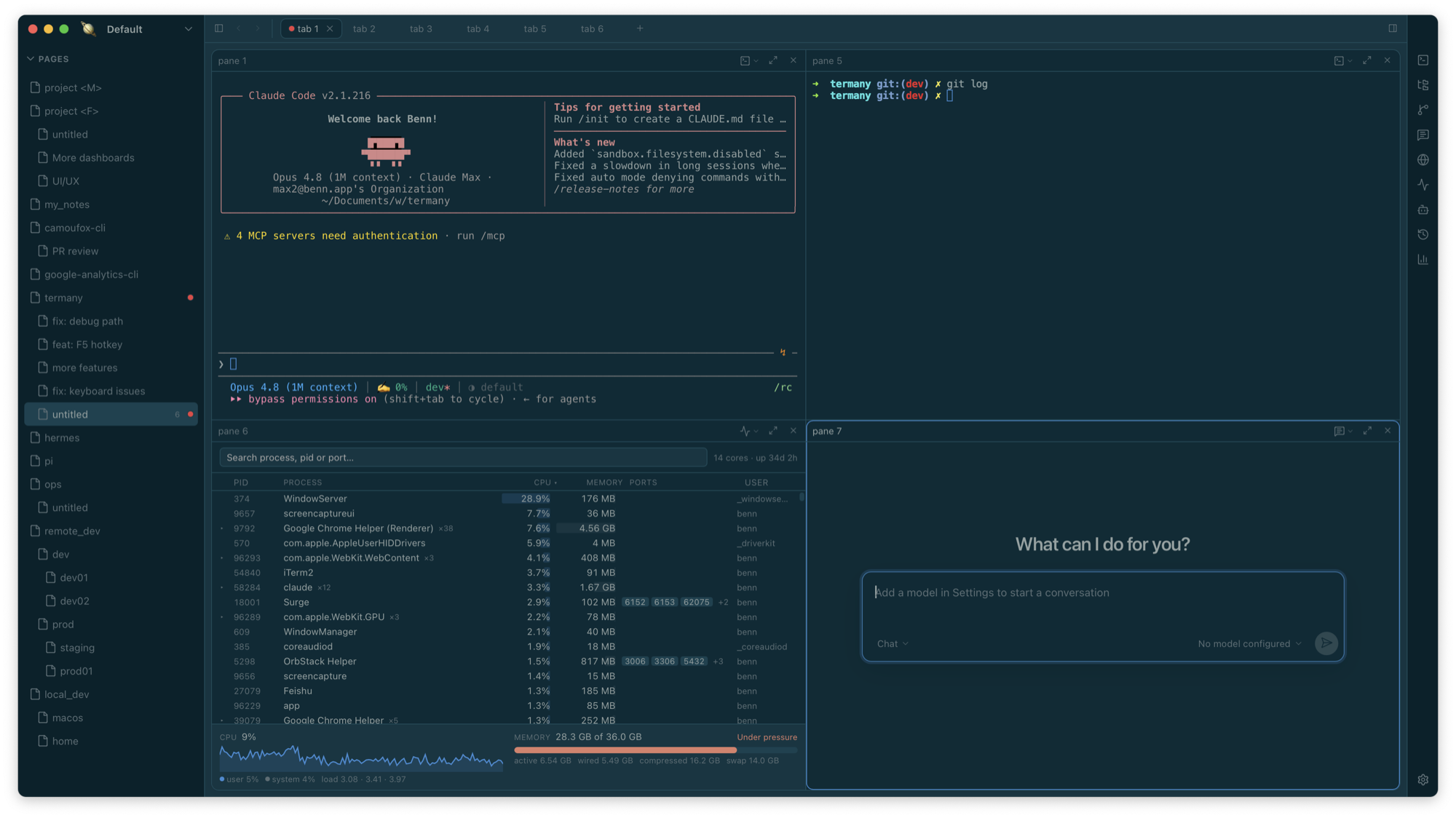
Turn an agent into a reusable Bot with its own name, avatar, role, model, and working folder.
Talk to it directly, or put several Bots into a group chat. A lead member coordinates the
conversation, delegates work, and consolidates the result; @ mentions route a message to a
specific member. Topics keep separate tasks from sharing one long transcript, while every Bot
retains a clear identity in the conversation.
Idle ACP Bot processes are released after five minutes when the agent supports restoring sessions. Sending another message restarts the agent and loads the same conversation; this first reply may take a little longer to start. Active replies and permission requests stay running. Agents without session restore keep their conversations in memory; unused processes started only to discover settings can still be released. This does not stop terminal sessions.
Review in the same window
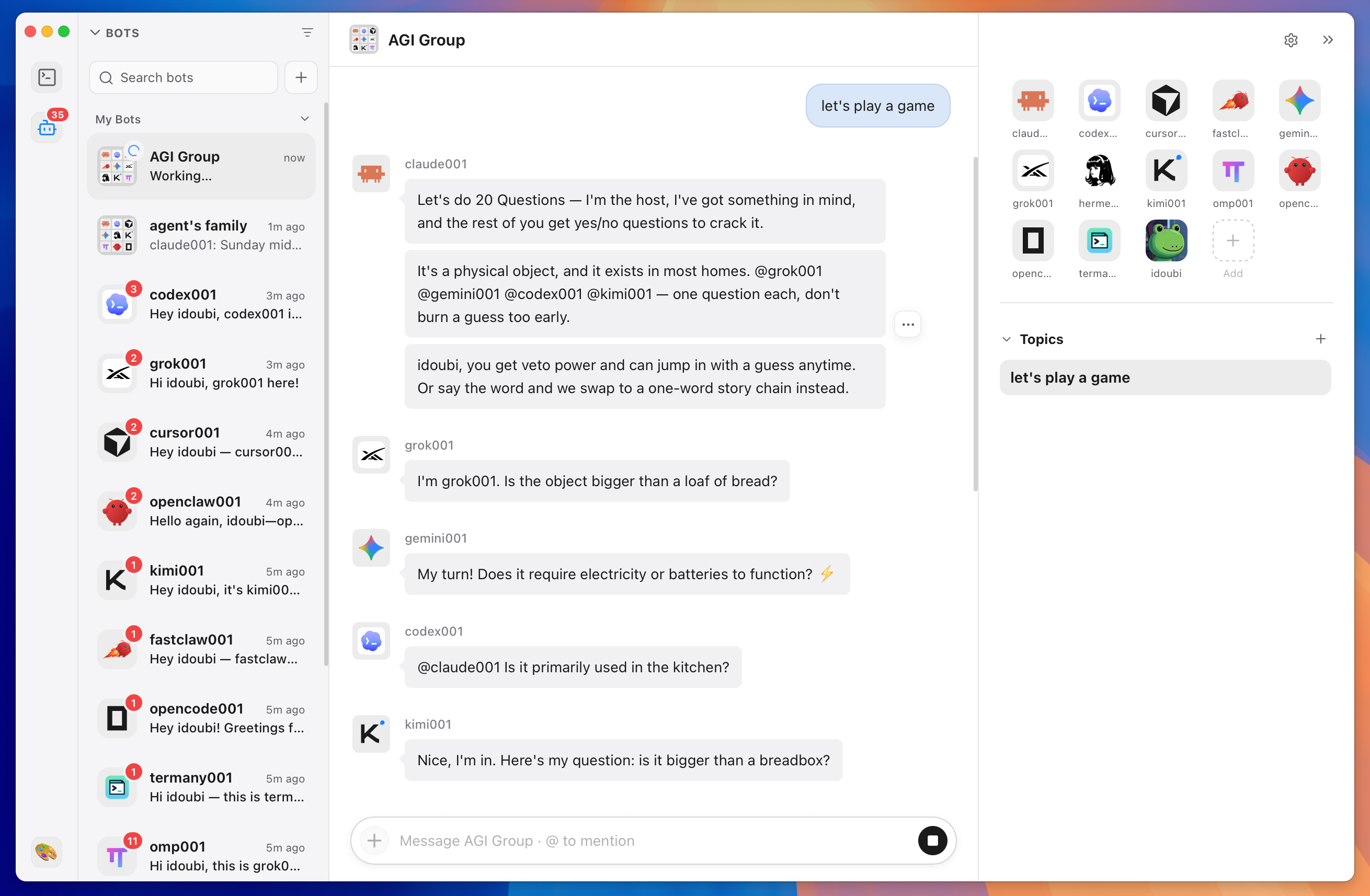
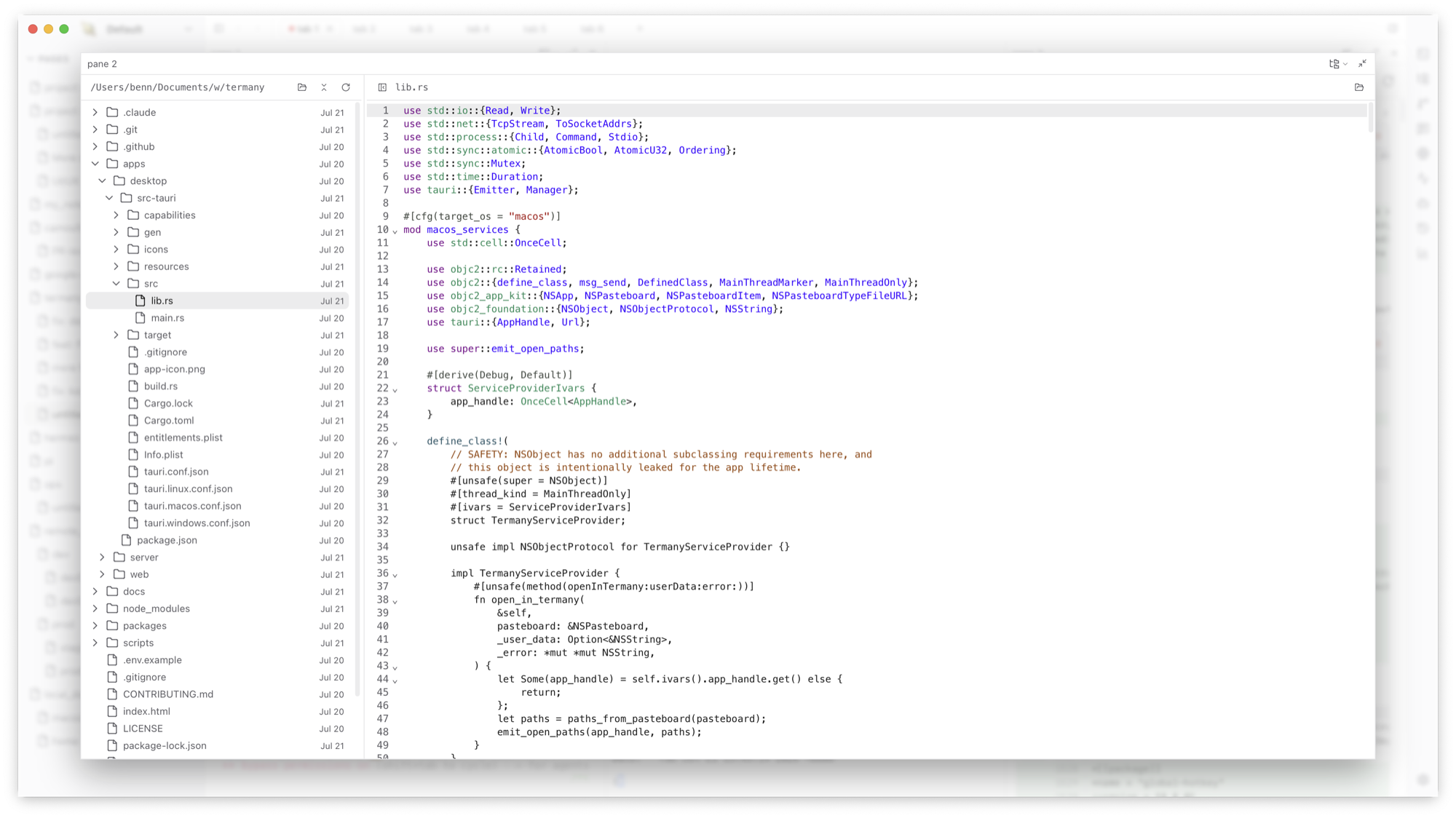
Any pane can switch from a shell to another view. ⌘E cycles the views:
- Files — a file tree. Click a file to edit it in place (CodeMirror, language detection, ⌘S to save), or to read it. Markdown, HTML, images, video, audio, PDF, DOCX, XLSX, and PPTX preview inline.
- Git diff — staged, unstaged, and untracked changes. Compare the working tree against another base. Switch to another worktree of the same repository from the same panel.
- Conversation — a chat pane over ACP, with its own model picker.
- Browser — a webview. When a pane starts to serve a port, Termany offers to open it.
An agent runs in one pane, and its diff opens in the pane next to it.
Worktrees and remote hosts
- Per-pane SSH. Each pane picks its own connection, so a local shell and two remote hosts can sit in one tab. Add a connection with a display name, an optional port, and automatic, password, or identity-file authentication. Test connection checks it before you need it. A dropped session reconnects when you press Enter. When a remote pane starts serving a port, one click opens an SSH forward on loopback, so the remote URL opens locally.
- Session history across worktrees. ⇧⌘H lists past agent conversations for the repository
that holds the focused pane. Sessions group by branch, and cover every worktree of that
repository. Sessions whose directory no longer exists appear under Deleted worktrees,
and resume from the main checkout. Any session resumes in a new pane, already
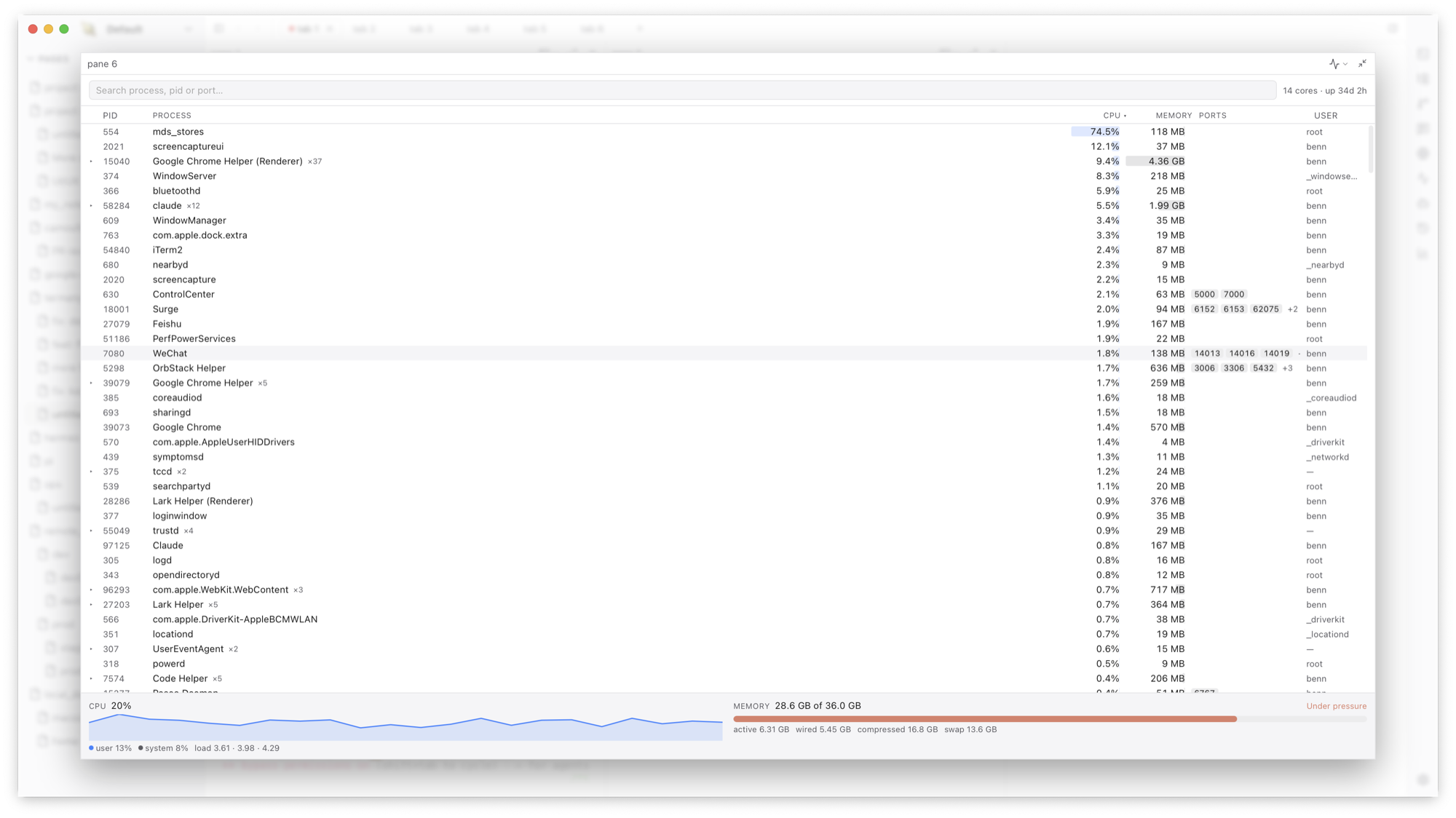
cd'd to its project. - Activity monitor. ⇧⌘M shows CPU, memory, swap, and memory pressure, plus the process list grouped by program. Type a port number in the search box to find the process that holds it, then terminate it from the same row.
Agent cost
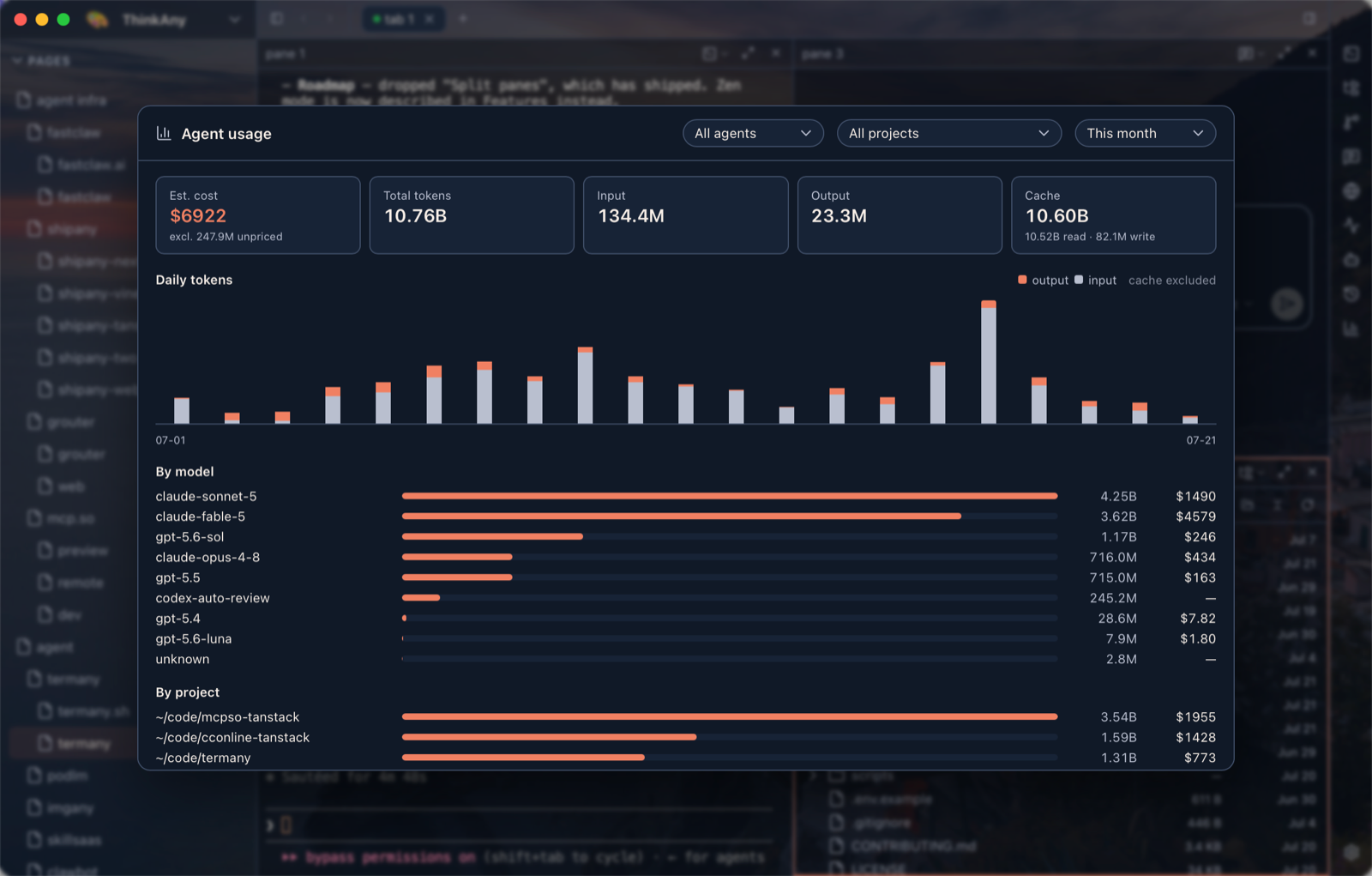
Termany reads your agent transcripts and builds a usage view (⇧⌘U): estimated cost, input, output and cache tokens, a daily chart, and breakdowns by model and by project.
Usage and session history read Claude and Codex transcripts today. Other agents show as unsupported.
Appearance and keys
Fourteen themes ship built in. A theme restyles the whole window, not only the terminal palette: the sidebar, the tab strip, the gap and corner radius of each pane, and the shadow under it all come from the theme — far enough that Windows 98 gets its bevels and navy title bars back. Step through them with ⌥⌘. and ⌥⌘, or open the picker with ⌥⌘T.
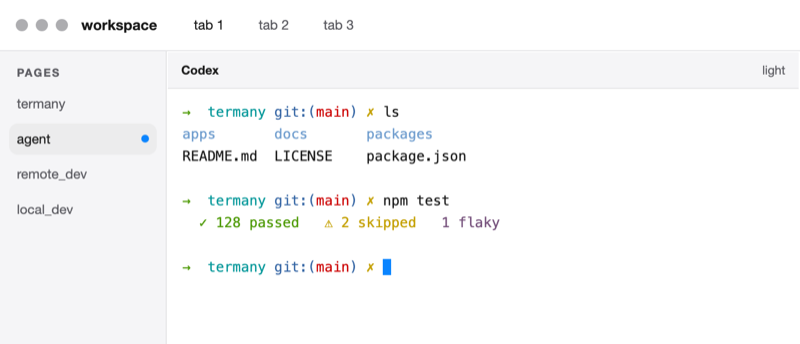 Codex Light · default | 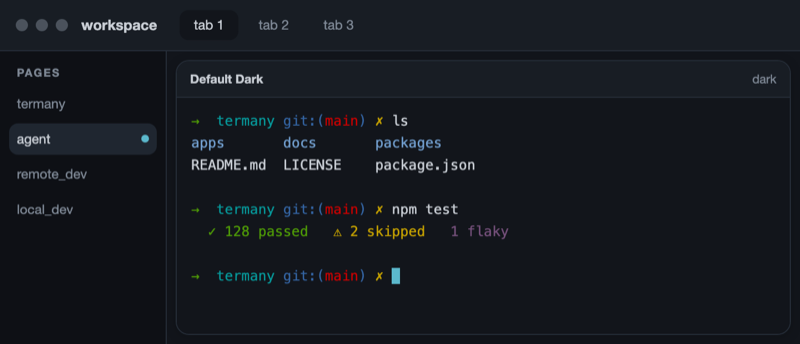 Default Dark Dark | 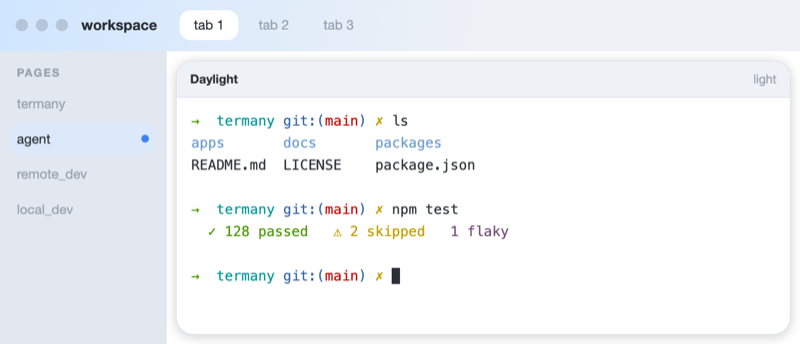 Daylight Light |
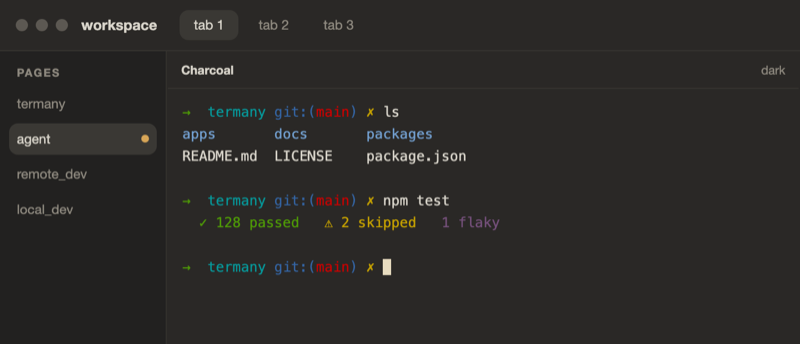 Charcoal Dark | 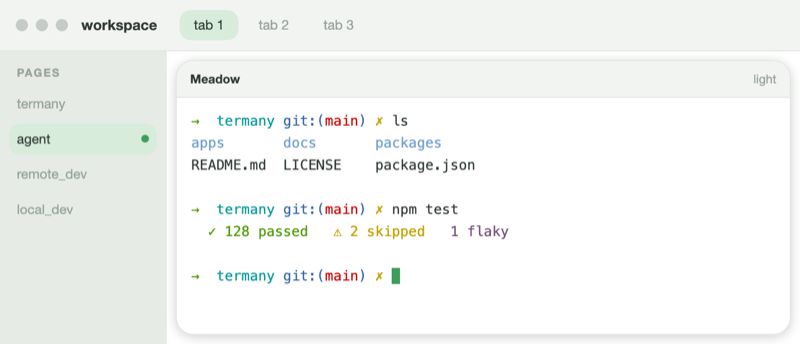 Meadow Light | 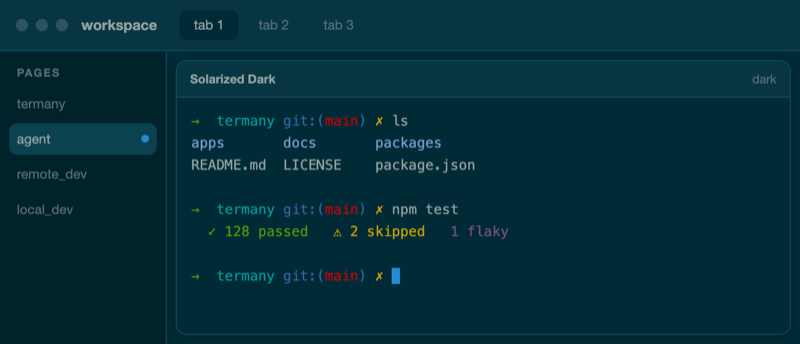 Solarized Dark Dark |
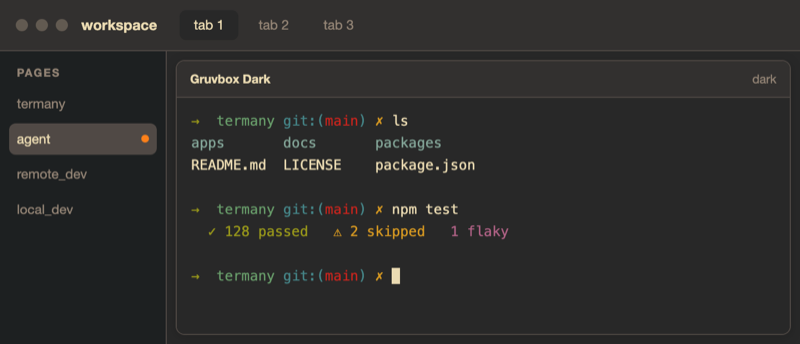 Gruvbox Dark Dark | 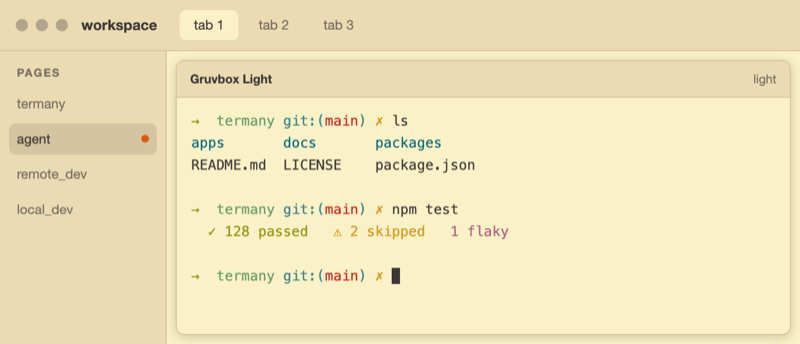 Gruvbox Light Light | 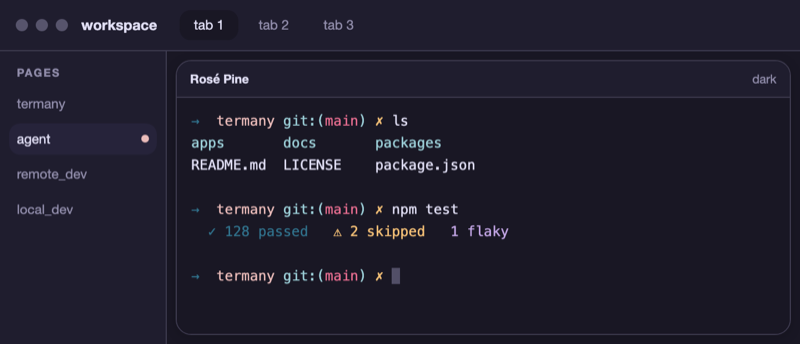 Rosé Pine Dark |
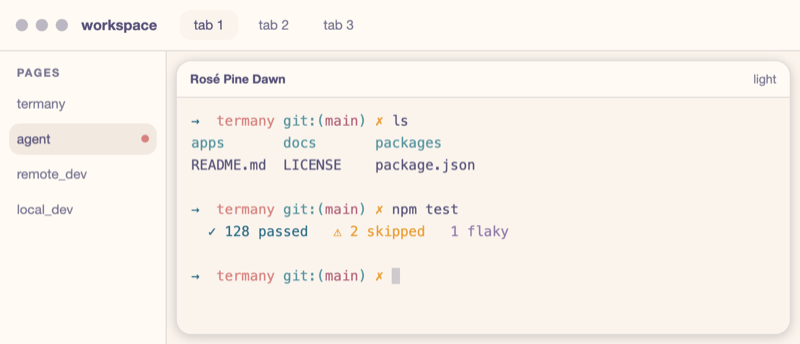 Rosé Pine Dawn Light | 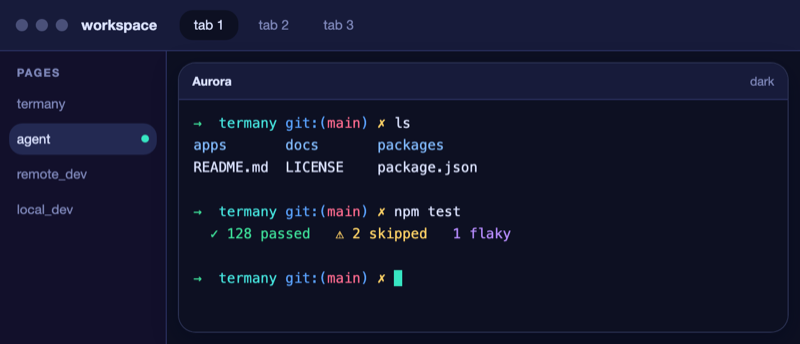 Aurora Dark | 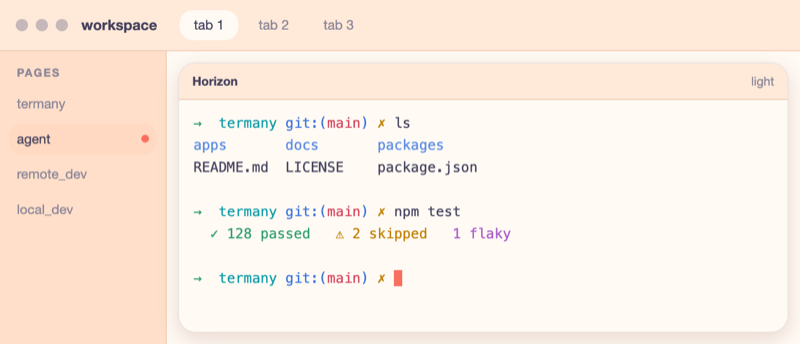 Horizon Light |
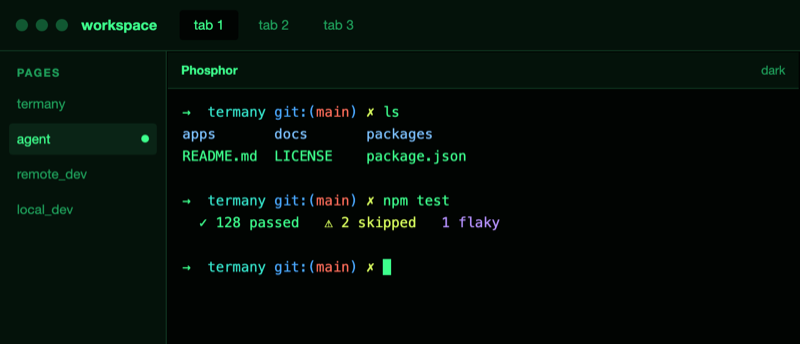 Phosphor Dark | 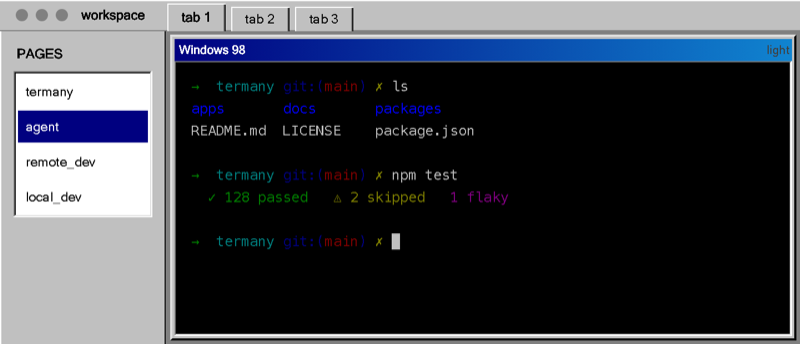 Windows 98 Light |
Any CodexThemes pack you install appears in Settings → Appearance with its artwork, and applies in one click, next to the fourteen above.
All ~60 actions are rebindable in Settings → Keyboard. The right-hand rail hides the tools you do not use. The interface ships in 21 languages.
Install
Download a build from termany.sh, or run it from source.
Run from source
npm install          # builds node-pty natively (needs Xcode CLT on macOS)
pnpm dev:web         # dev PTY server (:5175) + web (:15173) — open http://localhost:15173
pnpm dev:desktop     # the same, plus the badged Tauri Dev app
On macOS, the desktop scripts verify that the selected SDK and linker are compatible. If a
standalone Command Line Tools update is inconsistent with its SDK, Termany automatically uses
an installed Xcode toolchain for that run without changing the system-wide xcode-select setting.
The desktop client wraps apps/web in Tauri and ships the Node PTY/API
server alongside it (a bundled Node runtime and node-pty), so it runs offline with no
separate install.
Build installers
Installers are produced in CI (.github/workflows/), one job per OS:
- macOS (
build.yml) — signed and notarized.dmg, attached to a draft GitHub Release. Requires theAPPLE_*repository secrets. - Windows (
build-windows.yml) — NSIS.exe, uploaded as a build artifact. No secrets required (unsigned).
Both rely on scripts/bundle-server.mjs, which assembles the Node server for the
host platform before the Tauri build. To build the macOS DMG locally, see
scripts/release-mac.sh.
Configuration
Model providers are BYOK (bring your own key). Add them at runtime in the app; they are
stored locally in ~/.termany/termany.db. No keys live in this repository. Optional env vars:
| Variable | Default | Purpose |
|---|---|---|
TERMANY_PORT | 5174 release / 5175 dev | PTY/API server port |
TERMANY_PASTE_DIR | system temp | Where pasted images are written |
VITE_PTY_URL | ws://localhost:5174 release / :5175 dev | Web client → PTY WebSocket |
VITE_API_URL | follows VITE_PTY_URL | Web client → REST API |
Shortcuts
A starting set. All of them are rebindable in Settings → Keyboard.
| Key | Action |
|---|---|
| ⌘T | New tab |
| ⌘N | New page |
| ⇧⌘N | New workspace |
| ⌥⌘N | New window (desktop) |
| ⌘W | Close pane / tab |
| ⌘D / ⇧⌘D | Split right / down |
| ⌘M | Maximize / restore pane |
| ⌘E / ⇧⌘E | Cycle pane views / pane layout |
| ⌘P | Search pages, tabs & panes |
| ⌘F | Find in scrollback |
| ⌥⌘G | Git diff |
| ⇧⌘H | Agent session history |
| ⇧⌘U | Agent token usage |
| ⇧⌘M | Activity monitor |
| ⌥⌘ ← ↑ ↓ → | Move focus between panes |
| ⌃⌘ ← ↑ ↓ → | Resize the focused pane |
| ⌘B / ⇧⌘B | Toggle sidebar / right rail |
| ⌘K | Clear the pane |
The desktop app can also show and hide its window from any app with a system-wide hotkey. It ships off by default, because most usable chords are already taken (Spotlight, launchers, IMEs, media keys), so pick your own in Settings → Keyboard → System-wide.
How it's built
Local-first, cloud-ready. The same UI runs as a web app and as a desktop client today, and as a cloud service later, by swapping one thing: the backend.
┌──────────────────────────────────────────────┐
│  apps/web   React + xterm.js                   │  ← shared UI
│   Workspace ▸ Page ▸ Tab ▸ Pane                │
├──────────────────────────────────────────────┤
│  packages/core   ITerminalBackend              │  ← the ONE seam
│    WebSocketBackend   (web / cloud)            │
│    LocalPtyBackend    (desktop, TODO)          │
├──────────────────────────────────────────────┤
│  apps/server   node-pty over WebSocket         │  ← local now; container-per-session later
└──────────────────────────────────────────────┘
Everything above ITerminalBackend is shared across web, desktop, and cloud. To target a
new environment you write one more backend. The UI does not change.
Roadmap (next)
- Session reconnect: survive a page reload (server-side PTY persistence).
LocalPtyBackend: an in-process pty backend for desktop. Today the desktop app talks to the bundled server over a local WebSocket.- Cloud: move
apps/serverbehind auth and a container-per-session sandbox.
Contributing
See CONTRIBUTING.md for dev setup and PR guidelines, and SECURITY.md to report a vulnerability.
Contributors
Thanks to everyone who has contributed to Termany:
License
AGPL-3.0 © 2026 ThinkAny, LLC. Network use is distribution: if you run a modified version as a service, you must offer users its source. For commercial licensing outside the AGPL, contact support@thinkany.ai.
termany.sh is built with ShipAny.