LLM Hub 🤖
LLM Hub is an open-source mobile app for on-device LLM chat, image generation, and video generation, available for both Android and iOS. It's optimized for mobile usage (CPU/GPU/NPU acceleration) and supports multiple model formats so you can run powerful models locally and privately.
Download

|

|
💻 Desktop Versions Coming: Windows and macOS native apps are planned, bringing desktop-class experiences with advanced cursor integration and Claude Code–like capabilities.
📸 Demo & Screenshots
| Vibe Coder Demo on iOS | Image Generation on Android |
|---|---|
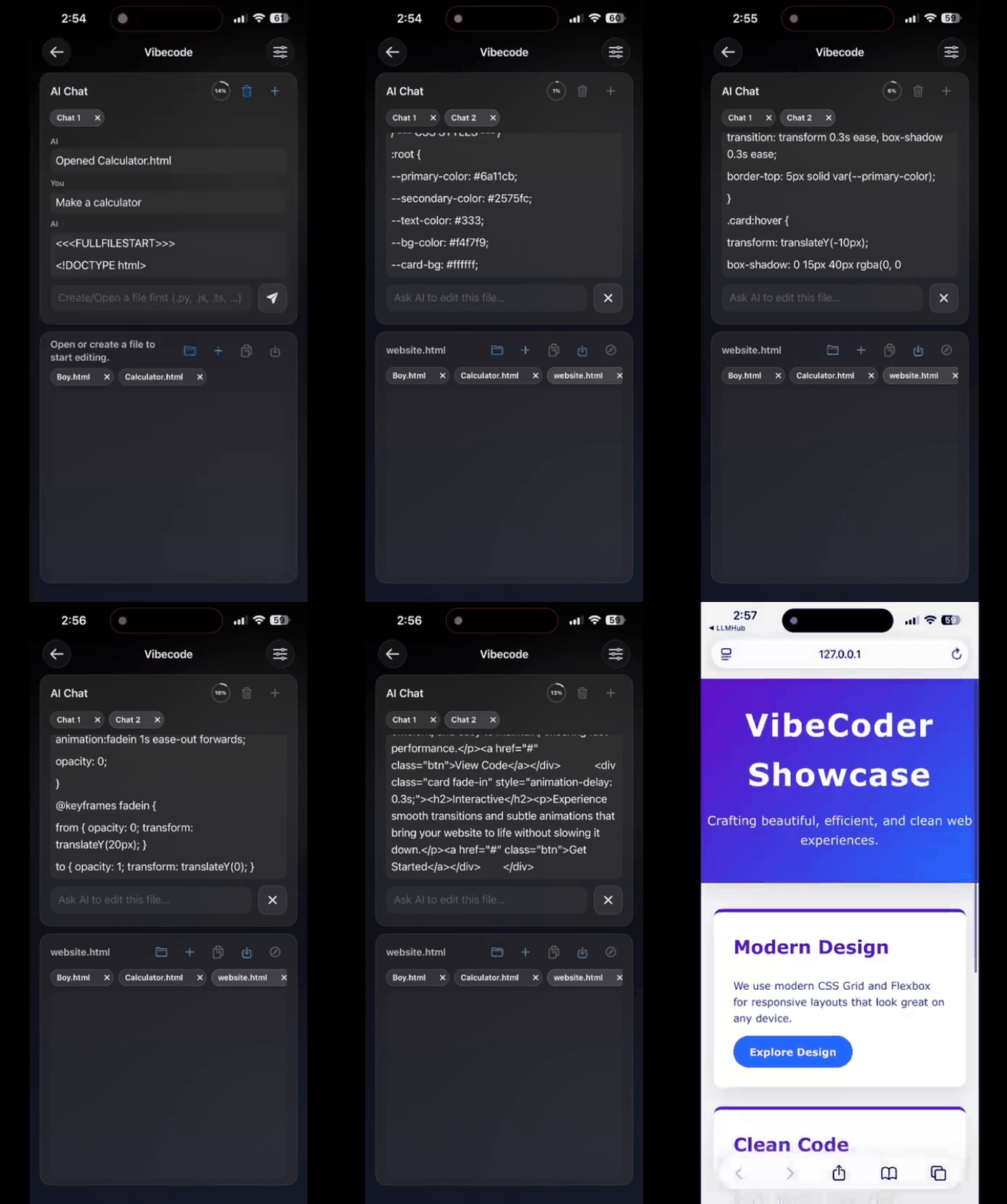 | 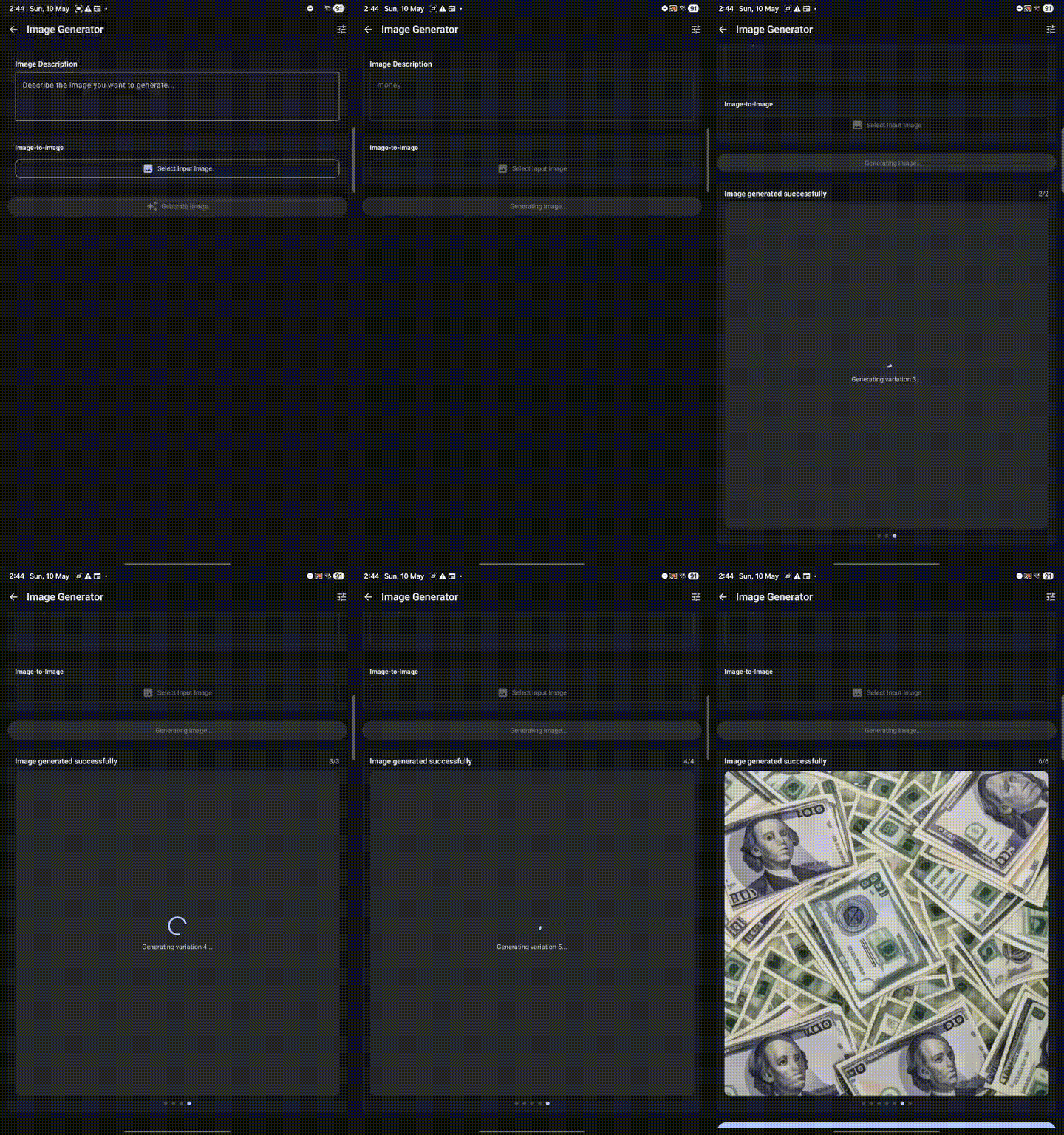 |
| Vibe Coder using Gemma 4 model on iPhone (HTML preview) | Stable Diffusion image generation on Android |
🚀 Features
🛠️ AI Tools Suite
| Tool | Description |
|---|---|
| 💬 Chat | Multi-turn conversations with RAG memory, web search, TTS auto-readout, and multimodal input |
| 🤖 creAItor | [NEW] Design custom AI personas with specialized system prompts (PCTF) in seconds |
| 💻 Vibe Coder | [NEW] Explain your app idea and watch it be built in real-time with live HTML/JS preview |
| ✍️ Writing Aid | Summarize, expand, rewrite, improve grammar, or generate code from descriptions |
| 🎨 Image Generator | Create images from text prompts using Stable Diffusion 1.5 with swipeable gallery |
| 🔍 Image Upscale | [NEW] Upscale images up to 4× using AI super-resolution models (RealESRGAN, UltraSharp) with NPU acceleration |
| 🎥 Video Generator | [NEW] Generate videos from text prompts or images using Stable Video Diffusion on iOS |
| 🌍 Translator | Translate text, images (OCR), and audio across 50+ languages - offline |
| 🎙️ Transcriber | Convert speech to text with on-device processing using Whisper models |
| 🛡️ Scam Detector | Analyze messages and images for phishing with risk assessment |
| 🗣️ VibeVoice | [NEW] Hands-free AI voice chat |
🎙️ Supported ASR Models (Android)
The offline Transcriber feature on Android supports on-device Whisper models for high-accuracy local speech-to-text.
Android also includes Kokoro TTS models for local text-to-speech.
🔐 Privacy First
- 100% on-device processing - no internet required for inference
- Zero data collection - conversations never leave your device
- No accounts, no tracking - completely private
- Open-source - fully transparent
⚡ Advanced Capabilities
- GPU/NPU acceleration for fast performance
- Text-to-Speech with auto-readout
- RAG with global memory for enhanced responses
- Import custom models (.task, .litertlm, qnn,.mnn, .gguf)
- Direct downloads from HuggingFace
- 17 language interfaces
🚧 Upcoming Features & Roadmap
Desktop Expansion (Windows & macOS)
- Advanced Vibe Coder — Enhanced code generation with desktop IDE integration, cursor control, and Claude Code–like experiences
- OpenClaw-like Agent — Autonomous tool-using agent framework for complex multi-step tasks
- Advanced Media Generation — Professional-grade image/video synthesis with ComfyUI/Draw Things feature parity and extended controls
Quick Start
- Download from Google Play or the App Store, or build from source
- Open Settings → Download Models → Download or Import a model
- Select a model and start chatting or generating images
Technology
- Android: Kotlin + Jetpack Compose (Material 3), GenieX SDK (for LLM and VLM inference), WhisperKit (for ASR)
- iOS: Swift + SwiftUI, Run Anywhere SDK, Draw Things (MediaGenerationKit), Apple Foundation Model, whisper.cpp for on-device ASR
- LLM & ASR Runtime: MediaPipe, LiteRT, GenieX SDK (GGUF on Android), WhisperKit (ASR with TFLite + QNN NPU on Android), Llama.cpp (via Run Anywhere SDK on iOS), whisper.cpp on iOS for transcription
- Image & Video Gen: Draw Things (MediaGenerationKit) (iOS), Qualcomm QNN (Android)
Acknowledgments
- GenieX SDK — GGUF model inference support (credit shown in-app About) ⚡
- WhisperKit — On-device ASR with TFLite + NPU acceleration
- whisper.cpp — On-device ASR/transcription support on iOS
- Run Anywhere SDK — iOS model runtime and LLM execution framework 🚀
- Draw Things — iOS image and video generation engine (MediaGenerationKit) 🎨
- Google, OpenAI, Meta, Microsoft, IBM, LiquidAI, Mistral, Primsm ML, HuggingFace — model and tooling contributions
Development Setup
Android local development (Android Studio + Gradle)
git clone https://github.com/timmyy123/LLM-Hub.git
cd LLM-Hub/android
./gradlew assembleDebug
./gradlew installDebug
Android-only local configuration
Setting up Hugging Face Token for Development
To use private or gated models, add your HuggingFace token to android/local.properties (do NOT commit this file):
HF_TOKEN=hf_xxxxxxxxxxxxxxxxxxxxxxxxxxxxxxxxxxSave and sync Gradle in Android Studio; the app will read BuildConfig.HF_TOKEN at build time.
Dev Premium Flag
To skip ads and unlock all premium features locally without a real IAP purchase, add this to android/local.properties:
DEBUG_PREMIUM=trueSet it back to false before making a production build.
Model License Acceptance
Some models on HuggingFace (especially from Google and Meta) require explicit license acceptance before downloading. When building the app locally:
- Ensure you have a valid HuggingFace read token in
local.properties(see above) - For each model you want to download:
- Visit the model's HuggingFace page (e.g., https://huggingface.co/google/gemma-3n-E2B-it-litert-lm)
- Click the "Access repository" or license acceptance button
- Grant consent to the model's license terms
- Try downloading the model in the app again
Note: This is only required for local development builds. The Play Store version uses different authentication and does not require manual license acceptance for each model.
iOS local development (macOS + Xcode)
Prerequisites
- macOS with Xcode installed (use a version that matches your iOS device version)
- An Apple ID signed into Xcode (free Personal Team works for local device testing)
- iPhone with Developer Mode enabled if you run on real hardware
Build and run on iPhone
- Clone the repo and open the iOS project:
git clone https://github.com/timmyy123/LLM-Hub.git
cd LLM-Hub
open ios/LLMHub/LLMHub.xcodeproj- In Xcode, select target LLMHub → Signing & Capabilities:
- Set your Team
- Set a unique Bundle Identifier (for example:
com.yourname.llmhub) - Keep Automatically manage signing enabled
- Select your iPhone as the run destination and press Run.
If you use Xcode beta
If your phone is on a newer iOS build and requires Xcode beta support, switch CLI tools:
sudo xcode-select -s /Applications/Xcode-beta.app/Contents/Developer
xcodebuild -version
iOS TTS voice troubleshooting
TTS falls back to a robotic default voice after changing Siri voices
iOS can get into a state where the system TTS voice cache doesn't update after a Siri voice change, causing the app to fall back to the old default voice. To fix:
- Go to Settings → Accessibility → Spoken Content → Voices
- Tap your language and select any voice (even a different one)
- Switch back to your preferred Siri voice or whichever voice you want
This forces iOS to refresh the voice selection and the app will use the correct voice immediately.
Useful iOS dev troubleshooting
- If signing fails, re-check Team + Bundle Identifier in target settings.
- If build cache acts stale, clean DerivedData:
rm -rf ~/Library/Developer/Xcode/DerivedData/LLMHub-*- Build logs: Report Navigator (
Cmd+9) - Runtime logs: Debug Console (
Cmd+Shift+Y)
Contributing
- Fork → branch → PR. See CONTRIBUTING.md (or open an issue/discussion if unsure).
License
- Source code is licensed under the PolyForm Noncommercial License 1.0.0.
- You are free to use, study, and build on this project for non-commercial purposes.
- Commercial use — including distributing the app, charging for it, or monetizing it with ads or IAP — is not permitted without explicit written permission from the author.
- Contact timmy@llm-hub.app for commercial licensing enquiries.
Support
- Email: timmy@llm-hub.app
- Issues & Discussions: GitHub
Notes
- This README is intentionally concise — consult
ModelData.ktfor exact model variants, sizes, and format details.