
Kaku
An AI-friendly Mac terminal with sensible defaults, ready out of the box.
English · 中文 · 繁體 · 日本語 · 한국어 · Deutsch · Français
Website · Docs · Compare · Download





Why
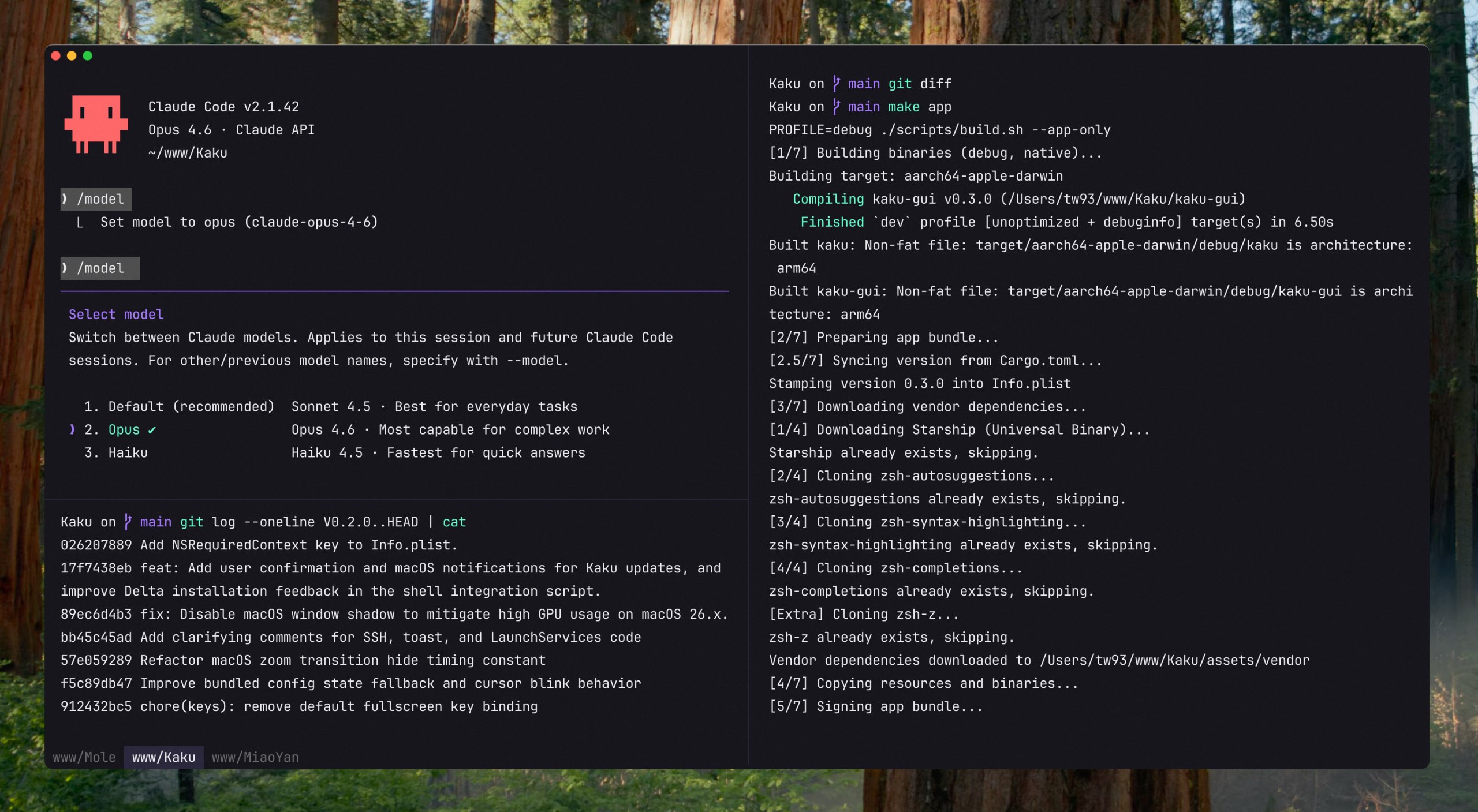
Kaku (書く, かく) means "to write" in Japanese. It is a macOS terminal based on WezTerm, with fonts, themes, shell integration, and Mac shortcuts already configured, while preserving full Lua customization.
As the coding foundation of the trilogy, Kaku works alongside Waza (技), built around engineering habits, and Kami (紙), built for shipping documents, so writing code, building habits, and shipping documents flow from one to the next.
Quick Start
Download the Kaku DMG, open it, and drag Kaku into Applications. Or install with Homebrew:
brew install --cask kakuOpen Kaku to set up shell integration, install missing optional tools with kaku init, and check your installed version with kaku --version.
Features
- Ready to use: JetBrains Mono, automatic dark and light themes, copy on select, and familiar Mac shortcuts
- Tabs and panes: Split your workspace, jump between tabs with Tab Navigator, and restore windows, panes, and working directories when you reopen Kaku
- Right-click menu: Paste, search, open AI chat, split or close the clicked pane, and open or close tabs without remembering shortcuts
- Clickable links:
Cmd + Clickopens URLs and file paths, and URLs automatically wrapped by the terminal keep their full address - AI-friendly: Use your coding tools alongside an optional assistant for command suggestions and chat
- Shell tools: Built-in zsh completion, syntax highlighting, and directory jumping, with shortcuts for optional Lazygit and Yazi installations
- Lua configuration: Customize fonts, themes, shortcuts, and terminal behavior using WezTerm's Lua configuration system
Usage Guide
| Action | Shortcut |
|---|---|
| New Tab | Cmd + T |
| New Window | Cmd + N |
| Close Tab/Pane | Cmd + W |
| Navigate Tabs | Cmd + Shift + [ / ] or Cmd + 1-9 |
| Navigate Panes | Cmd + Opt + Arrows |
| Split Pane Vertical | Cmd + D |
| Split Pane Horizontal | Cmd + Shift + D |
| Open Settings Panel | Cmd + , |
| AI Panel | Cmd + Shift + A |
| AI Chat | Cmd + L |
| Apply AI Suggestion | Cmd + Shift + E |
| Open Lazygit | Cmd + Shift + G |
| Yazi File Manager | Cmd + Shift + Y or y |
| Clear Screen | Cmd + K |
Kaku AI
Configure your own AI service with kaku ai to use the built-in assistant. Kaku does not provide or relay the AI service.
- Command suggestions: When a command fails, the configured assistant can suggest a fix, and
Cmd + Shift + Epastes it at the prompt for review - Natural language to command: Type
# <description>at the prompt and press Enter, and the assistant places the generated command at the prompt for you to review and run - Chat: Press
Cmd + Lto discuss terminal output or work with project files and tools, or runkaku chatfrom another shell to access the same conversation store - AI Tools Config: Manage settings for Claude Code, Codex, Gemini CLI, Copilot CLI, Kimi Code, and more
For authentication, models, API Mode, and tool settings, see the AI assistant docs.
FAQ
- Is there a Windows or Linux version? Not currently, Kaku is macOS-only
- How is Kaku different from iTerm2, Warp, Ghostty, or WezTerm? See kaku.fun/compare
- Can I use transparent windows? Yes, set
config.window_background_opacityin~/.config/kaku/kaku.lua - The
kakucommand is missing. Run/Applications/Kaku.app/Contents/MacOS/kaku init --update-only && exec zsh -l, thenkaku doctor
Docs
- Keybindings - full shortcut reference
- Features - AI assistant, lazygit, yazi, remote files, shell suite
- Configuration - themes, fonts, custom keybindings, Lua API
- CLI Reference -
kaku ai,kaku config,kaku doctor, and more - FAQ - common questions and troubleshooting
Background
I heavily rely on the CLI for both work and personal projects. Tools I've built, like Mole and Pake, reflect this.
I used Alacritty for years and learned to value speed and simplicity. As my workflow shifted toward AI-assisted coding, I wanted stronger tab and pane ergonomics. I also explored Kitty, Ghostty, Warp, and iTerm2. Each is strong in different areas, but I still wanted a setup that matched my own balance of performance, defaults, and control.
WezTerm is robust and highly hackable, and I am grateful for its engine and ecosystem. So I built Kaku to be that environment: fast, polished, and ready to work.
Contributors
Big thanks to all contributors who helped build Kaku. Go follow them! ❤️

Support
- The most direct way to support me is getting Mole for Mac, my paid Mac cleanup app
- If Kaku helped you, give it a star, share it, or open an issue or PR
- I have two cats, TangYuan and Coke, and if Kaku has been helpful to you, feel free to treat them to canned food 🥩
These lovely people already did 🐱

License
MIT License. Please feel free to use and contribute to the development. Attribution for WezTerm and the bundled fonts is in NOTICE.md.