JadeAI
AI-Powered Smart Resume Builder
Build professional resumes with drag-and-drop editing, real-time AI optimization, 50 templates, and multi-format export.



Community
Join our groups for discussion and support:

Recent Updates
v0.3.4 · Brand Color System & Theme Switching
- Introduced semantic
--brand-*CSS tokens; replaced hardcodedpink-*across 60+ files - New brand switcher in the user menu with three presets: Mint (default), Blue, Pink
- SSR-safe anti-flicker hydration; legacy values auto-migrated via
localStorage - Added a Mint resume preset to the theme editor
- Export pipelines (PDF / HTML / DOCX) now read from
src/lib/brand-constants.ts
v0.3.3 · Mobile Experience & Interview Report Stability
- Mobile-friendly template preview and bottom action bars for preview/share pages
- Fixed mobile scroll: canvas/preview roots use
h-fullinstead offlex-1 - Improved stability of interview report generation
v0.3.2 · Runtime Environment Variables
- Removed all
NEXT_PUBLIC_*build-time variables in favor of runtime env
v0.3.1 · Auth Runtime Flag
- Changed
NEXT_PUBLIC_AUTH_ENABLEDto runtimeAUTH_ENABLED
Screenshots
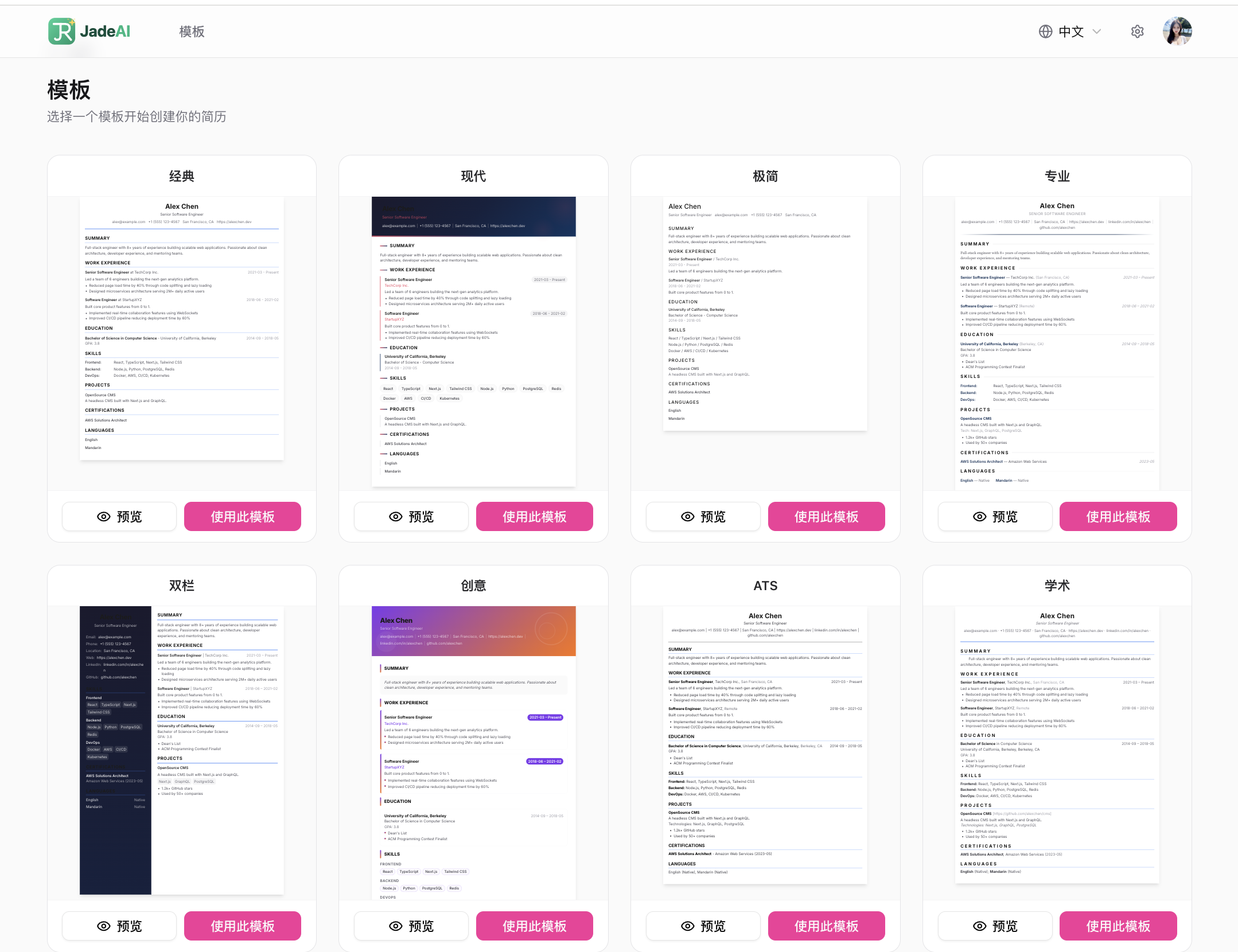
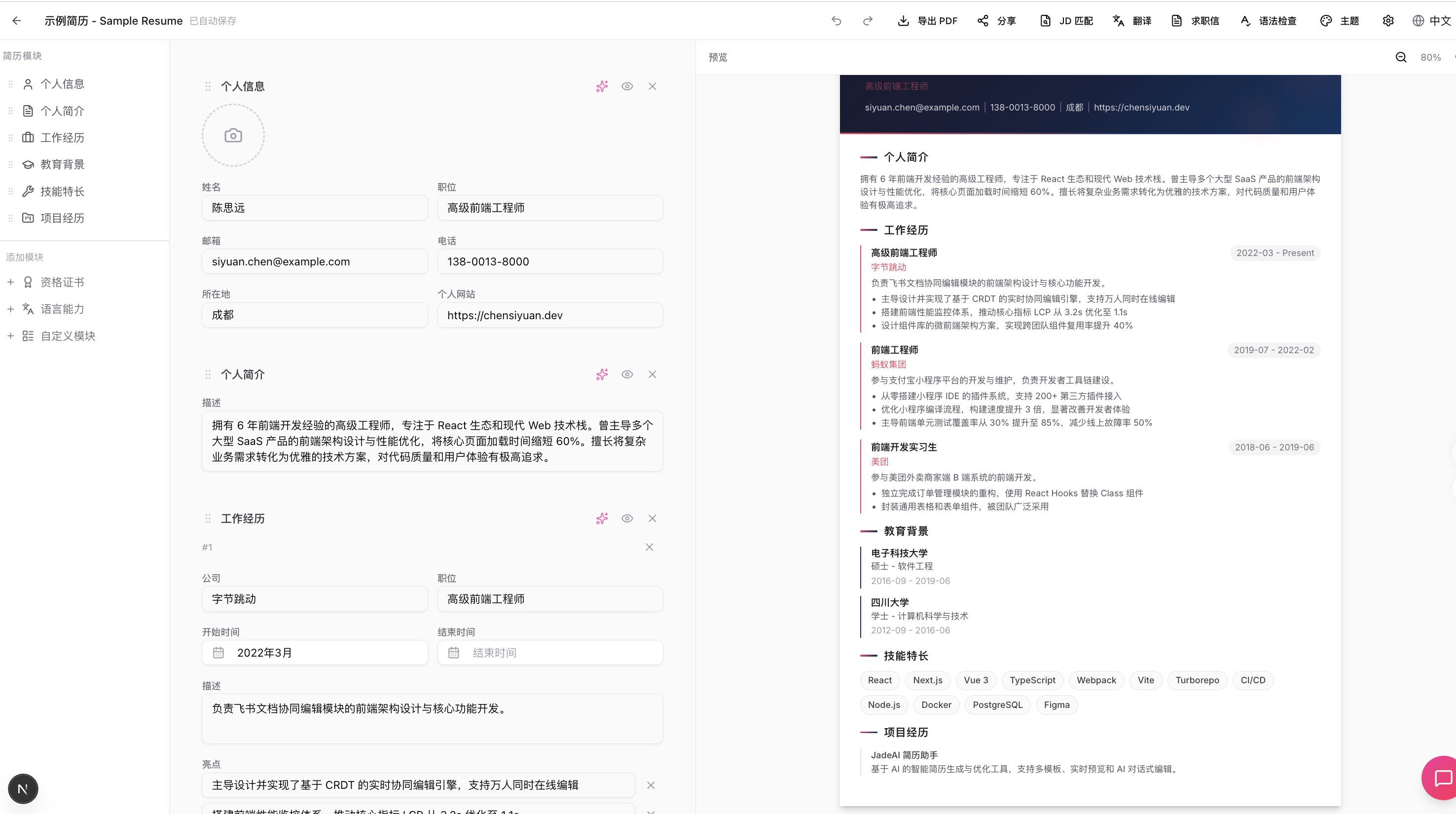
| Template Gallery | Resume Editor |
|---|---|
 |  |
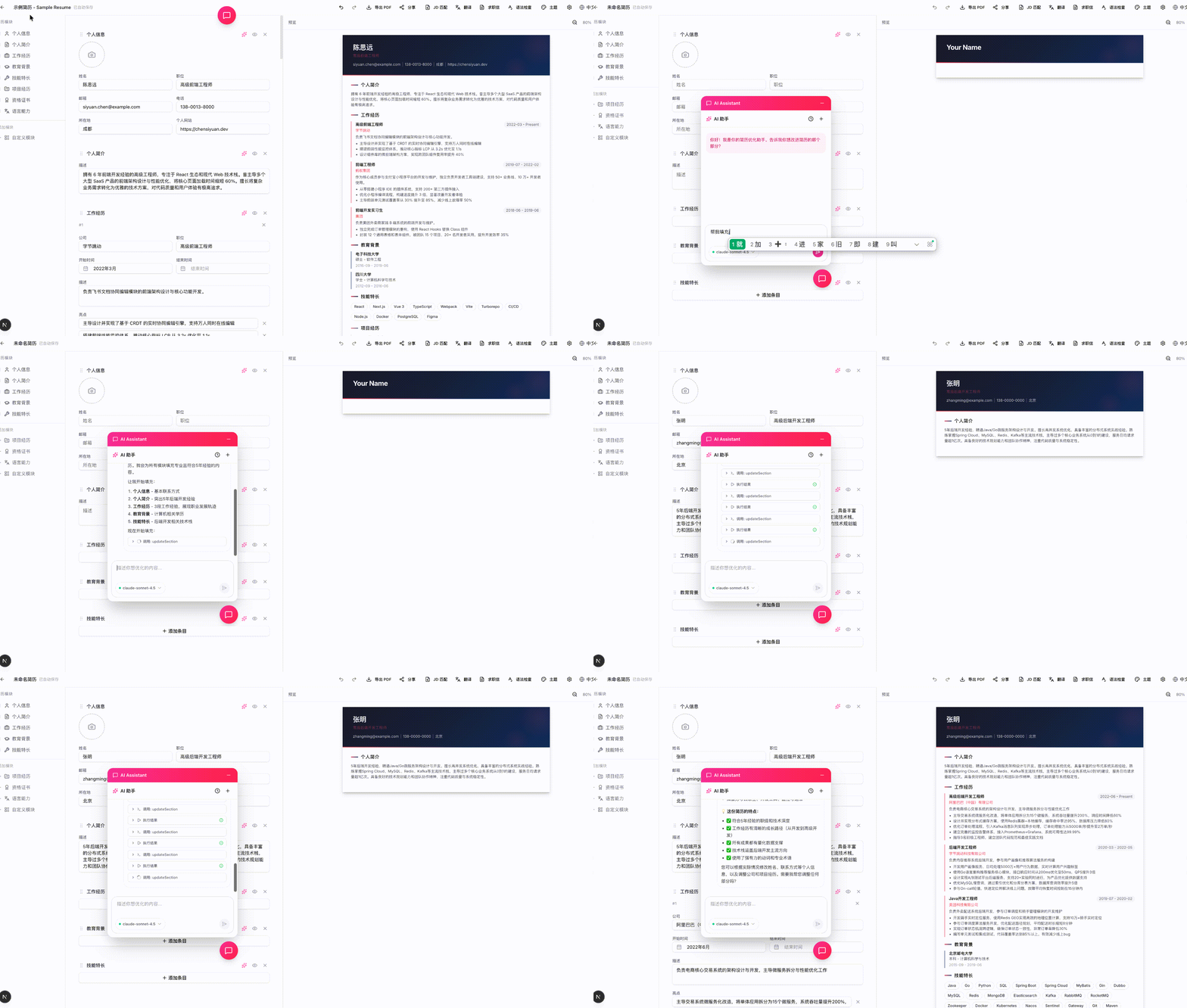
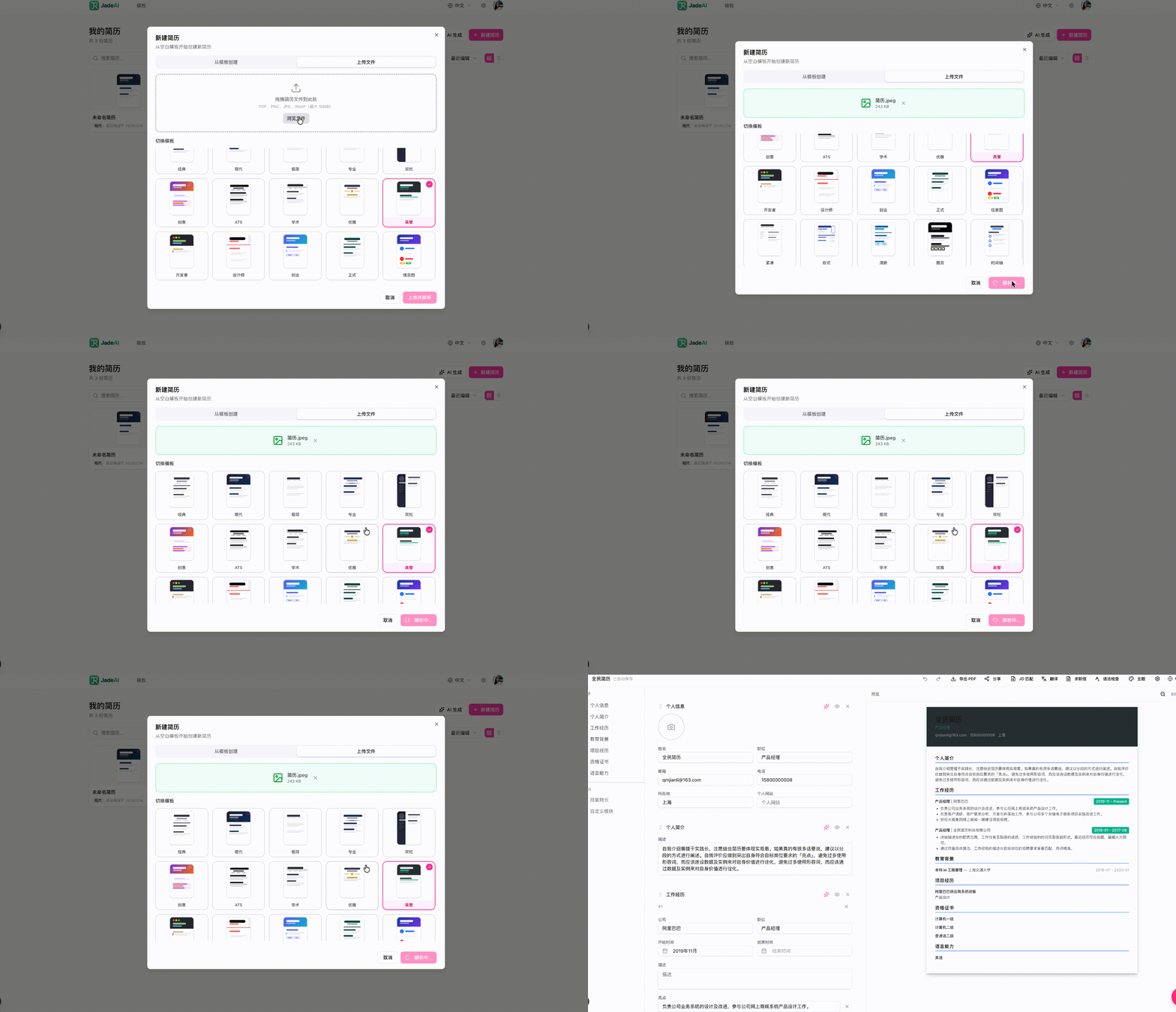
| AI Resume Generation | AI Resume Parsing (Image) |
|---|---|
 |  |
| AI Optimization | Grammar Check |
|---|---|
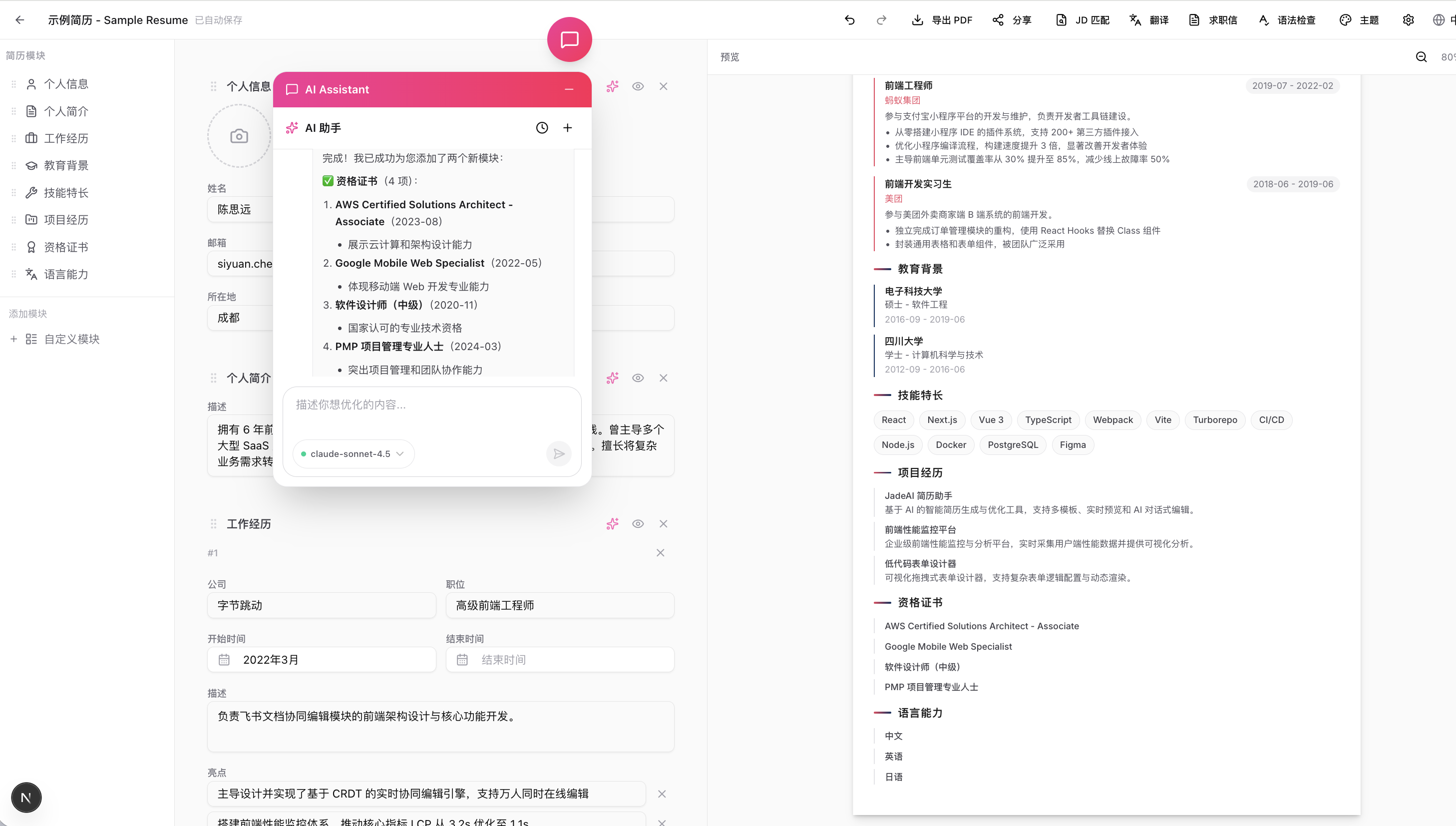 | 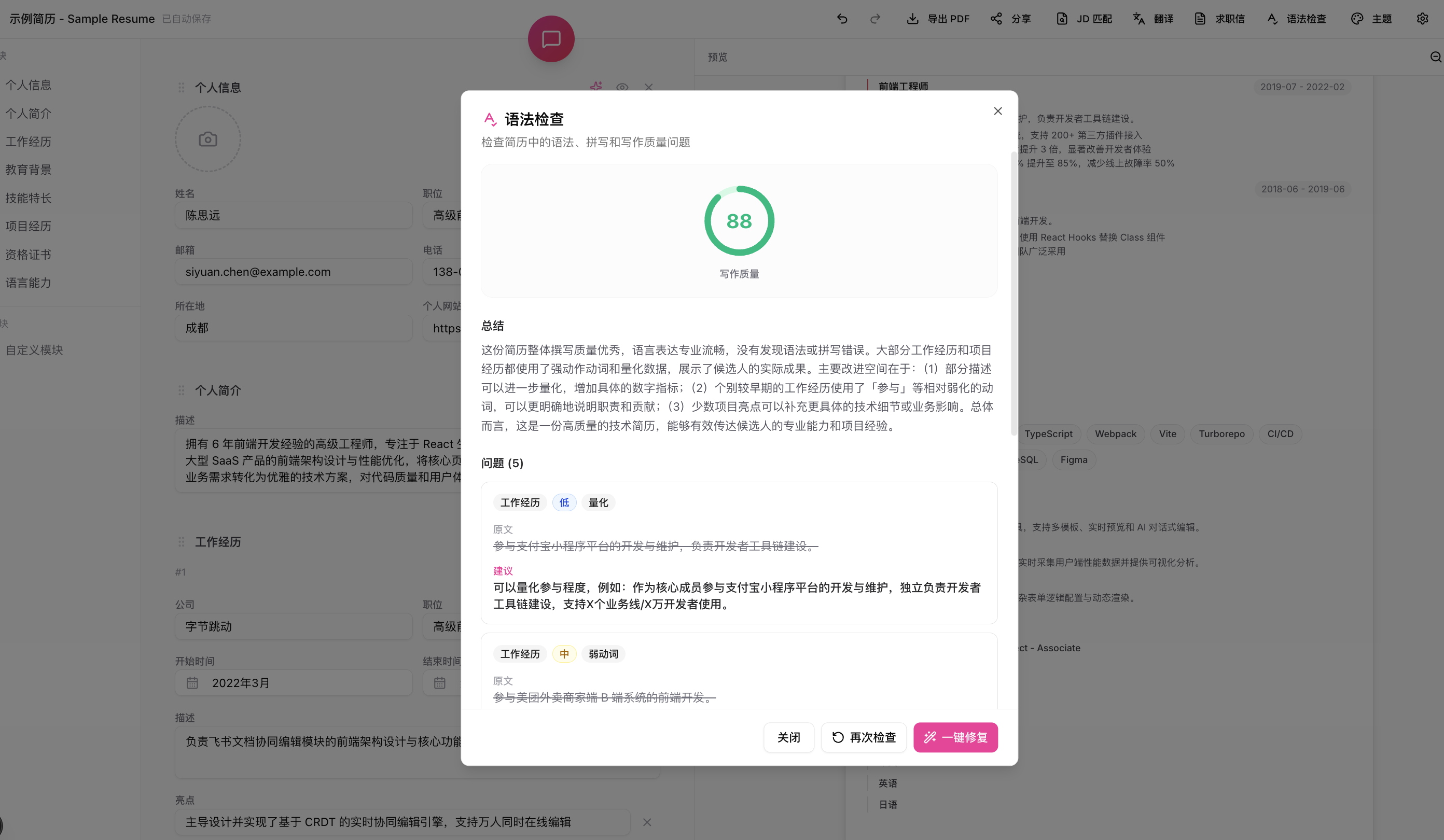 |
| Grammar Auto-Fix | JD Match Analysis |
|---|---|
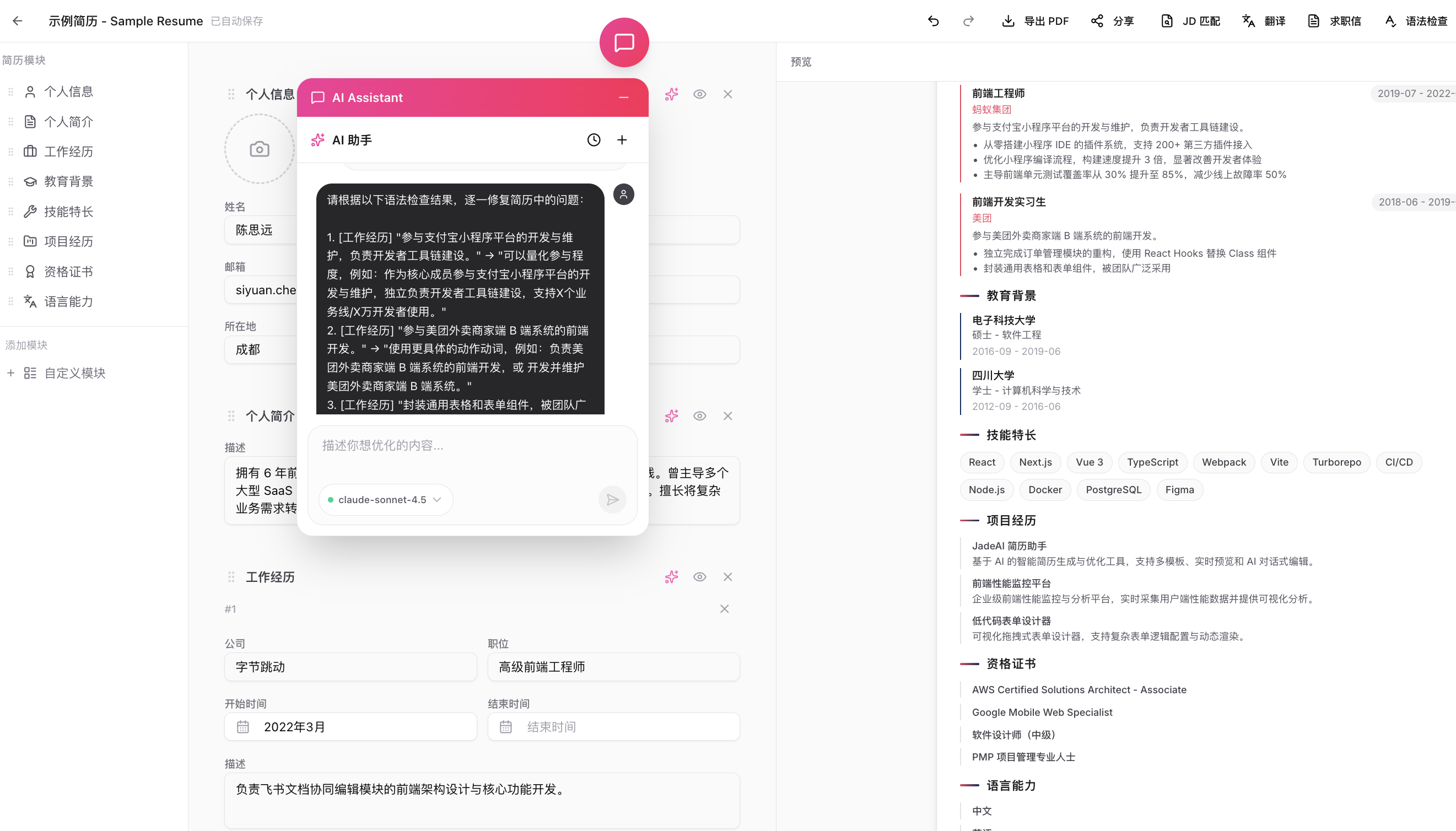 | 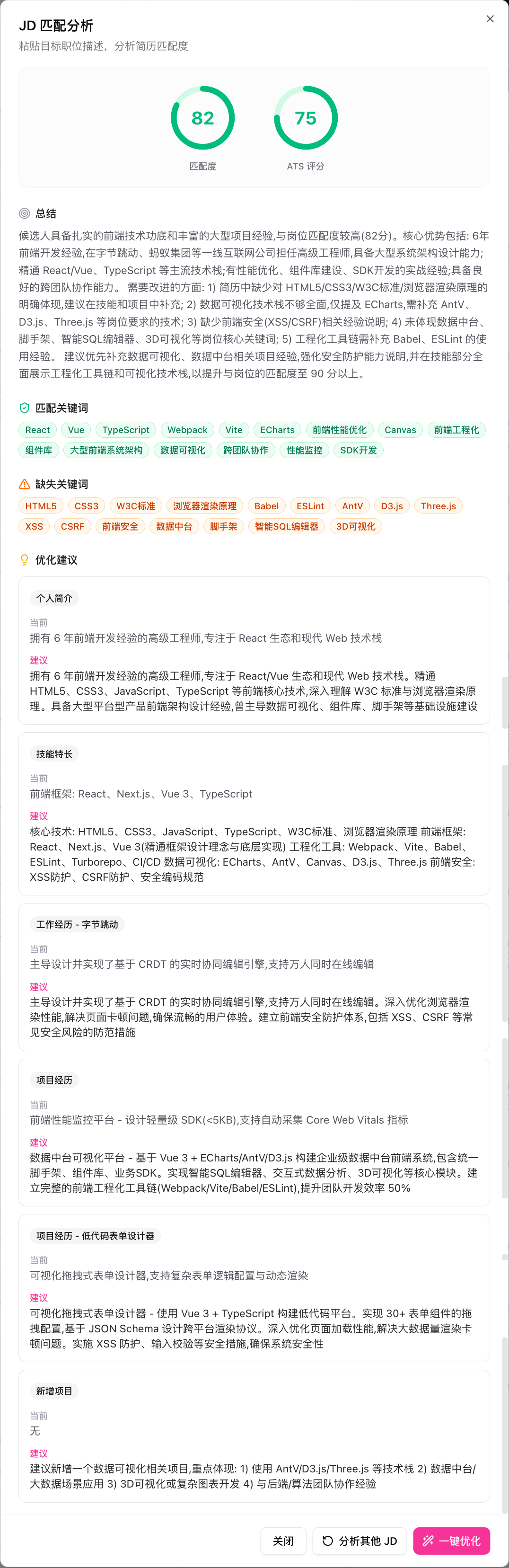 |
| Multi-Format Export | Share Link |
|---|---|
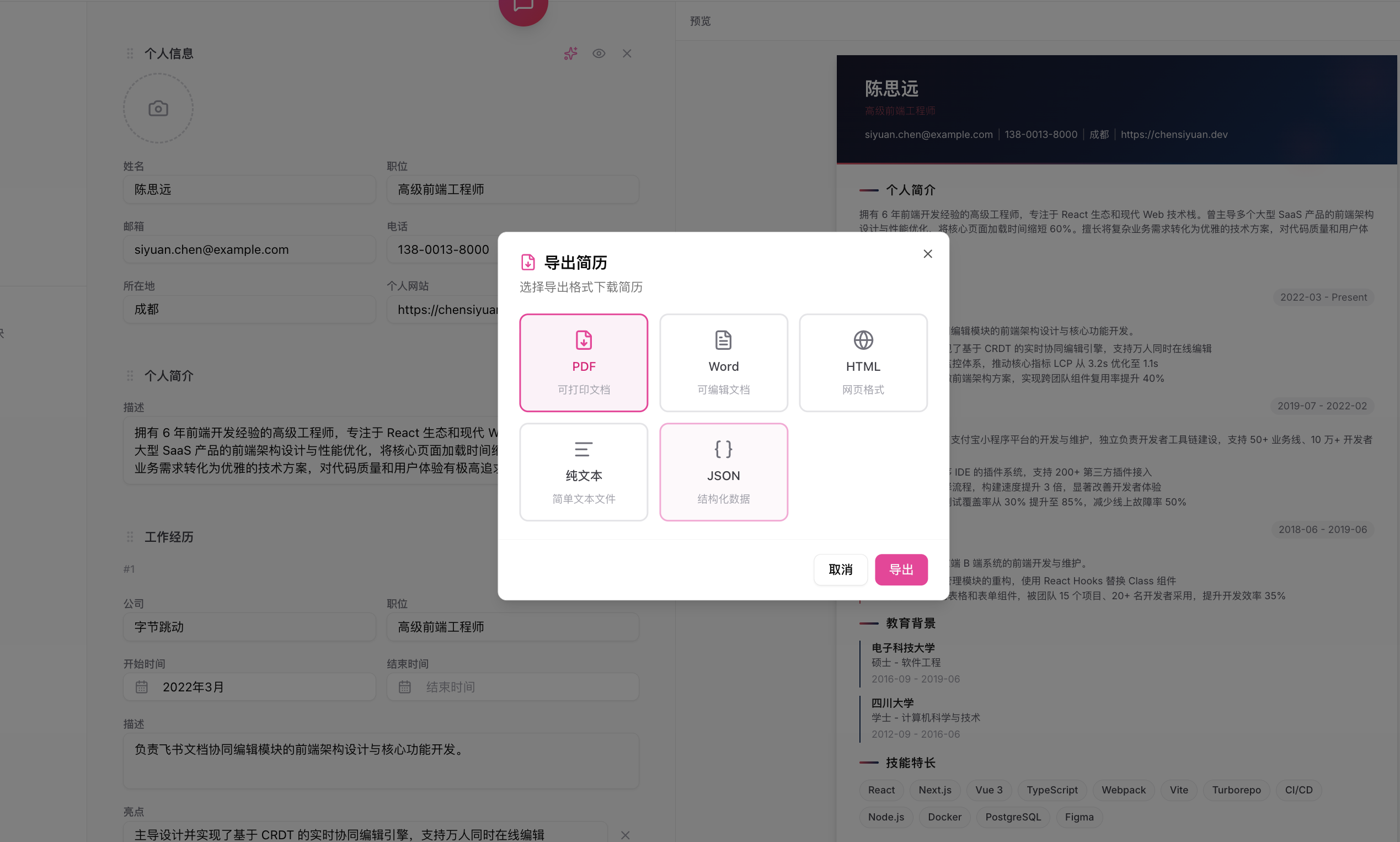 | 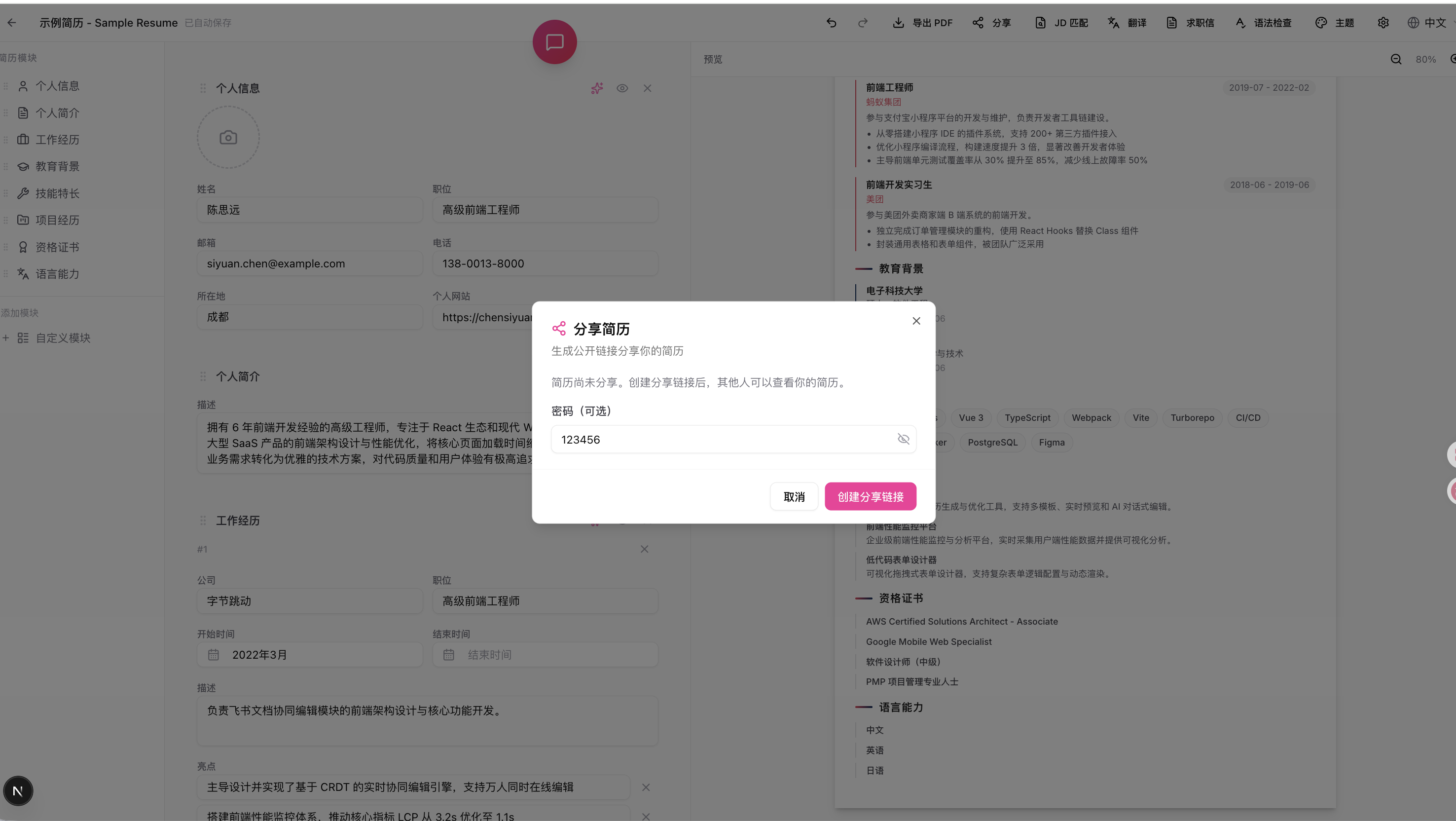 |
| Shared Resume Page | AI Professional Photo |
|---|---|
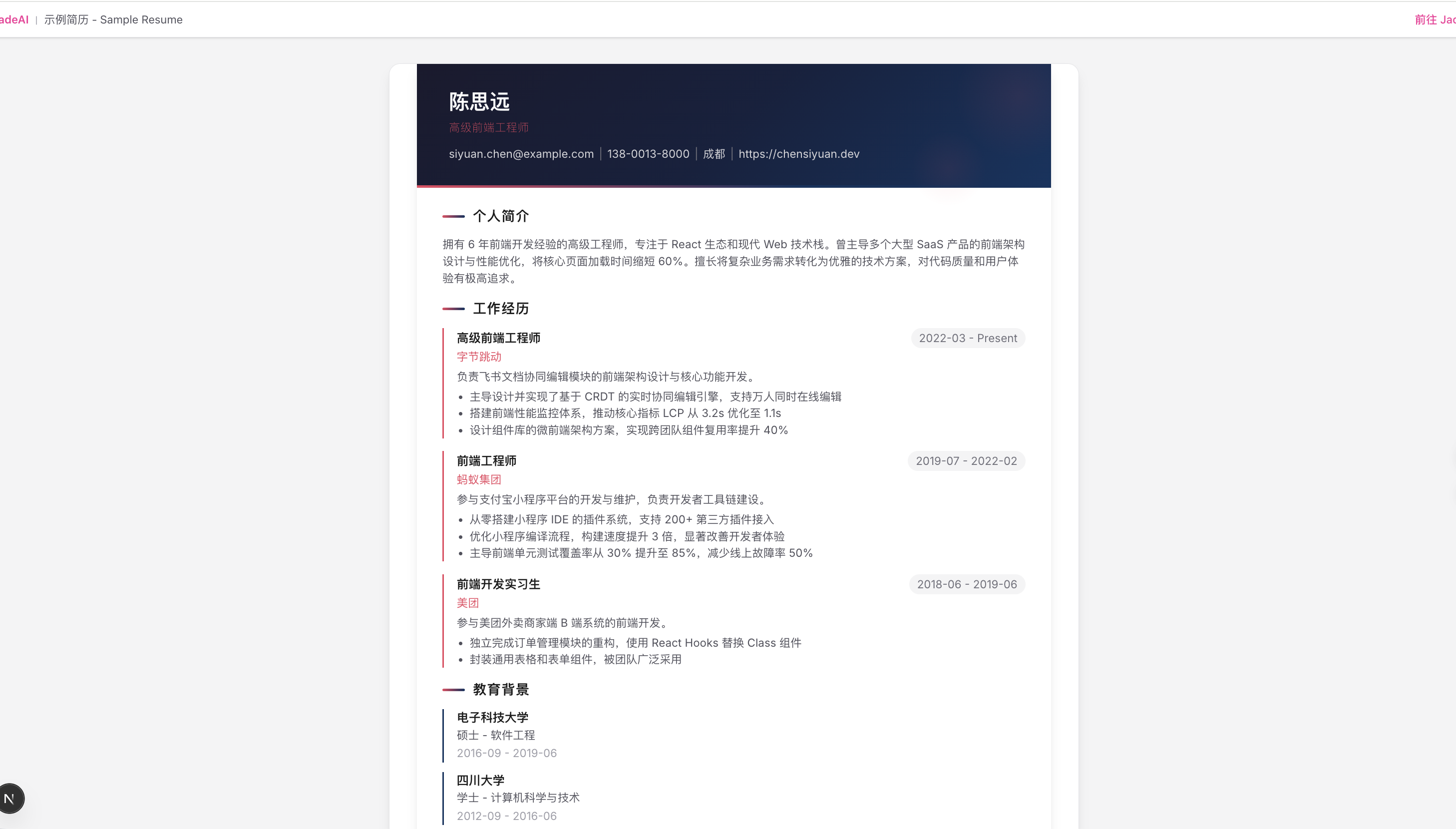 | 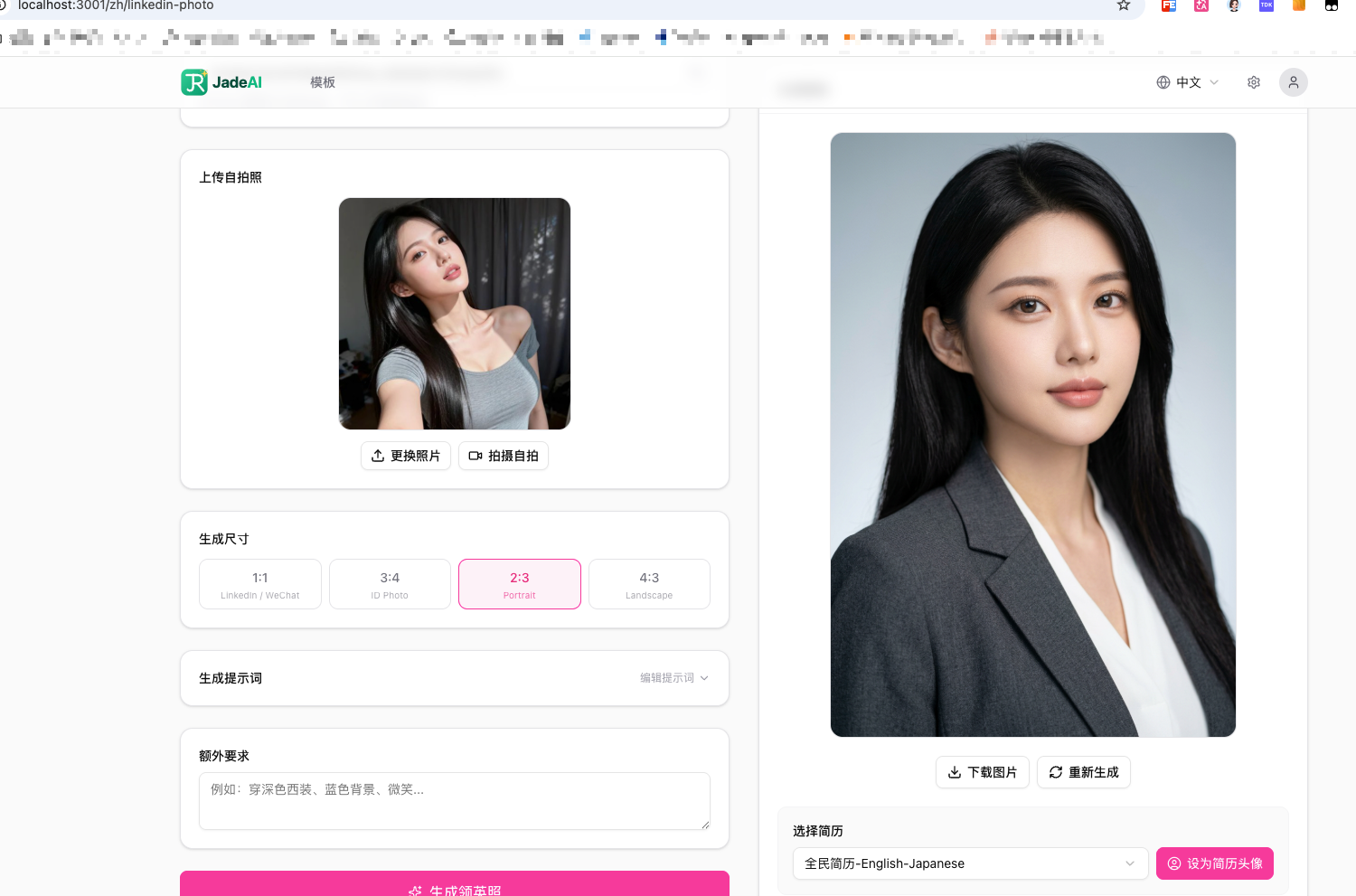 |
| QR Code Section |
|---|
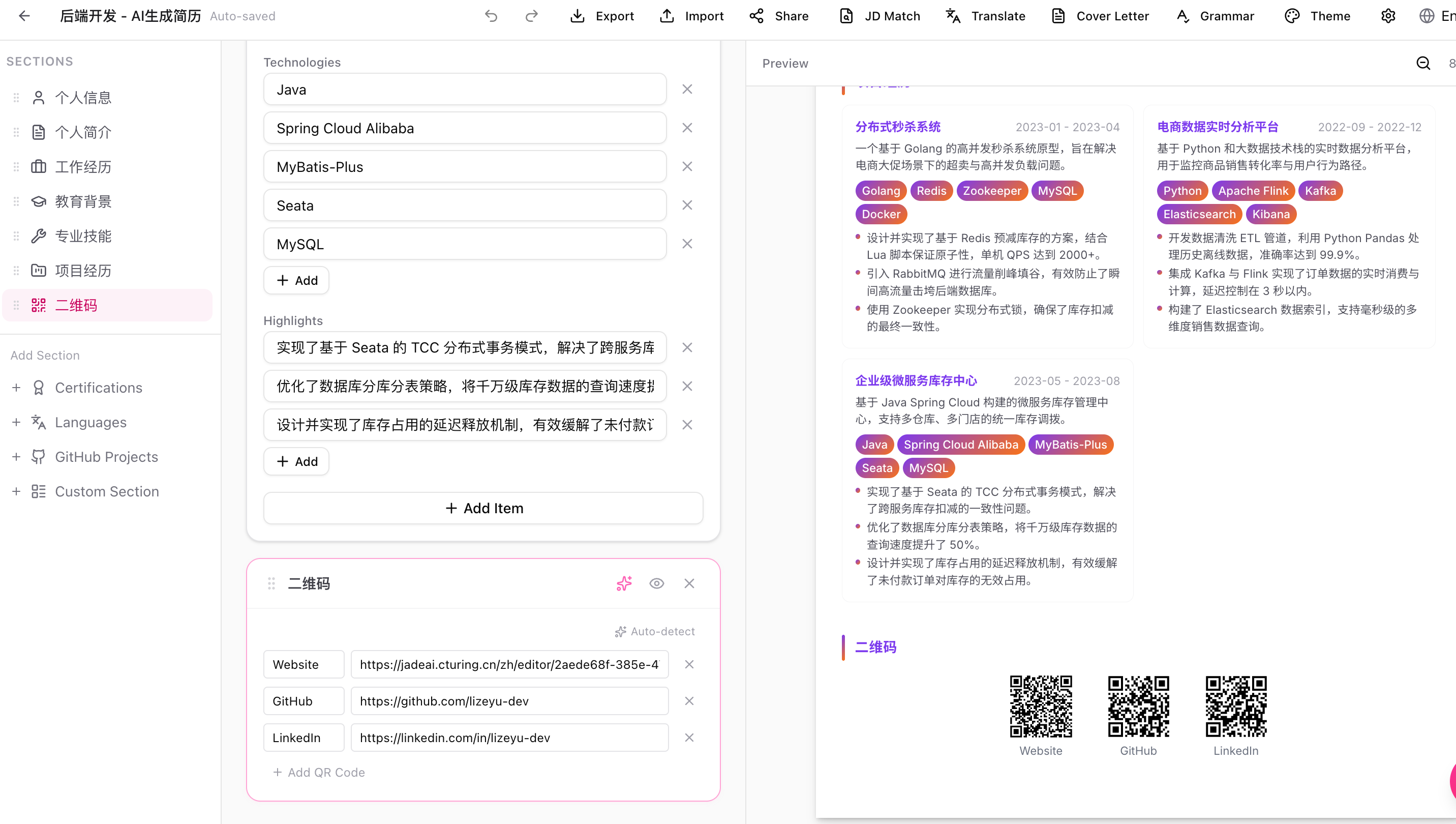 |
| Interview Setup | Mock Interview |
|---|---|
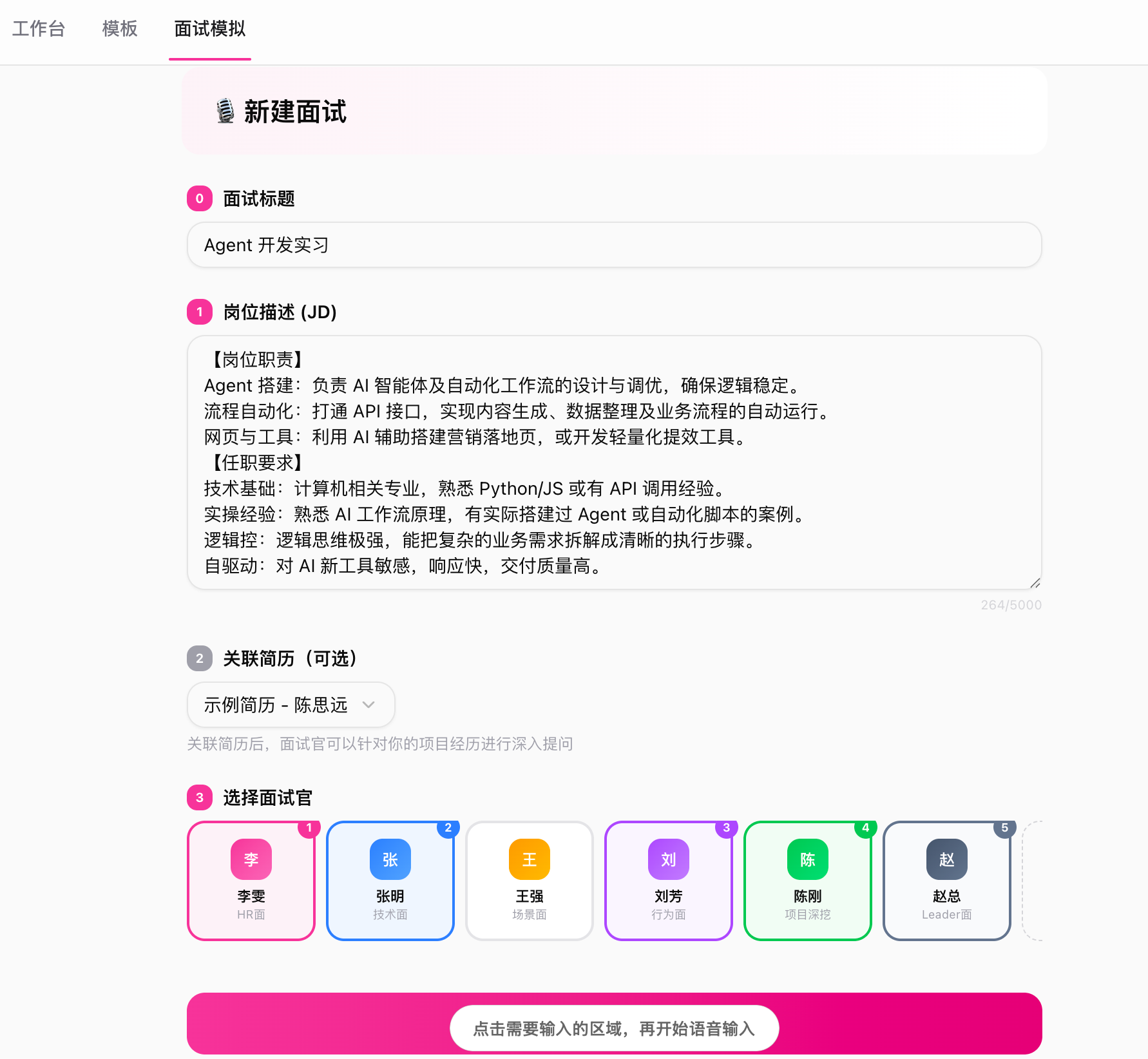 | 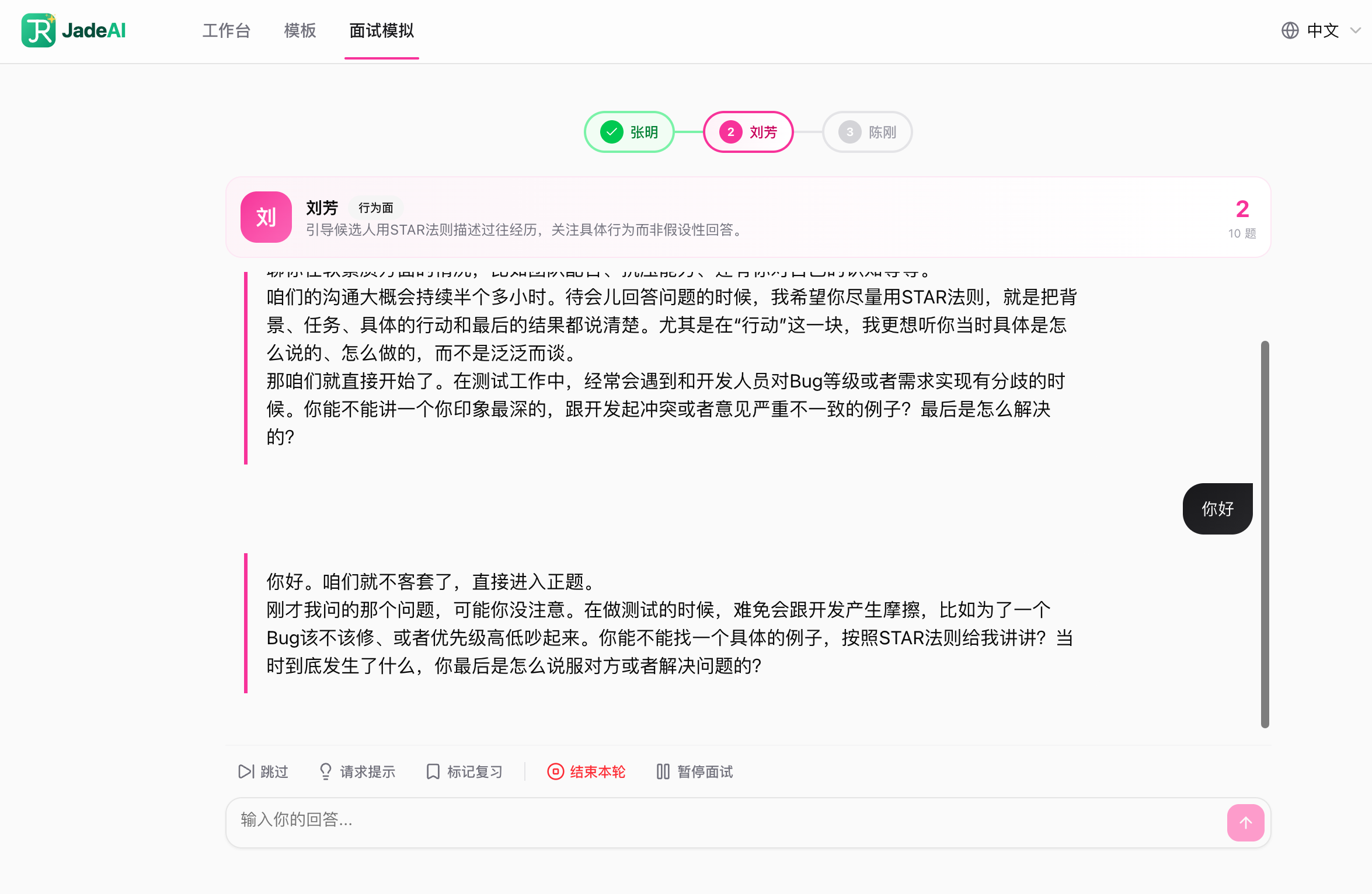 |
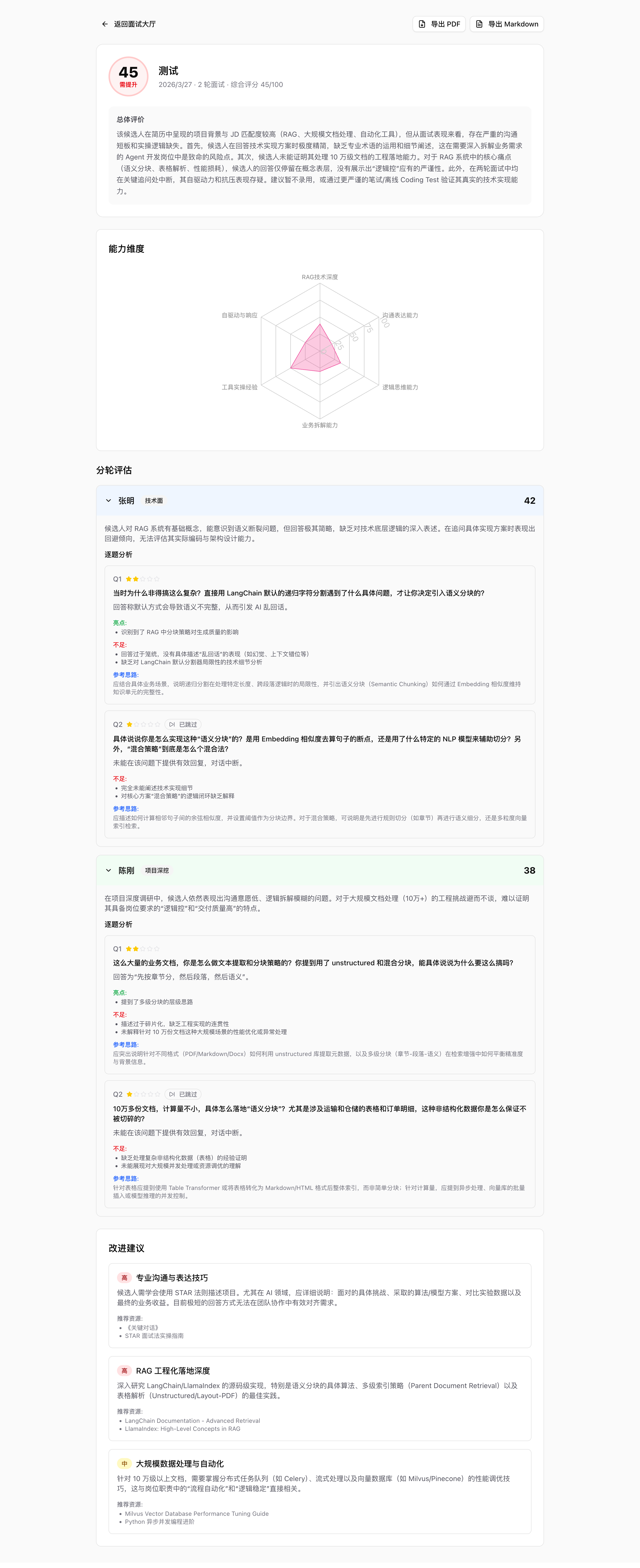
| Interview List | Interview Report |
|---|---|
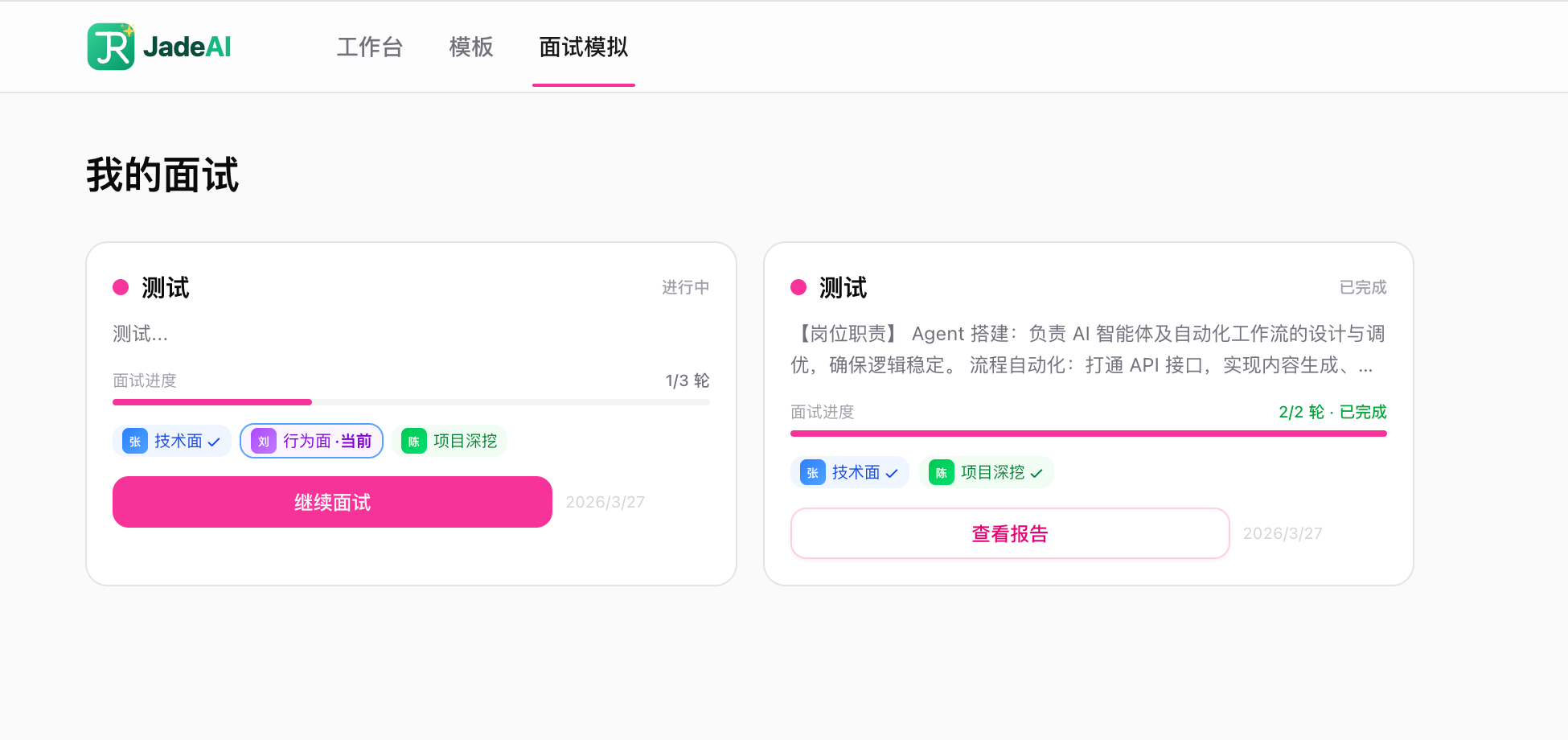 |  |
Deployment Video
Watch the full deployment walkthrough on Bilibili:

Features
Resume Editing
- Drag & Drop Editor — Visually arrange and reorder resume sections and items
- Inline Editing — Click any field to edit directly on the canvas
- 50 Professional Templates — Classic, Modern, Minimal, Creative, ATS-Friendly, Timeline, Nordic, Swiss, and more
- Theme Customization — Colors, fonts, spacing, and margins with live preview
- Undo / Redo — Full edit history (up to 50 steps)
- Auto Save — Configurable interval (0.3s–5s), with manual save option
- Markdown Support — Use Markdown syntax in text fields to format content (e.g.,
**bold**for bold text)
Markdown Formatting
The following resume sections support Markdown syntax:
| Section | Supported Fields |
|---|---|
| Summary | Content text |
| Work Experience | Description, Highlights |
| Education | Highlights |
| Projects | Description, Highlights |
| Custom Section | Description |
| Languages | Description |
| GitHub | Description |
Supported syntax:
**bold text**    → bold
`code text`      → inline code
- item           → bullet list
Skills, Certifications, and Personal Info fields do not support Markdown.
AI Capabilities
- AI Chat Assistant — Conversational AI integrated in the editor, with multi-session support and persistent history
- AI Resume Generation — Generate a complete resume from job title, experience, and skills
- Resume Parsing — Upload an existing PDF or image, AI extracts all content automatically
- JD Match Analysis — Compare resume against a job description: keyword matching, ATS score, and improvement suggestions
- Cover Letter Generation — AI-tailored cover letter based on resume and JD, with tone selection (formal / friendly / confident)
- Grammar & Writing Check — Detect weak verbs, vague descriptions, and grammar issues; returns a quality score
- Translation — Translate resume content across 10 languages while preserving technical terms
- Flexible AI Provider — Supports OpenAI, Anthropic, and custom API endpoints; each user configures their own key in-app
Mock Interview
- JD-Based Interview Simulation — Paste a job description, AI plays different interviewer roles in sequence
- 6 Preset Interviewers — HR, Technical, Scenario, Behavioral, Project Deep Dive, Leader — each with unique personality and questioning style
- Custom Interviewers — Create your own interviewer with custom focus areas and style
- Smart Follow-ups — AI adapts questions based on answer quality, probing deeper when needed
- Interview Controls — Skip questions, request hints, mark for review, pause/resume
- Detailed Report — Per-question scoring, competency radar chart, improvement plan with resources
- History Comparison — Track score trends and dimension progress across interviews
- PDF & Markdown Export — Export interview reports for offline review
Export & Sharing
- Multi-Format Export — PDF (Puppeteer + Chromium), Smart One-Page PDF (auto-fit to single page), DOCX, HTML, TXT, JSON
- JSON Import — Import a previously exported JSON file to restore or create a resume; supported both in the editor (overwrite current) and on the dashboard (create new)
- Link Sharing — Token-based shareable links with optional password protection
- View Counter — Track how many times a shared resume has been viewed
Management
- Multi-Resume Dashboard — Grid and list views, search, sort (by date, name)
- Import from JSON — Create a new resume from a JSON export directly on the dashboard
- Duplicate & Rename — Quick resume management actions
- Interactive Tours — Step-by-step onboarding for first-time users
Other
- Bilingual UI — Full Chinese (zh) and English (en) interface
- Dark Mode — Light, dark, and system theme support
- Flexible Auth — Google OAuth or browser fingerprint (zero-config)
- Dual Database — SQLite (default, zero-config) or PostgreSQL
Tech Stack
| Layer | Technology |
|---|---|
| Framework | Next.js 16 (App Router, Turbopack) |
| UI | React 19, Tailwind CSS 4, shadcn/ui, Radix UI |
| Drag & Drop | @dnd-kit |
| State | Zustand |
| Database | Drizzle ORM (SQLite / PostgreSQL) |
| Auth | NextAuth.js v5 + FingerprintJS |
| AI | Vercel AI SDK v6 + OpenAI / Anthropic |
| Puppeteer Core + @sparticuz/chromium | |
| i18n | next-intl |
| Validation | Zod v4 |
Getting Started
Docker (Recommended)
# Generate a secret key first
openssl rand -base64 32

docker run -d -p 3000:3000 \
  -e AUTH_SECRET=<your-generated-secret> \
  -v jadeai-data:/app/data \
  twwch/jadeai:latest
Open http://localhost:3000. Database auto-migrates and seeds on first start.
AUTH_SECRETis required for session encryption. Generate one withopenssl rand -base64 32.
AI Configuration: No server-side AI env vars needed. Each user configures their own API Key, Base URL, and Model in Settings > AI within the app.
With PostgreSQL
docker run -d -p 3000:3000 \
  -e AUTH_SECRET=<your-generated-secret> \
  -e DB_TYPE=postgresql \
  -e DATABASE_URL=postgresql://user:pass@host:5432/jadeai \
  twwch/jadeai:latest
With Google OAuth
docker run -d -p 3000:3000 \
  -e AUTH_ENABLED=true \
  -e AUTH_SECRET=your-secret \
  -e GOOGLE_CLIENT_ID=xxx \
  -e GOOGLE_CLIENT_SECRET=xxx \
  -v jadeai-data:/app/data \
  twwch/jadeai:latest
Local Development
Prerequisites
- Node.js 18+
- pnpm 9+
Installation
git clone https://github.com/twwch/JadeAI.git
cd JadeAI

pnpm install
cp .env.example .env.local
Configure Environment
Edit .env.local:
# Database (defaults to SQLite, no config needed)
DB_TYPE=sqlite

# Auth (defaults to fingerprint mode, no config needed)
AUTH_ENABLED=false
AI Configuration: No server-side env vars needed. Each user configures their own API Key, Base URL, and Model in Settings > AI within the app.
See .env.example for all available options (Google OAuth, PostgreSQL, etc.).
Initialize Database & Run
# Generate and run migrations
pnpm db:generate
pnpm db:migrate

# (Optional) Seed with sample data
pnpm db:seed

# Start dev server
pnpm dev
Open http://localhost:3000.
Environment Variables
| Variable | Required | Default | Description |
|---|---|---|---|
AUTH_SECRET | Yes | — | Secret key for session encryption |
DB_TYPE | No | sqlite | Database type: sqlite or postgresql |
DATABASE_URL | When PostgreSQL | — | PostgreSQL connection string |
SQLITE_PATH | No | ./data/jade.db | SQLite database file path |
AUTH_ENABLED | No | false | Enable Google OAuth (true) or use fingerprint mode (false) |
GOOGLE_CLIENT_ID | When OAuth | — | Google OAuth client ID |
GOOGLE_CLIENT_SECRET | When OAuth | — | Google OAuth client secret |
APP_NAME | No | JadeAI | Application display name |
DEFAULT_LOCALE | No | zh | Default language: zh or en |
Scripts
| Command | Description |
|---|---|
pnpm dev | Start dev server with Turbopack |
pnpm build | Production build |
pnpm start | Start production server |
pnpm lint | Run ESLint |
pnpm type-check | TypeScript type checking |
pnpm db:generate | Generate Drizzle migrations (SQLite) |
pnpm db:generate:pg | Generate Drizzle migrations (PostgreSQL) |
pnpm db:migrate | Execute database migrations |
pnpm db:studio | Open Drizzle Studio (database GUI) |
pnpm db:seed | Seed database with sample data |
Project Structure
src/
├── app/                        # Next.js App Router
│   ├── [locale]/               # i18n routes (/zh/..., /en/...)
│   │   ├── dashboard/          # Resume list & management
│   │   ├── editor/[id]/        # Resume editor
│   │   ├── preview/[id]/       # Full-screen preview
│   │   ├── templates/          # Template gallery
│   │   └── share/[token]/      # Public shared resume viewer
│   └── api/
│       ├── ai/                 # AI endpoints
│       │   ├── chat/           #   Streaming chat with tool calls
│       │   ├── generate-resume/#   AI resume generation
│       │   ├── jd-analysis/    #   JD match analysis
│       │   ├── grammar-check/  #   Grammar & writing check
│       │   ├── cover-letter/   #   Cover letter generation
│       │   ├── translate/      #   Resume translation
│       │   └── models/         #   List available AI models
│       ├── resume/             # Resume CRUD, export, parse, share
│       ├── share/              # Public share access
│       ├── user/               # User profile & settings
│       └── auth/               # NextAuth handlers
├── components/
│   ├── ui/                     # shadcn/ui base components
│   ├── editor/                 # Editor canvas, sections, fields, dialogs
│   ├── ai/                     # AI chat panel & bubble
│   ├── preview/templates/      # 50 resume templates
│   ├── dashboard/              # Dashboard cards, grid, dialogs
│   └── layout/                 # Header, theme provider, locale switcher
├── lib/
│   ├── db/                     # Schema, repositories, migrations, adapters
│   ├── auth/                   # Auth configuration
│   └── ai/                     # AI prompts, tools, model config
├── hooks/                      # Custom React hooks (7 hooks)
├── stores/                     # Zustand stores (resume, editor, settings, UI, tour)
└── types/                      # TypeScript type definitions
Templates
JadeAI includes 50 professionally designed resume templates covering a wide range of styles and industries:
View all 50 templates
| # | Template | # | Template | # | Template |
|---|---|---|---|---|---|
| 1 | Classic | 18 | Clean | 35 | Material |
| 2 | Modern | 19 | Bold | 36 | Medical |
| 3 | Minimal | 20 | Timeline | 37 | Luxe |
| 4 | Professional | 21 | Nordic | 38 | Retro |
| 5 | Two-Column | 22 | Gradient | 39 | Card |
| 6 | ATS | 23 | Magazine | 40 | Rose |
| 7 | Academic | 24 | Corporate | 41 | Teacher |
| 8 | Creative | 25 | Consultant | 42 | Coder |
| 9 | Elegant | 26 | Swiss | 43 | Zigzag |
| 10 | Executive | 27 | Metro | 44 | Neon |
| 11 | Developer | 28 | Architect | 45 | Scientist |
| 12 | Designer | 29 | Japanese | 46 | Blocks |
| 13 | Startup | 30 | Artistic | 47 | Ribbon |
| 14 | Formal | 31 | Sidebar | 48 | Engineer |
| 15 | Infographic | 32 | Finance | 49 | Watercolor |
| 16 | Compact | 33 | Berlin | 50 | Mosaic |
| 17 | Euro | 34 | Legal |
API Reference
View all API endpoints
Resume
| Method | Endpoint | Description |
|---|---|---|
GET | /api/resume | List all resumes for current user |
POST | /api/resume | Create a new resume |
GET | /api/resume/[id] | Get resume detail with all sections |
PUT | /api/resume/[id] | Update resume metadata or sections |
DELETE | /api/resume/[id] | Delete a resume |
POST | /api/resume/[id]/duplicate | Duplicate a resume |
GET | /api/resume/[id]/export | Export resume (pdf, docx, html, txt, json) |
POST | /api/resume/parse | Parse resume from PDF or image upload |
POST | /api/resume/[id]/share | Create share link |
GET | /api/resume/[id]/share | Get share settings |
DELETE | /api/resume/[id]/share | Remove share link |
Share
| Method | Endpoint | Description |
|---|---|---|
GET | /api/share/[token] | Access a publicly shared resume |
AI
| Method | Endpoint | Description |
|---|---|---|
POST | /api/ai/chat | Stream chat messages with resume context |
GET | /api/ai/chat/sessions | List chat sessions for a resume |
POST | /api/ai/chat/sessions | Create a new chat session |
GET | /api/ai/chat/sessions/[id] | Get paginated messages for a session |
DELETE | /api/ai/chat/sessions/[id] | Delete a chat session |
POST | /api/ai/generate-resume | Generate resume from job title & experience |
POST | /api/ai/jd-analysis | Analyze resume against a job description |
POST | /api/ai/grammar-check | Check grammar and writing quality |
POST | /api/ai/cover-letter | Generate a tailored cover letter |
POST | /api/ai/translate | Translate resume content |
GET | /api/ai/models | List available AI models |
User
| Method | Endpoint | Description |
|---|---|---|
GET | /api/user | Get current user profile |
PUT | /api/user | Update user profile |
GET | /api/user/settings | Get user settings |
PUT | /api/user/settings | Update user settings |
Contributing
Contributions are welcome! Here's how to get started:
- Fork the repository
- Create a feature branch:
git checkout -b feat/your-feature - Commit your changes:
git commit -m 'feat: add your feature' - Push to the branch:
git push origin feat/your-feature - Open a Pull Request
FAQ
How does AI configuration work?
JadeAI does not require server-side AI API keys. Each user configures their own AI provider (OpenAI, Anthropic, or custom endpoint), API key, and model in Settings > AI within the app. API keys are stored in the browser's local storage and are never sent to the server for storage.
Can I switch between SQLite and PostgreSQL?
Yes. Set the DB_TYPE environment variable to sqlite or postgresql. SQLite is the default and requires zero configuration. For PostgreSQL, also set DATABASE_URL. Note that data is not automatically migrated between database types.
How does authentication work without OAuth?
When AUTH_ENABLED=false (default), JadeAI uses browser fingerprinting via FingerprintJS. A unique fingerprint ID is generated for each browser and used as the user identifier. No login screen is shown — users can start building resumes immediately.
How is PDF export implemented?
PDF export uses Puppeteer Core with @sparticuz/chromium. Each of the 50 templates has a dedicated server-side export handler that renders the resume to high-fidelity PDF. DOCX, HTML, TXT, and JSON exports are also supported.