Hermes Control Interface
A self-hosted web dashboard for the Hermes AI agent stack. Manage terminals, files, sessions, cron jobs, token analytics, multi-agent gateways, and team access — all behind a password gate.
Stack: Vanilla JS + Vite · Node.js · Express · WebSocket · xterm.js Version: 3.3.2
Highlights
Chat Revamped — Collapsible tool call cards with JSON viewer, session sidebar with model tags, banner-free output.
RBAC v2 — 28 permissions across 12 groups. Admin, viewer, or custom roles per user.
Multi-Agent Gateway — Start/stop/configure multiple Hermes profiles. Real-time logs. Systemd service management.
Token Analytics — Track sessions, messages, tokens, cost by model, platform, and time range.
Screenshots
Navigation — 8 Pages
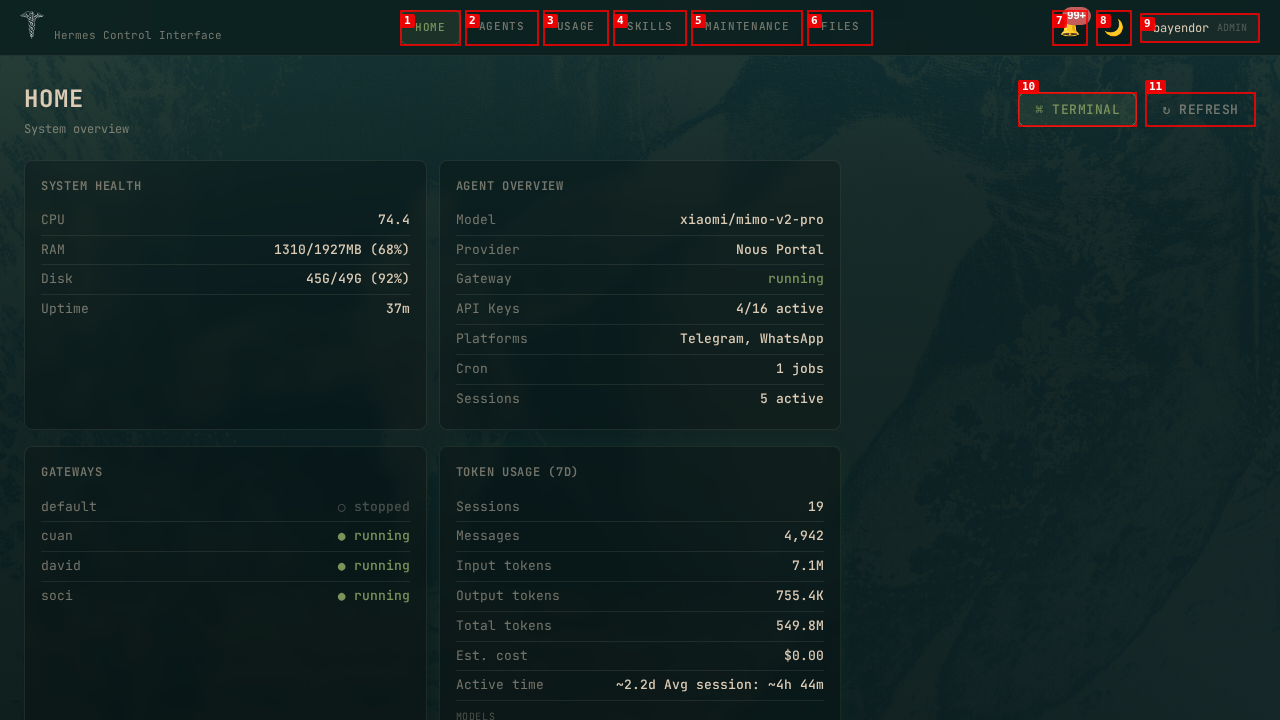
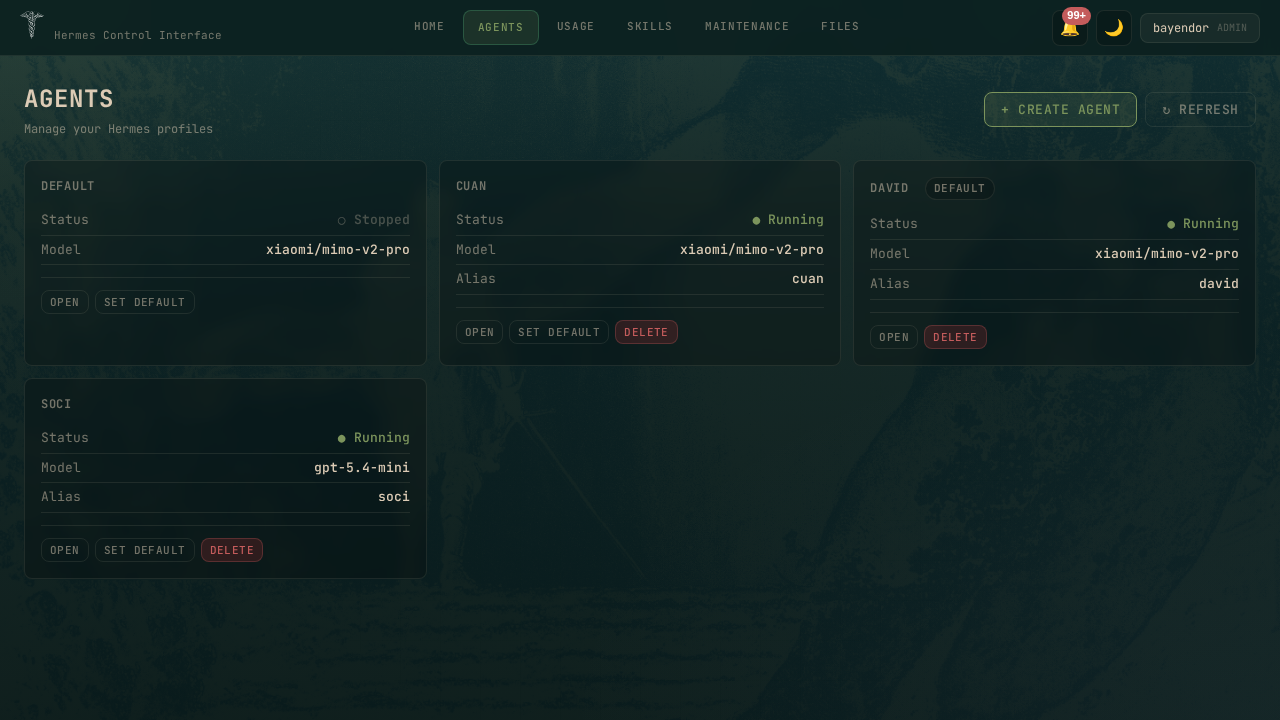
Home · Agents · Usage · Skills · Chat · Logs · Maintenance · Files
Dark Mode
| Home | Agents |
|---|---|
 |  |
| Chat | Usage & Analytics |
|---|---|
 |  |
| Skills Hub | Maintenance |
|---|---|
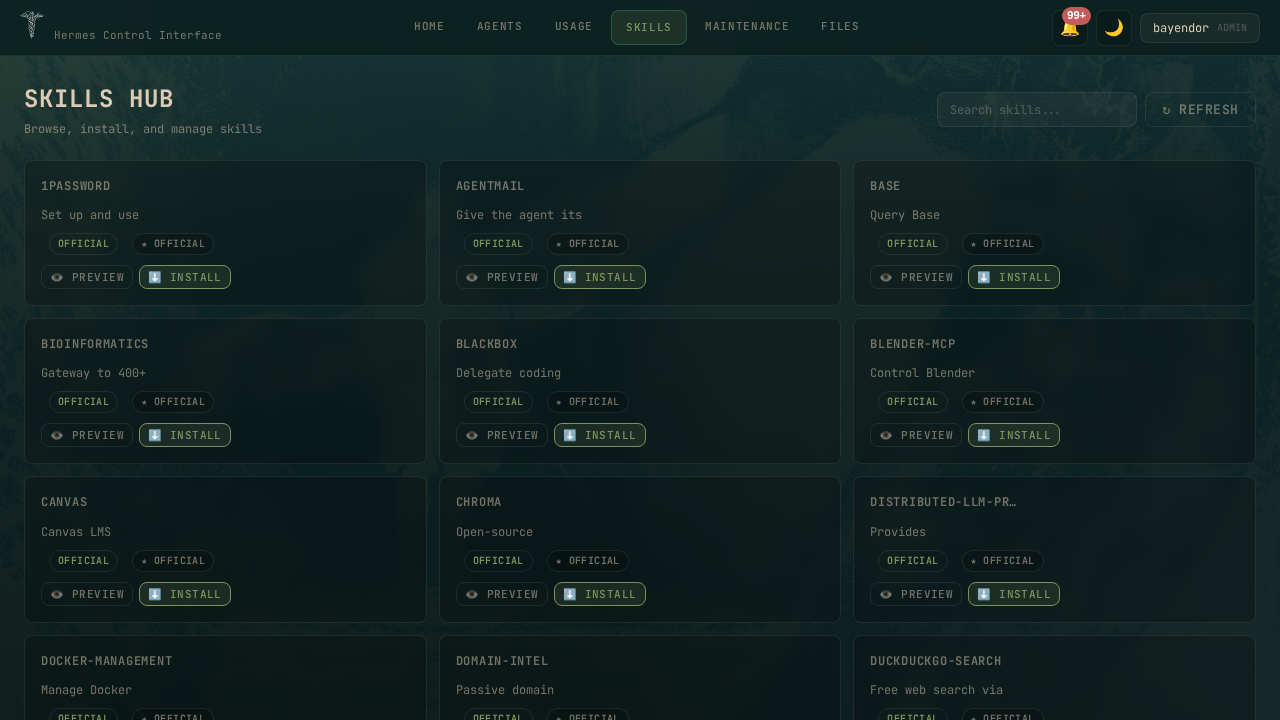 | 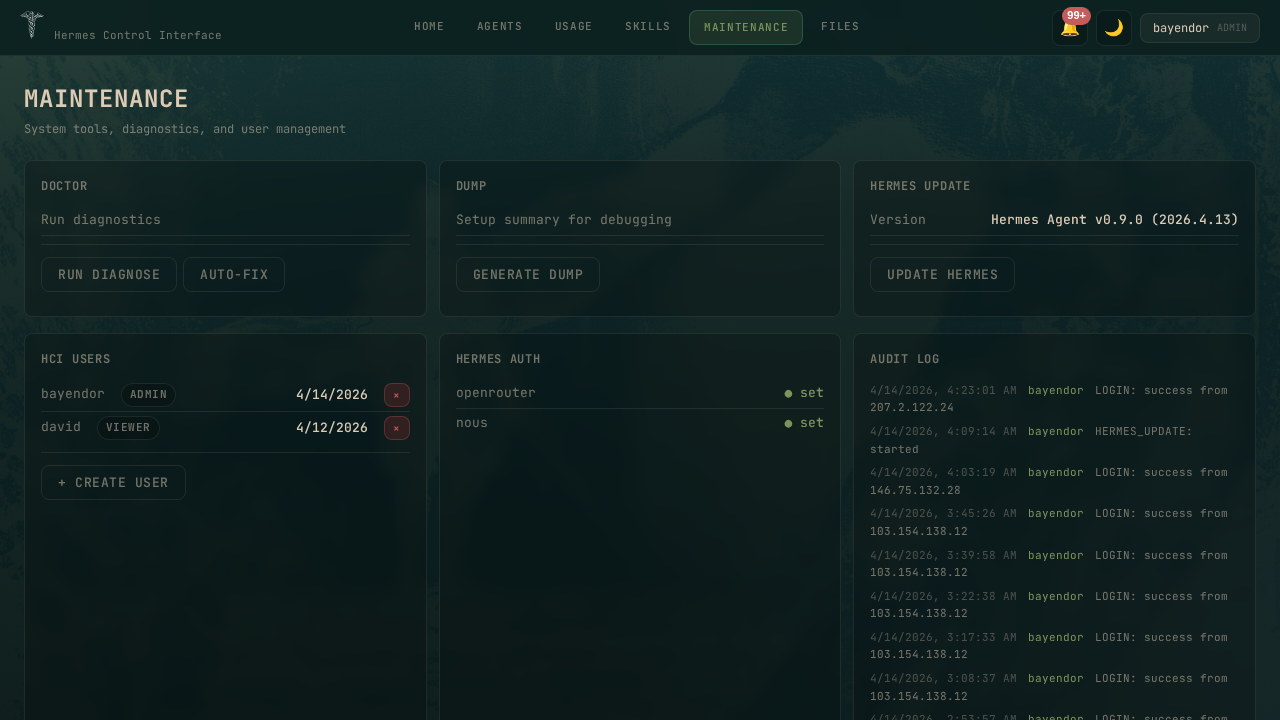 |
| File Explorer | Agent Dashboard |
|---|---|
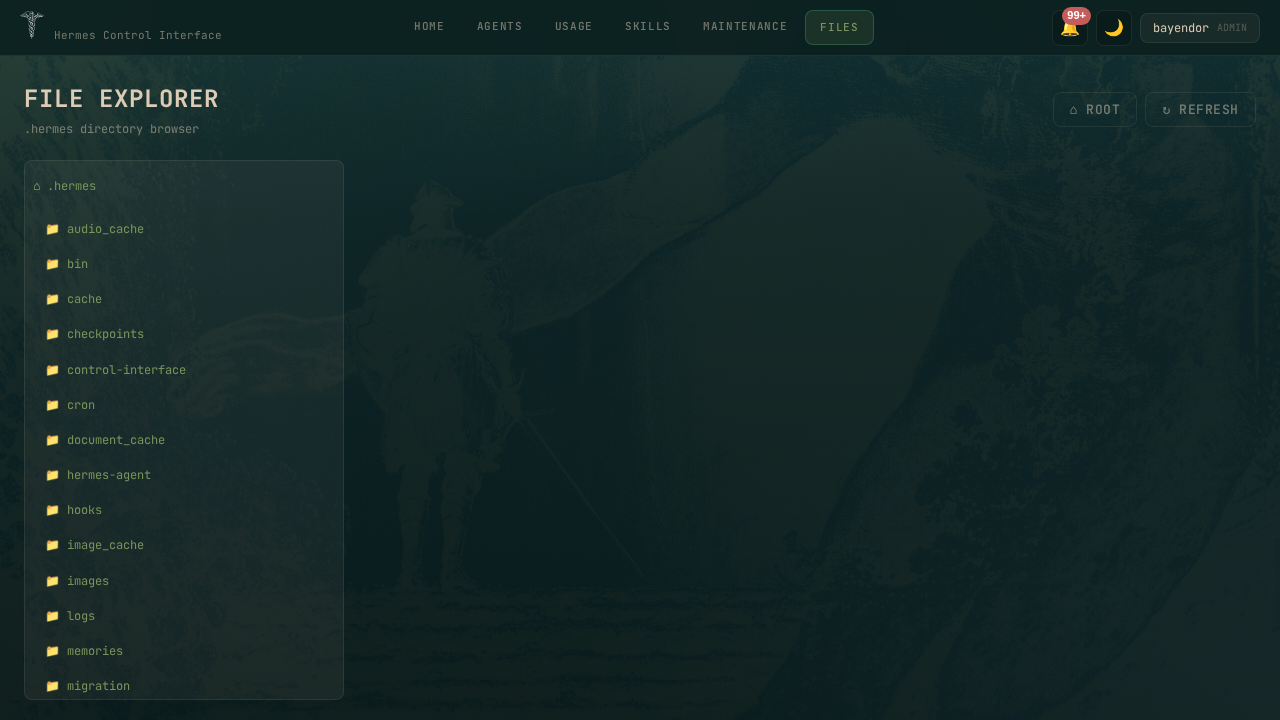 | 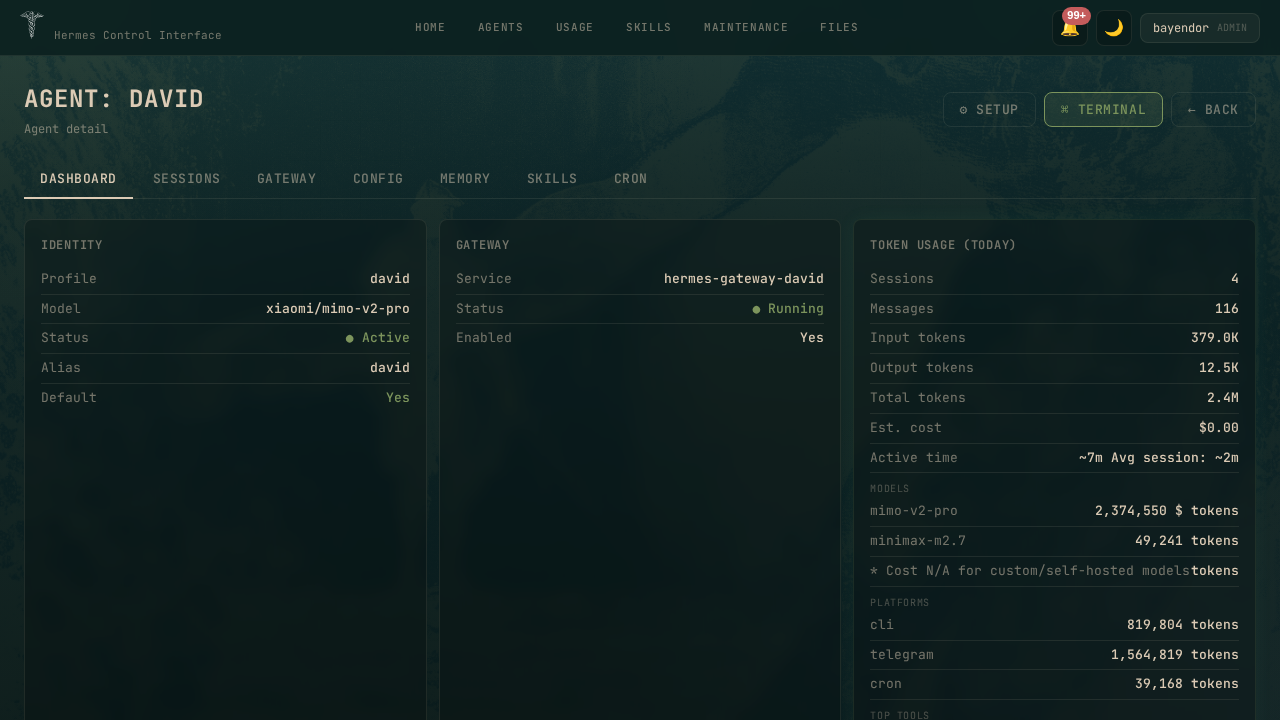 |
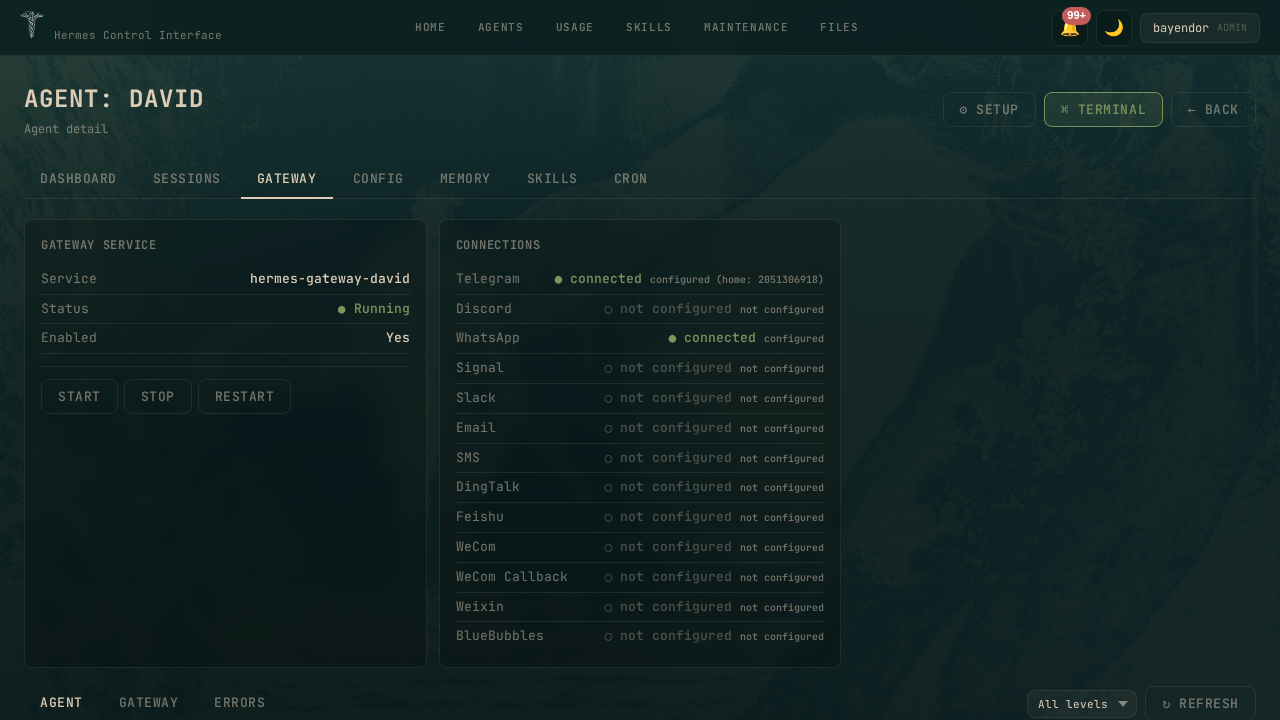
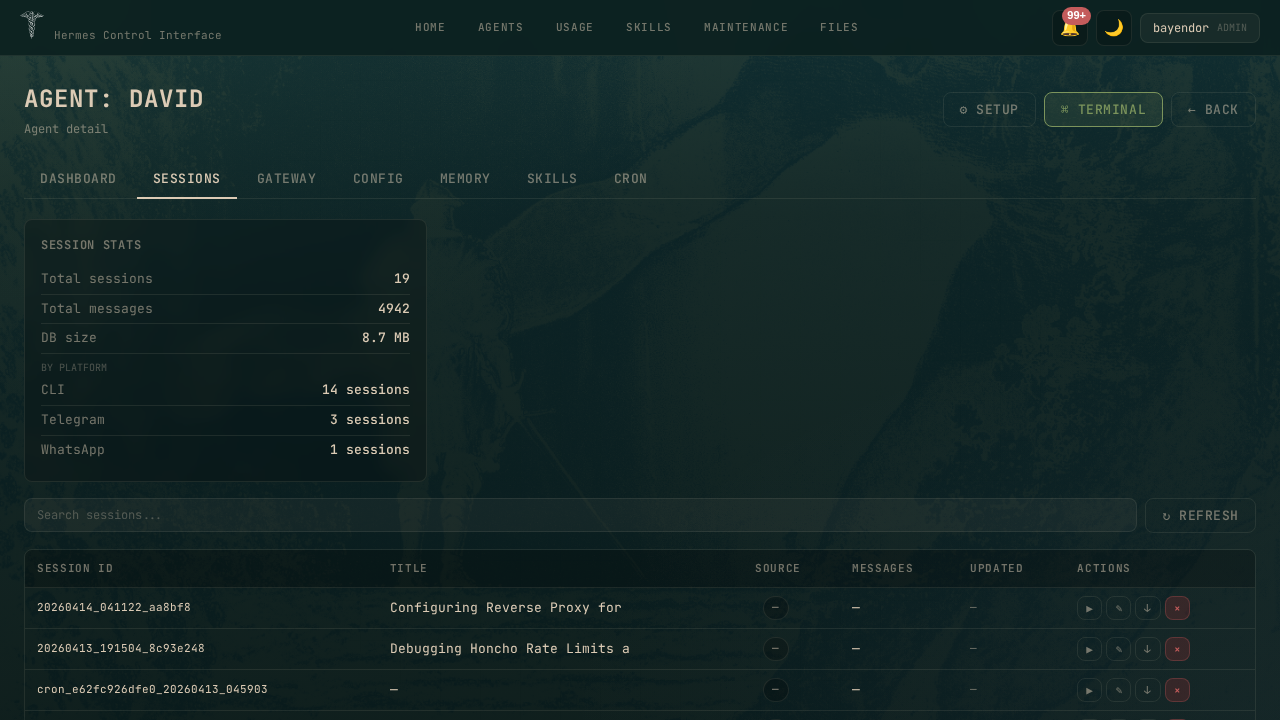
| Agent Gateway | Agent Sessions |
|---|---|
 |  |
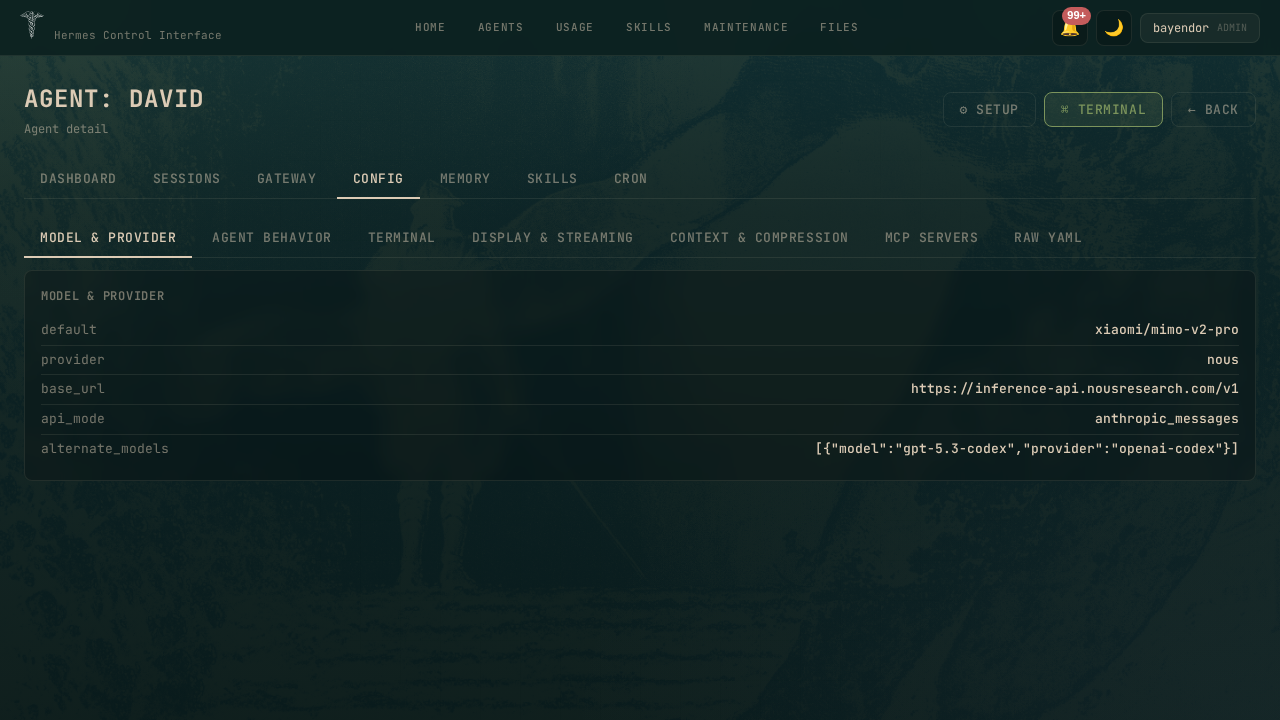
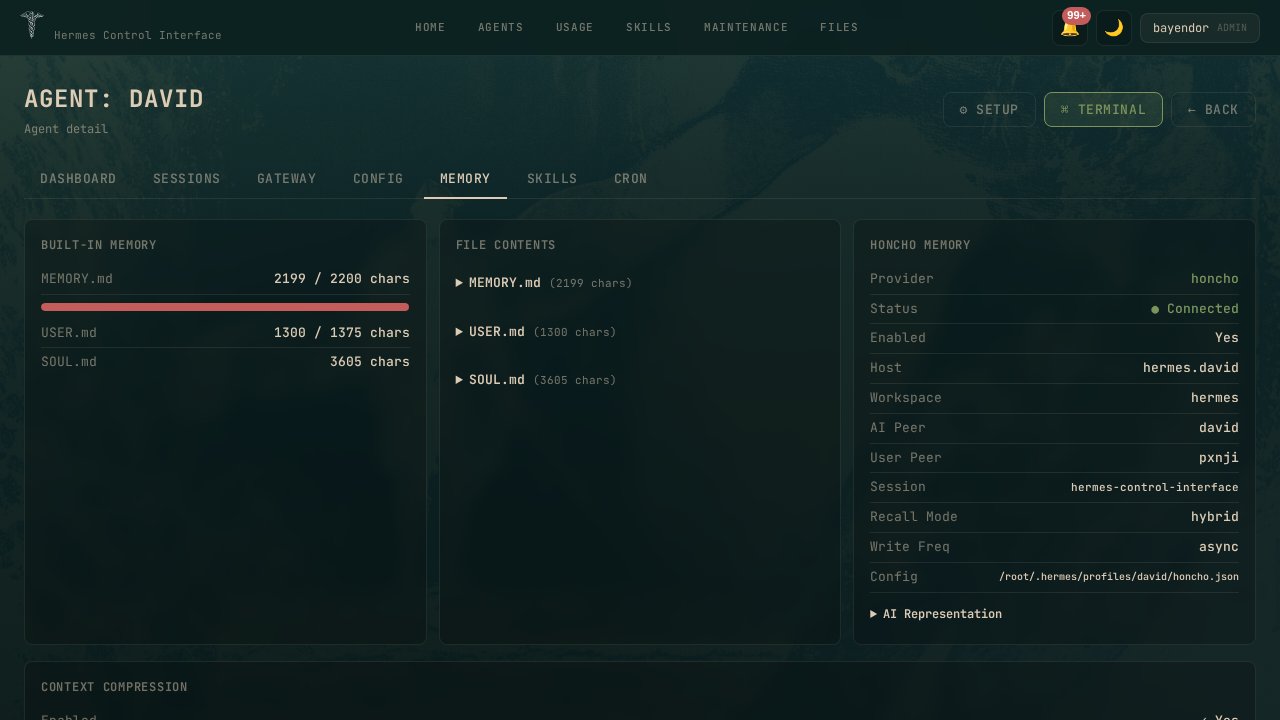
| Agent Config | Agent Memory |
|---|---|
 |  |
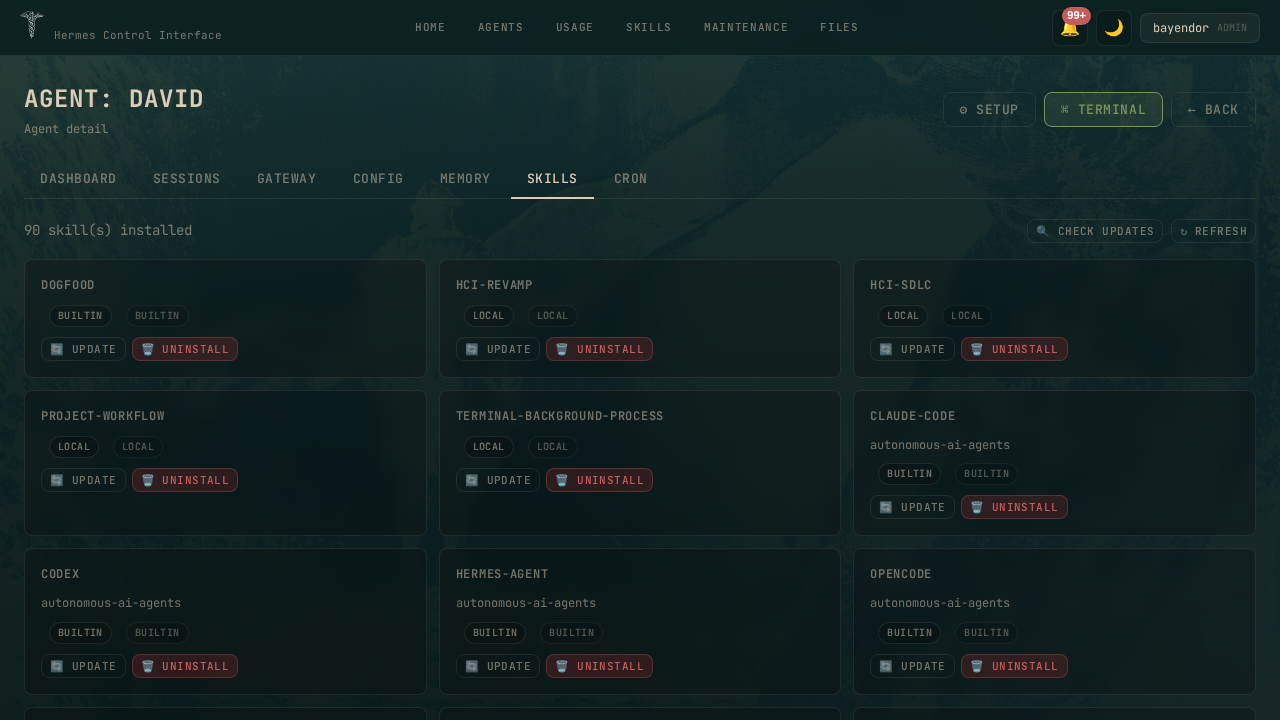
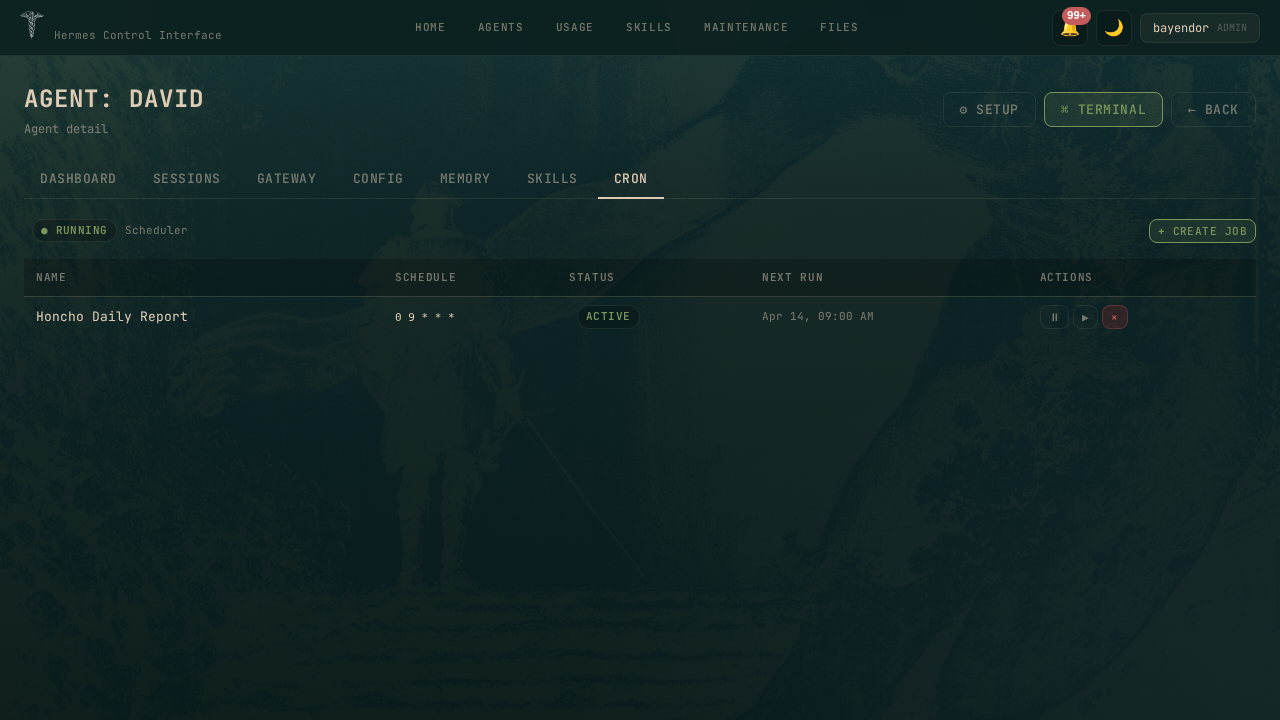
| Agent Skills | Agent Cron |
|---|---|
 |  |
Light Mode
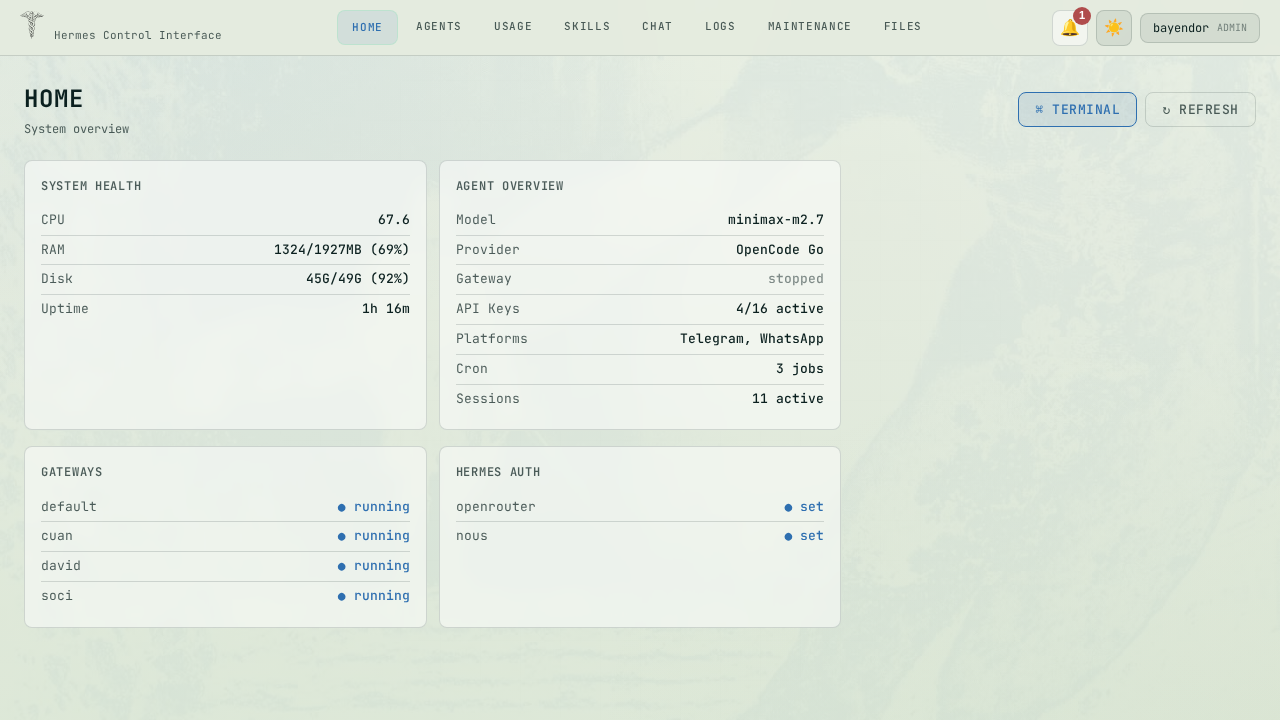
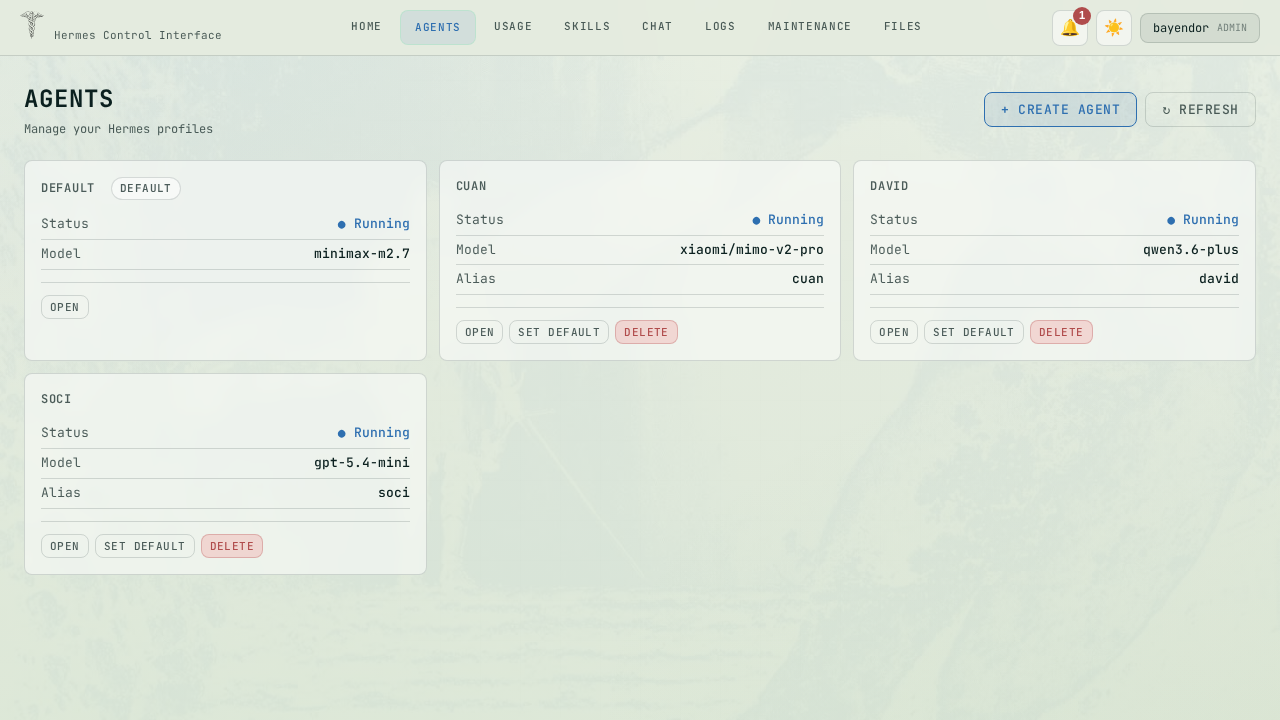
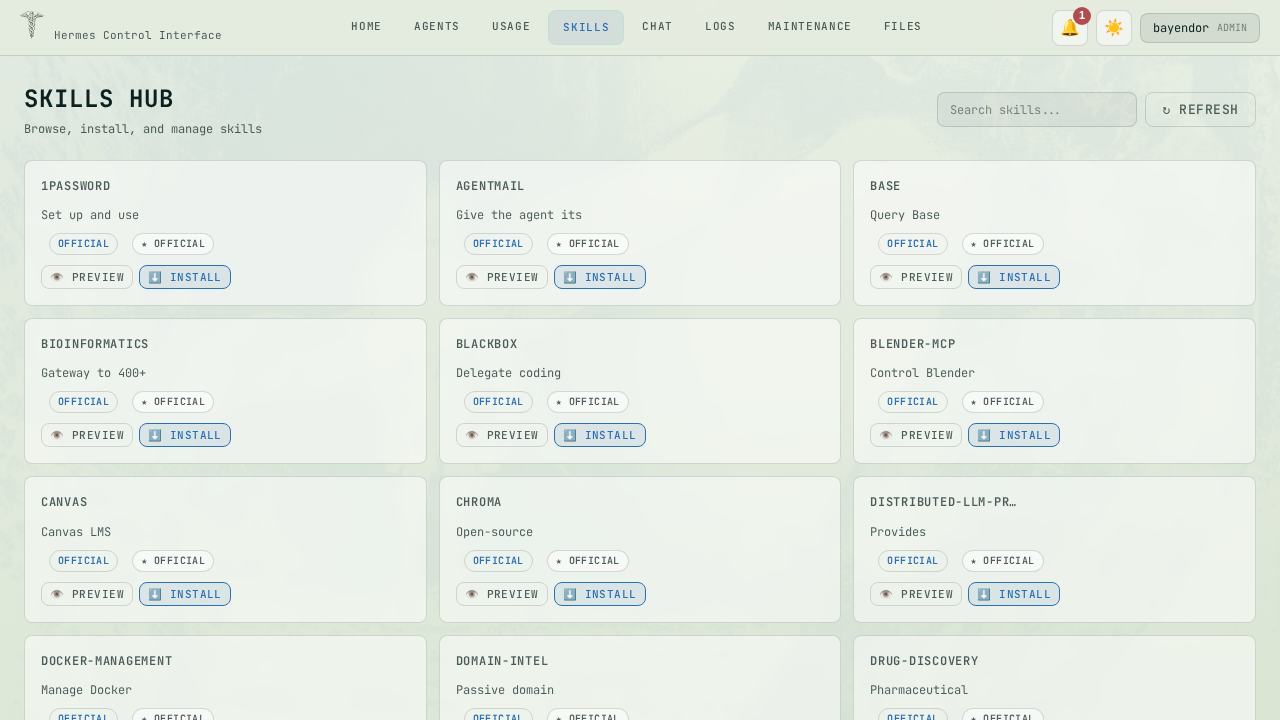
| Home | Agents | Skills Hub |
|---|---|---|
 |  |  |
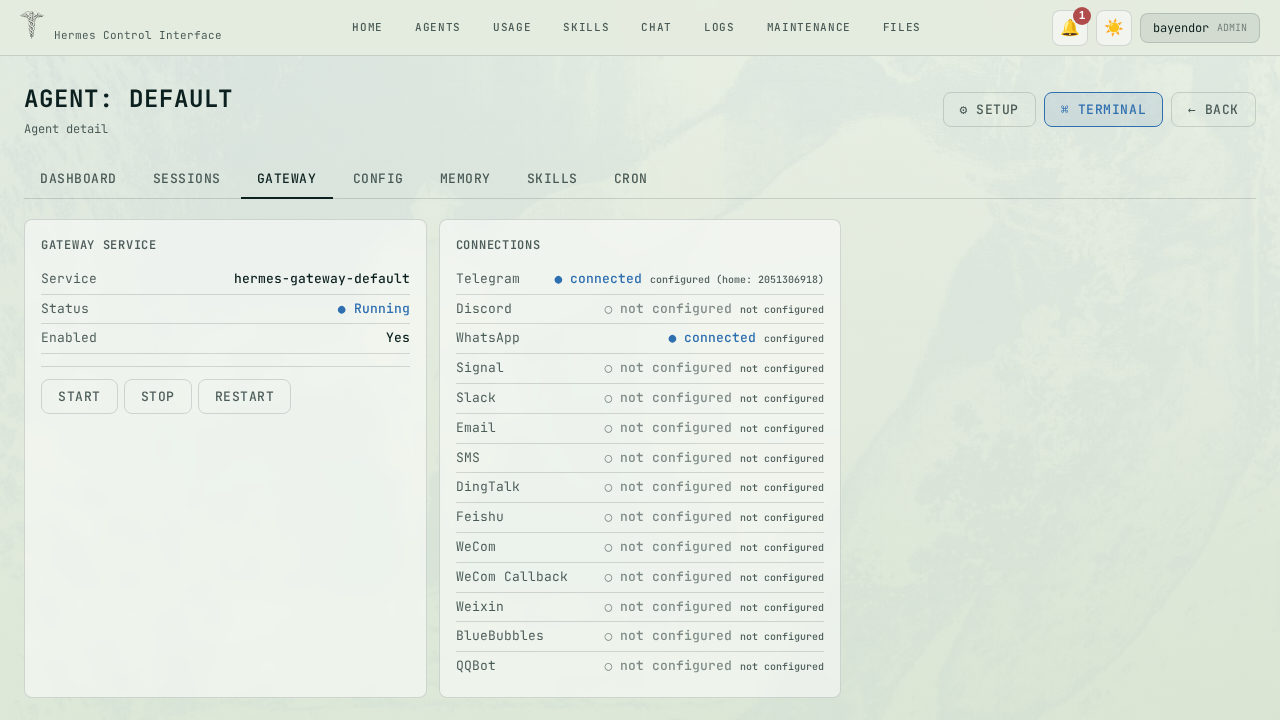
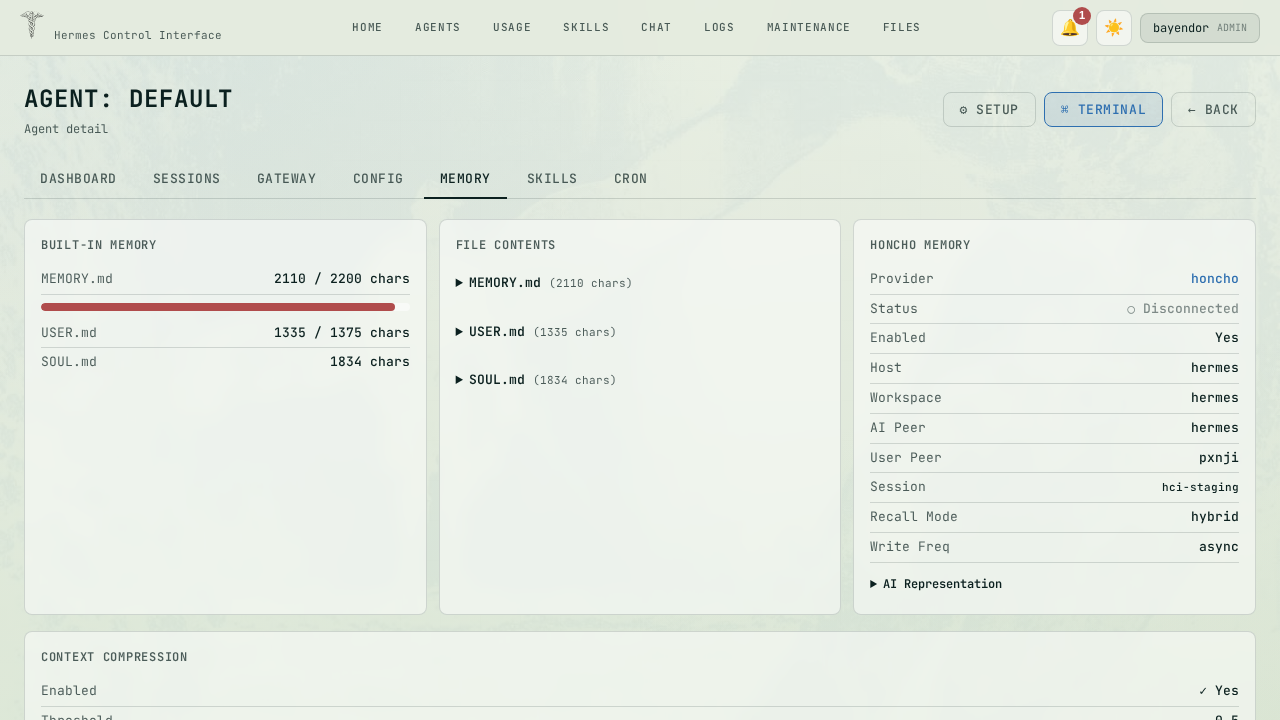
| Gateway | Memory |
|---|---|
 |  |
Features
🔐 Authentication
- Single password login (configurable via
HERMES_CONTROL_PASSWORD) - bcrypt password hashing (cost factor 10)
- CSRF tokens on all mutating requests
- Conditional Secure cookie flag (auto-detects HTTPS)
- Rate limiting: 5 failed logins per 15 minutes per IP
- Multi-user support with role-based access control (RBAC)
🏠 Home Dashboard
System overview at a glance:
- System Health: CPU usage, RAM usage, Disk usage, Uptime
- Agent Overview: active model, provider, gateway status, configured API keys, active platforms
- Gateway Status: per-profile running/stopped indicators
- Token Usage (7d): sessions count, messages, total tokens, estimated cost, models used, platforms breakdown, top tools
🤖 Agents — Multi-Agent Management
Manage all Hermes profiles from one place:
- List all profiles with status badge (running/stopped) and active model
- Create new profile
- Clone existing profile
- Delete profile
- Set default profile
- Start/Stop/Restart gateway per profile
- Quick gateway log viewer
💬 Chat — Revamped Interface
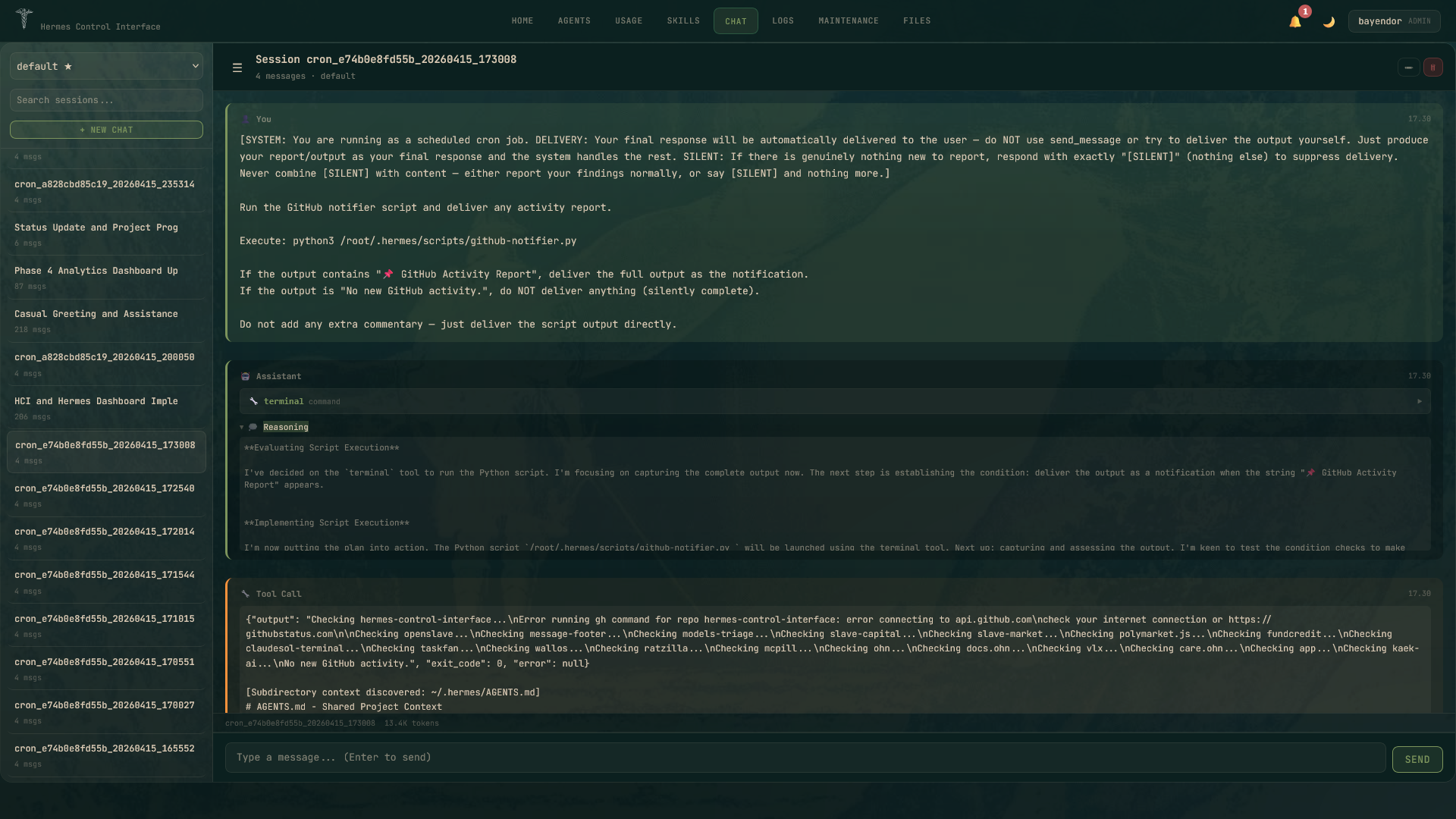
The chat interface got a full overhaul in v3.3.0:
Tool Call Cards
- Each tool call displayed as a collapsible card
- Shows tool name, status (running/success/error), and execution time
- Expand to see full JSON input/output
- Collapsed by default for clean output
Session Sidebar
- List of past chat sessions with timestamps
- Resume any session with one click
- New chat button for fresh session
- Shows active model tag
Clean Output
- Banner suppression (
-Qflag) for noise-free responses - Auto-detects both new (
session_id:) and legacy (Session:) session ID formats --continue ""(empty) creates new session- Bare
--continueresumes last session
Session Management
- Rename sessions
- Delete sessions
- Export session transcript
📊 Usage & Analytics — Token Insights
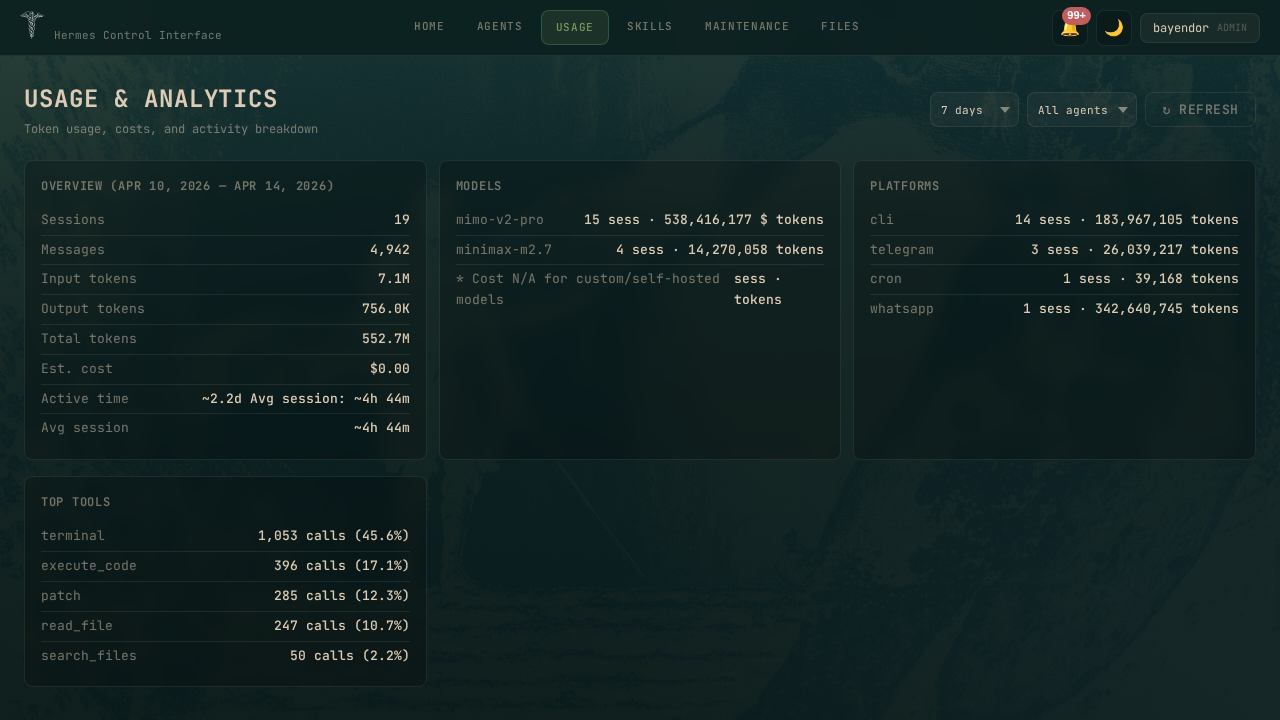
Full breakdown of LLM usage:
- Time Range: Today, 7d, 30d, 90d filters
- Agent Filter: per-profile or all combined
- Overview Cards: total sessions, messages, tokens, cost, active hours
- Models Table: per-model breakdown — sessions count, total tokens, avg tokens/session
- Platforms Table: per-platform breakdown (CLI, Telegram, WhatsApp, etc.)
- Top Tools: most called tools with call counts and success rates
🛠️ Agent Detail — Per-Agent Management
Six-tab interface for deep agent configuration:
Dashboard Tab
- Agent identity: name, model, provider
- Gateway service status
- Quick token usage summary
- Active platforms
Sessions Tab
- List all sessions for this profile
- Search by keyword
- Rename session
- Delete session
- Export session (JSON format)
- Resume session in CLI (one click)
Gateway Tab
- Start/Stop/Restart gateway service
- Real-time log stream (WebSocket)
- Systemd service management (for non-root users:
hermes-gateway-<profile>) - Gateway configuration panel
Config Tab
- 13 categories, 80+ settings
- Structured form editor with labeled fields
- Raw YAML editor toggle
- Reset to defaults per category
- Apply changes with validation
Memory Tab
- Dynamic memory provider panel
- Provider options: Built-in MEMORY.md, Honcho (self-hosted), External providers
- Honcho status: connected/disconnected
- Memory usage stats
Cron Tab
- List all scheduled jobs for this profile
- Create new cron job with schedule presets (hourly, daily, weekly, custom cron expression)
- Pause/Resume scheduled jobs
- Run job immediately (on-demand)
- Edit/Delete cron jobs
- Next run time display
📦 Skills Marketplace
Browse and manage installed Hermes skills:
- Grouped by category (devops, mlops, creative, etc.)
- Shows skill name, description snippet, source (builtin/local), trust level
- Search and filter skills
- Install new skills from the Hermes skills registry
- Check for updates
- Uninstall skills
🔧 Maintenance — System Administration
Full admin panel:
- Doctor: Run diagnostics — detects common issues, auto-fix where possible
- Dump: Generate debug summary (system info, config, recent logs)
- Update: Update Hermes agent to latest version
- Backup: Download all Hermes data as a zip file
- Import: Restore from backup zip
- HCI Restart: Restart the Control Interface web server from UI (no SSH needed)
- Users (NEW in v3.3.0): Create/edit/delete users, assign roles, manage permissions
- Auth: View provider status (OpenRouter, Nous Portal, etc.), add/remove API keys
- Audit: Timestampped activity log — who did what and when
📁 File Explorer
Split-view file editor:
- Left panel: Directory tree browser
- Right panel: Text editor with syntax highlighting
- Save: Write changes back to disk
- Secure: Paths scoped to
~/.hermes, traversal attacks prevented - Multiple roots: Configurable via
HERMES_CONTROL_ROOTS
💻 Terminal
Real browser-based terminal:
- Full PTY via node-pty + xterm.js over WebSocket
- Touch-friendly controls (↑↓␣↵) for mobile
- Fullscreen toggle
- Auto-cleanup flow: Ctrl+C → clear → ready for next command
- Rate limited: 30 commands/minute per IP
🔔 Notifications
- Bell icon with unread count badge (top-right)
- Dropdown panel with notification list
- Dismiss individual or clear all
- Sources: system alerts (disk/RAM/CPU), gateway events, session CRUD, user management
- Persistent: stored in
~/.hermes/hci-notifications.json
🎨 Theme
- Dark mode (default):
#0b201fbackground,#dccbb5foreground,#7c945caccent - Light mode:
#e4ebdfbackground,#0b201fforeground,#2e6fb0accent - Toggle via header button
- Preference persisted in localStorage
- Login page: themed background image with overlay
🔒 Security
- Multi-user RBAC: 28 permissions across 12 groups
- Roles:
admin(full access),viewer(read-only),custom(your choice) - bcrypt password hashing (cost factor 10)
- CSRF tokens on all mutating requests
- Secure cookie flag (auto-detects HTTPS)
- WebSocket origin verification (exact match)
- Input sanitization: strict regex on all user inputs (profiles, sessions, titles, filenames)
- Path traversal prevention in file explorer
- Rate limiting: login (5 failed/15min), terminal exec (30/min)
- XSS protection: all dynamic values escaped in rendered HTML
- Admin gate: critical endpoints (
/api/plugins, etc.) require admin role - Token cleanup: automatic session token cleanup every 15 minutes
- Unhandled exception handlers:
unhandledRejection+uncaughtExceptioncaught and logged
See full security audit: docs/SECURITY_AUDIT.md
Where HCI Can Be Installed
HCI runs as a single Node.js process — any server environment that supports Node.js works.
| Environment | Status | Notes |
|---|---|---|
| Local Linux server | ✅ | Full support |
| VPS (DigitalOcean, Hetzner, AWS EC2, Linode, etc.) | ✅ | Recommended for production |
| macOS | ✅ | Works |
| WSL2 (Windows Subsystem for Linux) | ✅ | Full support |
| Raspberry Pi (arm64) | ✅ | Works |
| Docker / Podman | ⚠️ | Works but not officially supported |
| Shared hosting | ❌ | Requires Node.js + WebSocket + PTY support |
| Browser-only (no server) | ❌ | Requires Node.js backend |
Requirements
| Requirement | Minimum | Recommended |
|---|---|---|
| Node.js | v18+ | v20 LTS |
| RAM | 512 MB | 1 GB+ |
| Disk | 200 MB | 500 MB+ |
| OS | Linux / macOS / WSL2 | Ubuntu 22.04 LTS |
| Hermes Agent | v3.x | Latest |
| Build tools | python3, make, g++ | For node-pty native module |
Dependencies (installed via npm install):
express— HTTP serverws— WebSocketnode-pty— PTY support (requires build tools)xterm.js— Terminal emulator in browserbcrypt— Password hashingcookie-parser,dotenv,js-yaml, etc.
Installation Methods
Manual (Recommended)
# 1. Clone
git clone https://github.com/xaspx/hermes-control-interface.git
cd hermes-control-interface

# 2. Install dependencies
npm install

# 3. Configure
cp .env.example .env
# Edit .env and set:
#   HERMES_CONTROL_PASSWORD=your-secure-password
#   HERMES_CONTROL_SECRET=$(openssl rand -hex 32)

# 4. Build frontend
npm run build

# 5. Start
npm start
Access at http://localhost:10272 (default PORT).
Systemd Service (Production)
# Use the provided gateway service script as reference
bash scripts/setup-gateway-service.sh
Or create a simple systemd unit:
# /etc/systemd/system/hermes-control.service
[Unit]
Description=Hermes Control Interface
After=network.target

[Service]
Type=simple
User=root
WorkingDirectory=/path/to/hermes-control-interface
ExecStart=/usr/bin/node server.js
Restart=always

[Install]
WantedBy=multi-user.target
sudo systemctl enable hermes-control
sudo systemctl start hermes-control
Environment Variables
| Variable | Required | Description |
|---|---|---|
HERMES_CONTROL_PASSWORD | Yes | Login password |
HERMES_CONTROL_SECRET | Yes | CSRF + internal auth secret |
PORT | No | Server port (default: 10272) |
HERMES_CONTROL_HOME | No | Hermes home dir (default: ~/.hermes) |
HERMES_CONTROL_ROOTS | No | File explorer roots (JSON array) |
HERMES_PROJECTS_ROOT | No | Projects directory |
Reset Password Without Dashboard Access
If you can't log in to the dashboard, reset the password via CLI:
Option 1 — Edit .env directly
# SSH into your server
nano ~/.hermes/.env
# Change HERMES_CONTROL_PASSWORD=your-new-password

# Restart
sudo systemctl restart hermes-control
# or: pkill node; npm start &
Option 2 — Generate bcrypt hash via Node.js
node -e "const bcrypt=require('bcrypt'); bcrypt.hash(require('crypto').randomBytes(24).toString('hex'), 10).then(h=>console.log('HERMES_CONTROL_PASSWORD='+h))"
# Copy the output to .env, then restart
Key point: .env is the source of truth. Dashboard access = server access. If you lose access to both, you must have server/SSH access to reset.
Architecture
src/                    # Vite source (ES modules)
├── index.html          # Entry point
├── js/main.js          # App logic (~4800 lines, modular sections)
├── css/
│   ├── theme.css       # Color palette (dark/light)
│   ├── layout.css      # Topbar, modals, dropdowns, sidebar
│   └── components.css  # Cards, tables, forms, editor, file explorer
├── public/
│   └── favicon.svg     # Served unhashed
└── assets/             # SVG icons

dist/                   # Vite build output (served by Express)
server.js               # Express + WebSocket + PTY + API (~2300 lines)
auth.js                 # Multi-user auth + RBAC (bcrypt, sessions, permissions)
Development
# Edit source in src/
npx vite build

# Restart (never in foreground — use detached)
kill $(lsof -t -i:10272) 2>/dev/null
nohup node server.js &>/dev/null & disown
API
100+ endpoints covering:
- Auth: login, logout, session management, setup
- Users: CRUD, role assignment, permission management, reset password
- Sessions: list, rename, delete, export, resume
- Profiles: list, create, clone, delete, use, gateway control
- Chat: send message, stream response, tool calls
- Cron: list, create, pause, resume, run, remove
- Config: read, write, YAML parsing, reset
- Memory: provider-specific panels (MEMORY.md, honcho, external)
- Skills: list, parse, search, install, uninstall, check updates
- Files: list, read, write, save (scoped to Hermes home)
- System: health, insights, usage analytics, doctor, dump, update, backup
- Notifications: list, dismiss, clear
- Plugins: admin-only plugin management
- Terminal: exec command via PTY
- Audit: activity log
See docs/API.md for full reference.
Security Audit
Full audit report: docs/SECURITY_AUDIT.md Score: 7.0/10 — Production-ready.
Issues found and fixed in v3.3.0:
- XSS in home cards (
loadHomeCards()) — fixed withescapeHtml() - Missing admin gate on plugins API — fixed
- Terminal exec rate limit — 30 commands/minute per IP
- Token cleanup interval — now runs every 15 minutes
Updating HCI
# 1. Pull latest code
cd /root/projects/hermes-control-interface
git pull origin main

# 2. Install dependencies (if package.json changed)
npm install

# 3. Rebuild frontend
npm run build

# 4. Restart production server
kill $(lsof -t -i :10272) 2>/dev/null
nohup node server.js &>/dev/null & disown
Or use the HCI UI: Maintenance → HCI Restart (restarts from browser).
Non-root users: Replace /root/projects with your user's project directory.
If running via systemd, use sudo systemctl restart hermes-control.
Changelog
v3.3.2 (2026-04-17)
🐛 Bug Fixes:
- HTTP-only deployments: Disable
upgrade-insecure-requestsCSP directive that broke UI on Tailscale/LAN/dev environments - HOST env var: Support
HOSTenv var for non-localhost server binding (Tailscale IP, LAN, specific interface)
🤝 Contributors:
- @hifiguy — 2 fixes (HOST env + CSP HTTP fix)
v3.3.0 (2026-04-17)
💬 Chat Revamp:
- Tool call cards: collapsible cards with JSON viewer, collapsed by default
- Banner suppression:
-Qflag passed to hermes for clean output - Session sidebar: model tag, session list, resume/new chat buttons
- Auto-detect session ID format: new (
session_id: YYYYMMDD_HHMMSS_HEX) and legacy (Session: YYYYMMDD_HHMMSS_HEX) --continue ""(empty) creates fresh session; bare--continueresumes last session
👥 User Management v2 (RBAC):
- 28 permissions across 12 groups: Sessions, Chat, Logs, Usage, Gateway, Config, Secrets, Skills, Cron, Files, Terminal, Users, System
- Built-in roles:
admin(full access),viewer(read-only), custom role - Create/edit user modal: role presets (Admin/Viewer), grouped permission checklist, reset password button
- Permission gating on 9 previously-unprotected endpoints
🔒 Security:
- Full security audit (docs/SECURITY_AUDIT.md) — score 7.0/10
- XSS fix:
loadHomeCards()now escapes all dynamic values withescapeHtml() - Rate limiter: terminal exec limited to 30 commands/minute per IP (429 on exceeded)
- Token cleanup: proper
setInterval()every 15 minutes (was only on token creation) - Admin-only gate:
GET /api/pluginsnow requires admin role - Full activity audit log: Maintenance → Audit panel
📦 Skills:
- Check updates: handles "unavailable" source status gracefully (info message, not error)
- Uninstall: uses stdin pipe (
echo y |) instead of unsupported--yesflag
🐛 Bug Fixes:
- Notification dismiss: backend handles both
/api/notifications/:id/dismissand/api/notifications/dismiss - Sidebar: responsive CSS,
flex-shrink:0, mobile breakpoints at 480px - Agent dropdown: follows dark/light theme correctly
- Favicon 404 loop: moved to
public/to prevent Vite hash mismatch - HCI Info panel: version, GitHub link, Twitter @bayendor link in Maintenance
📝 Docs:
- Security audit report (12 categories)
- Removed outdated script references (install.sh, reset-password.sh)
- Screenshots: 13 dark mode, 6 light mode
v3.2.0 (2026-04-14)
⚡ Performance:
- Insights speed: 60s+ timeout → 0.65s via IPv4 adapter on model_metadata.py
- Timeouts reduced: 10s → 5s (model metadata), 5s → 3s (llama.cpp props)
🔒 Security:
- WebSocket origin: exact match (was substring check)
- Body limit: 10MB → 1MB global, 10MB only on avatar upload
- Temp files:
crypto.randomUUID()(no predictable paths) - Skills install/uninstall:
execHermes()instead of shell interpolation - Username validation: 2-32 chars, alphanumeric/_.- only
✨ Features:
- Log tabs: Agent, Error, and Gateway logs now working
- Non-root user support: dynamic HCI identity, HOME-aware paths
- Gateway service: auto-detect
hermes-gateway-<profile>for non-root
🐛 Fixes:
- Terminal flow: transcript handling after sendCommand
- XSS: 15+ escaped user-facing error messages
- Auth panel: data loaded async, doesn't block page load
- CPR stripping: removed ANSI escape from terminal
v3.1.0 (2026-04-12)
- Skills Hub + Honcho panel + Gateway connections
- HTTPS support
- Maintenance UI: Backup & Import, HCI Restart buttons
License
MIT
Credits
Built for the Hermes Agent ecosystem.