biscuit.
Custom firmware for the Xteink X4 e-paper device. Turns a $70 e-ink reader into a smart device with wireless tools, security features, communication, games, and utilities — while keeping full e-reader functionality.
Forked from CrossPoint Reader. All core reading functionality comes from CrossPoint. Biscuit builds on top of it.
What is this
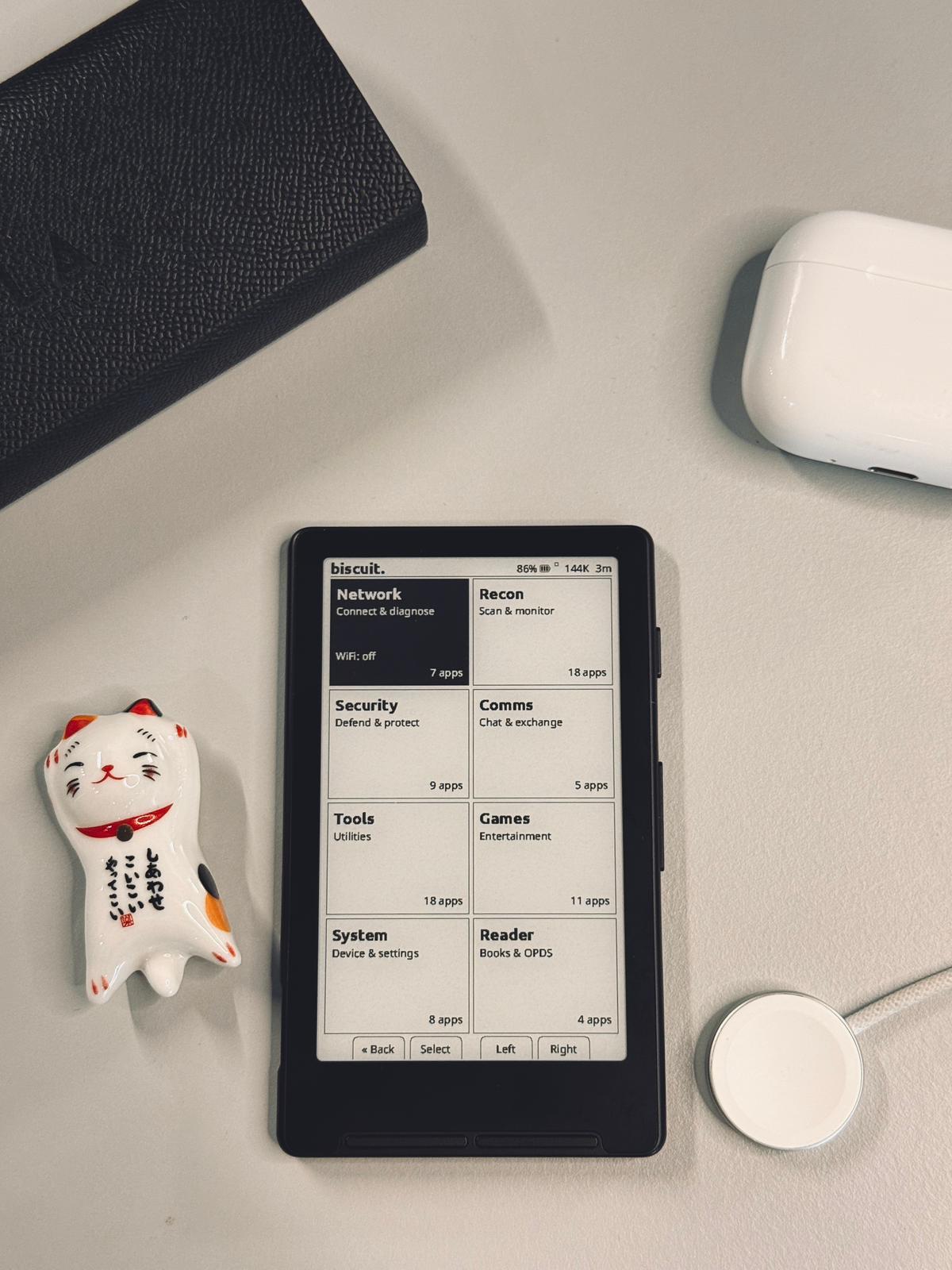
Biscuit treats the Xteink X4 as a general-purpose smart device, not just an e-reader. The home screen is a tile-based dashboard with live system info (battery, heap, uptime, WiFi status). Reading is one of eight categories, not the main focus.
The 4.26" e-ink display is readable in direct sunlight, retains its image without power, and gives the device days of battery life. Seven physical buttons provide navigation without a touchscreen. WiFi and BLE 5.0 enable wireless tools. A MicroSD card stores everything.
Hardware
| Spec | Value |
|---|---|
| SoC | ESP32-C3 (RISC-V, 160MHz) |
| RAM | 380KB SRAM (no PSRAM) |
| Flash | 16MB |
| Display | 4.26" 800×480 e-ink, 1-bit mono |
| Input | 7 buttons (4 front, 3 side) |
| WiFi | 2.4GHz 802.11 b/g/n |
| BLE | 5.0 (shared radio with WiFi) |
| Storage | MicroSD (FAT32) |
| Port | USB-C (serial + power) |
Apps
The home screen is a dashboard of eight tiles. Everything lives under one of them.
| Tile | Purpose |
|---|---|
| Recon | Passive scanning and monitoring — no transmission |
| Offense | Active wireless testing, grouped into Scan → Profile → Attack → Capture |
| Defense | Stealth, detection, and device hardening |
| Comms | Communication and exchange |
| Tools | Crypto, network, productivity, and creative utilities |
| Games | Entertainment |
| Reader | Ebooks, OPDS, reading stats |
| Settings | Preferences, file transfer, system management |
Recon — scan and monitor (passive only)
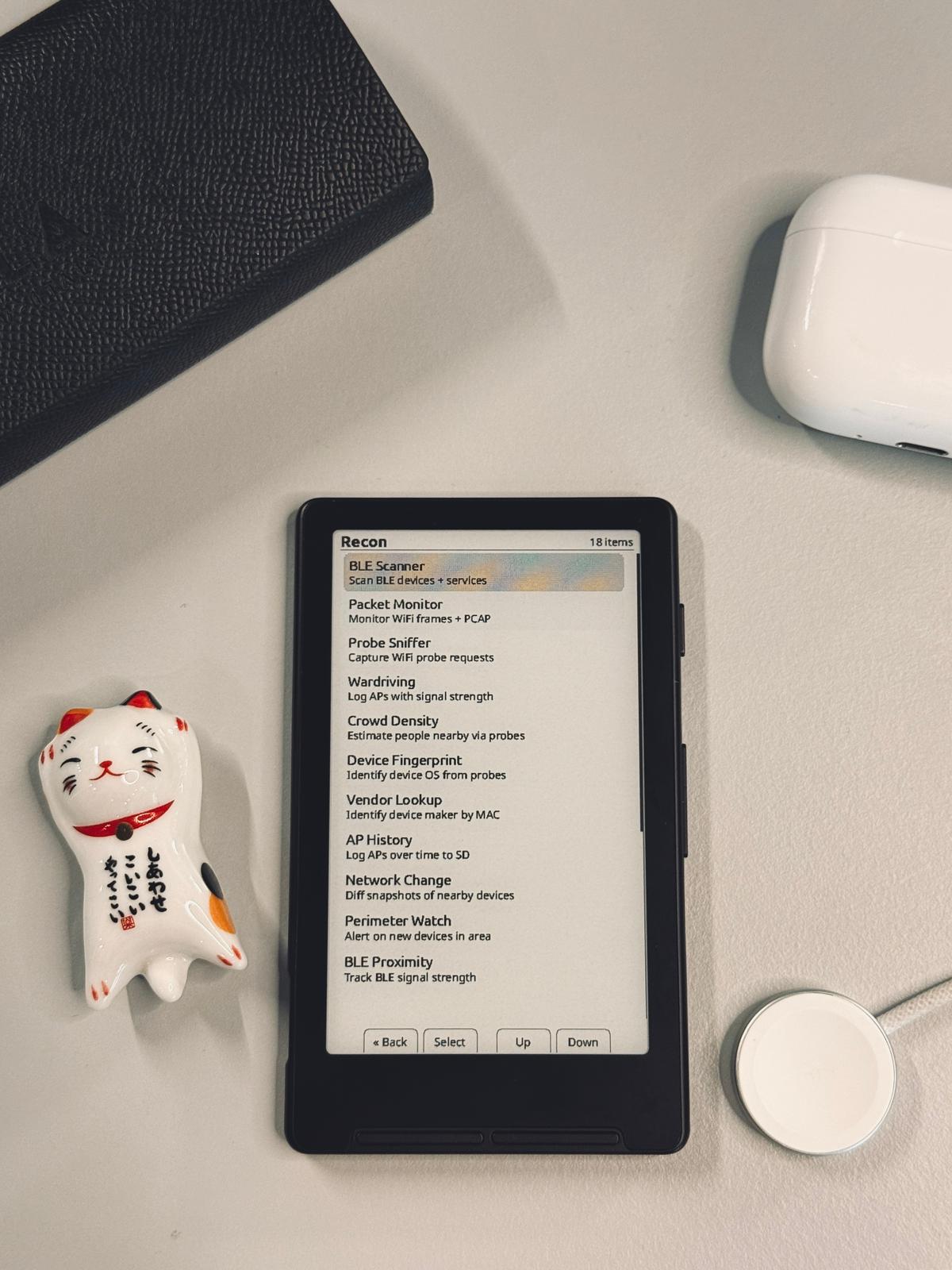
All apps in Recon are read-only — they listen but never transmit.
| App | What it does |
|---|---|
| WiFi Scanner | Discover APs and connected clients |
| BLE Scanner | Scan BLE devices, browse services and characteristics |
| Full Sweep | Combined WiFi + BLE passive scan |
| Packet Monitor | Monitor WiFi frames with PCAP recording |
| Probe Sniffer | Capture WiFi probe requests |
| Wardriving | Log access points with signal strength |
| Crowd Density | Estimate nearby people via probe request counting |
| Device Fingerprint | Identify device OS from probe request patterns |
| Vendor Lookup | Identify manufacturer by MAC (OUI database on SD) |
| AP History | Log visible access points over time to SD |
| Network Change | Snapshot nearby devices, compare for changes |
| Perimeter Watch | Alert when new devices appear in area |
| BLE Proximity | Track BLE device RSSI |
| WiFi Heat Map | RSSI mapping walkabout |
| Signal Locator | Estimate AP position via RSSI triangulation |
| Deauth Detector | Monitor for deauthentication frame spikes |
Offense — active wireless testing
Offense opens a 2×2 sub-menu grouped into four phases. A disclaimer must be acknowledged before first use.
Scan — target discovery
| App | What it does |
|---|---|
| WiFi Scan | Discover APs and clients |
| BLE Scan | Discover BLE devices |
| Full Sweep | Combined WiFi + BLE passive scan |
| Saved Targets | Browse cached target database |
Profile — target analysis
| App | What it does |
|---|---|
| Target Profiler | Select and analyze a target |
| Client Enum | Devices connected to target AP |
| Host Scanner | Find devices on local network |
| Vuln Assessment | Check encryption and WPS settings |
| Signal Locator | Estimate AP position from RSSI |
Attack — broadcast and testing tools
| App | What it does |
|---|---|
| Beacon Test | Custom beacon broadcasting |
| WiFi Test | Wireless connectivity testing |
| Captive Portal | Network portal for testing |
| Beacon Flood | Broadcast 30 random SSIDs |
| SSID Clone | Clone a WiFi AP (open, same channel) |
| BLE Spam | Proximity / Fast Pair / Swift Pair flood |
| BLE Keyboard | HID keyboard emulation (DuckyScript over BLE) |
| AirTag Test | Device location testing |
| USB Keyboard | Wired DuckyScript over USB-C |
Capture — review and export
| App | What it does |
|---|---|
| Captured Data | Handshakes, credentials, PCAPs, BLE logs |
| Credential Viewer | View credentials captured by portal |
| Probe Log | Recorded WiFi probe requests |
| Scan History | Browse previously found targets |
| Wipe Captures | Delete all captured data |
Defense — stealth and protect
Ghost Mode is the headline entry — it rotates MAC, kills radios, and cleans up state in one action (replacing the old standalone MAC Changer and RF Silence apps).
| App | What it does |
|---|---|
| Ghost Mode | MAC rotate + RF kill + state cleanup, one shot |
| Tracker Detector | Detect AirTags, SmartTags, and Tiles following you |
| Security Sweep | Scan for cameras, trackers, rogue APs, skimmers |
| Network Monitor | Detect rogue APs and suspicious frames |
| Emergency SOS | SOS beacon (WiFi + BLE + Mesh) with dead man's switch |
| Phone Tether | BLE proximity disconnect alert |
| Quick Wipe | Erase all biscuit data from SD with verification |
| PIN Security | Lock device with PIN, duress PIN for fake profile |
| Screen Decoy | Fake screen to hide activity |
| SD Encryption | Encrypt biscuit data on SD with PIN |
Comms — communicate and exchange
| App | What it does |
|---|---|
| Mesh Chat | ESP-NOW text chat, no WiFi needed, ~200m range, multi-hop relay |
| SSID Channel | Hide short messages in WiFi network names |
| Contact Exchange | Swap contact cards between devices via BLE |
| Dead Drop | Temporary WiFi AP for anonymous file exchange |
| Bulletin Board | Local anonymous message board via WiFi AP |
Tools — utilities and productivity
A single tile that merges the old Network section with crypto, productivity, tracking, and creative apps.
Security & crypto
| App | What it does |
|---|---|
| Authenticator | TOTP 2FA codes, fully offline |
| TOTP QR | Show a 2FA code as a scannable QR |
| Password Manager | Encrypted credentials stored on SD |
| Medical Card | Emergency medical info persistent on e-ink |
| Stego Notes | Hide text inside BMP images |
Network
| App | What it does |
|---|---|
| WiFi Connect | Join a WiFi network |
| WiFi Scanner | APs, signal, channels |
| Host Scanner | Find devices on local network |
| Ping | Ping a host or IP address |
| DNS Lookup | Resolve domain names |
| HTTP Client | Send GET/POST requests |
| mDNS Browser | Discover local services |
Productivity
| App | What it does |
|---|---|
| Clock | NTP clock, stopwatch, pomodoro timer |
| Calculator | Basic calculator |
| QR Generator | Generate QR codes from text |
| Morse Code | Encode and decode morse |
| Unit Converter | Convert between measurement units |
| Cipher Tools | ROT13, Caesar, Vigenere, XOR |
| OTP Generator | One-time pad random number pages |
Tracking & logging
| App | What it does |
|---|---|
| Event Logger | Timestamped notes with WiFi location tagging |
| Flashcards | Study decks loaded from CSV on SD |
| Habit Tracker | Daily habit checklist with streak tracking |
| Breadcrumb Trail | Record and retrace your path using WiFi fingerprints |
| Vehicle Finder | Find your parked car via WiFi fingerprint matching |
| Transit Alert | Alert when approaching a saved transit stop |
Creative
| App | What it does |
|---|---|
| Etch-A-Sketch | Draw on the e-ink screen, save as BMP |
| Barcode Generator | Code 128 / Code 39 / EAN-13 |
| Key Copier | Draw key profiles from bitting codes |
| WiFi QR Share | Share WiFi credentials as a QR code |
| File Browser | Browse and view files on SD card |
| Countdown | Big countdown timer |
Games
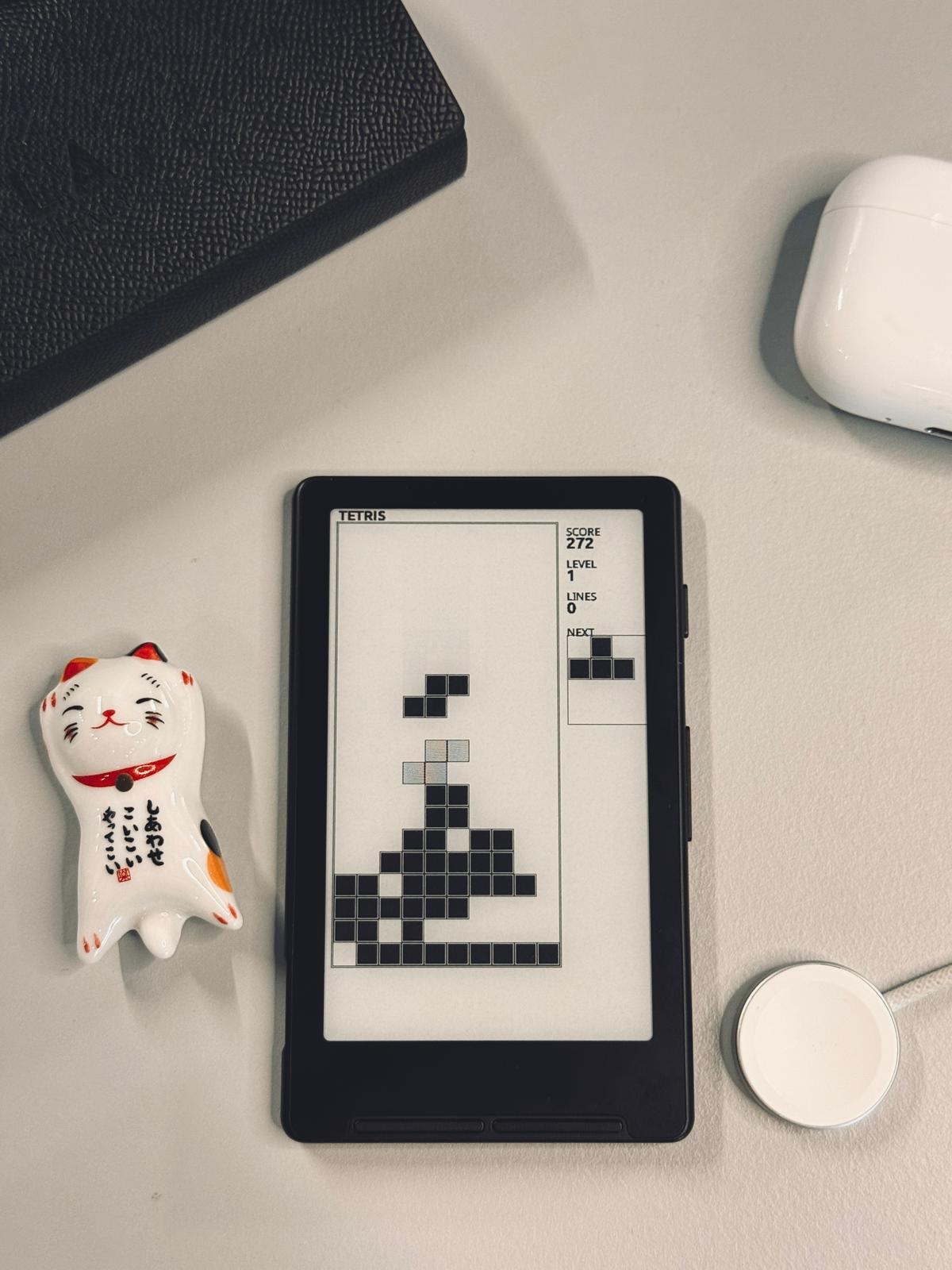
Casino (slots, blackjack, roulette, coin flip, higher/lower, loot box), Minesweeper, Sudoku, Chess (with bot), Snake, Tetris, Maze, Dice Roller, Game of Life, Voronoi, Matrix Rain.
Reader
| App | What it does |
|---|---|
| Open Book | Browse and open an ebook |
| Recent Books | Continue where you left off |
| OPDS Browser | Download books from OPDS servers |
| Reading Stats | Pages read, books completed, streaks |
| Browse Files | File manager for the SD card |
Full EPUB 2/3 rendering, KOReader Sync, and Calibre wireless transfer are inherited from CrossPoint.
Settings — system and configuration
Promoted to a top-level tile from the old System section.
| App | What it does |
|---|---|
| Settings | Display, reader, controls, system configuration |
| WiFi Transfer | Upload/download files via WiFi (STA, AP, or Calibre) |
| USB Storage | Share the SD card as a USB mass-storage drive |
| Task Manager | View heap, uptime, and activity stack |
| Battery | Battery level with history graph |
| Device Info | Chip, flash, RAM, firmware, WiFi, screen info |
| Background | Radio state, SD status, active timers |
| Automation | WiFi geofence triggers and scheduled tasks |
Themes
Three UI themes, selectable in Settings:
- Classic — original CrossPoint style
- Lyra — rounded elements, modern feel (default)
- Military — inverted headers, sharp corners, dashed separators, uppercase labels
SD card structure
/biscuit/
  portals/        # HTML templates for captive portal
  ducky/          # DuckyScript files for HID keyboard
  pcap/           # Packet captures
  scans/          # Network scan results
  logs/           # WiFi/BLE scan logs, AP history, event logs
  drawings/       # Etch-A-Sketch saved BMPs
  trails/         # Breadcrumb trail data
  snapshots/      # Network change snapshots
  flashcards/     # Flashcard decks (CSV)
  creds.csv       # Captured portal credentials
  medical.dat     # Medical card info
  totp.dat        # TOTP authenticator secrets (encrypted)
  casino.dat      # Casino credits
  habits.dat      # Habit tracker data
  security.dat    # PIN hashes
  automation.dat  # Automation rules
  oui.txt         # IEEE OUI vendor database (user-provided)
Installing
Web flasher (recommended)
- Connect your Xteink X4 via USB-C data cable (not charge-only)
- Wake the device by pressing Power
- Go to https://xteink.dve.al/ and flash the firmware
To revert to stock firmware, use the same site or press "Swap boot partition" at https://xteink.dve.al/debug.
Manual
git clone --recursive https://github.com/yattsu/biscuit
cd biscuit
pio run --target upload
Development
Prerequisites
- PlatformIO Core or VS Code + PlatformIO IDE
- Python 3.8+
- USB-C data cable
- Xteink X4
Building
# Windows PowerShell
$env:PYTHONUTF8=1
pio run -j 16
# Linux / macOS
pio run -j 16Adding translations
Translations live in lib/I18n/translations/. Each language is a YAML file. Add or edit strings, then regenerate:
python3 scripts/gen_i18n.py lib/I18n/translations lib/I18n/See i18n docs for details.
Debugging
python3 -m pip install pyserial colorama matplotlib
python3 scripts/debugging_monitor.py
The debug monitor shows color-coded logs and a real-time memory graph.
Architecture
The firmware uses an activity-based UI architecture. Every screen is an Activity subclass with onEnter(), loop(), render(), and onExit(). Activities are managed by ActivityManager (push/pop/replace). WiFi and BLE share one radio, arbitrated by RadioManager.
See architecture docs for the full overview.
Upstream
Biscuit tracks CrossPoint Reader as upstream. To sync:
git remote add upstream https://github.com/crosspoint-reader/crosspoint-reader.git
git fetch upstream
git merge upstream/master
Credits
Built on CrossPoint Reader by the CrossPoint contributors. CrossPoint was inspired by diy-esp32-epub-reader by atomic14.
License
MIT