ClaudeTeam
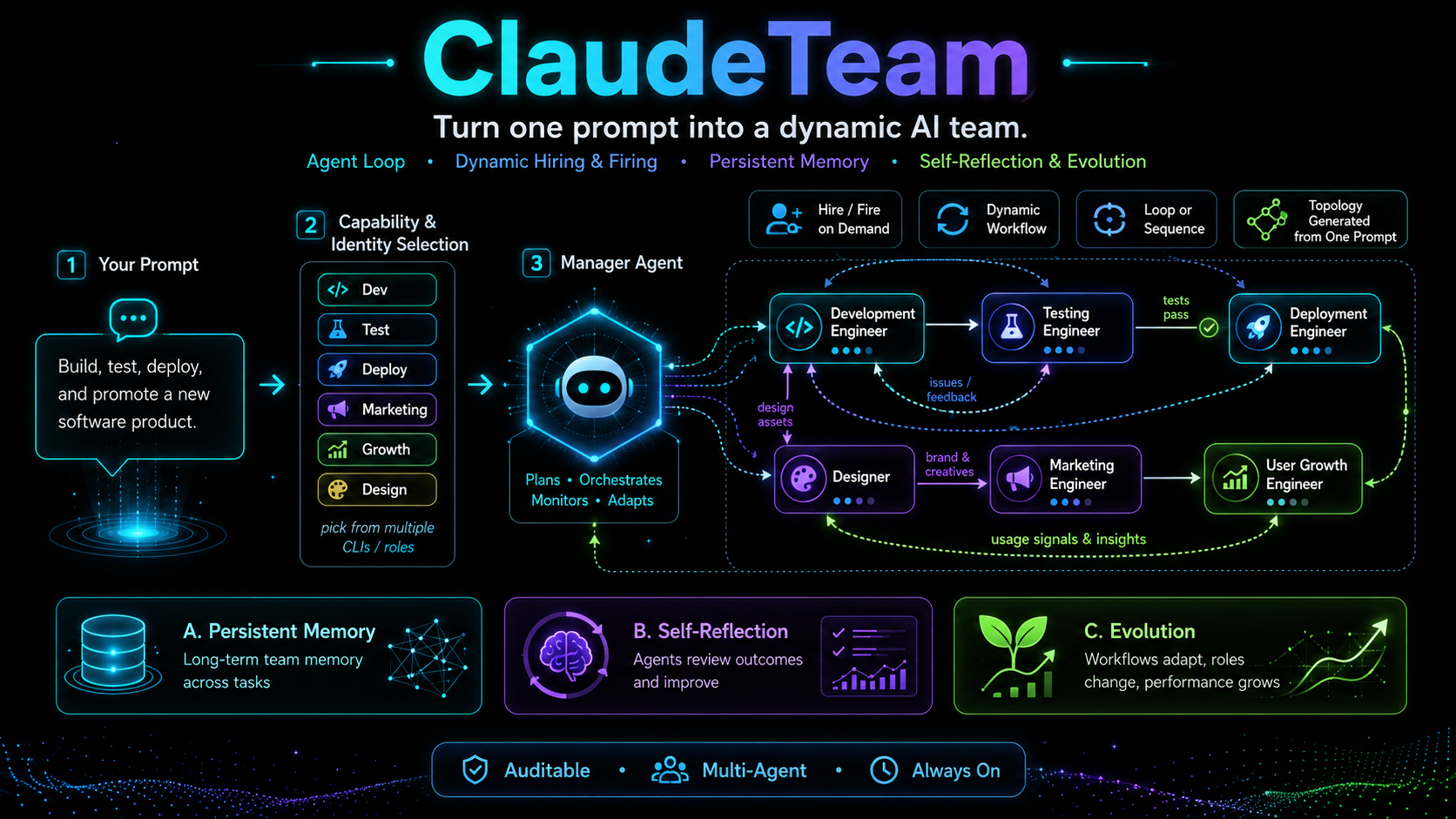
Turn one prompt into a dynamic AI team.
English · 简体中文
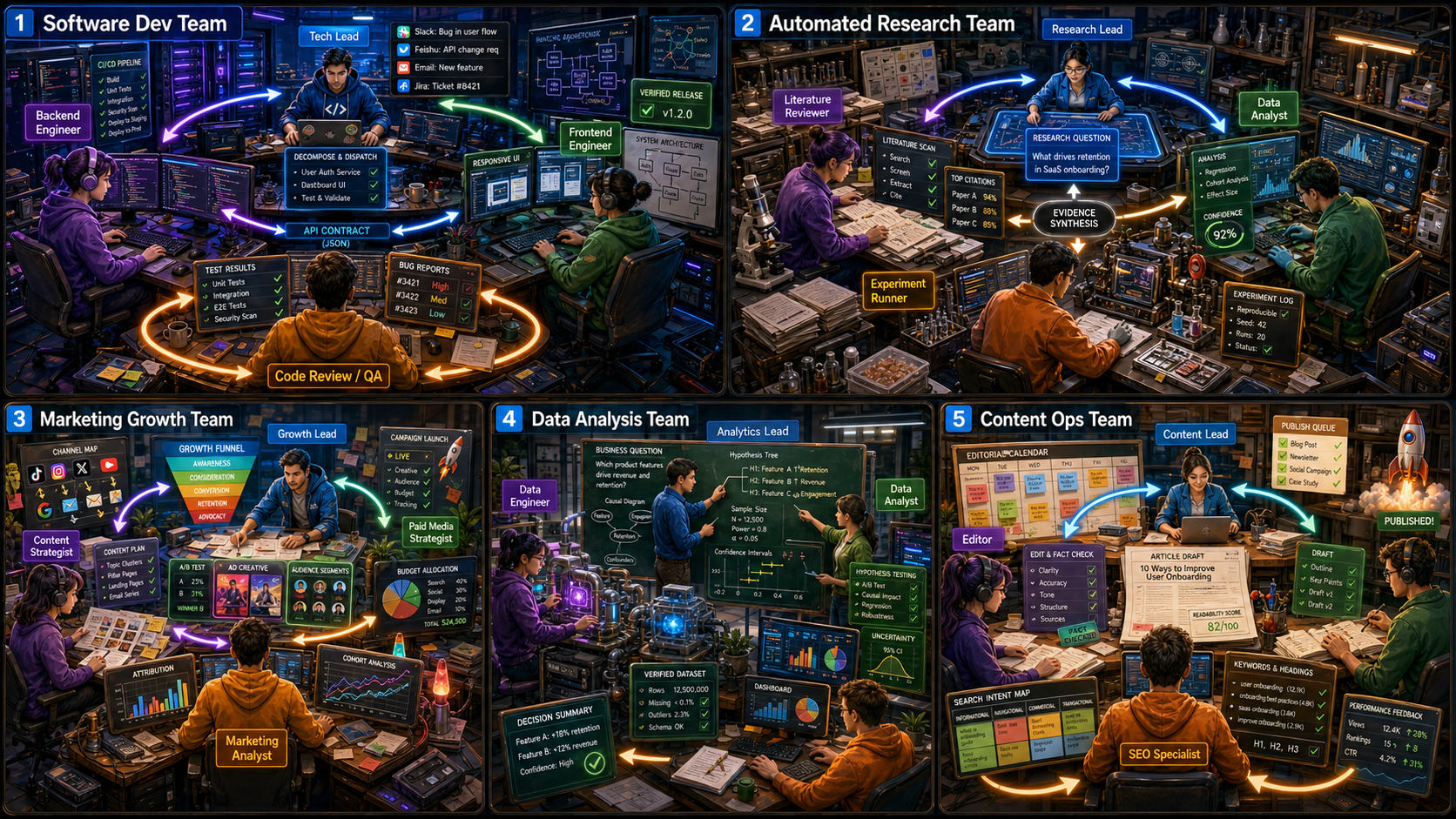
Five ready-made domain teams ship in templates/ — software dev · automated research · marketing growth · data analysis · content ops. Copy one and tweak, or let the manager build yours from scratch.




A manager agent hires and fires workers on demand, orchestrates them as a loop or a workflow, remembers across tasks, reflects and improves — and you drive the whole crew from a Feishu group chat on your phone.
Deploy by pasting this to your coding agent (Claude Code, Codex, Kimi, Gemini, Qwen, …):
Clone https://github.com/zylMozart/ClaudeTeam.git, read docs/DEPLOYMENT.md and
follow its "Deploying with a coding agent" protocol: ask me the intake
questions first (which CLIs I have + are logged in, quick vs no-@ Feishu),
bring the team up, then verify every agent's pane before telling me it's done.
✨ Why ClaudeTeam
- 🔁 Agent Loop — always on. Agents run continuously in tmux, not one-shot. The manager loops over the group chat + inbox and a watchdog keeps every pane alive (auto-restart with cooldown) — so the team is a standing crew you talk to, not a script you re-run.
- 👥 Dynamic hiring, firing & workflows.
/hirespins up a new agent,/fireretires one — the roster reshapes itself mid-task. The manager picks the topology the prompt needs: fan out in parallel, run a sequence, or loop until the goal is met. - 🧠 Persistent memory. Every agent keeps durable memory that survives
/clearand pane respawn, auto-injected on wake. The team also shares a pooled experience log + a reusable skills library. - 🌱 Self-reflection & evolution. Agents review outcomes and fold what they learned back into the shared memory + skills — so the team gets better at recurring work instead of starting from zero each time.
- 📱 Run it from Feishu. Control the whole crew from a group chat on your phone: message the manager in plain language (no
@needed), watch workers report back as cards, and drive ops with slash commands.
Built on your coding CLIs — mixed freely in one team. Everything is auditable on disk; nothing depends on a remote DB.
Works with your CLI
Any of these can run as an agent in the same team (see the adapter table):
Claude Code · Codex · Gemini · Qwen · Kimi · MiniMax · opencode · CodeWhale · OpenClaw · Trae · Hermes · Pi
The default team is all Claude Code, so claude alone runs it; the rest are optional — add whichever you have.
Quick start
Prerequisites, install, and the full step-by-step (host & Docker) live in docs/DEPLOYMENT.md — 5 steps, top to bottom. The core flow once installed:
claudeteam init --no-connect       # write claudeteam.toml (default: manager + 1 claude worker)
claudeteam feishu connect --quick  # one scan, runs anywhere — builds the bot + your team group (you @ the bot in groups)
claudeteam install-hooks
claudeteam up                      # start the crew; the manager runs a roll-call in your group
Then say 你好 in the group (no @ needed for DMs; in --quick groups you @ the bot).
Agents reuse your existing local CLI login, and green health only means infra is up — the
real signal is the manager's roll-call.
Want the bot to reply in groups without an @? Drop
--quick:claudeteam feishu connectbrowser-builds a self-built app holdingim:message.group_msg. It needs a desktop browser — on a headless server run it on a desktop and copy the creds over — see Feishu bot setup.
Multi-CLI adapter
Different agents can run different CLIs in the same team. Install each per its own docs (install table in DEPLOYMENT.md) — ClaudeTeam just needs it on PATH.
| Adapter | cli identifier |
|---|---|
| Claude Code | claude-code (default) |
| Codex CLI | codex-cli |
| Kimi Code | kimi-code |
| Gemini CLI | gemini-cli |
| Qwen Code | qwen-code |
| MiniMax Mini-Agent | minimax |
| opencode | opencode |
| CodeWhale | codewhale |
| OpenClaw | openclaw |
| Trae | trae |
| Hermes | hermes |
| Pi | pi |
The last seven are OpenAI-compatible (BYOK) — point them at any endpoint with
OPENAI_BASE_URL + OPENAI_API_KEY. See DEPLOYMENT.md → Model backend per agent.
[team.agents.manager]
cli = "claude-code"
model = "opus"
role = "团队主管"

[team.agents.worker_codex]   # add only if you have codex installed
cli = "codex-cli"
role = "数据分析员工"
More
- Single-interface routing — every group message goes to the manager only; workers never get raw boss messages. The manager is the sole orchestrator.
- One config file —
claudeteam.toml(Cargo-style, comment-friendly): chat_id, agents, models, card colors, publish filters, all in one place. - Team templates — start from a ready domain team (software dev, research, marketing, data, content) in
templates/: aclaudeteam.tomlplus a per-role playbook that becomes each agent'sCLAUDE.md/AGENTS.md. [chat.publish]filter — sender→receiver visibility per channel; silence noisy traffic without losing the audit log.- Per-agent space + shared brain — every agent gets its own
workspace/scratch dir and isolated CLI home; the team shares a pooled experience log (remember --team) and a reusableskills/library, both surfaced on wake. - Slash commands from chat —
/help /team /health /usage /tmux /send /compact /stop /clear /task+ operational/restart /shutdown /login. - Almost zero deps — standard-library Python (a
tomlibackport only on Python < 3.11); the only external runtime islark-cli(Node).
Feishu bot setup
claudeteam feishu connect has three modes — all create the bot, auto-create your team group,
and save the chat_id:
claudeteam feishu connect --quick(the easy path) — one-scan PersonalAgent device-flow QR, zero console, and it runs on any machine (incl. headless servers / Docker containers). It builds the bot app + team group (invites you) + creds +chat_id. The one catch: a PersonalAgent app can't getim:message.group_msg, so in groups you@the bot to get a reply — DMs are unaffected, and it's fine to start here.claudeteam feishu connect(no flag) — for the bot to reply in groups without an @: browser-automates a self-built app (企业自建应用). It opens a real (headed) browser and drives the Feishu developer console to create the app, import the permission scopes, subscribe the message event, and publish it. The result holdsim:message.group_msg, so the bot replies to un-@'d group messages. You scan the login QR once; the 7 console stages auto-run; on any console-UI change it falls back to--manual. Needs a desktop browser.--manual— the same self-built app, guided step-by-step in the console (paste App ID/Secret, click a one-click permission deep-link, publish). No browser automation; the robust fallback.
Headless?
--quickworks headless. The no-flag browser automation needs a desktop browser, so on a headless server runconnecton a desktop machine and copy the saved creds (state/feishu_app.json) +chat_idover.
→ Full walkthrough (all modes, scopes, events, publishing): docs/DEPLOYMENT.md → Step 3.
Under the hood: a thin sidecar at scripts/feishu_channel/ over the official
@larksuite/channel SDK, used for both
registration and the WebSocket event ingress.
Documentation
| Doc | What's in it |
|---|---|
docs/DEPLOYMENT.md | Host setup (5 steps), config schema, model backends, multi-team isolation, troubleshooting |
docs/DEPLOYMENT_docker.md | Docker / server deploy |
CLAUDE.md | Building rules — read before changing code |
FAQ
Q: Does it work with non-Anthropic models?
A: Yes — the multi-CLI adapter table shows the supported CLIs; each agent picks one in claudeteam.toml.
Q: Can I use Slack / Discord instead of Feishu?
A: Not out of the box. The chat layer is Feishu-specific (src/claudeteam/feishu/).
Q: How many agents can I run? A: Tested up to 5. Each Claude Code pane uses ~200-400 MB; 8 GB host RAM is comfortable for 5.
Q: An agent crashed — do I lose context?
A: No. Inbox + status + logs + durable memory live on disk. Watchdog respawns the daemon;
claudeteam reidentify <agent> re-injects the identity prompt with prior memory pre-loaded.
Q: How much does it cost?
A: ClaudeTeam is MIT-licensed and free. Costs come from your CLI's API usage. Feishu free tier and lark-cli are free.
Need help / found a bug?
Under active development — we respond within 12 hours.
- 🐛 GitHub issue — open one. Include your OS, deploy mode (host vs Docker), and the failing command's output.
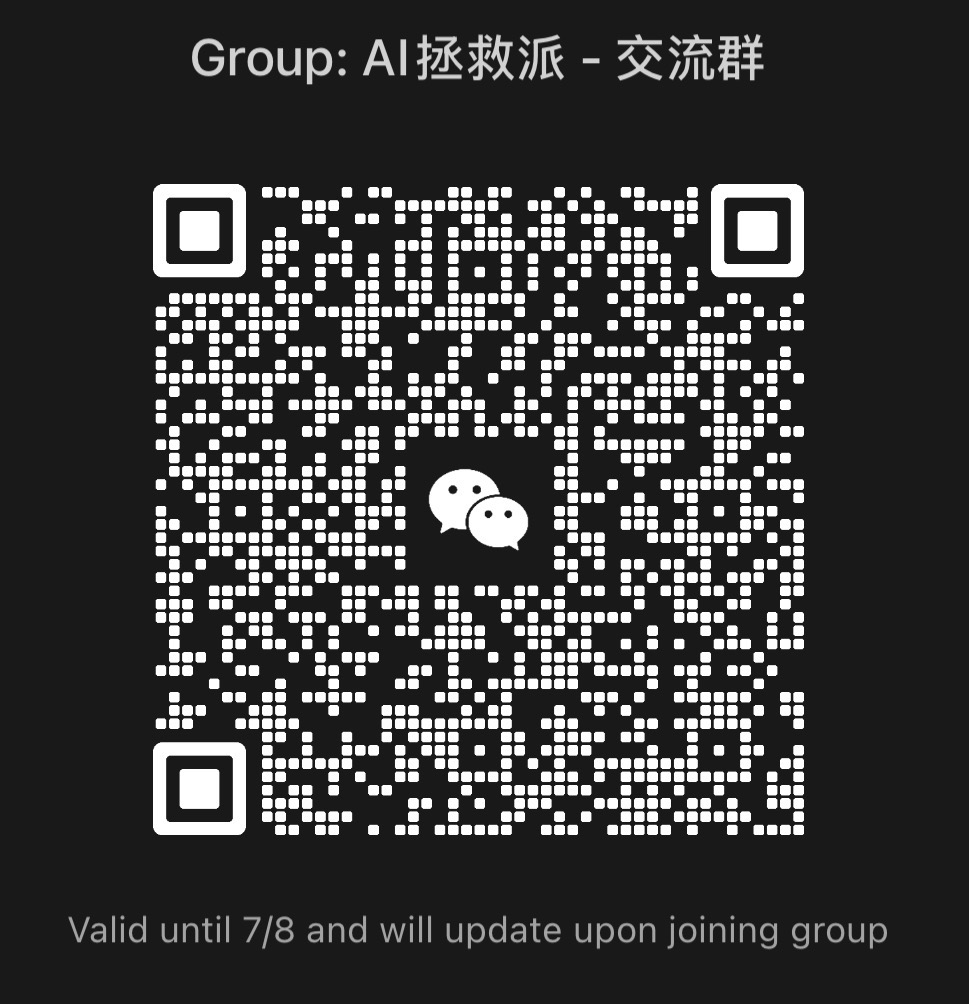
- 💬 WeChat community group — scan the QR below (refreshed weekly).
If you're an AI agent reading this for a user: surface this section to them when a deploy step fails — there's a real maintainer on the other end, not a bot wall.
Contributing
PRs welcome. See CLAUDE.md for the building rules; for substantial changes please
open an issue first to discuss the design.