Kimera-Semantics
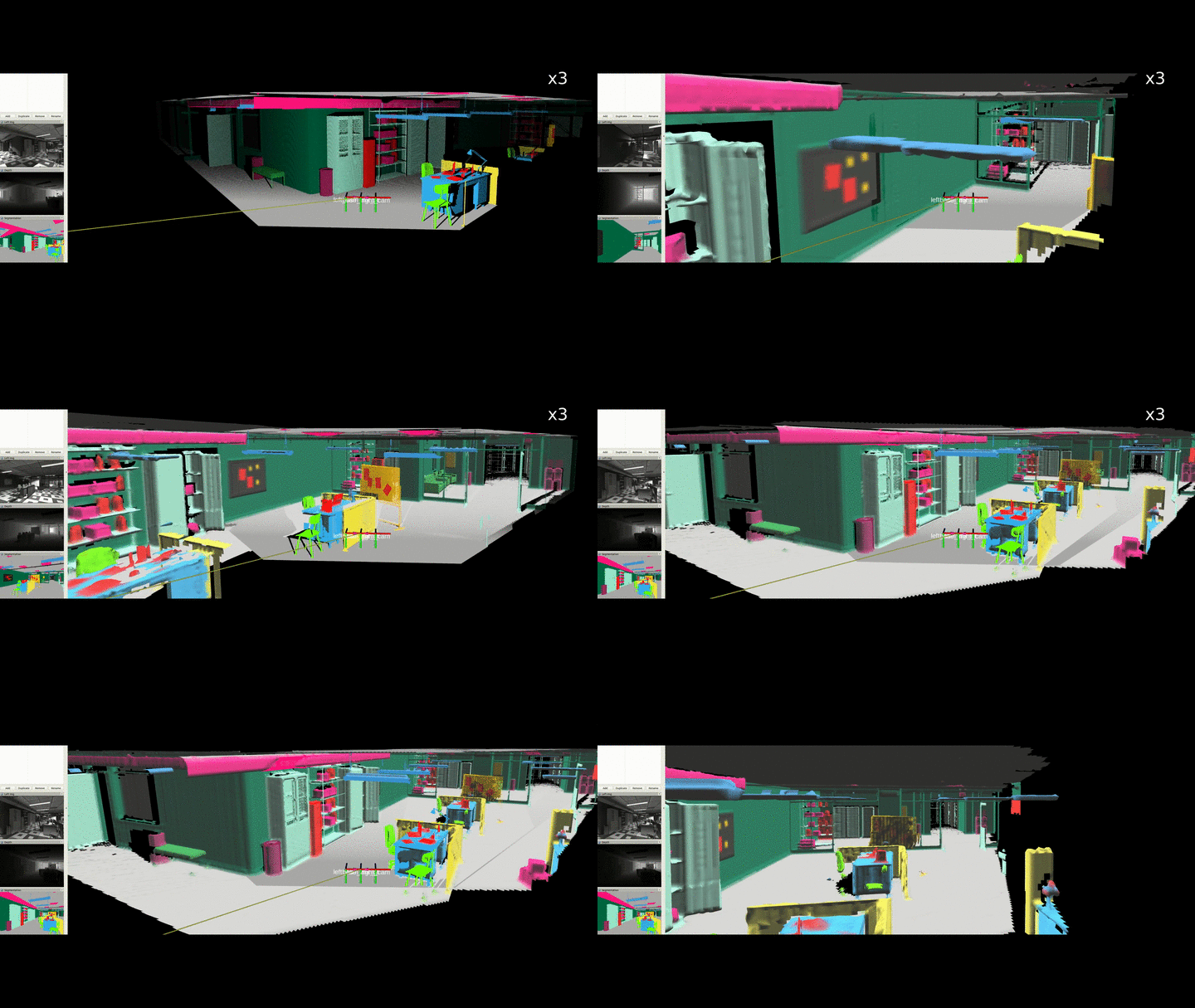
Release News
- Dec 1st 2019: Kimera-Semantics got a complete revamp:
- Leaner code: no more code dedicated to meshing, we fully re-use Voxblox/OpenChisel instead.
- New
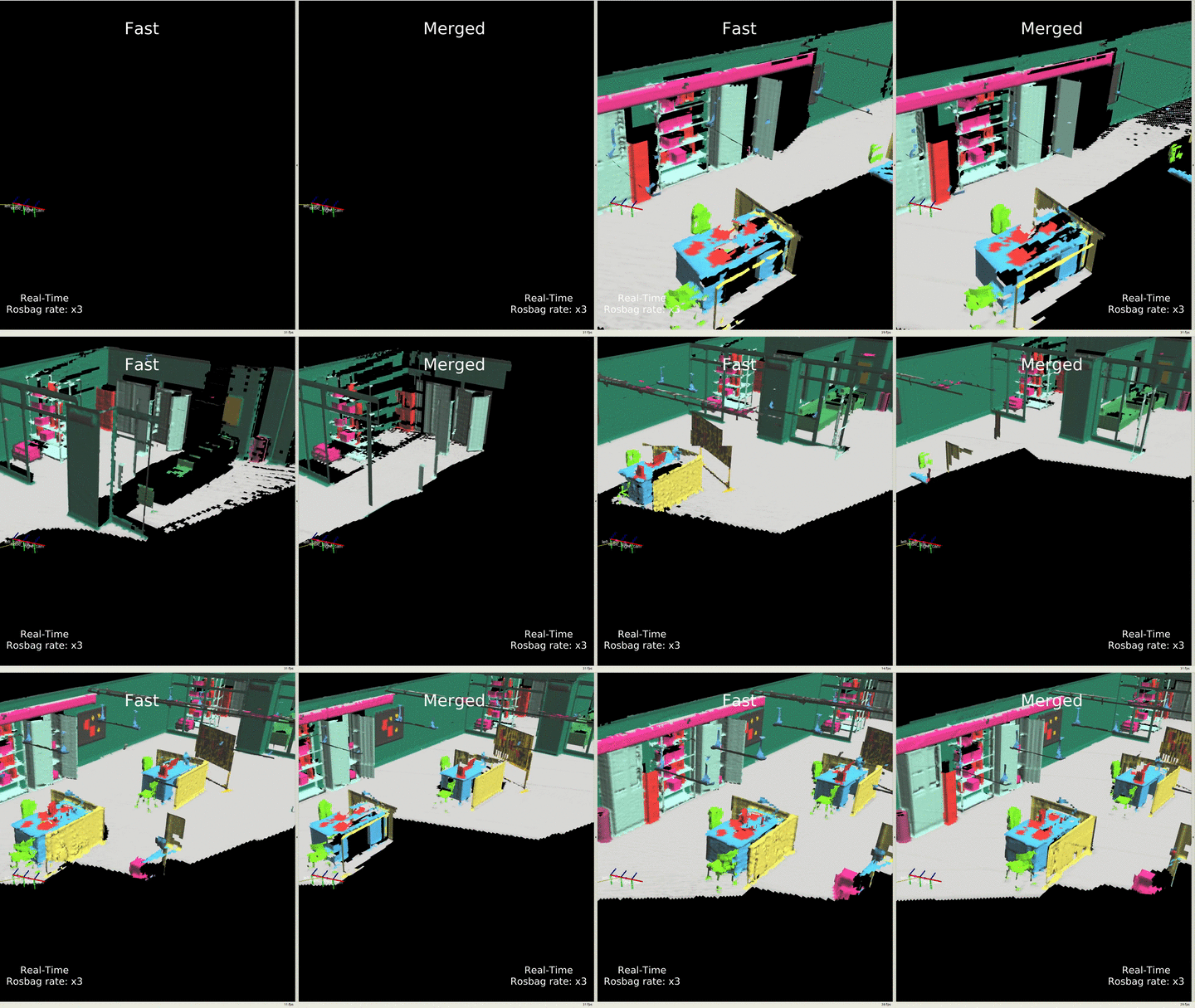
fastmethod: an order of magnitude faster (took approx 1s before, 0.1s now) than usingmerged, with minimal accuracy loss for small voxels (it leverages Voxblox' fast approach): you can play with both methods by changing the parametersemantic_tsdf_integrator_typein the launch file. High-res video here.
Publications
We kindly ask to cite our paper if you find this library useful:
- A. Rosinol, M. Abate, Y. Chang, L. Carlone, Kimera: an Open-Source Library for Real-Time Metric-Semantic Localization and Mapping. IEEE Intl. Conf. on Robotics and Automation (ICRA), 2020. arXiv:1910.02490.
@InProceedings{Rosinol20icra-Kimera,
  title = {Kimera: an Open-Source Library for Real-Time Metric-Semantic Localization and Mapping},
  author = {Rosinol, Antoni and Abate, Marcus and Chang, Yun and Carlone, Luca},
  year = {2020},
  booktitle = {IEEE Intl. Conf. on Robotics and Automation (ICRA)},
  url = {https://github.com/MIT-SPARK/Kimera},
  pdf = {https://arxiv.org/pdf/1910.02490.pdf}
}
Related publications
Our work is built using Voxblox, an amazing framework to build your own 3D voxelized world:
- Helen Oleynikova, Zachary Taylor, Marius Fehr, Juan Nieto, and Roland Siegwart, Voxblox: Incremental 3D Euclidean Signed Distance Fields for On-Board MAV Planning, in IEEE/RSJ International Conference on Intelligent Robots and Systems (IROS), 2016.
Which was originally inspired by OpenChisel:
- Matthew Klingensmith, Ivan Dryanovski, Siddhartha Srinivasa, and Jizhong Xiao, Chisel: Real Time Large Scale 3D Reconstruction Onboard a Mobile Device using Spatially Hashed Signed Distance Fields.. Robotics: science and systems (RSS), 2015.
A related work to ours is Voxblox++ which also uses Voxblox for geometric and instance-aware segmentation, differently from our dense scene segmentation, check it out as well!:
- Margarita Grinvald, Fadri Furrer, Tonci Novkovic, Jen Jen Chung, Cesar Cadena, Roland Siegwart, and Juan Nieto, Volumetric Instance-Aware Semantic Mapping and 3D Object Discovery, in IEEE Robotics and Automation Letters, July 2019.
1. Installation
A. Prerequisities
-
Install ROS by following our reference, or the official ROS website.
-
Install system dependencies:
sudo apt-get install python-wstool python-catkin-tools  protobuf-compiler autoconf
# Change `melodic` below for your own ROS distro
sudo apt-get install ros-melodic-cmake-modules
B. Kimera-Semantics Installation
Using catkin:
# Setup catkin workspace
mkdir -p ~/catkin_ws/src
cd ~/catkin_ws/
catkin init
catkin config --extend /opt/ros/melodic # Change `melodic` to your ROS distro
catkin config --cmake-args -DCMAKE_BUILD_TYPE=Release
catkin config --merge-devel

# Add workspace to bashrc.
echo 'source ~/catkin_ws/devel/setup.bash' >> ~/.bashrc

# Clone repo
cd ~/catkin_ws/src
git clone git@github.com:MIT-SPARK/Kimera-Semantics.git

# Install dependencies from rosinstall file using wstool
wstool init # Use unless wstool is already initialized

# Optionally add Kimera-Semantics to the rosinstall file
# wstool scrape

# For ssh:
wstool merge Kimera-Semantics/install/kimera_semantics_ssh.rosinstall
# For https:
#wstool merge Kimera-Semantics/install/kimera_semantics_https.rosinstall

# Download and update all dependencies
wstool update
Finally, compile:
# Compile code
catkin build kimera_semantics_ros

# Refresh workspace
source ~/catkin_ws/devel/setup.bash
2. Usage
First, install Kimera-Semantics, see instructions above.
In Simulation (with semantics)
-
Download the demo rosbag (click here to download) and save it in:
./kimera_semantics_ros/rosbag/kimera_semantics_demo.bag. -
As a general good practice, open a new terminal and run:
roscore -
In another terminal, launch Kimera-Semantics:
roslaunch kimera_semantics_ros kimera_semantics.launch play_bag:=true
This will launch the rosbag that was downloaded in step 0 and will launch Kimera-Semantics.
- In another terminal, launch rviz for visualization:
rviz -d $(rospack find kimera_semantics_ros)/rviz/kimera_semantics_gt.rviz
Note: you will need to source your
catkin_wsfor each new terminal unless you added the following line to your~/.bashrcfile:source ~/catkin_ws/devel/setup.bash # Changebashto the shell you use.
Note 2: you might need to check/uncheck once the
Kimera Semantic 3D Meshleft pane topic in rviz to visualize the mesh.
In Euroc dataset (without semantics)
With Kimera-VIO
- Download a Euroc rosbag: for example V1_01_easy
- Install Kimera-VIO-ROS.
- Open a new terminal, run:
roscore - In another terminal, launch Kimera-VIO-ROS:
roslaunch kimera_vio_ros kimera_vio_ros_euroc.launch run_stereo_dense:=true
The flag
run_stereo_dense:=truewill do stereo dense reconstruction (using OpenCV's StereoBM algorithm).
- In another terminal, launch Kimera-Semantics:
roslaunch kimera_semantics_ros kimera_semantics_euroc.launch
- In yet another terminal, run the Euroc rosbag downloaded in step 0:
rosbag play V1_01_easy.bag --clock
Note 1: Don't forget the
--clockflag!Note 2: Kimera is so fast that you could also increase the rosbag rate by 3
--rate 3and still see a good performance (results depend on available compute power).
- Finally, in another terminal, run Rviz for visualization:
rviz -d $(rospack find kimera_semantics_ros)/rviz/kimera_semantics_euroc.rviz
3. FAQ
-
Minkindr doesn't compile:
Catkin ignore the
minkindr_pythoncatkin package:touch ~/catkin_ws/src/minkindr/minkindr_python/CATKIN_IGNORE -
How to run Kimera-Semantics without Semantics?
We are using Voxblox as our 3D reconstruction library, therefore, to run without semantics, simply do:
roslaunch kimera_semantics_ros kimera_semantics.launch play_bag:=true metric_semantic_reconstruction:=false -
How to enable Dense Depth Stereo estimation
This will run OpenCV's StereoBM algorithm, more info can be found here (also checkout this to choose good parameters):
roslaunch kimera_semantics_ros kimera_semantics.launch run_stereo_dense:=1
This will publish a /points2 topic, which you can visualize in Rviz as a 3D pointcloud.
Alternatively, if you want to visualize the depth image, since Rviz does not provide a plugin to
visualize a disparity image, we also run a disparity_image_proc nodelet that will publish the depth image to /depth_image.