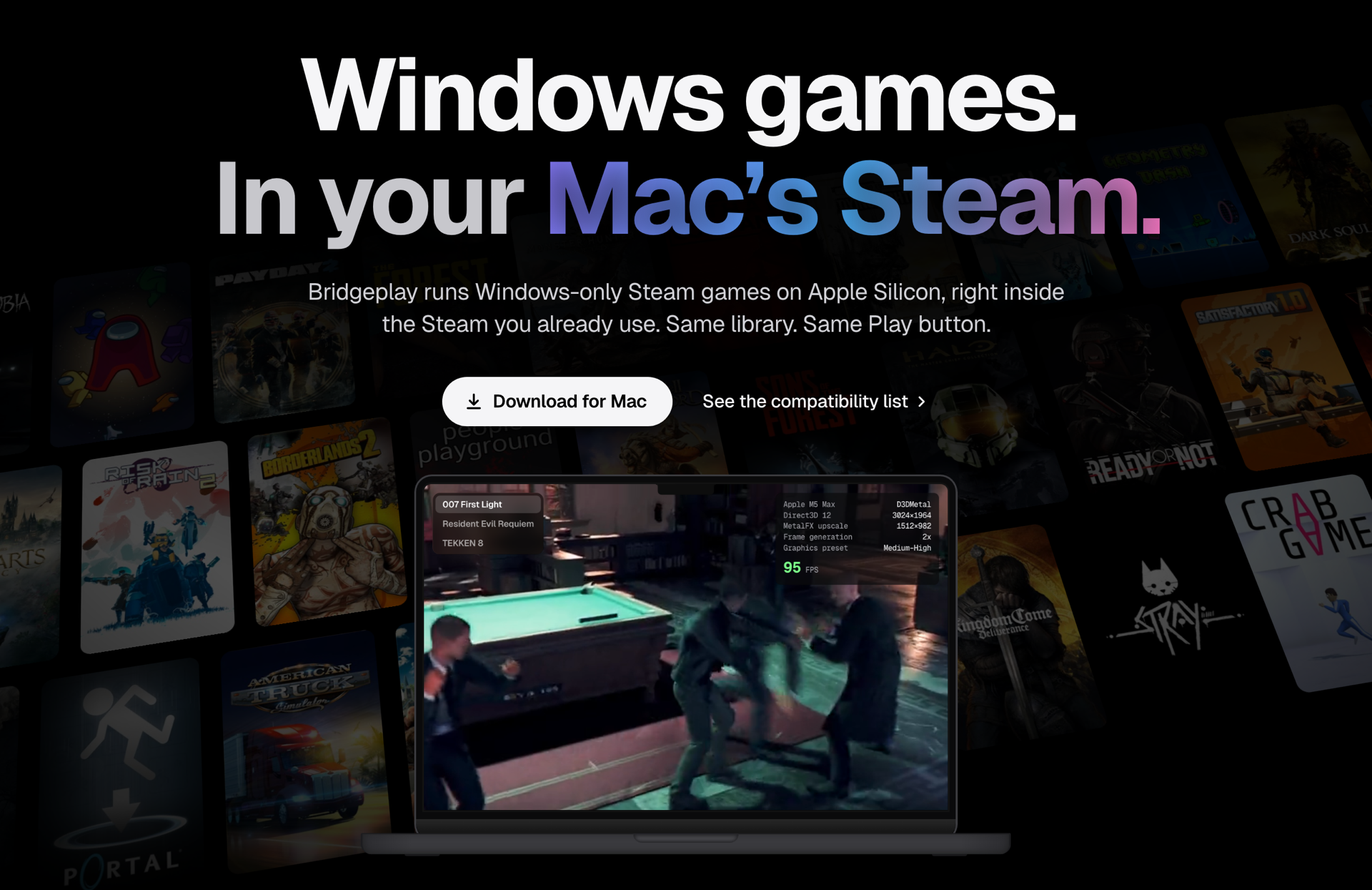
Windows-only Steam games on Apple Silicon, right inside the Steam you already use.
Same library. Same Play button. No bottles, no second launcher.





Bridgeplay is a fork of NotProton by NotProtonNot. Games run on CodeWeavers' open-source Wine, the engine behind CrossOver, and Apple's Game Porting Toolkit. I'm not affiliated with either. If CrossOver works for you, buy it: that money is a big part of what keeps Wine on the Mac moving. Bridgeplay is a hobby project I maintain part-time, so support is best-effort. Full list in Credits and Support Wine.
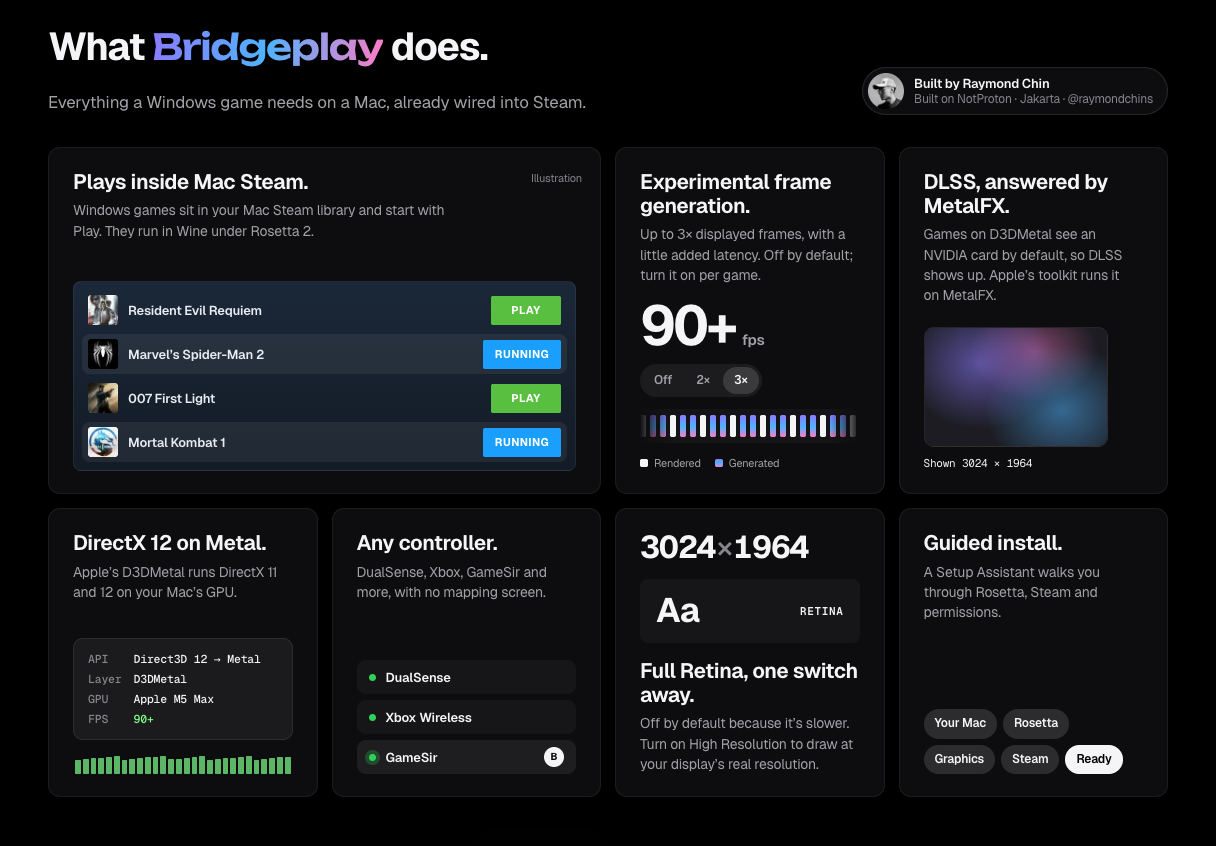
What it does
| Plays inside Mac Steam | Windows games sit in your Mac Steam library and start with Play. They run in Wine under Rosetta 2. |
| DirectX 12 on Metal | Apple's D3DMetal runs DirectX 11 and 12 on your Mac's GPU. |
| DLSS, answered by MetalFX | Games on D3DMetal see an NVIDIA card by default, so DLSS shows up. Apple's toolkit runs it on MetalFX. |
| Frame generation (experimental) | Up to 3× displayed frames, with a little added latency. Off by default; turn it on per game. |
| Any controller | DualSense, Xbox, GameSir and more, with no mapping screen. |
| Full Retina, one switch away | Off by default because it's slower. Turn on High Resolution to draw at your display's real resolution. |
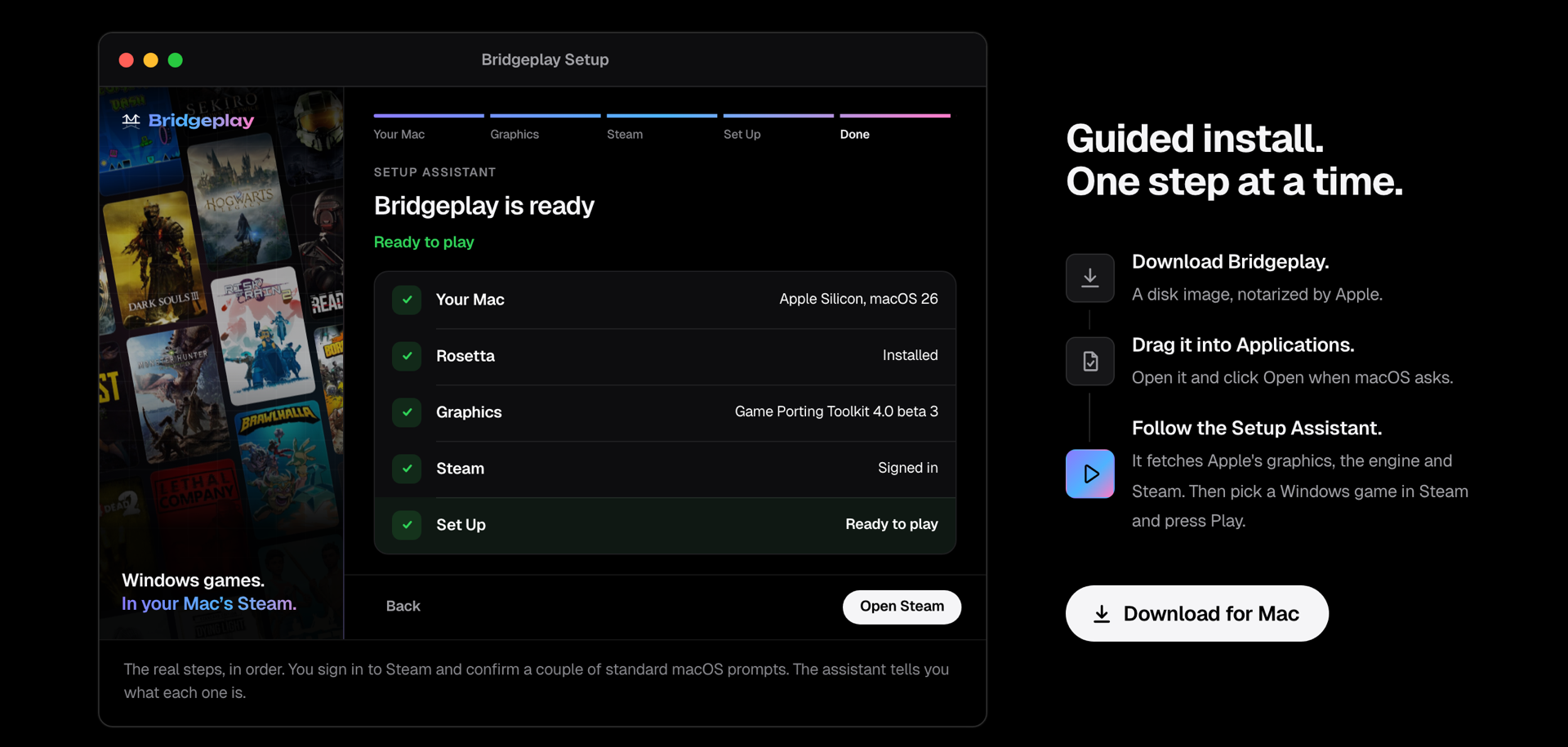
| Guided install | A Setup Assistant walks you through Rosetta, Steam and permissions. |
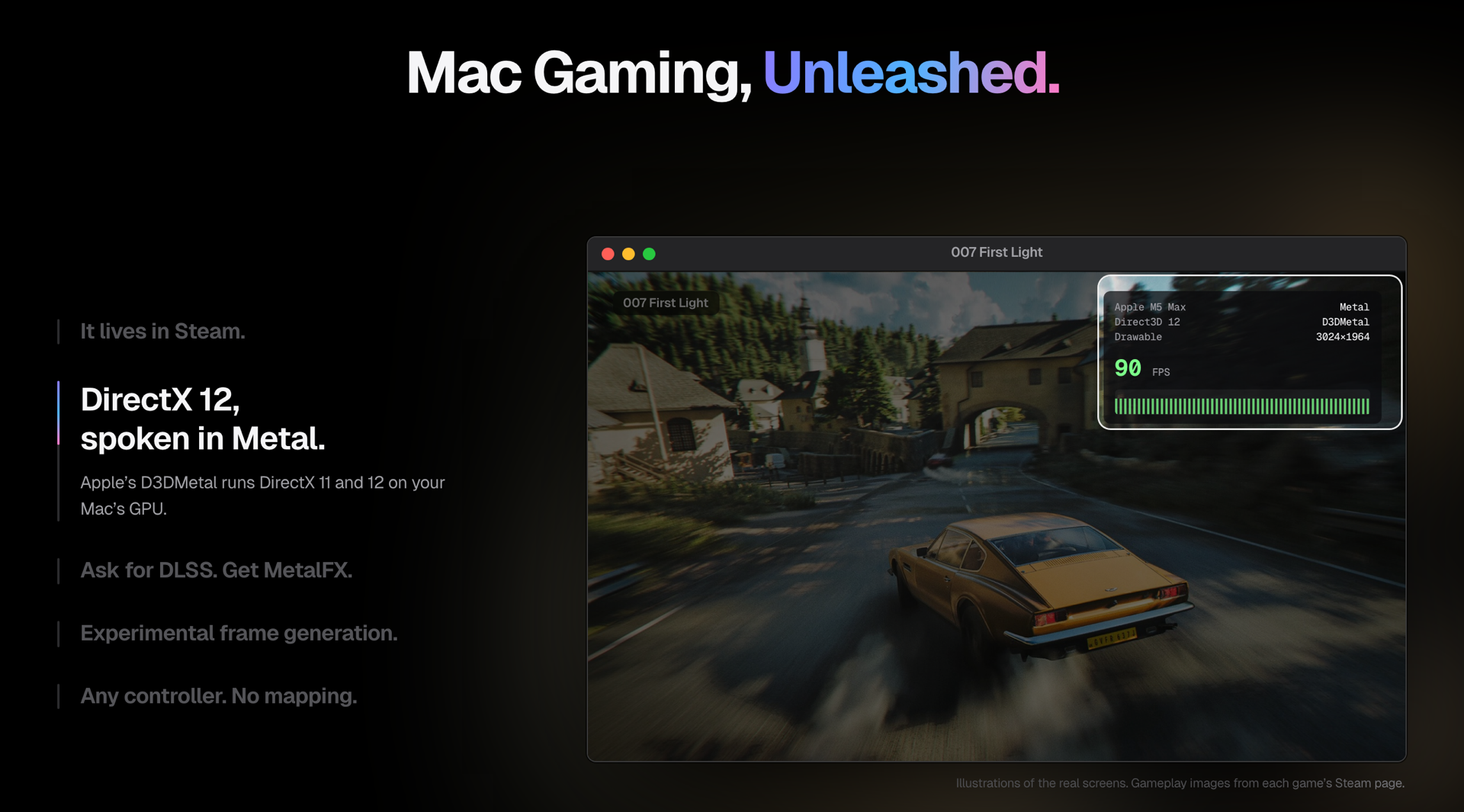
Illustrations of the real screens.
Already playing
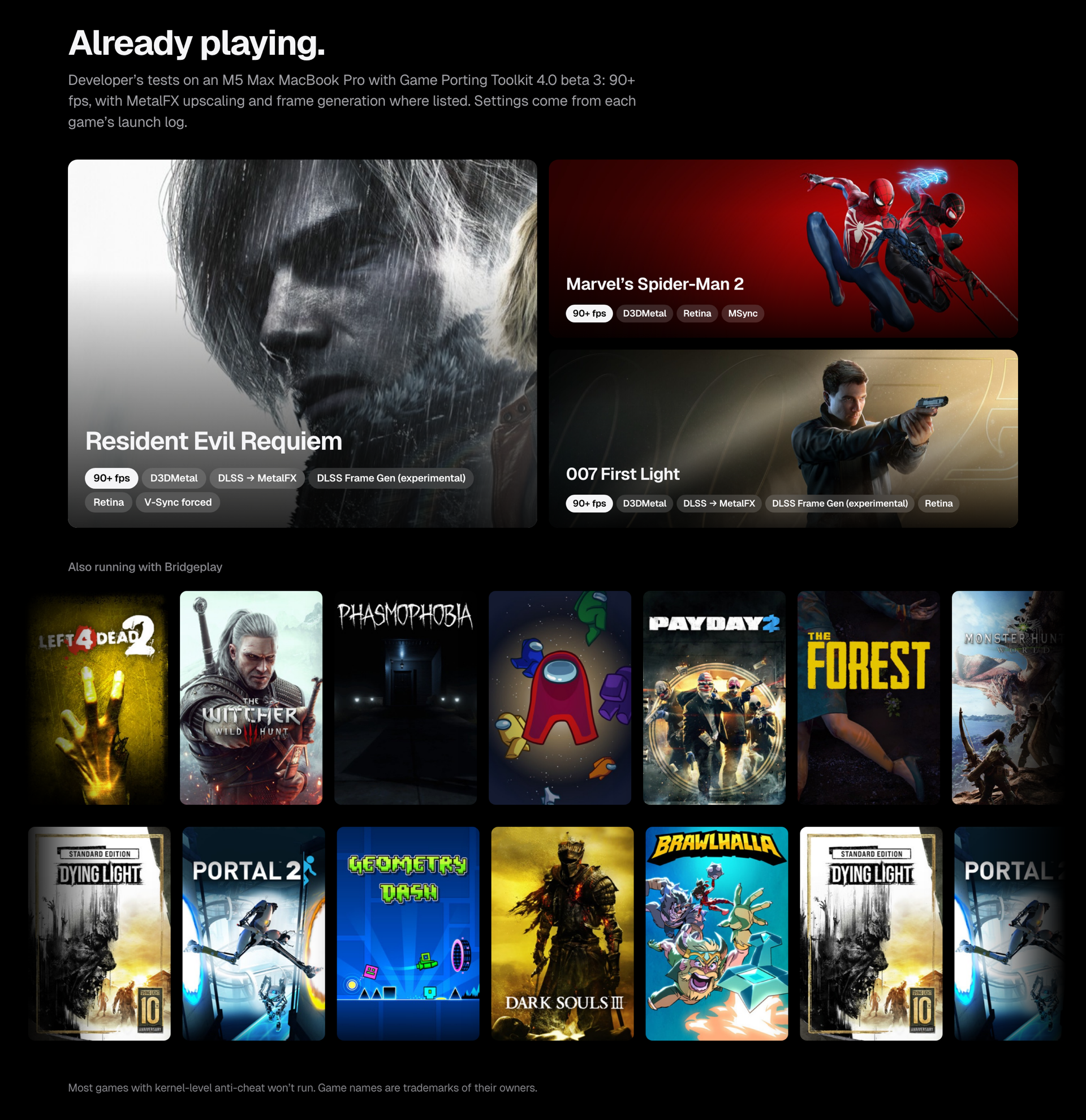
Developer's tests on an M5 Max MacBook Pro with Game Porting Toolkit 4.0 beta 3: 90+ fps, with MetalFX upscaling and frame generation where listed. Settings come from each game's launch log.
| Game | Launch settings |
|---|---|
| Resident Evil Requiem | D3DMetal · DLSS → MetalFX · DLSS Frame Gen (experimental) · Retina · V-Sync forced |
| Marvel's Spider-Man 2 | D3DMetal · Retina · MSync |
| 007 First Light | D3DMetal · DLSS → MetalFX · DLSS Frame Gen (experimental) · Retina |
Also running on the same setup: Mortal Kombat 1, The Last of Us Part I, Death Stranding Director's Cut, Horizon Zero Dawn, Split Fiction, It Takes Two, A Way Out, Batman: Arkham Knight, Sifu, Ghostrunner, Ravenswatch, Megabonk, PowerWash Simulator 2, The Witcher 3.
Most games with kernel-level anti-cheat won't run.
Compatibility list
Every game tested so far, and the Mac it ran on, is at bridgeplay.dev/compatibility. It combines results a maintainer checked (compat/), one-tap reports from players, and CrossOver ratings from AppleGamingWiki for games nobody has tried with Bridgeplay yet.
To add yours: after you play, Bridgeplay asks once per game How did it run? One tap posts the result, with your Mac and the game's log, to Compatibility reports. No GitHub account needed, and the log is stripped of your user, computer and Steam account details. Report Your Games… in the Prefix menu covers everything you've already played, and bridgeplay.dev/privacy lists what a report contains. Without the app, use the Game report form.
Install
- Download Bridgeplay from bridgeplay.dev:
Bridgeplay.dmg, notarized by Apple. - Drag Bridgeplay into Applications and open it. macOS asks once whether to open an app downloaded from the internet: click Open. It needs an admin account.
- Follow the Setup Assistant: Rosetta, Apple's graphics (Download fetches them, and Steam from Valve if it's missing), Steam sign-in, App Management and a couple of other standard macOS prompts. Every download is verified: Bridgeplay's signature or pinned hashes for its own files and the engine, Apple's signature for the toolkit's files, Valve's for Steam. Setup modifies your Steam app; see What Bridgeplay changes in Steam.
- Press Play on any Windows game in Steam. The first time you use a controller, allow Steam's Input Monitoring request.
Each game's Bridgeplay settings (graphics backend, Metal HUD, DLSS, frame generation, controllers) are in Steam: right-click the game, Properties… › Bridgeplay.
Updates install themselves: Bridgeplay, its patch in Steam and the engine. Refresh on the Status page checks on demand.
The Setup Assistant's graphics download carries Apple's Game Porting Toolkit redistributables, unmodified, under Apple's own license; docs/GPTK-LICENSE.md records how Bridgeplay handles it. You can use your own copy from Apple instead. Bridgeplay is free and non-commercial.
Requirements
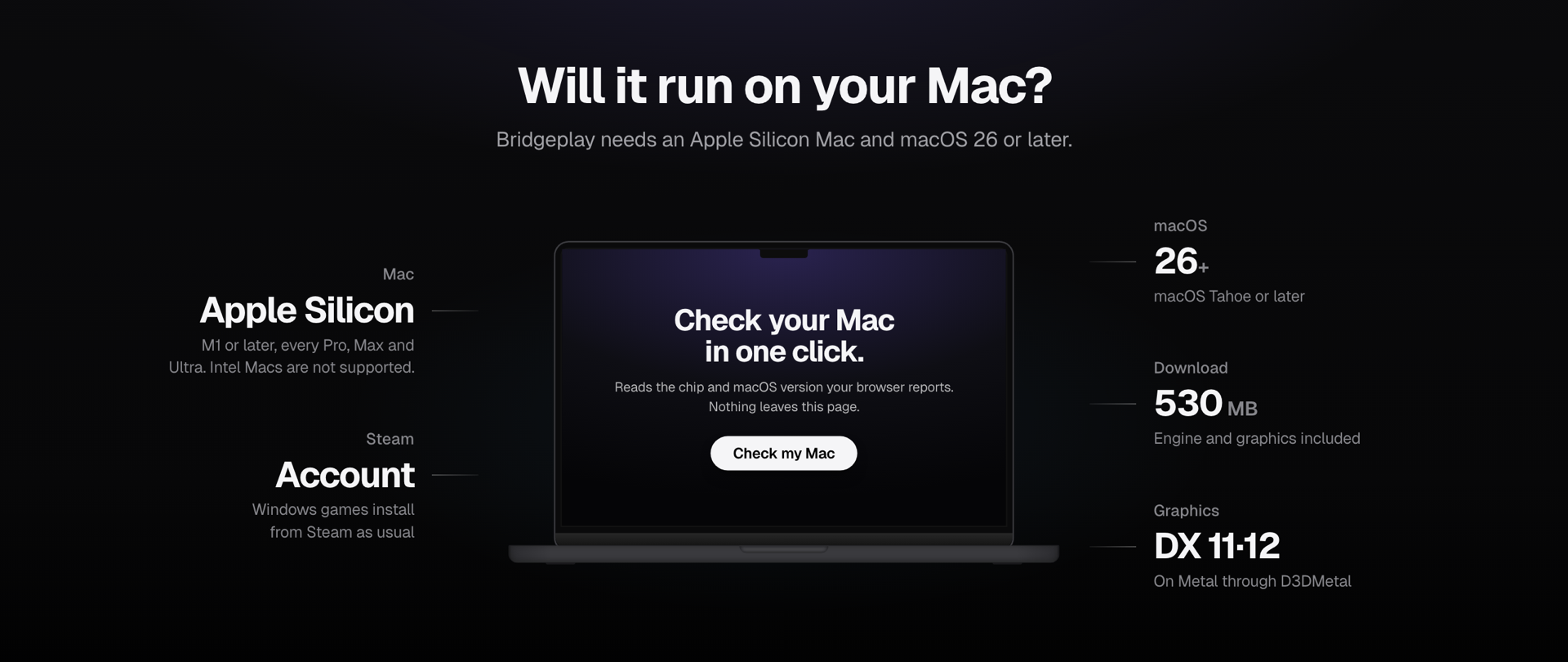
| Mac | Apple Silicon, M1 or later. Intel Macs are not supported. |
| macOS | 26 or later (macOS version guide) |
| Steam | A Steam account. Windows games install from Steam as usual. |
| Download | About 530 MB, most of it the engine the Setup Assistant fetches. Installing Rosetta 2 and Steam, and signing in to Steam, need internet. |
Guides and help
The guides on bridgeplay.dev cover installing Bridgeplay, troubleshooting, DirectX 12, DLSS and frame generation, and anti-cheat. The FAQ answers common questions, and the compatibility list shows which games other players got running.
How it works
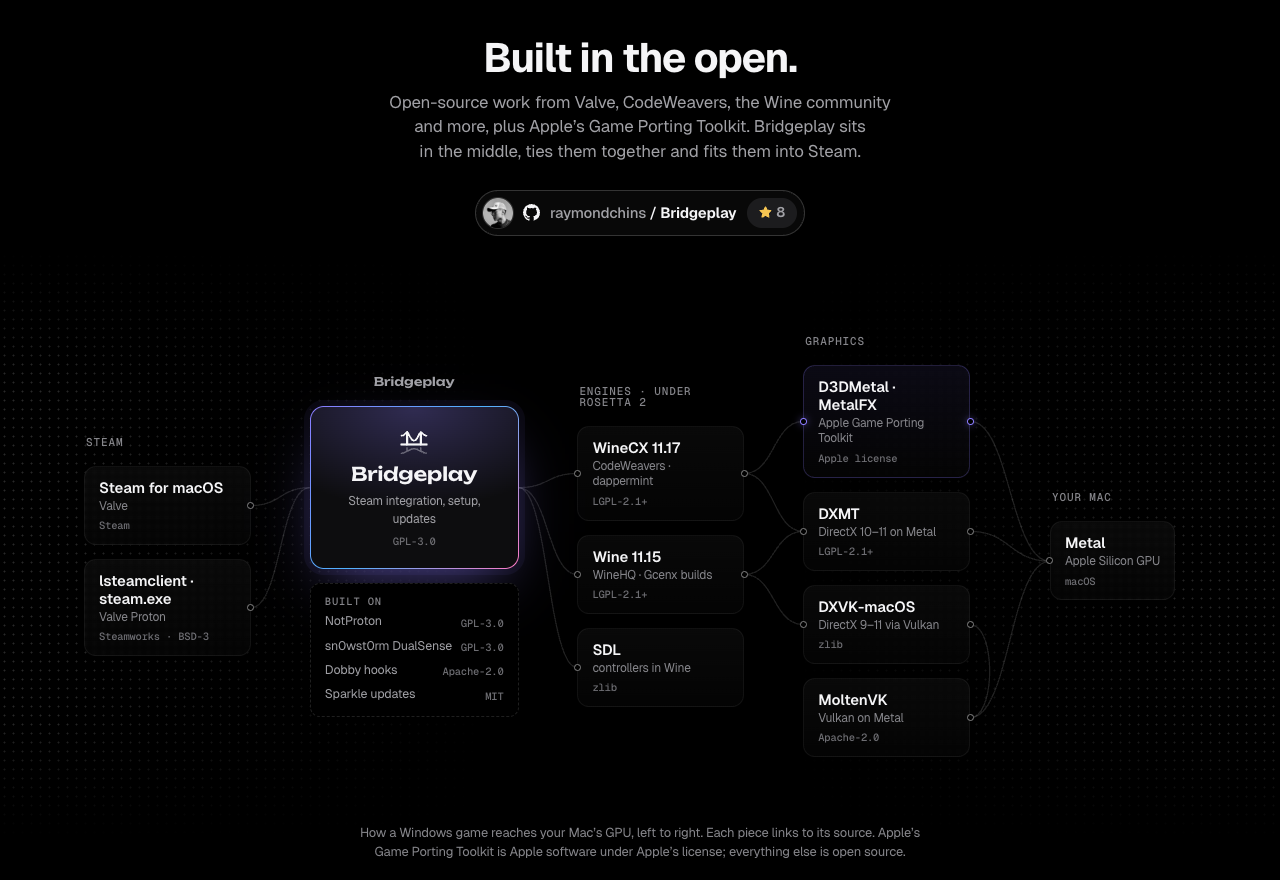
Bridgeplay runs inside the native macOS Steam client and registers itself as a Steam Play compatibility tool. Under the hood:
- Engine: dappermint's prebuilt runtime (winecx-gptk) of CodeWeavers' open-source WineCX 11.17 (dappermint/winecx) with MSync, running under Rosetta 2. Bridgeplay does not include CrossOver. If you own CrossOver, Bridgeplay can run games on your copy instead.
- Graphics: Apple's Game Porting Toolkit 4.0 beta 3 (D3DMetal). It is not stored in this repository; the Setup Assistant downloads its redistributables, which stay under Apple's own license (see Install). DXMT and DXVK are available for games that prefer them.
- Extras: NVAPI/NGX routing for DLSS on Apple's MetalFX, in-process frame generation on
CAMetalLayer, per-game Game Mode, Retina back buffers and a controller layer for HID pads.
Building from source: see docs/DEVELOPING.md, docs/ARCHITECTURE.md and docs/BUILD-LOCAL.md. The graphics download (Bridgeplay-Installer.zip) is built from installer/ by scripts/package-installer.sh.
What Bridgeplay changes in Steam
Bridgeplay modifies your Steam app. It copies a library (notproton.dylib) into /Applications/Steam.app, makes Steam load it at startup through Info.plist, and re-signs Steam on your Mac, replacing Valve's signature. The library hooks Steam's compatibility tool, shortcut and launch option code, and edits Steam's interface in memory to show Steam Play.
Also changed:
- Steam's default compatibility tool is set in
config.vdf, and Bridgeplay's tools go incompatibilitytools.d. - Steam's Accessibility and input permissions are reset (
tccutil), so macOS asks again. - Steam is signed with a local "NotProton Local Signing" keychain identity, or ad hoc, and loses Valve's hardened runtime.
- The quarantine flag is removed from Bridgeplay.app and Steam.app once their signatures check out, from the Wine engine once it matches its pins, and from a CrossOver clone once its Wine loader and
ntdll.dllmatch theirs (the rest of the clone isn't checked file by file). Wine loaders are re-signed ad hoc where needed. - Optional Block Steam client updates (
steam.cfg) also blocks Steam's security fixes. - The library loads for every macOS user of a shared
/Applications/Steam.app. - In games, Steam calls reach your Mac Steam through Proton's lsteamclient, via an in-memory redirect (
ntdll-patch/). - Games on D3DMetal see an NVIDIA GeForce RTX 4090 by default, so DLSS shows up.
NVAPI=0turns that off. - For Apple's MetalFX DLSS only, patched
crypt32andwintrustpass NVIDIA's signature check on Apple'snvngx.dll(ngx-signer-patch/). - Some gamefixes turn off a game's Wine check to unlock DLSS, for example in Resident Evil Requiem and The Witcher 3.
Valve doesn't support or endorse Bridgeplay, and modifying Steam may go against the Steam Subscriber Agreement. Use it at your own risk. Repair Steam or Remove Everything on the Status page restores Steam's Info.plist; if Valve's signature isn't back, reinstall Steam from Valve.
Online games and anti-cheat
Online games with anti-cheat (Easy Anti-Cheat, BattlEye and others) often won't start, and Bridgeplay can't promise that anti-cheat, VAC included, won't flag it. Counter-Strike 2 and Dota 2 run, but VAC keeps them off its secure servers. Play online at your own risk. The compatibility list shows what other players found.
Credits
Bridgeplay is a fork of NotProton by NotProtonNot and its contributors (GPL-3.0), by way of Leon Seemann's NotProton-WineHQ. The Steam hooks, the Steam Play interface patches, the run script and the steamclient bridge all started as their work. Copyright and license details are in NOTICE.
- Engine: CodeWeavers' WineCX (LGPL-2.1-or-later), their branch of Wine, as rebased by dappermint and packaged with winecx-gptk.
- Graphics: Apple's Game Porting Toolkit (Apple's license), DXMT by 3Shain and DXVK-macOS by Gcenx.
- Steam bridge:
lsteamclientandsteam.execome from Valve's Proton. - Controllers and Game Mode: sn0wst0rm wrote the DualSense Bluetooth bridge, Steam rumble forwarding and game-mode host that Bridgeplay 0.7.51 and earlier shipped. They are paused until NotProton merges the same work (NotProton#90).
- Libraries: Dobby (Apache-2.0), Sparkle (MIT), SDL (zlib) and cJSON (MIT).
- Bridgeplay: everyone who has contributed.
NotProton in turn thanks the people who came before it, among them Nat Brown's Kaon, mont127's Neutron and Gio's work on Steam Play in Mac Steam; see docs/UPSTREAM.md.
Support Wine
Wine on the Mac exists largely because of CodeWeavers, the biggest contributor to the Wine project. They fund that work by selling CrossOver. Bridgeplay's free engine comes from the WineCX code CodeWeavers publishes, so every game it runs also stands on their work.
If you can, buy CrossOver.
License
Bridgeplay is licensed under the GPL-3.0. Third-party licenses, and the source for the patched Wine files the app ships (LGPL-2.1-or-later), are listed in NOTICE.
 Built by Raymond Chin, Jakarta.
Bridgeplay is built on NotProton and is not affiliated with or endorsed by Apple, Valve, Microsoft, NVIDIA, Sony, CodeWeavers or any game publisher. Steam is a trademark of Valve Corporation; Mac, macOS, Metal, MetalFX and Rosetta of Apple Inc.; Windows, DirectX and Xbox of Microsoft; CrossOver of CodeWeavers; DLSS and GeForce of NVIDIA; DualSense of Sony Interactive Entertainment. Game names, game art and other product names belong to their owners and are used only to identify them.